Weird text in overview and app list

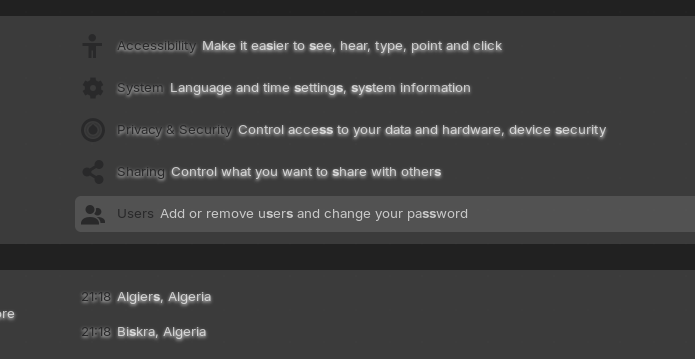
Every time I use a custom theme, I get this weird blur or text shadow. It looks like this


I currently have the Colloid theme installed, but this occurs with every theme I try to install. First, I suspected the blur-my-shell extension, but even after disabling all my extensions, it still persists. I'm using Zorin OS 18

Hello, you will facing this with many theme, it can be fix if you know a little css

Please, how do I fix it?

read this, I gave a solution, there are other gnome-shell.css keys to edit read till the end of this topic

1 Like

Where is gnome-shell.css found?

the place you install your theme in gnome-shell folder
$HOME/.themes/Colloid/ or something like this

Nothing changed. I tried adding "text-shadow: none" to all the occurrences, but it stayed the same

I'm sorry but if you don't write it correctly or forget spaces and ';' I can't help, if it's work for all of us it should work for you, CSS is code and this is not only text you put in a place you want, respect structure and read the topic I gave you to read, till the end
and when you change something in this code you have to restart your gnome session.
ALT + F2 > r
Beside this:

I had the same Issue and with these, it solved it for me like You can see at the Pictures in the linked Thread. Yes, it is a bit tinkering needed.