What gaps should one mind

Hey,

I am a parent and I have been struggling with mitigating from Mac-OS and Microsoft the last year.

Couple of weeks back I installed ZorinOS Pro again.
Last year I got my ZorinPro compromised (or I broke it) in the middle of a work session and I lost a lot off work and customers, totally broke me (company owner here).

A result from not being the most technical combined with ADHD (A Dive Gets Distracted).

Anyhow, after a lot of reading and focusing while starving the kids I managed to set up Linux Mint Cinnamon X Debian Trixy, Gigi (or I started with bookworm Faye version and upgraded) on a old low budget Acer laptop, using the UEFI boot process from a USB, and Balancia Etcher (which I am not sure if I even used), after I bought a new ZorinPro ISO. I used duck.ai to assist me with the process.
Now, I am using a laptop lenovo ideapad 3, intel corei3, the same one which broke down last year, but with a new ZorinOS (yea, ik), and I have been using it for a couple of weeks.

So, there are couple of things I cannot wrap my head around, like yesterday before i cleaned all my history and everything ells in brave, I was using LEO AI in brave and there was these weird small blinking squares around what I was typing.
Later on, I downloaded / installed locally "Gods eye view", also with help from Brave Leo, then I created and registered a GitHub account with proton mail so I could create an API key for one of the functions in the "Gods eye view".
After creating a Github account something weird happened in the browser and it suddenly felt like there was another presence on the computer.
Everything shut down and the document I was working on was gone. I had proton mail open in one tab, was logged into GitHub in another tab, next tab was Leos chat, another tab logged in to one of my banks and some other non impotent tabs.
"Gods view" takes a lot of CPU and memory, so this is understandable.

One of the first things I did when I started to use this laptop was change the DNS setting from the terminal to Cloudflare and Quad9.

However, when I was logging out from GitHub there was an option which said "Log out all users/accounts" in red colour, which was weird since there is only me and off course I also choose that option.
Earlier, before creating a GitHub I uninstalled a flatpak named "Lotti", and I was wondering if there could be a connection to this open source project, this AI flatpak "Lotti"", possible could had been using brave and somehow bypassed something and went straight to it`s own GitHub?

And before that I DL "steam installer" : ZorinOS APT, which was blinking a lot when I tried maxing the screen inside the application, but then later I bought a game "Among Us" from the steam store inside the stream, it worked brilliant later that evening, which was great but it left me with this unpleasant feeling; something was going on, which I could not see, something felt simply just off.
I understand steam operates under the black box concept, but its pretty new to me. Before I could play the game I had to make an account or login with my account which was just done with one easy click followed by the word "Success!" on the black screen.. I always find it very concerning reading that exactly word on my personal digital services which I pay for, "success".. After that it was just like it took over the computer, and it was really hard to quit steam. I have to admit I am impressed and can only imagine how awesome that must be for an advanced gamer, unlike me who is new to this and trying desperately to do some proper work on here.. (I did play counter strike twenty five years ago, on my brothers computer though).
The game I bought, which clearly is a low-budget game, I let steam choose for me and I just bought the first one steam choose.
Looking forward to play it later on, when I have this laptop and its software under control and hopefully some new friends to play with.

Don`t ask me why but I just love doing things from the terminal, so I prefer the terminal but since I am not good at it yet I am thinking; if I should consider only doing flatpaks, or what?

I have time-shift on and find it weird it did not come as a native flatpak/application with ZorinOS, why? On the other hand, I have no idea how-to inspect or investigate a time-shift.
Also, are there some other tools which goes hand in hand with time-shift?

Then there is a official Norwegian public government website I cannot access from the brave browser which is really frustrating because I got s#%! to do! Is this a common thing, could it be a security feature from Zorins side, or are they blocking me because of dns? I know those guys use a very aggressive script on their peers so if its a security feature from this OS I would say A+ to Zorin.

Also, yesterday, when I was typing on the messenger app on my pixel pro 9 it suggested words saying "don`t use Linux", which also was very unpleasant.
I am not sure why this happened, but before this happened I tried to switch email address on the Zorin community help forum web-page on my profile, from hot-mail to proton (setting it up with Fido authentication), shortly after I read in the Zorin community about proton AGs mail service wrong doing users (like really hardcore degrading human rights) which made me switch very fast (full panic mood) back to hot-mail and also disabling the Fido authenticating device, could this had triggered something? I think I was logged in one of the pixels browsers during this session.

Also when powering on this laptop after it has been of and arriving to the login screen where one type in ones credentials, there is an option saying "Not listed?" and one can choose that option where one is prompted to write username and password, which I also find a bit weird, since its only me.

Then I switched to main server for fetching updates and installation and when I tried changing it back to the Norwegian server it was so many options I had no chance to remember which it was. Does this trigger anything? My God, I really do not have time for this.

I am 100% for open source and transparency and all that, but it is a long road ahead and I would really like to have order and proper overview of my assets and company resources before someone starts building on it or with it, does this make sense?

Is aqua-mail any good or is Thunderbird the most suitable for Zorin? What about this evolution mail - I am tempted to try it out but the struggle is real. I have a google workspace which I am eager to start working with but is that suitable for Zorin, is it safe and how can i secure it to the max?

It would be such an amazing experience to have all the devices working with me and for me - not against me!

Lucy 88
a few of the concrete bits, from what ive bumped into:

timeshift is normal as a .deb/apt tool on zorin, not a flatpak. that is fine. open it, pick a snapshot, and you can browse/restore from there. pairing it with copies of important docs somewhere else (external drive or a second machine) has saved me more than timeshift alone. flatpaks are nice for apps you want sandboxed and easy to rip out. apt is still fine for system stuff. you dont have to pick only one.

brave + custom dns (cloudflare/quad9) can break some government sites. try turning brave shields down for that one site, or briefly switch dns back to your isp, before assuming zorin is blocking you.

the login screen "not listed?" option is normal on a shared greeter. it is not an extra account by itself.

for mail on zorin, thunderbird is the boring reliable one with google workspace (oauth). evolution works too if you want calendar/contacts tighter with the desktop. i would not start with aqua-mail unless you already like it on phone.

steam acting sticky when closing is pretty common and usually not a takeover. the github "log out of all accounts" button is also just a normal security option.

if things still feel wrong after a weird crash, a timeshift restore to before the gods-eye-view install is the cleanest reset. then only add one new app at a time.

2 Likes

Okay, this is a lot. Let's see ...

For Steam: When it leasd to a more secure Feeling for You, You can download and install the .deb Version of Steam directly from Steam itself:

Might be weird, but is normal.

I don't exactly know what You mean with ''trigger'' but this is the Choice for the Download Server. On Main Server, You can get faster Updater but depending in which Contry you are, it Speed ight not so well. With local Mirror Servers , You can avoid that - but it might have a couple Hours Delay when Updates are rolled out.

This is at the End the same like on Windows. You can use the Mail Client You want and what suits You as long as it has a Linux Version. Evolution on Zorin is preinstalled because it belongs to the Gnome Ecosystem. When You have used Thunderbird until now, You can use it now on Zorin, too.

Because of the mentioned Government Website: The Combination of Brave and custom DNS could lead to that. If a VPN is in Usage, that could be a Factor, too. Did You tried Firefox?

Because Timeshift doesn't have a Flatpak Version.

No, not in this Way. The Thing is: .deb Files are the native Package Format here on Zorin. Flatpaks can be used independently from the native Package Format on various Distros as long as they have a Flatpak Support. So, it is a bit more universal if You want so. Now, flatpaks run containerized. They only have limited Permissions. That is intended and an Aspect of Security.

BUT: That doesn't mean it saves You from any Security Issues. When the Flatpak is old and not maintaned, Security Updates can be miss - and that is an Issue, too. Or the Flatpak itself is malicious. You have to be catious when installing Software - if it is on Windows, Mac or Linux.

You stand at the Front of a for You new OS Ecosystem. We all stand there at one Point when we began. I'm sure the People here can understand that it might be overwhelming. And that is normal. And it is also normal that You have to learn new Things related to this. That isn't something what You get from now then. It is a Process - a Learning Process.

2 Likes

Thank you!

For taking your time and your written answer, it means a lot.

Linux is hard to learn.

Since this threat still is open I was hoping if one could answer more question.

Apologies up in front if my questions seems stupid, I`m a n00b and I really do not want to do anything which could lead to crashing the system.

I still have not uninstalled the steam, I will do this when I am 100% sure I am doing it right.
When open settings --> apps --> Amoung Us --> App details --> it launches the software store which opens "Pieces OS" (it is a snapcraft.io) which is labeled as "Background service powering Pieces Products & plugins" and off course I want to delete this (it is not even installed, but it opens this Pieces OS!) because I do not understand it, and I thought It was gonna open the "amoung us" game, and I did the commands as recommended in another post which goes like: command: snap list which returns :
bare 1.0 5 latest/stable canonicalâś“ base

core24 20260824 2124 latest/stable canonicalâś“ base

gnome-46-2404 0+git.b31ceab-sdk0+git.f0723a0 164 latest/stable canonicalâś“ -

gtk-common-themes 0.1-81-g442e511 1535 latest/stable canonicalâś“ -

mesa-2404 25.2.8-snap288 1839 latest/stable canonicalâś“ -

snapd 2.76.2 27710 latest/stable canonicalâś“ snapd

How do I know which one to delete? I will google around some more. I am on a GNOME shell 46.0. When I know I will proceed with the commands:

snap remove --purge [Package-Name]
sudo systemctl stop snapd
sudo systemctl disable snapd
sudo apt purge snapd gnome-software-plugin-snap
sudo apt autoremove

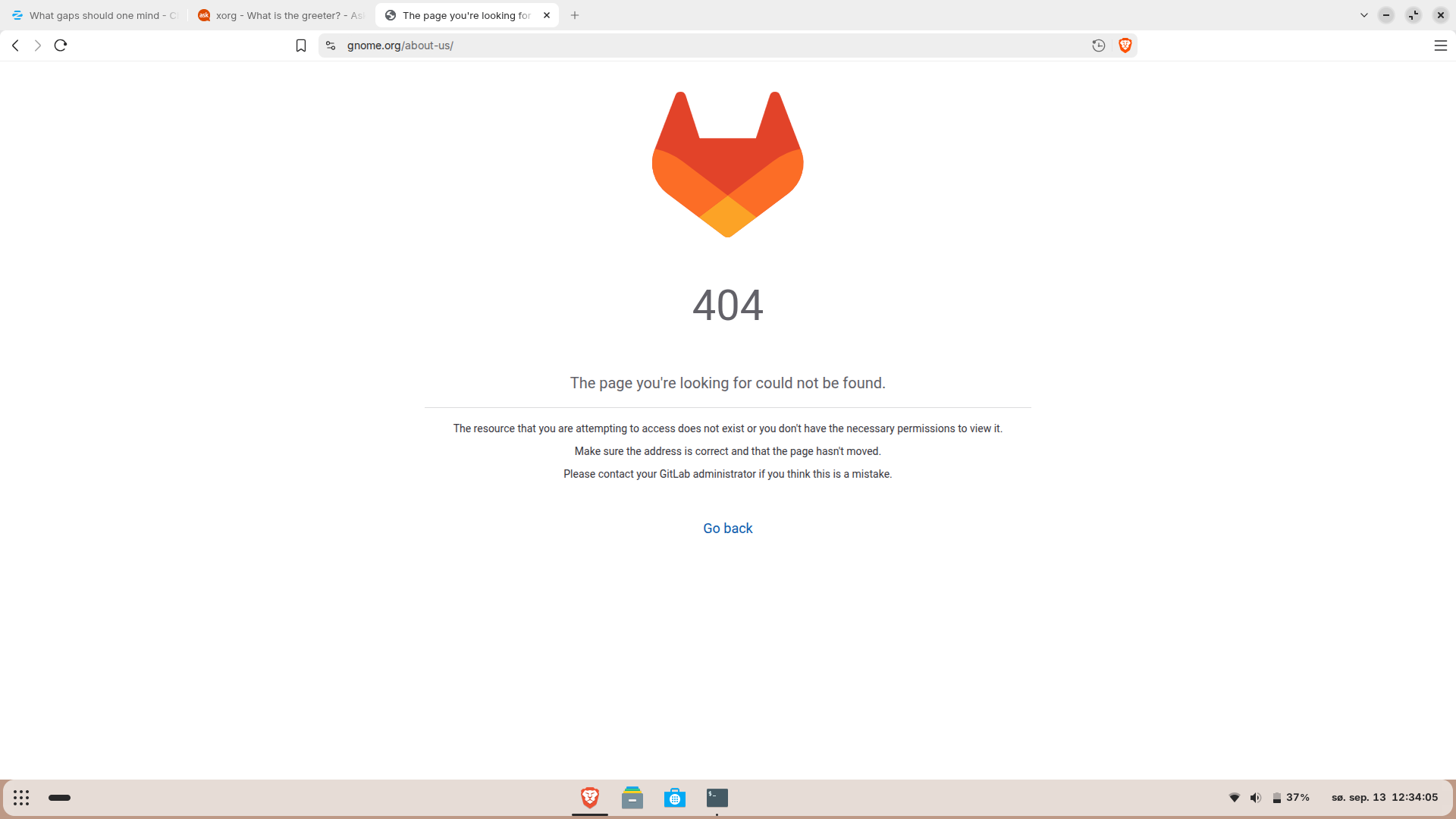
Since GNOME is pretty new I was gonna read about it but then I got this weird 404, I had to contact my GitLab admin, which is weird since I just got a GitHub account, would it not be a normal thing to be introduced to ones Gitlab administrator and should I not get an option to consent or not and is this a normal Linux behavior?

Found this and is currently studying it: A Beginner's Guide to Installing Software on Linux

You could try this for the Gnome Website:

And this seems to be a Website Thing independently from Linux.

For Your Pieces OS Thing ... it seems to be some - like your wrote - Background Service. So, this don't have to be a seperate Package.

Can You make a Picture of that and post it here please?

Thank you for the GNOME link.

I`m sorry but I removed the steam installer from the software store and the "Among Us" game disappeared from the application list, so it is not possible to make a picture of it anymore, but it was most definitely not a separate package since it removed the game when uninstalling.

1 Like

Hey again,

I had a lot off troubles signing into the GitHub (in Brave) I just created; and when I did request a password-change I could see I already had a GitHub account from years back so, I will just leave that until I feel more safe (if I ever do). I just wanted to get the API from the gods view which I uninstall, since freaking out when Ctrl + H in files there was this, like gifs and or other formats which had another persons face in it, like a human male and his belonging identity in my files! :flushed_face: (I think It was not AI generated, idk), all I know was that It came from the gods view. Will read some more on this. I will add a screenshot of the default browser section so one can see that I has duplicated option of the Brave browser. It`s weird I have the same thing with my Facebook profile on my phone. Things seams to always duplicate around me.. :confused:

So there is this other thing which I just realized is a bit weird (hopefully not), but whenever I turn my laptop on, after having the lid closed there is this icon for printing which disappear when I login, I can only see it for a very short of time aaaand then it is gone... Its weird since I do not have a printer and when I check printer settings it says connect to a service...?

And then there is that thing I struggle with multiple of times daily which is the : sudo ufw enable ---> Firewall is active and enabled on system startup ---> sudo ufw verbose ----> Status: active... Everyday I have to spend time on this setup following the instructions carefully multiply times daily from this link so it can match these document :

It is very exhausting and it takes a lot of time and focus. Could it be because I always put the laptop in "Suspend" instead off "Power Off..." mode?

(Solved, I was writing the commands wrong, the correct command is --> sudo ufw status verbose <---- :slight_smile: will leave this link here though, it is a good one!)

I have 6+ on both my eyes so it`s a rl struggle reading on screen and general life graphics lol.

Sorry for all these walls with text.
I cannot add pictures, Idk why. Oh my, if you ever read this - Thank you..

Can You make a Screenshot of this?

Because of the Firewall: There is a graphical Tool called GUFW preinstalled. With that You can enable the Firewall. And when it is enabled it stays enabled.

When You click on this:
grafik
You should be able to add a Picture here.