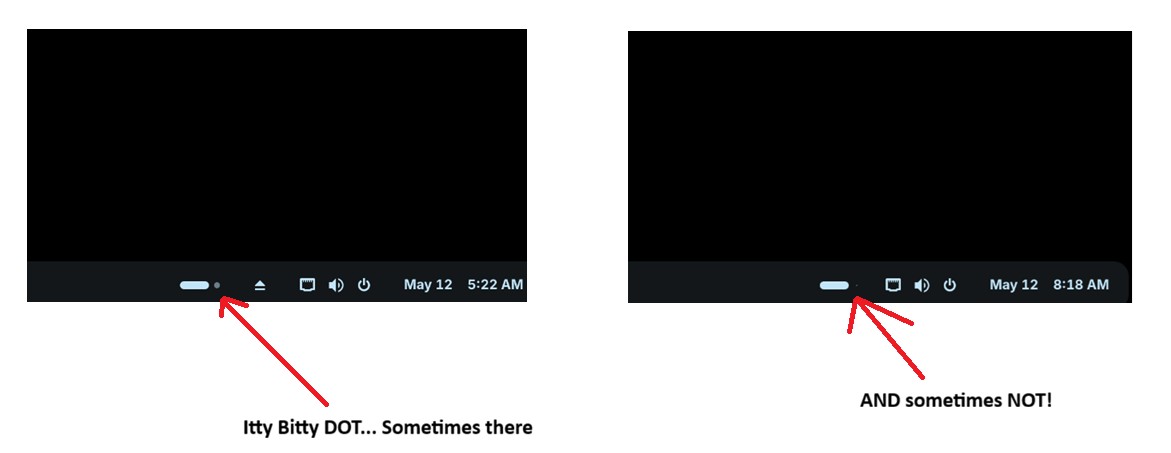
A little dot in the taskbar on the right side near the mini icons sometimes appears and sometimes is absent...
Please see screen-shots.
A little dot in the taskbar on the right side near the mini icons sometimes appears and sometimes is absent...
Please see screen-shots.
The icon is the workspace switcher and shows the two default workspaces in Zorin.
The bar shows the current position within the workspaces (dots).
When you are on the first workspace, the dot is on the right side, and when you are on the second workspace, which is at the right side of the first workspace, then the dot is on the left side.
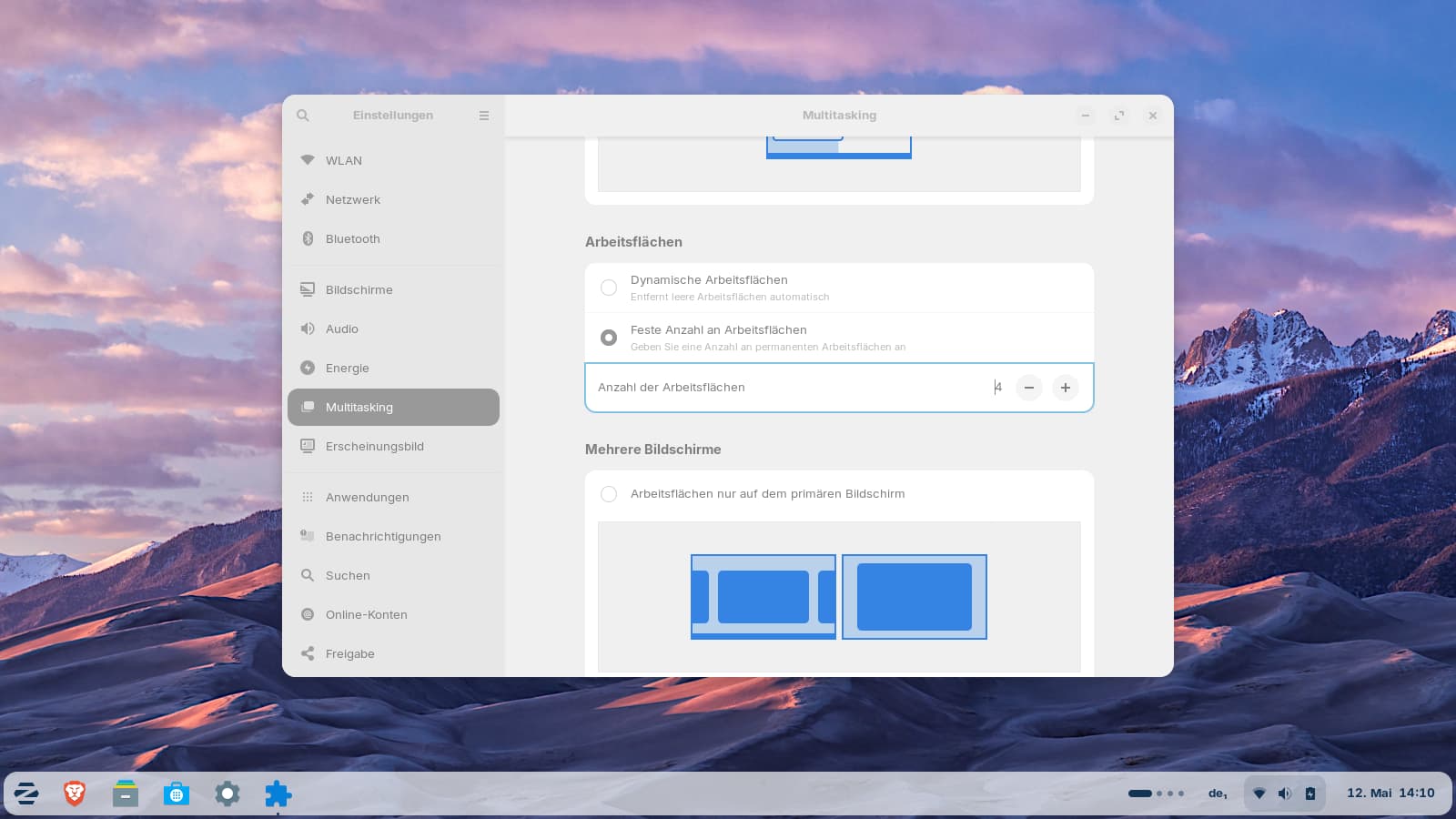
When you setup more than two workspaces, e.g. 4, the icon looks this way:
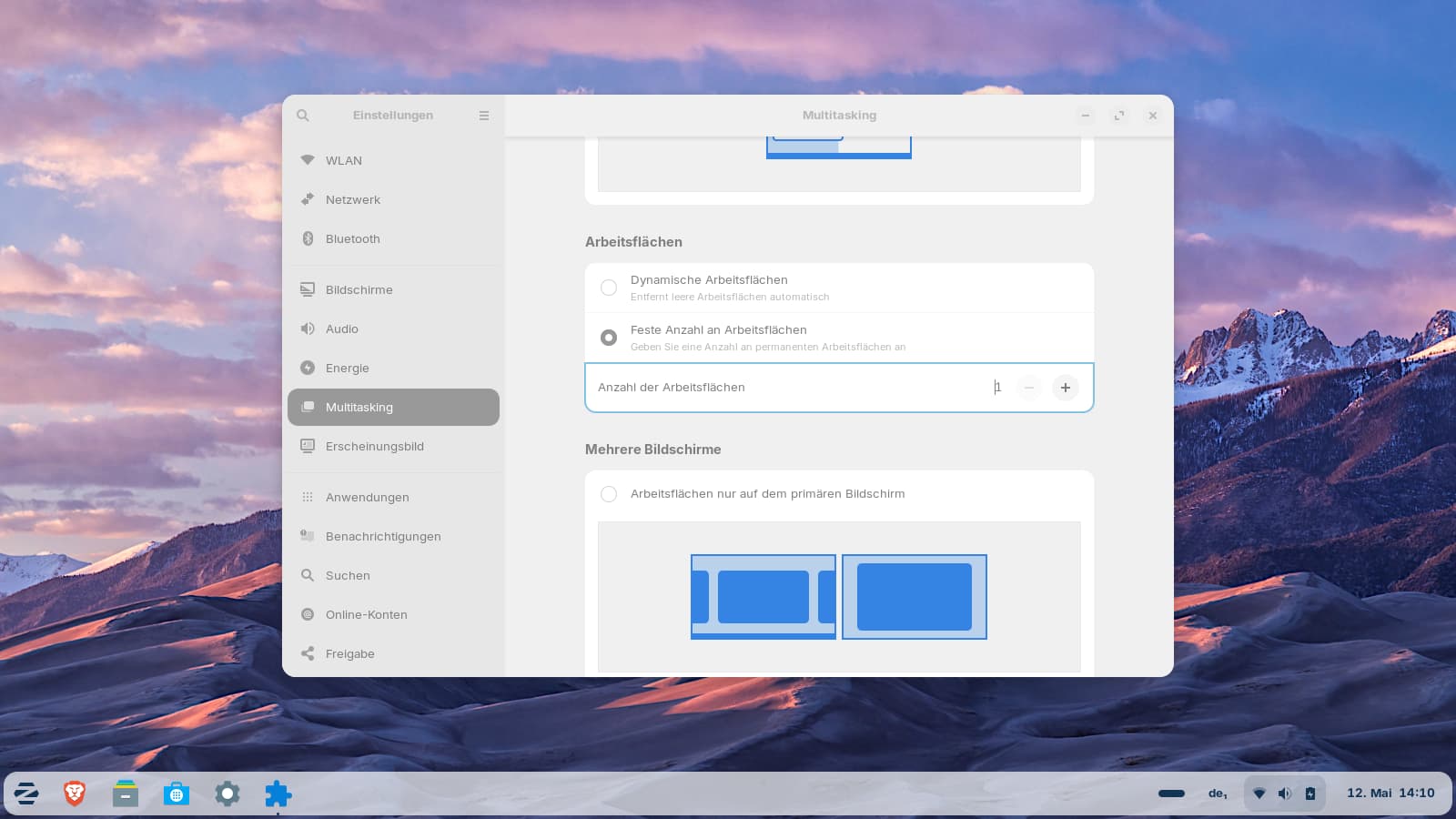
And when you setup only one workspace, the dot is absent:
Do you have more than one monitor? Mabe when you enable "show workspaces on primary display only", then on the other monitors is only shown the bar without a dot, because you have no workspaces enabled there. I'm not sure about that because I only use laptops and no external monitor.
Thanks for the info! 
I marked @Forpli's Post as Solution.