Hi there. I tried KDE Plasma for about 30 minutes but decided I didn't like it. So I returned to the GNOME Desktop and uninstalled KDE.
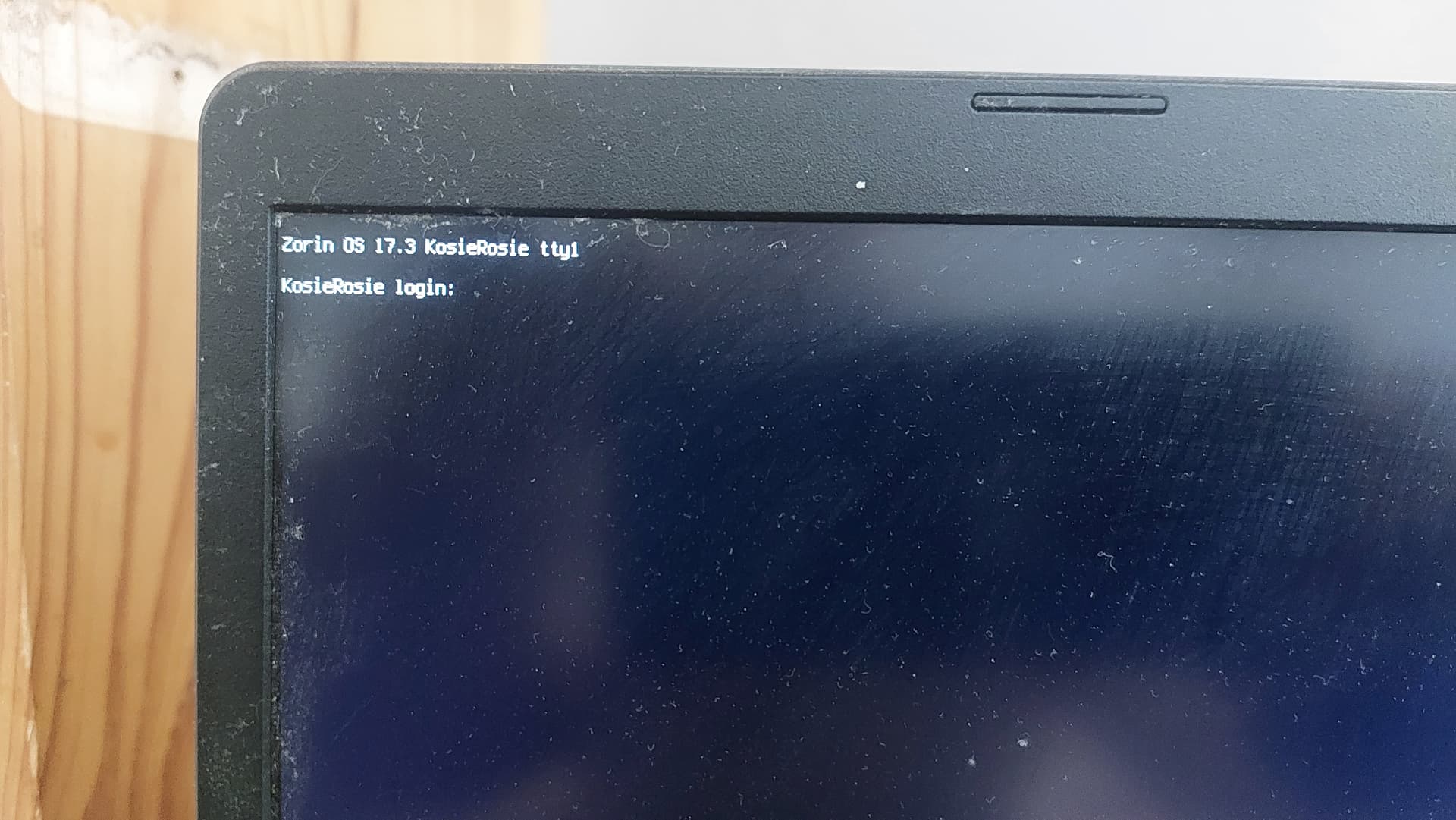
Today when I booted the compie, I got this beautiful login:
However, being used to only entering my password, I cannot recall my username.
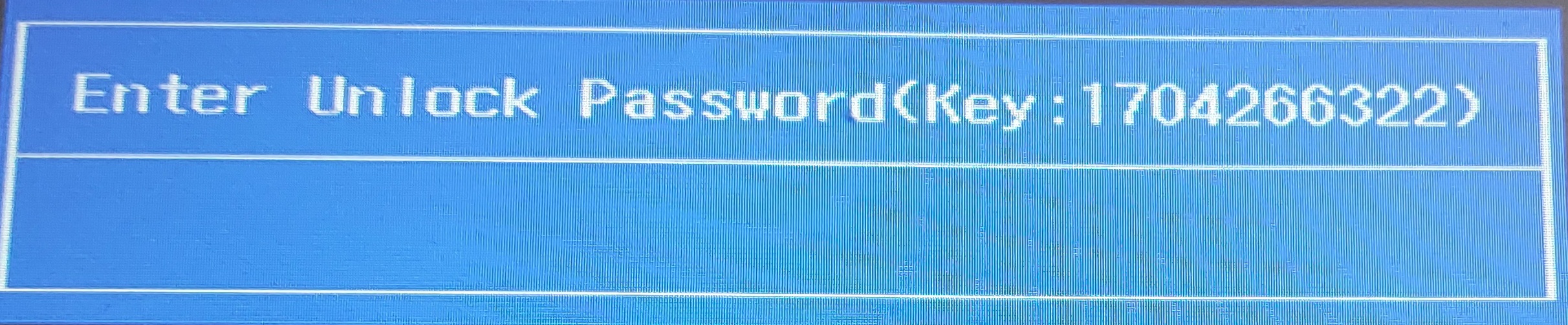
To make matters worse, I forgot my BIOS password, because I tried to repair/reinstall ZOS; and after failing repeatedly, I got this beautiful blue block of "you're scrood, dude!"
Can anyone please help me with either or both of these train wrecks?
Ok Im gonna assume you didnt know about rescuezilla and made a clone of the OS so you could just clone it back in...once you get back in might be a good idea ...if you have and drive to use for the clone.. to get that. even timeshift is worth getting to help when things go wrong heres link for it once your backup and running
someone with abit more knowledge will be along soon to help with this Im sure its something simple tho
1 Like
KDE Plasma uninstalled ... Yes, something can happen this Way.
Your User Name is the one, You have chosen when installed Zorin and created Your User Account with Password. Also it should be the one, You read on the Display: ''KosieRosie''. So, You should simply type in Your Password.
When logged in type sudo apt reinstall zorin-os-desktop gdm3
The BIOS Password is a different Number. I think when You take out the BIOS Battery the BIOS can be reseted but I'm not sure about that.
2 Likes
You assumed correctly. Thank you for the advice, I will see if I can get it downloaded and installed on a USB drive somewhere.
1 Like
I will try the battery thing, thank you for reminding me how I used to reset too-far-overclocked systems in the past!
As for the user name, I completely forgot it.
1 Like
To reset the BIOS password, from Grok:
Here’s how to reset a forgotten BIOS/supervisor password on an Acer Aspire 1 (or similar Aspire/Aspire One models). Methods vary by age of the laptop—newer ones are harder to reset without service.
1. Unlock Key Method (I used this one) (Recommended First – No Disassembly)
This works on many Acer models (including older Aspire One / Aspire series) that use Insyde or similar BIOS:
- Power on the laptop and press F2 (or try Del/Esc) repeatedly to reach the password prompt.
- Enter any wrong password three times.
- Note the Unlock Key / code that appears on screen.
- On another device, go to https://bios-pw.org/ (or similar generators based on the same algorithms).(I used Biosbug.com)
- Enter the code and generate the possible master/unlock passwords.
- Type one of the generated passwords on the laptop.
- Once inside the BIOS:
- Go to the Security (or BIOS Security Features) tab.
- Select Set Supervisor Password / Change Supervisor Password.
- Enter the current (unlock) password.
- Leave the new password fields blank and confirm.
- Press F10 → Enter to save and exit.
This clears the password on many units. It is less reliable (or fails) on some newer models where the supervisor password is more tightly protected.
2. Hardware Methods (Older Aspire One / Aspire Models)
Service manuals for many Aspire One series describe these official procedures:
These require careful disassembly. Use anti-static precautions. Exact pad locations are in the model-specific service guide (search for your exact model + “service guide” or “clearing password check”).
3. Official Acer Method
Acer’s official stance (from their knowledge base) is:
- If you know the password, enter BIOS (F2) → Security → change Supervisor Password to blank → save.
- If you forgot it, the supported way is to send the laptop to an authorized Acer service center. They can clear it (sometimes by replacing a chip) but may charge a fee and require proof of ownership.
Contact Acer support with the SNID/serial number from the bottom of the laptop.
Important Notes and Warnings
- Supervisor vs. User password: The supervisor password is the stronger one that locks BIOS settings. Clearing it is what most people need.
- Newer Acer models often make hardware resets ineffective and online generators less reliable. In those cases, service center is the realistic option.
- Disassembly risks damage, static discharge, or voiding remaining warranty. Only attempt if you are comfortable and the warranty has expired.
- These steps assume you own the device. Do not use them on equipment that is not yours.
- After clearing, load BIOS defaults (usually F9) and set a new password only if you want one (and write it down securely).
If you can provide the exact model number (e.g., Aspire One D270, AO753, A114-xx, etc., from the sticker on the bottom), more precise instructions or confirmation of which method applies become possible. Let me know what happens when you try the unlock-key method or if you need help identifying the model.
So, though you pointed me in the right direction, the disconnected BIOS battery merely blocked the machine from booting at all.
1 Like