So question one, obviously, is - What are the differences between the two offerings?
Question two is closely related. Why do vastly different Linux programs show the same name on both the task bar and the top of the open program?
Example - When I installed Nemo I found that I now had two file systems in parallel and both of them were named Files. If I had loaded these same two systems in Windows or Mac they would display as Nautilus and Nemo, not Files and Files which make Linux infinitely LESS user friendly.
In Zorin there are by default three package formats in the Software center: native Zorin apt packages which are usually .deb packages, flatpaks and snaps. When you search for an app you can see on the right side the package format.
The Zorin packages are usually best integrated into the system, need less storage space and work well. But they are often not the latest versions of the apps.
If you need more current software with new functions, you can install the flatpak or snap version. I'd prefer flatpaks because snaps are more difficult to handle. And if you want to use flatpaks it is the best to install flatseal. With this program you can manage the permissions for all flatpak apps.
Which of the three options is the top offering and which of the three offerings is the bottom option? EDIT I misread the line that said " When you search for an app you can see on the right side the package format.".
Why is there nothing on either offering to say which is which so that users can make a simple informed decision? EDIT It would help newbies if that was included in the Library offering
Maybe experienced users automatically try both or know through some sixth sense which is which is their preference but forcing a newbie who is trying to make the easiest possible transition from Window to load both to find out which is which and then experiment to find which they prefer is not going to attract new users to Linux.
Like with multiple file managers all presenting as Files this is NOT user friendly for newbies and likely to drive newbies back to Apple or MS.
Zorin wants to offer choices, which is why various package formats are integrated by default. This is very confusing for new users, and developers have therefore often been asked to only display Zorin packages by default, or at least to put them first as the preferred option (rather than flatpaks).
For me, the Zorin packages are number 1 (my first choice if ever possible and if it are real .deb packages), then flatpaks, then snaps. I myself use only .deb packages because I have a small disk and not much space.
You are welcome to contact the developers under the feedback category and let them know what you would like to see in Zorin and tell them what it makes difficult for you to use Zorin.
That is unfortunately related to the Name-Giving - and I agree. That is not good. You can manually change the Names if You want. I can give You Instructions if You wish.
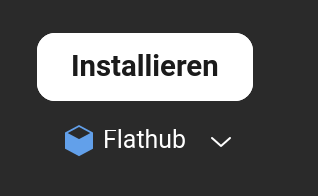
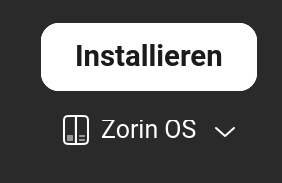
You can see what Package format it is when You click on the Entry and then on the Site with the Install Button, You see it under this Button:
One Thing to these seperate Entries: You don't have that in every Case. IT depedns how the Package Names are handled. You can find Entries that exist one but have different Packages Formats. And this, You will delect with the above shown. Click on the Package Format and You get a Dropdown Menu where You see all avaliabe Formats.
"Nemo and Nautilus both display as "Files" in the application menu to align with GNOME's user-friendly naming philosophy, which prioritizes intuitive, descriptive names over technical or cryptic ones.
GNOME's Design Choice : The GNOME project renamed Nautilus to "Files" to make it more accessible to new users. As explained in a Reddit discussion, the goal was to use human-readable names like "Files," "Music," "Videos," and "Contacts" for core applications, avoiding obscure internal names like "Nautilus."
Nemo's Naming Convention : Nemo, a fork of Nautilus, adopted the same naming pattern for consistency across desktop environments. This results in both file managers appearing as "Files" in menus, even though they are different applications.
User Confusion : This naming overlap can cause confusion, especially when both are installed. For example, on Linux Mint with Cinnamon, both Nemo and Nautilus appear as "Files" in the menu, with the only distinction being their icons (e.g., green for Nemo, blue for Nautilus).
Technical Reality : Despite the shared name, the underlying applications are different. The real name (e.g., nautilus , nemo ) is still used in command-line tools and configuration files, which can make launching or managing them from the terminal tricky for users unfamiliar with the naming mismatch.
Thank you both for your replies. A neighbor had who has been helping my transition already managed to rename the one I use to Nemo and to hide the other so it does not show in my menu. Like me he is a newbie and between us we are solving most of our issues. He is using Debian and loves command line, I do not, so there are some significant differences.
I prefer to try and solve problems without bothering the forum for what some may consider a lack of trying.
I tried several Linux distros and settled on Zorin because it promised the best transition from Windows7 and also has the theoretical ability to install some windows apps (https://www.youtube.com/watch?v=gL3lvECgces). I say theoretical because so far I cannot get the one and only Win app I want to work for me to work at all. I am fairly positive this is finger problems at this end but may be forced to pester you guys again and I feel I am hogging your time.
please dont worry you are not wasting anyone's time
its far better you ask the question then get so frustrated you install Windows.
i beleive you were looking for OCR software
in the software store search for OCRfeeder
is designed to work in a Gnome enviroment.
i have always found running Windows programs in Linux is a bit hit and miss.
hence i use Gnome Boxes and run a version of Windows in that for two programs
Garmin Express 2. Rufus. but please continue asking Q's.
best of luck Steve ..