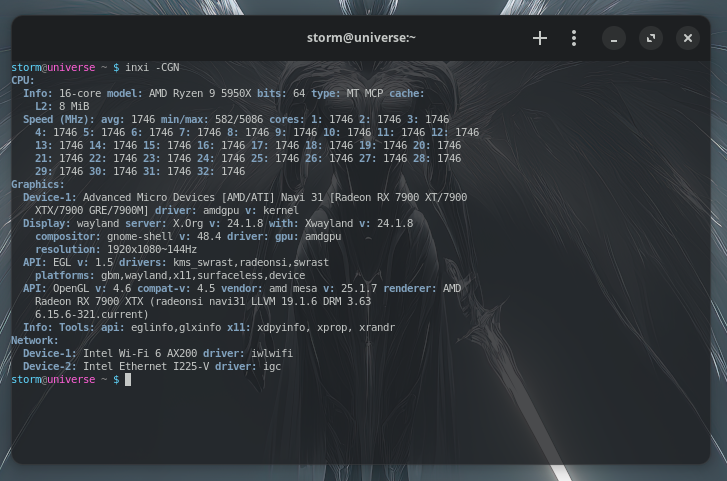
There's whole lot of options when it comes to pick your favorite terminal.
Which one is your favorite?
Mine is "Black Box". It has all the features and more that Gnome removed from theirs and it blend very well with libadwaita.
There's whole lot of options when it comes to pick your favorite terminal.
Which one is your favorite?
Mine is "Black Box". It has all the features and more that Gnome removed from theirs and it blend very well with libadwaita.
Is Black Box still supported? As far as I know it was a Candidate to replace the Gnome Terminal with Ptyxis. But it seems that there doesn't came a new Version of Black Box since Version 0.14.
But I tried it in the Past and I can confirm that it has some nice Options and Color Profiles.
I use at the Moment Ptyxis which have a lot of Color Profiles, too. It works well for me.
It's one year old the last update, but perhaps it's finish project. It works without any problems.
I honestly just use the default. I've never felt compelled to change it. There's only one thing I want to change about my terminal, and it hasn't bothered me enough to make the necessary effort to figure out how. As a dark mode only user, the default color for directories in Zorin's terminal is such a dark blue it's very difficult to read. And yet I still haven't bothered changing it.
The different terminals I've had while distro hopping have largely annoyed me. I don't want a cute little house icon in my command line to represent home, thanks.
@Locklear93 So you can change it:
Thanks. I'd have found it if I'd bothered to, but didn't care enough. Having it pointed out made me feel bad for being lazy, so I fixed it. <_<
That doesn't have to come from the Terminal itself. That could be Bash, zsh or Fish Sheel Customization.
If you want a simple built-in Color Profile Choice, Black Box or Ptyxis should be worth a Try.
I use Konsole. New tab button visible on the interface by default is all i need from a terminal. The ability to have divided tabs and a paste button is also nice
It also can depend on some .sh installs. I discovered that to unpack MultiSystem usb tool needed xterm to run.
This is exactly why I prefer software that is configured through a plain text file.
I used to use Tilix and I really like it. Unfortunately, being based in Gnome Terminal, it suffers from the same complicated and poorly designed GUI.
Currently, I'm using Alacritty, and have been playing with Suckless' simple terminal as well, although this one really is quite simple.
You can configure the prompt line with something like this:
To be fair, lack of a plain text file wasn't what kept me from hunting down the option; it was inertia. It wasn't at all hard to find. I was being lazy. Also, hamburger menu, preferences is easier to guess than "which text file?" for most people, and certainly for me. <_<
Of course, if you have to stare at it and guess your way through it then a GUI is probably more intuitive. But the idea is that there should be a place where settings are documented, even when there's a graphical interface for them. If there's no documentation, I would argue the software is not being managed very well.
While I would agree with that, I can tell you from experience as telephone tech support that only a small percentage of users ever read the documentation, and for most people, if they have to dig out documentation for changing a text color, you've already got a UX failure.
I completely agree with that. I'm not advocating for poor UI designs. What I'm saying is that there has to be a documentation so that you can look stuff up when someone calls you for help.
Now I'm confused. We may be talking about different things.
You seem to be advocating for their absence. I'm still not clear on what using a UI to change a text color has to do with preferring plain text files. I would have been more likely to require help, not less, if I had to hunt down a text file, and whether something is configured via a text file or GUI, documentation is still needed. If the point was that GUIs encourage a lack of documentation because they're easier for a user to explore, I suspect that's true, but I wasn't sticking with the navy blue on black text because of a lack of documentation, but because of inertia. It's neither the GUI's nor documentation's fault if a user doesn't care enough to remove a thorn from their side.
Oh, I see, I misunderstood.
I thought it was because you found it tedious to change things up. That was my problem with Tilix, whenever I needed to re-install I had to configure it again, and there were a few places I needed to make changes for things to be how I wanted them.
But I understand what you mean about inertia, I don't change things often myself, which is why plain text makes a huge difference for me. I can save these files easily anywhere and just drop them in another computer, after re-installing the OS, etc.
I think my thoughts are better explained in this video:
Ah, yep, that makes sense now. No, I haven't switched consoles because the actual use of the console doesn't bother me any with the default. For the purpose of exporting settings in particular though, I agree, plaintext files are great, but really it could be anything as long as it's easily identifiable and doesn't result in errors from being dropped into place. I'm similarly annoyed by reconfiguring Firefox after each fresh install and need to start copying my profile out.
Speaking of terminals, I've been keeping an eye on Ghostty but I haven't yet tried it. It looks promising, and has all the bells and whistles... including text files 
I use the base xfce4-terminal.
I tried others, including Ghostty, Alacritty, and ST... But they all lack the configuration ability of the XFCE4-terminal where you can easily set any customization you want.
Many bring their own LibAdwaita theme along with them. Many increase resource usage unnecessarily.