As the title suggests, on my Asus Zephyrus G14 i get lines of white dots on the my screen of which some flicker, they appear over all apps. Funny thing is, if i put my mouse cursor over one of the dots it dissappears "under" the cursor and also none of these patterns appear on the initial log in screen. AFAIK i have the latest AMD drivers. Any ideas?
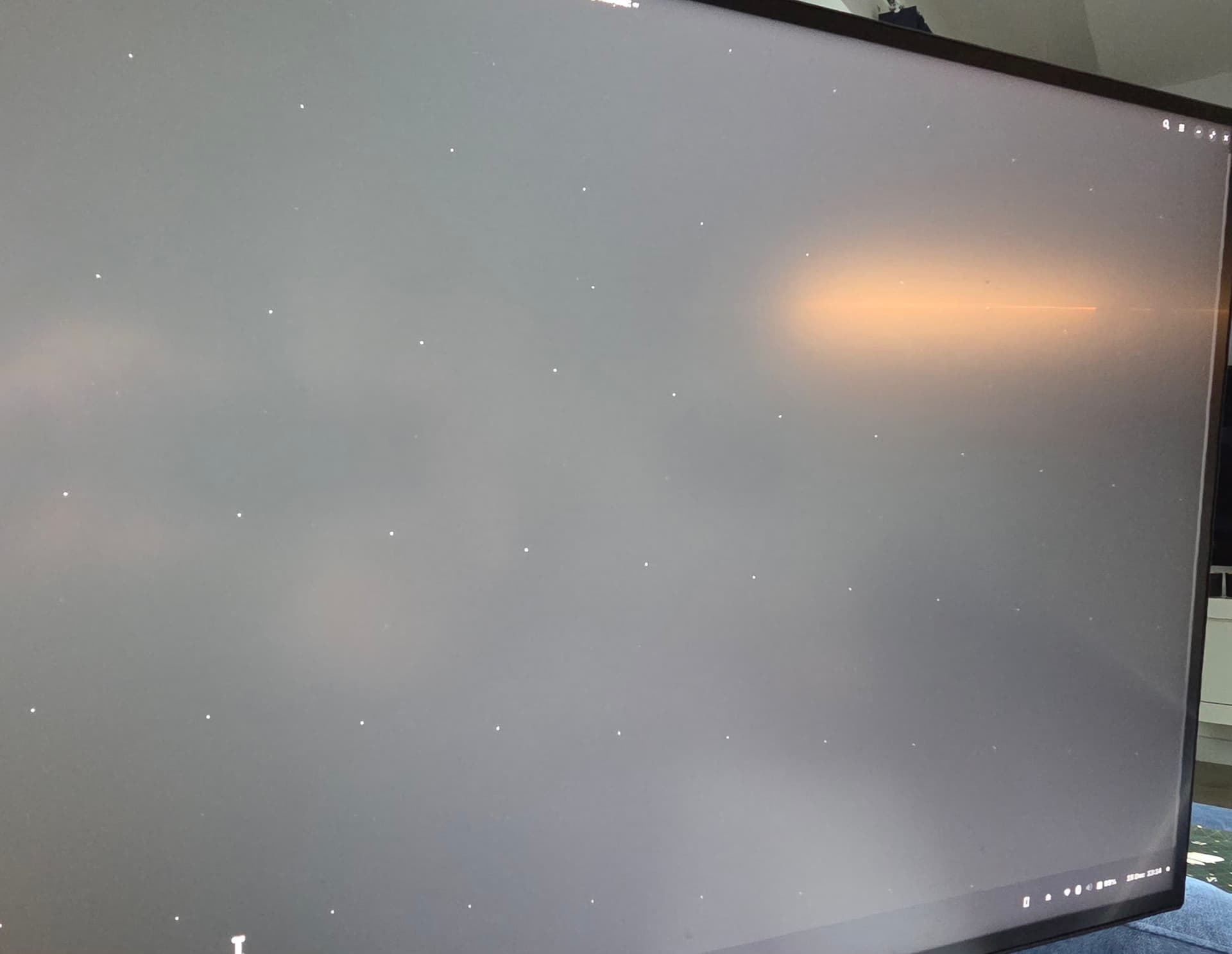
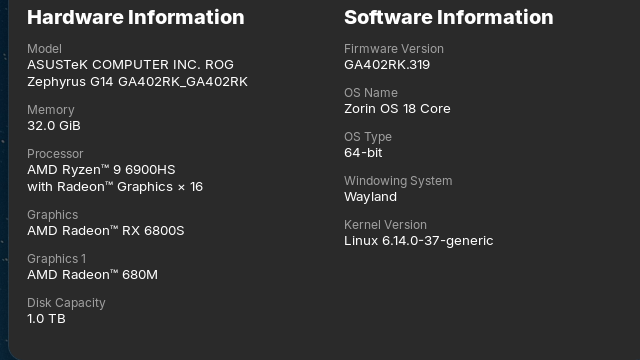
Hmm ... The pointed Lines are crooked, interesting. And You don't have a Wallpaper.
- Are Secure Boot and Fast Boot in BIOS disabled?
- If Windows is still installed: Is Fast Start-Up in Windows disabled?
- Did You tried Zorin in Live Mode before You haveinstalled it? If yes: did You had the same there?
- Did You tried switching from Wayland to X11?
Maybe a Reinstall of the Desktop helps. Try in the Terminal:
sudo apt reinstall zorin-os-desktop
Another Point could be Your Processor/Graphics Unit. Maybe a newer Kernel offers better Support. If You are open to try it with a newer Kernel, here are Instructions:
I wiped the SSD to put Zorin on so no sign of windows but will have shot at the other suggestions....thanks.
Hello, again, thanks for the help..... to update you:
Switching to X11 did get rid of the dots...which was good.
I also tried the latest kernel 6.18.1 using the mainline app and using this allowed the Wayland desktop to run fine without the dots either.....so i guess for now the my issue is fixed!
4 Likes
Good to hear. I would suggest that You keep an Eye on it a couple Days and then report back if all runs well.
2 Likes
This topic was automatically closed 90 days after the last reply. New replies are no longer allowed.