senthil
November 26, 2025, 8:01pm
1
I have been using Zorin for the past several months and I love it.
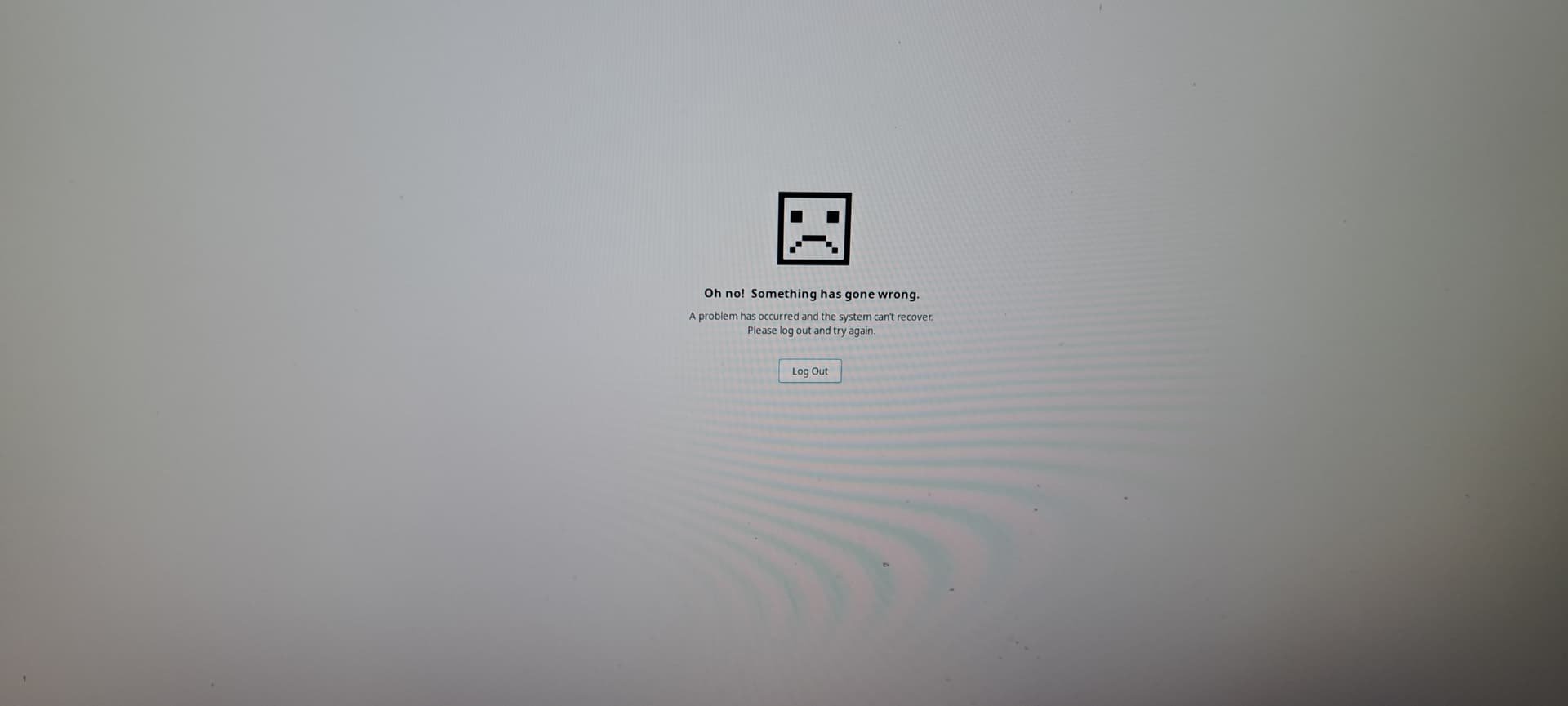
I tried to upgrade Zorin, but when I login, I am now faced with this screen.
What I have tried
I was able to go Grub and Advanced Options and try
apt update && apt dist-upgrade
apt clean
apt autoremove
reboot
This did not solve the problem for me.
I was able to install Zorin Lite (XFCE) one by ssh and I can login to Zorin Lite.
But I will like to recover my Zorin Desktop and use that.
Using this method, have you tried
sudo apt install --reinstall zorin-os-desktop
sudo dpkg-reconfigure gdm3
2 Likes
I had tried this. I ultimately had do some hack to keep the zorin gnome active (replace the script that was responsible showing that reboot screen) to a no-op and keep using.
I have reinstalled my OS now.
system
March 8, 2026, 1:32am
4
This topic was automatically closed 90 days after the last reply. New replies are no longer allowed.