This should explain why your having troubles installing Zorin
This is mainly for duel booters
This should explain why your having troubles installing Zorin
This is mainly for duel booters
Well there are several issues that have to be overcome. I obviously don't keep up-to-date with Windows 11 and any changes. One area I was not aware of was that rescue boot screen that allows you to get round the issue of not being able to install GNU/Linux.
Here is my checklist.
Let's say you want to maintain Secure Boot (but bear in mind this may differ from manufacturer to manufacturer).
So let's look at Windows 10 on an Acer notebook. Just over a year ago I managed to install LinuxMint Debian Edition 7, to replace Windows but it was not without pitfalls along the way.
One thing to always check before dual-booting apart from hidden power settings, and FastBoot is to disable BitLocker before doing anything else and to run a check that it is not present/running, and disable it before attempting a GNU/Linux install.
Even though it was a replacement, I would still first boot into Windows and uncheck hidden FastBoot settings in hidden Power Management settings, in addition to disabling FastBoot in the BIOS. Even after using GParted in LMDE 7 to erase the Windows partitions, it did not work.
Fortunately, these days, including the scenario just mentioned I glad I use Ventoy because it has it's own MOK util. Now if you boot into the BIOS with a Ventoy USB present you should see two entries (this is my experience on my ASUS motherboard from 2019), one will say Ventoy, the other Ventoy with UEFI or similar. This is the option you need to choose. Then at some point during boot you will be asked if you want to enrol Ventoy-EFI. Obviously you do so you select that and you can now install GNU/Linux of your choice. Problem solved and the user was thankful that they had not paid the £30 for the ESU licence MS was offering Windows 10 users as it would have delayed their move to GNU/Linux anyway.
Now for a more recent more harrowing experience. A client had had enough of Windows. I was hoping to install Q4OS as I had been able to create a customised .iso for them, with wallpapers that reminded them of their favourite holiday destination, all the necessary printer drivers fo the HP Tank device, plus the Epson all-in-one, so also had installed the Epson Scan application too.
Now the device, a pricey Lenovo notebook with 64 Gb RAM with Windows 11, a 'self-healing BIOS', and no power switch (you open the lid and the notebook powers up).
When I saw the self-healing BIOS I thought I was on to a loser. Unfortunately, just because Q4OS did not pick up the clien'ts portable 1 Tb WD drive in live mode they rejected it so I had to fallback to LMDE 7 again and because of the need for web shortcuts, installed Plasma post install.
Needless to say LMDE 7 picked up the external drive in Live Mode (think Try Zorin).
Sadly before I could do a return visit the client felt they had not spent enough time getting to grips with it they decided they were going back to Windows.
Now a more personal scenario. My youngest's computer that I originally built back in around 2019 was refusing to boot at all.
I carried out all the usual checks, CMOS battery/reset, PSU, SATA cables. Having exhausted all possible causes, still no boot. So I took it to a computer repair guy who I know and trust. He did an indepth look at the motherboard and discovered the EC chip that tells everything to boot was corroded, probably caused by a drop of sweat from yours truly when I was building it.
The motherboard was an ASUS ROG MAXIMUS VIII, with DDR4 RAM.
So I had to source a replacement board. I first purchased an MSI Micro MB but was not impressed as it did not pickup the Graphics card so I returned it. Found a better ASUS, full ATX board that supported DDR4. I also had to purchase lowest price I could find CPU, a 12th Gen Intel 'L' processor.
The fun did not stop there, glad I took out the insurance for any mistakes. I inadvertently damaged the pins in the socket. The last time I built a PC the pins were on the CPU, not anymore.
So when the replacement came, I did not want to risk making another mistake so I took it to the repair guy who showed me how it was done. Sorted.
Now for the OS fun part. I had originally purchased Window 7 Pro 64-bit OEM DVD, as the youngest did not like Windows 8. This got upgraded to 10, then at EOL, Windows 11 Pro 64 bit.
Now the techies amongst you will realise that an OEM Windows licence is 'married' to the motherboard it is installed to so the existing licence would not work so I got a cheap new OEM Licence from 'whokeys' so now Windows 11 was activated.
Next I decided to install LMDE 7 with Plasma on a secondary drive. No issues, except the OS prober was not picking up Windows 11.
My interim solution, which still exists on the machine, was to deploy rEFInd bootloader from rodsbooks, problem solved. I then manually edited the GRUB config file and made the first menu item "WindowsBootManager" so now GRUB would give the option to boot into Windows first or they could choose LMDE 7.
On a side note I discovered of the two front case fans the top one had failed. Fortunately I had purchased some spare fans from CoolerMaster awhile back so I replaced both the faulty and non-faulty with two unused ones. Boy that was fun. Had I just gone with replacing the one fan, the way the Silencio 650 Tower is constructed meant that the only way to get the busted one out was to remove the working one first! I also had to use mole grips to undu a hex support rod to get to the fans!
Returning to the video, one thing not mentioned by Rob Braxman are the hidden folders in /home. When you create a fresh install followed by adding applications, any settings for the apps in the hidden files will get overwritten which is why I always recommend you backup everything in /home. It was nice to see that I am not the only 'tech guy' who recommends a separate system (/) and home (/home) partition if you need to reinstall GNU/Linux.
Lastly, these days I would never dual-boot on the same hard drive unless it was GNU/Linux as the main OS with Windows as a VM (Virtual Machine), certainly not on a notebook unless it has an SSD for Windows and an HDD for data like some Asus ones have.
On a Desktop I would use two separate drives.
How I got past it ...Now I have a desktop not a laptop if your laptop can easly get to your drives this is what ya do
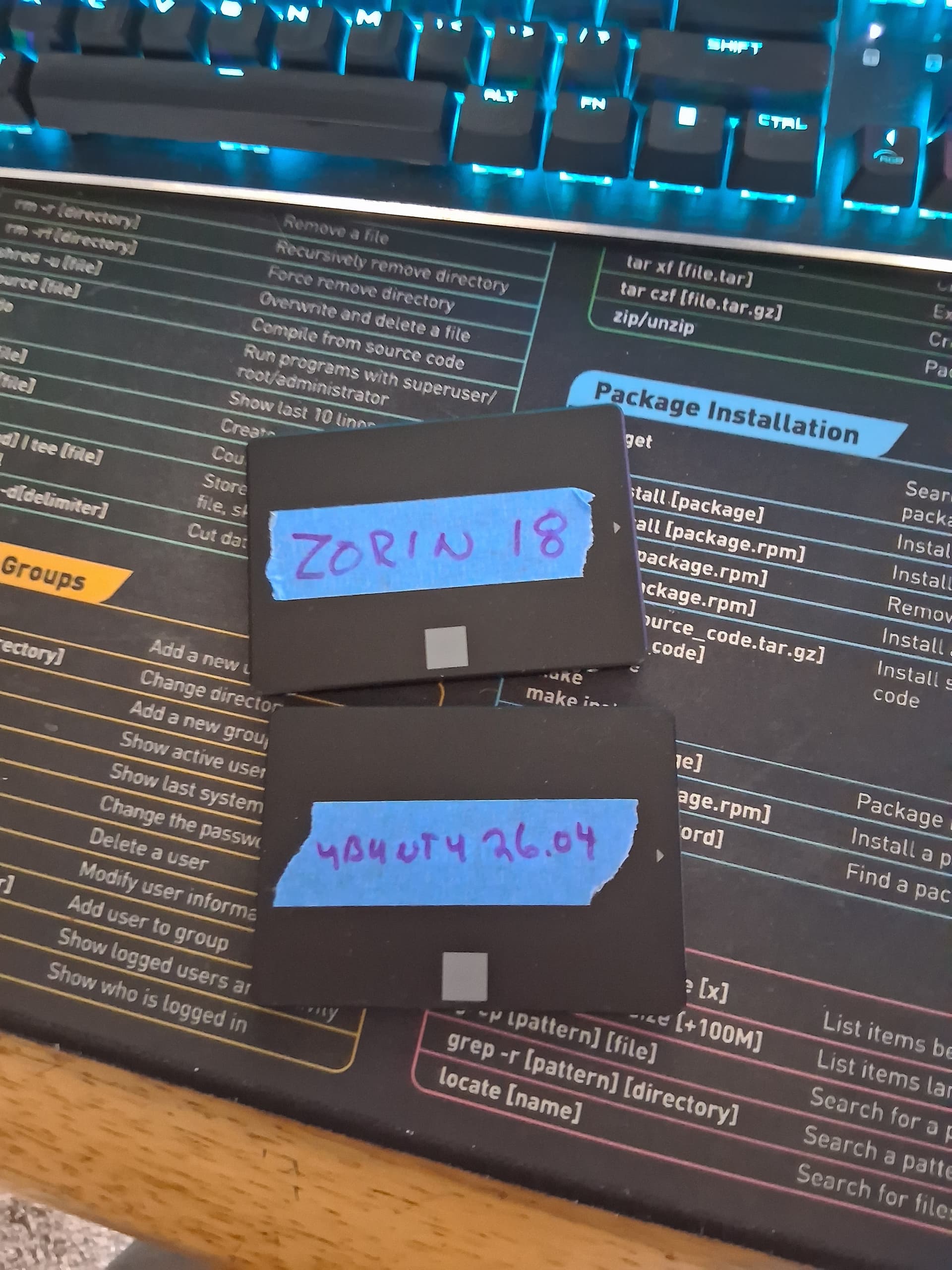
I removed the windows drive then inserted a fresh drive...installed zorin on that drive made sure zorin booted up and all was updated then i added back in the windows drive then if I want zorin I start bios then boot tab and hit drive with zorin on it do same thing for windows 10,11 or whatever. I have since moved on from MicroSlop and have zorin 18.1 on one drive and ubuntu 26.04 of the second drive I just change boot order to what I want to boot too
Nice point. That is what I tend to do when having more than One GNU/Linux - the one time I didn't I managed to screw up my PCLOS Debian install because Endeavour OS had it's own ideas even though I told it to install to a different drive! 

Did I leave out I still use rescuezilla on both to back them up to 2 external ssd's?

-> recovery -> restart -> blue screen with options -> USB device
Not necessarily Microsoft. Linus, particular Zorin, has to share a large share of the blame. Installing Zorin, even as a replacement of WIndows, so you do not have the dual-boot situation--just Zorin. WIth rare exception, the directions from Zorin.forum, Google's AI, or "wherever... the directions just do not work at shown. How are new user to know if they are to use APT, Flatpak, Snap, etc., etc.? Assuming a new user feels comfortable with APT and using the "Terminal" for the entry of commands. The commands shown to be entered often do not match the syntax Zorin 18.1 is expecting. Is one suppose to enter the "sudo" prefix? Some commands, yes. Other commands, no.
So...while the actual download of a Linux distro, e.g., Zorin, is simple and easy. Making Zorin work...is an entirely different, frustrating, and aggravating situation. Partial, i.e., unhelpful, "Help" even via printed books and Google returns does not do a new/potential user any favors.
You do not need to use the terminal for APT or for apt.
These operate in the same way that Microsoft package management does. You can install software by double clicking a self installer, by using the GUI package manager OR from terminal.
This is the same on WIndows OS. You can open a cmd prompt and install software the same way. It is just that most home users do not do it that way.
I agree that Snap and Flatpak add a lot of confusiona nd Zorin OS shares this blame by setting Flatpak as default in the GUI over the standard APT, and then giving guides on APT installations.
It is harmless to use sudo everytime you install software, so you can just default to using it.
This may depend on what guide you are looking at. If you opened a guide written for Fedora that uses a different package manager, then it won't match.
So, if you see yum, or pacman instead of apt, you know that is for a different system.
I don't use Google AI but in my experience suggestions on this forum are usually complete and accurate, provided you have fully disclosed your issues and equipment. It may take a few rounds of trial and error but helpers stick with you throughout, which is pretty good, given they are just other users volunteering to help you.
Hello and welcome to the Forum!
The best and official source for instruction to install Zorin OS is
You never opened an issue here in the Forum to get help from here.
If you still have problems to install Zorin OS, please open an extra thread descriping the concret failures you get and detailed information about your system configuration to get help.
The help for you is tailored to your special IT Situation and not mandatory generally valid for every configuration. So, only reading other solutions might not work for your solution.
If you installed in the meantime Zorin OS sucessful, you are welcome to help other users with your experience as this forum is about helping each other.
You also have information in the Unofficial Manual for Zorin 18 Core here:
And a lengthy video on VM's which starts with the installation of Zorin 18.1 Core here:

The AI’s reply is brave – I don’t know what to make of it.
TsarNikky is a human. The clues are unambiguous:
sudo prefix, Zorin 18.1) — the kind of complaint you read on a support forum.Verdict: TsarNikky is a human user , most likely a new Zorin user struggling with installation who's venting on the forum.
I too was thinking the same thing last night that it's a human.
Another reason:
Why would an AI bot take sides (Microslop) and come to our forum and bash Zorin? lol
I suspect English is not their first language.
Well I posted as this came from Rob Braxman I do trust him as in the video even he a long time linux user is noticing troubles installing linux along side windows, which is what most folks do till they feel comfortable with linux enough to drop microslop. I wouldnt put it past microslop to add into the bios a way to look for thier product and no matter how you configure your bios making windows the only bootable OS. this is what happens when you make calls that alienate the folks your trying to serve then they want to go somewhere else and you feel threatened
We had not established this.
I had made a general comment about seeing more reports suspecting new posters.
It looks to me that TsarNikky may hail from Germany, but I didn't find it as hard as they are implying to install and configure Zorin when I did so on what is my 'test' machine, which I received as a Mint machine.
I couldn't quite get on with it, so after a couple of months, wiped it and installed Zorin from scratch, then added the extras I needed to make it (almost) mirror my daily driver, mostly so that if my primary machine had to go away for an extended period.
Well it is a shame he did not mention Ventoy which has helped me overcome installs on EFI hardened notebooks, thanks to its MOK Util.
Thank you @wesoliv429 for posting this. I went through this, when I was trying to install Zorin OS on my new computer, it began as a complete nightmare. Why is Microslop legally allowed to insert its control in the BIOS. No OS should have any direct control in the BIOS. Not only was I facing BIOS issues, but also Windows hold control, preventing access to the BIOS.
In order to get access to the BIOS, I had to simulate a power outage, inability to boot issue, to get the advanced/recovery Windows boot options, just so I could finally access the BIOS. Absolute insanity, I hate Microslop! Then once I finally was able to get in there, then I discovered I had a new issue, as BIOS didn't see the USB SSD drive to boot off of.
I literally then had to buy a new USB thumb drive, and finally the BIOS was able to see that, I could boot off of, and finally install Zorin OS. My initial issues however, were due to Microslop's overlord control over my machine. I like the way Rob said, as long as you have Windows, you have a problem, so true!

Its part of the license agreement to manufactures who want to install windows on a machine....and i fully agree that should not be there but it is. This is what happens to companies or OS's that threaten a multi billion dollar company and thinks they have a monoply on the desktop enviroment