Sorry if I opening a new topic while this subject was already discussed elsewhere. I tried looking for it, but did not found any solutions.
So I encountered a problem with wifi and bluetooth. After (re)boot wifi and bluetooth stay turned off. I have to manually activate both. I dont want that. It saves me 2 second of my precious life after every reboot. Would love to spend them differently.
Also when I tilt my screen in tablet mode, both wifi and bluetooth are turned off. I have a HP ENvy x360 14 inch.
Is there any fix for this error? I'm on the latest build of Zorin OS of course
Thanks for helping me to resolve this problem. I just switched from Windows 11 and really loving it already, a part from a occasional freeze up when a lot of firefox tabs are active.
Please open a Terminal (just type the word terminal in the menu search bar and press the Enter key). Once there copy the following command by using the copy to clipboard icon to the right, go to your open Terminal window, right-click and paste then press Enter key. Post back the results please.
Are Secure Boot and Fast Boot in BIOS disabled? Does Your System run in Wayland or X11? You can check that with the Terminal Command echo $XDG_SESSION_TYPE
Open the File Manager and type in the Bar /etc/bluetooth/ and press Enter. Then open the File main.conf with the Text Editor and look if there is AutoEnable set to true
Then try it with switching to Xorg and see if it behaves different.
To switch, go to the Login Screen. Click there on Your Profile so that the Passowrd Field appears. When it is appeared, You should see a Gear Icon in the bottom right Corner. Click on it and choose the Option ''Zorin Desktop on Xorg'' and then log in.
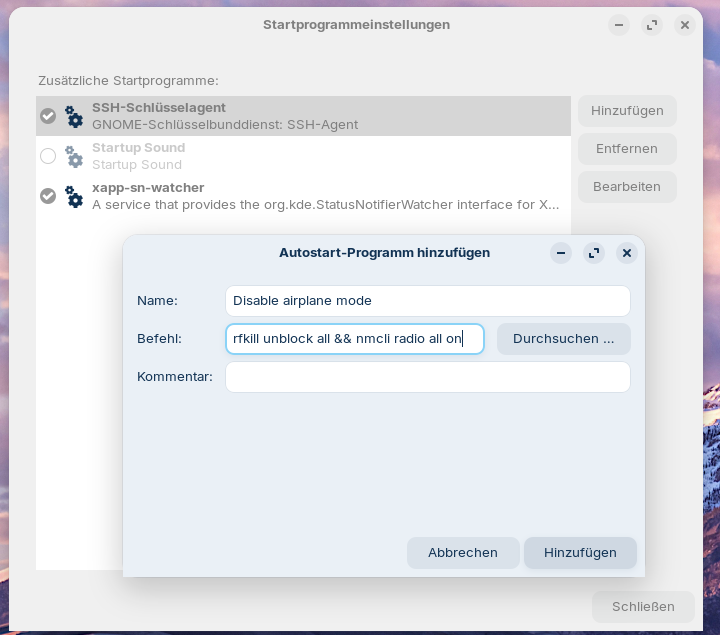
Create a new entry there and then click on "Add" and reboot and test. If it doesn´t help, remove it from autostart.
You can also try it just with the command rfkill unblock all.
 and really loving it already, a part from a occasional freeze up when a lot of firefox tabs are active.