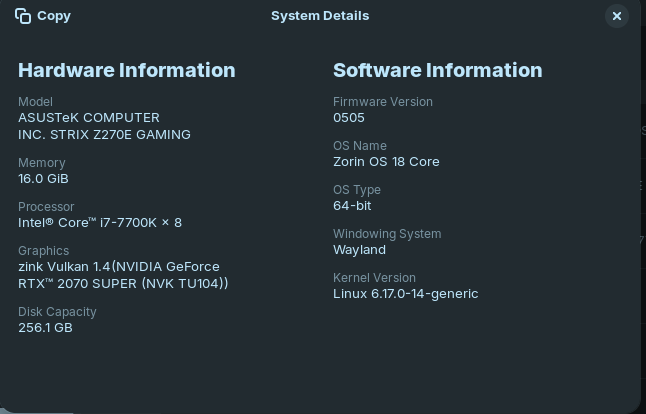
@Forpli 's answer is the correct one:
" Wi-Fi stopped working in Linux kernel 6.17 due to firmware incompatibility.
The primary cause is that the updated kernel (6.17) requires newer Intel iwlwifi firmware versions (98, 99, or 100) for compatible Wi-Fi hardware like the Intel AX211, but the default linux-firmware package in Ubuntu 24.04 and similar distributions only includes firmware up to version 96.
This results in the iwlwifi driver failing to load, showing errors like:
Direct firmware load for iwlwifi-bz-b0-gf-a0-100.ucode failed with error -2
no suitable firmware found!
Solution: Manually update the firmware:
- Download the required firmware file from the upstream Linux firmware repository:
wget https://git.kernel.org/pub/scm/linux/kernel/git/firmware/linux-firmware.git/plain/intel/iwlwifi/iwlwifi-bz-b0-gf-a0-100.ucode
- Compress it with
zstd :
zstd iwlwifi-bz-b0-gf-a0-100.ucode
- Copy the compressed file to the firmware directory:
sudo cp iwlwifi-bz-b0-gf-a0-100.ucode.zst /lib/firmware/
- Reload the driver:
sudo modprobe -r iwlwifi && sudo modprobe iwlwifi
Alternatively, temporarily boot into an older kernel (e.g., 6.14.0-37-generic) via the GRUB menu to regain internet access, then update the system to pull in newer firmware packages.
AI-generated answer. Please verify critical facts. "
In relation to your specific device:
" The QCA6174 802.11ac Wi-Fi adapter may not work reliably in Linux kernel 6.17 due to known firmware and power management issues, particularly related to PCIe Active State Power Management (ASPM ).
Primary Solution: Disable PCIe ASPM
The most effective fix is to disable PCIe ASPM via the GRUB kernel parameters:
- Edit
/etc/default/grub
- Add
pcie_aspm=off to the GRUB_CMDLINE_LINUX_DEFAULT line
- Run
sudo update-grub
- Reboot
This resolves firmware crashes and connection drops, as confirmed by users on Arch Linux and Fedora with kernel 6.17.09 and later.
Additional Fixes for Firmware and Driver Issues
- Ensure
linux-firmware is installed :
sudo pacman -S linux-firmware  # Arch Linux
sudo apt install linux-firmware  # Ubuntu/Debian
This package includes critical firmware files like firmware-6.bin and board-2.bin .
- Update firmware files if outdated: Replace
firmware-6.bin with the latest version from the official kernel repository:
sudo wget https://git.kernel.org/pub/scm/linux/kernel/git/firmware/linux-firmware.git/plain/ath10k/QCA6174/hw3.0/firmware-6.bin -O /lib/firmware/ath10k/QCA6174/hw3.0/firmware-6.bin
- Skip OTP (One-Time Programmable) memory (if needed): Add to
/etc/modprobe.d/ath10k_core.conf :
options ath10k_core skip_otp=y
Why This Happens
The QCA6174 chipset is sensitive to power-saving features and firmware mismatches. Kernel 6.17 introduced stricter handling of PCIe ASPM, which can cause firmware loading failures and disconnections. The pcie_aspm=off workaround is widely reported as effective and safe for most systems.
 Recommendation : Apply
 pcie_aspm=off first. If issues persist, ensure firmware is up to date and consider skip_otp=y .
AI-generated answer. Please verify critical facts. "