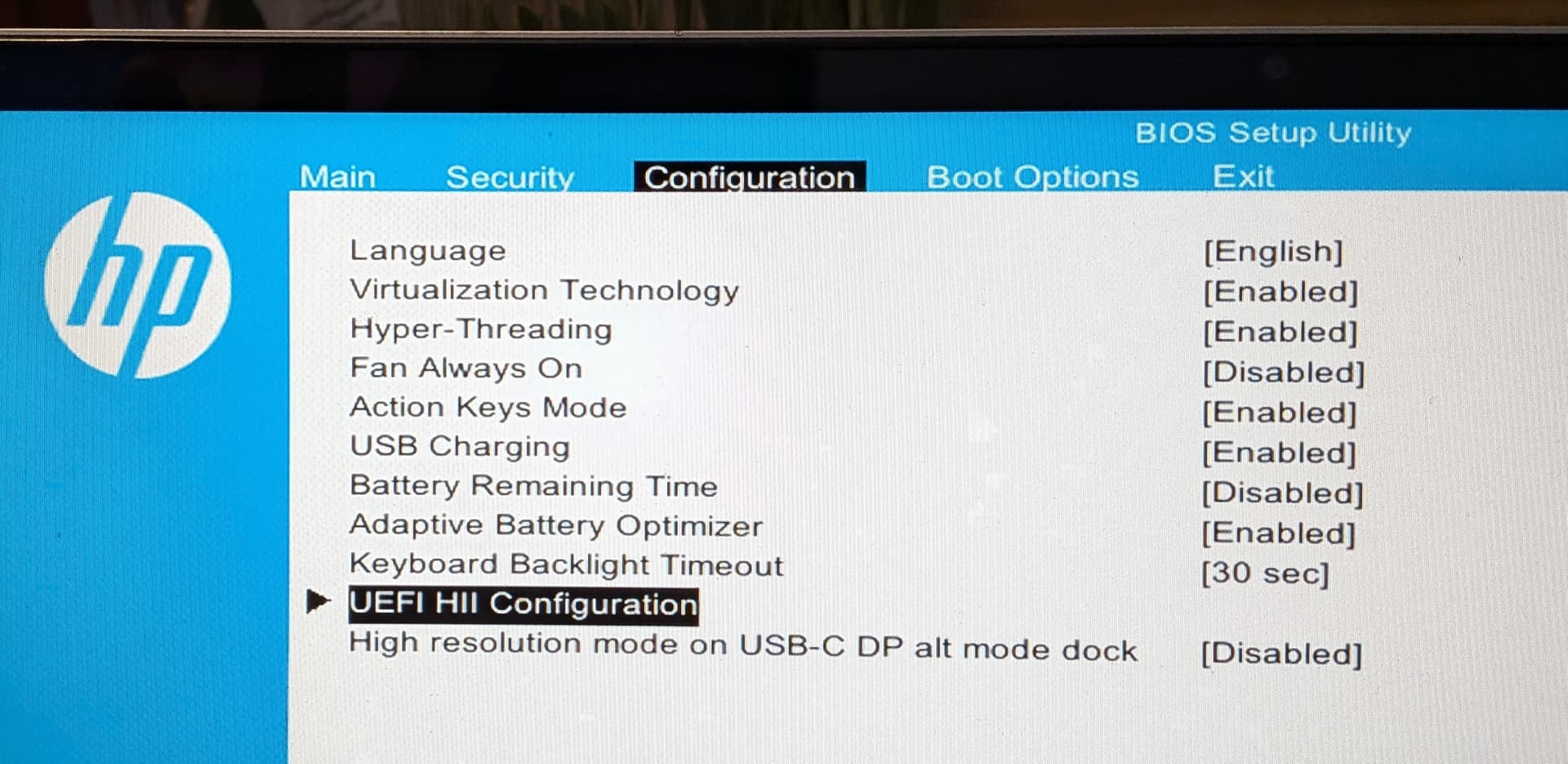
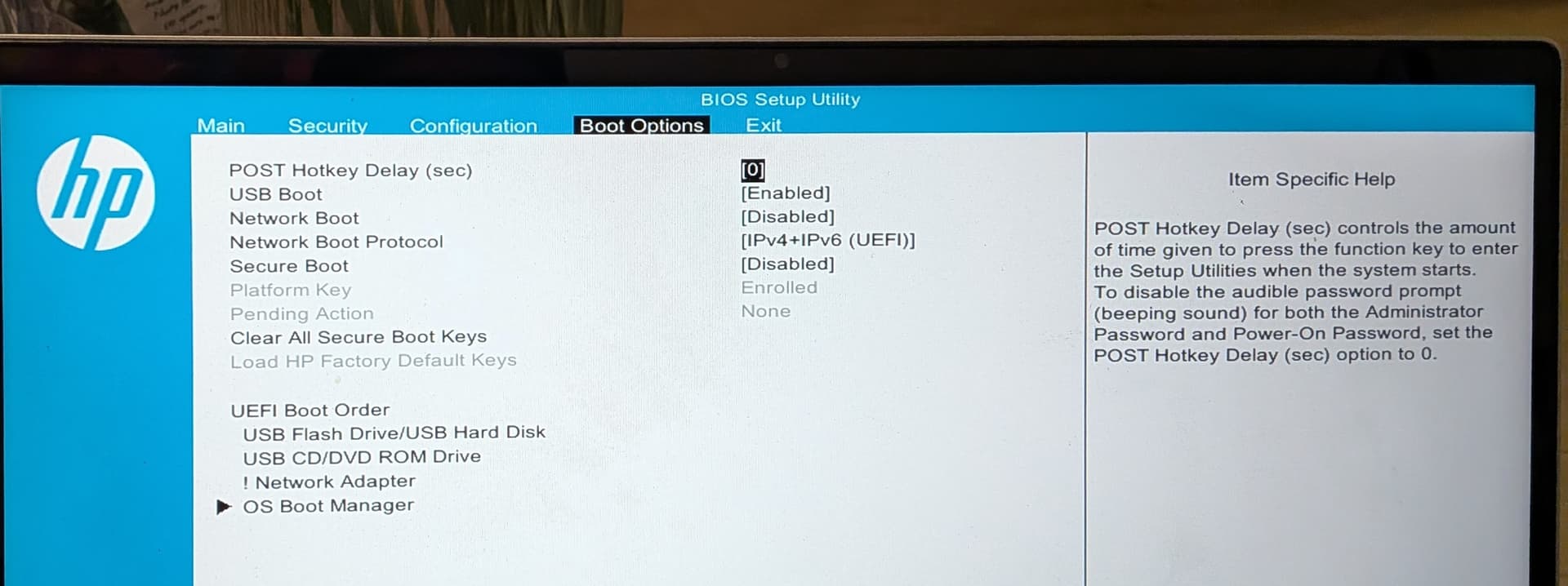
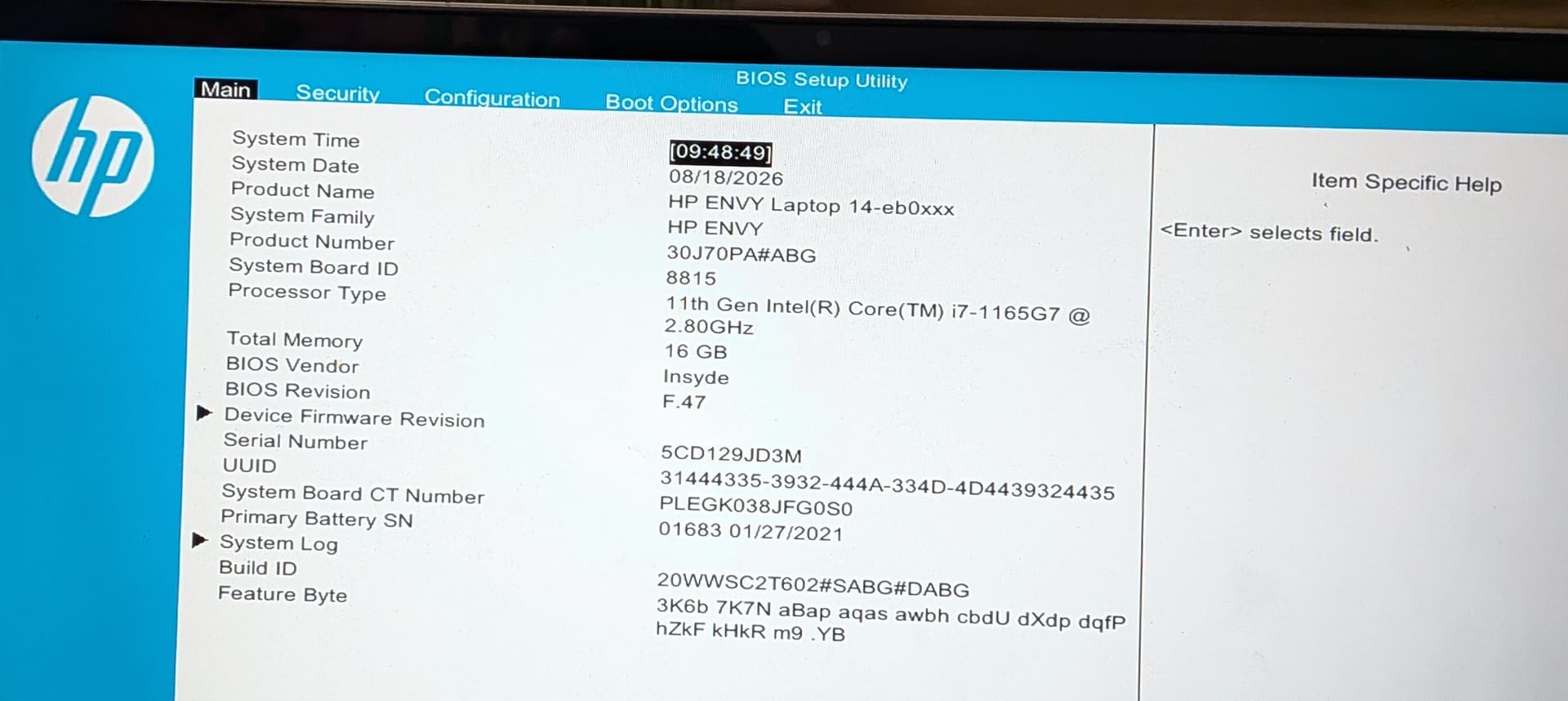
Hi Guys. I have a HP Envy Notebok. Installl goes through no issues. when notebook reboots, it loads win 11 instead of Zorin.
Tried:
Install using defaults (Configure secure boot unchecked)
Select erase disk and install Zorin (18pro)
all goes well. finishes install, system reboots.. and back to windows 11 again.
If I go into BIOS and disable Secure Boot. Bitlocker complains and hangs.
See attached screenshots.. Any suggestions gratefully received.
Am wanting only Zorin 18 installed, but if have to, would be happy to dual boot with win 11.
You could disabled Bitlocker and then disable Secure Boot.
You have here ''UEFI Boot Order'' and there the Point ''OS Boot Manager''. Please check there if and Entry ''ubuntu'' or ''Zorin'' is available and if yes, set it to Position 1.
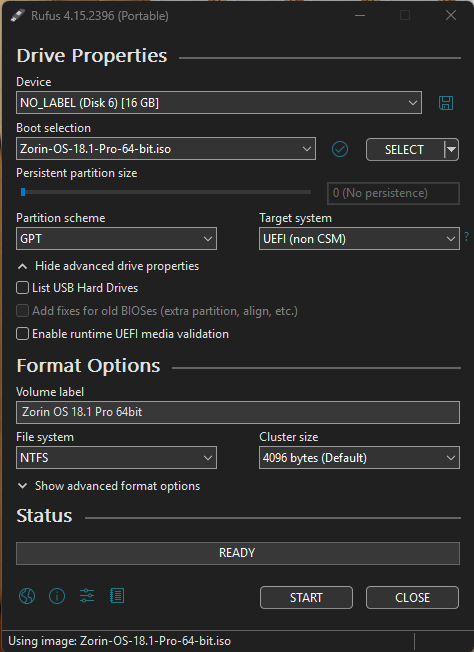
Also: What Tool did You use to create the Bootstick for Zorin?
In this actual situation, better not enable secure boot again as bitlocker is already compromised. If you would activate Secure Boot you can't boot from the Zorin USB Stick anymore. And Win11 stays in „BitLocker-Recovery-Loop" and would only go back working if you give the 48-digit recovery key.
But to get Zorin to overwrite Win11 you need to start from the USB Stick. As you wrote you did already so and chose "Delete Disk".
Perhaps there went something wrong with the Zorin Installation. You didn't get any error message during Installation?
If you do the checks and preparations as @Ponce-De-Leon recommended and then would start an other Zorin installation you get the Zorin Live environment. There we could check weather the system disk is correctly formatted before going further.
Have tried since post:
Disable TPM device - No change
Secure Boot disabled - No change
enter to check Boot Options, Windows Boot only option listed
Recreated USB stick using Rufus 4.15 with below settings..
Notebook won't boot of USB even though Boot From USB is enabled in BIOS
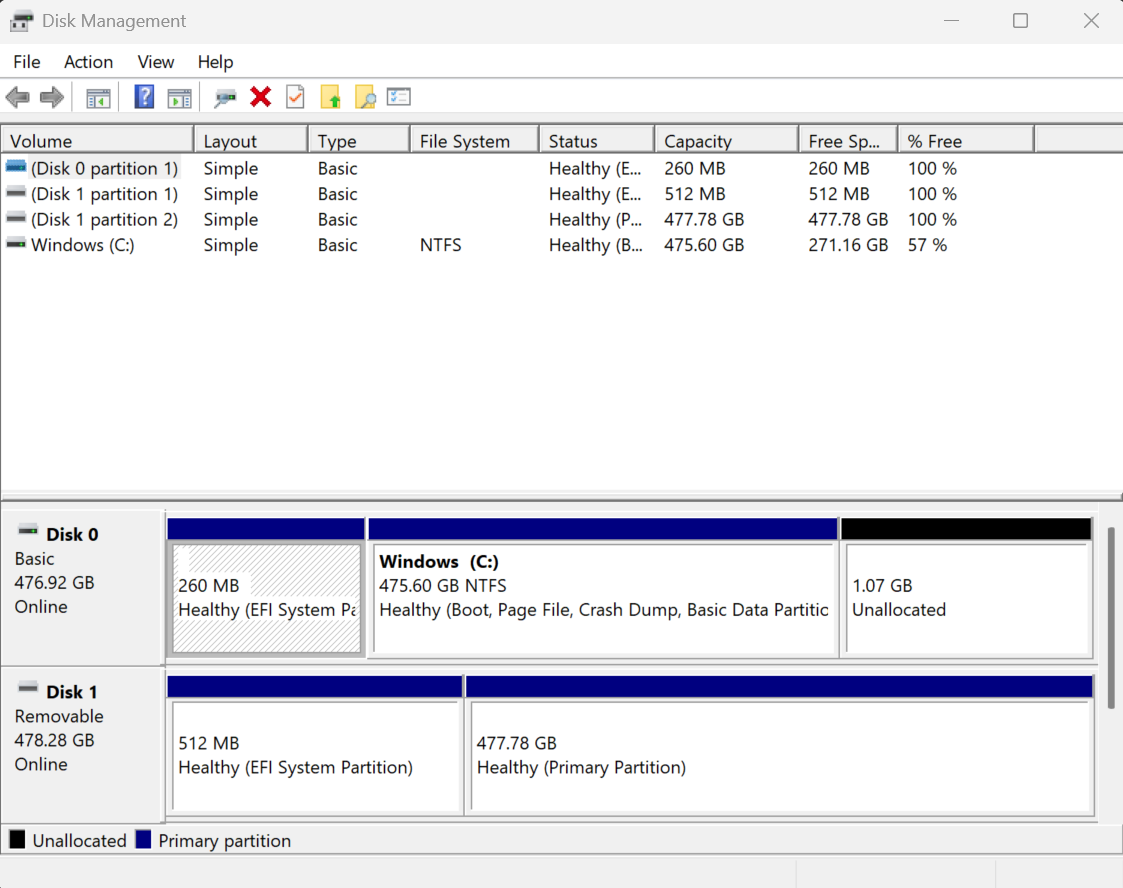
Are You sure, that there is only one Drive? Because both Drives have nearly 500GB. When it would be only one Drive and it might be splittet and lead as 2 Drives the Storage Space doesn't fit at all.
Mystery solved. Main Disk 500Gb SSD.
Also istalled was a 500Gb MicroSD Card. Removed card.. restarted install. I now have a working install of Zorin 18.1 Pro.