Hi.I just installed Zorin Pro 18 to my Asus Zenbook UX31A but I am having an issue with opening webpages over wireless network.
It takes them forever to load a webpage.
I can not even install programs over terminal, and connection sometimes breaks.
I am 2 m away from router so that is not an issue, signal is excellent.
What do I need to do, do be able to open webpages normally as on Windows 10?
How much RAM do you have?
What is the terminal output of
sudo lshw -C network
?
Also, what is your terminal output for
sudo lshw -C network
The wireless driver may need to be examined.
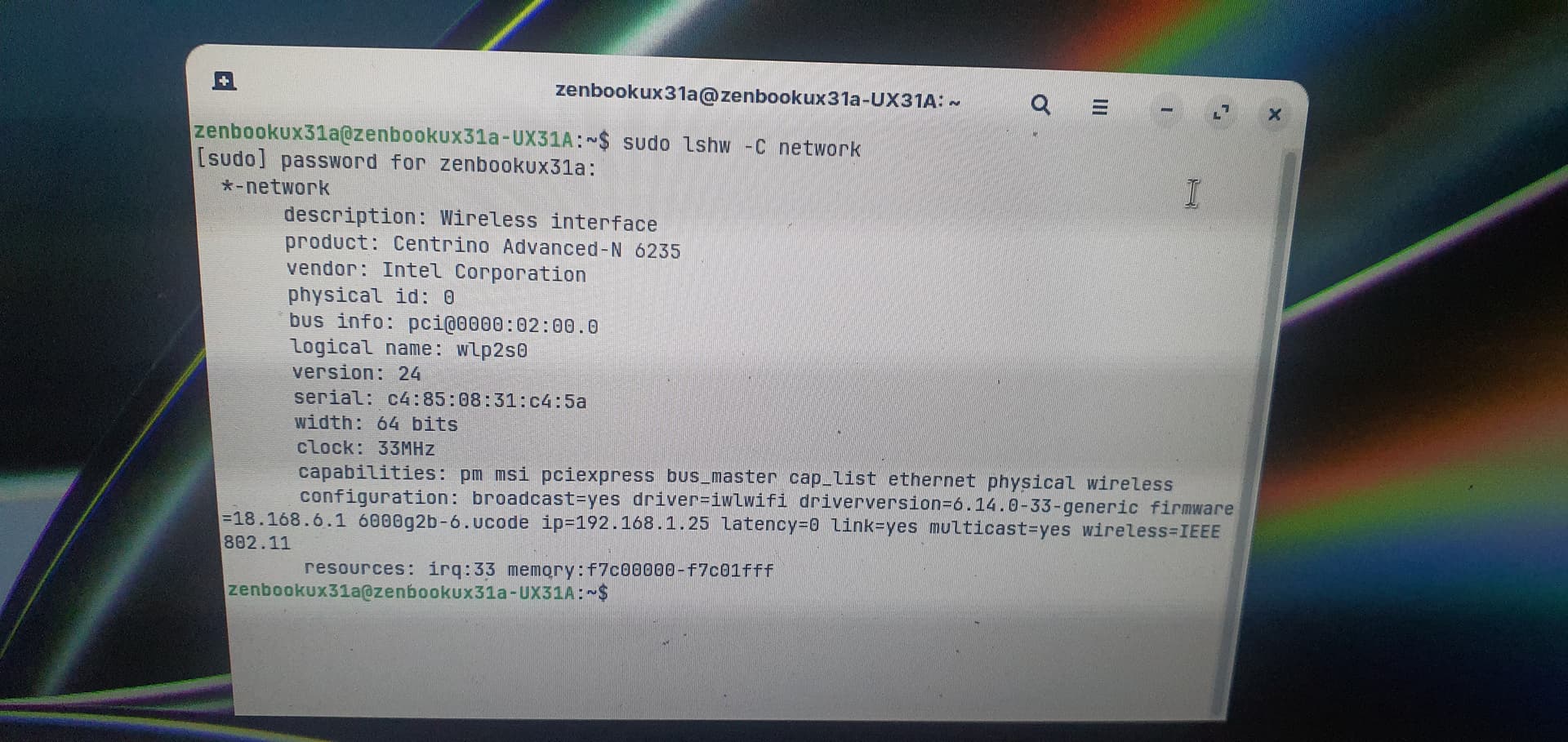
In terminal, please ensure the firmware is installed:
sudo apt update && sudo apt install --reinstall linux-firmware
If that is no good, there are known bugs with the older chipset and the newer 802.11n negotiation, so disabling the 802,11n might help:
sudo nano /etc/modprobe.d/iwlwifi.conf
Arrow key to the bottom and add:
options iwlwifi 11n_disable=1
Tap ctl+o to overwrite, then enter key to save current configuration. Tap ctl+x to eXit the editor.
Use module prober to re-probe the module:
sudo modprobe -r iwlwifi && sudo modprobe iwlwifi
I also recommend disabling Power Manager from throttling wifi:
sudo nano /etc/NetworkManager/conf.d/default-wifi-powersave-on.conf
Change the option to 2 to disable power save. It will look like wifi.powersave = 2
Tap ctl+o to overwrite, then enter key to save current configuration. Tap ctl+x to eXit the editor.
You will need to reboot or run sudo systemctl restart NetworkManager to see the effect change.
In your Wifi Settings (The GUI) ensure you are set to 2.4Hz and not to 5Hz...
That is all I can think of at the moment but if not of that works, please let us know.
1 Like
If you have a Dualboot with Windows also make sure that fast startup is disabled in Windows (energy settings), and it may help to disable secure boot and fast boot in your BIOS while using Linux.
Wow so many commands, from where should I start first?
So input all the commands?
Some commands, like the first install something.
Two of them open an editor in order to edit a Root Protected file.
Each has a value to change in that file, rather than a command.
If you prefer, you can launch the (Files) nautiuls File manager as admin, then navigate to the files on the paths above, right click and select "Open with Text Editor" and edit and save them that way.
I am sorry.I wanted to input your commands but I saw web browsing worked normally.I was in bed where I was not using bluetooth mouse just trackpad.
Then I thought maybe it is bluetooth that was causing the issue.
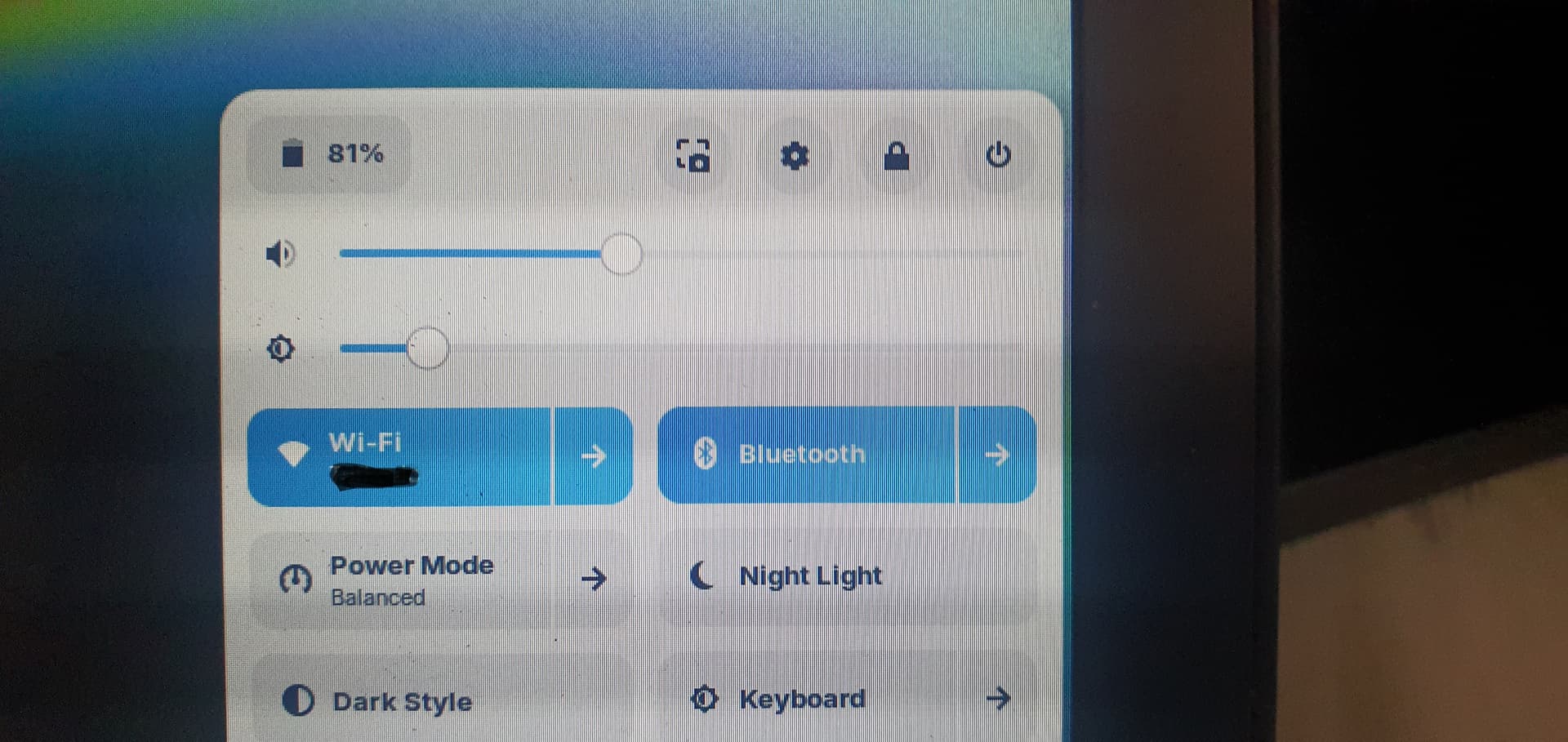
I enabled the bluetooth and it caused opening webpages painfully slow.
Now I know the cause of the issue but how can I resolve it?
I am sorry for misguiding you.
1 Like
I figured out what was causing the issue.It is Bluetooth.
Soon when I disable Bluetooth, web pages opet normally.
How do I resolve this particular problem?
So when both settings are active, web pages do not open.
Soon when I disable bluetooth, everything is back to normal.
I have not updated and upgraded system, yet.
Well, yeah I can use wired mouse, that would be a solution, but don't want to.
This is a weird one.
I had to look deep into this, but apparently the Intel 6235 integrates both Wi-Fi (802.11a/b/g/n) and Bluetooth 4.0 on the same antenna and band.
Your troubleshooting and narrowing it down to BT interference made it possible.
However, on the 5GHz band, it is able to operate, only the 2.4GHz band is affected.
This is because the time sharing algorithm on the 2.4 is flawed.
Does your router support 5GHz? If so, can you test using the 5 instead of 2.4?
If you cannot use 5GHz, then you can use the bt_coex_active=0 parameter, but, it would mean your Bluetooth would suffer some degredation.
If you want to test it out:
echo "options iwlwifi bt_coex_active=0" | sudo tee /etc/modprobe.d/iwlwifi.conf
sudo update-initramfs -u
sudo reboot
The last option is to disable that chipset and use an inexpensive fully Linux compatible wifi dongle...
1 Like
Ok, thank you.
Looks to me, that so much easier option would be to disable bluetooth and use wired mouse.
Agree?
1 Like
Whichever you are most comfortable with. If all you are using Bluetooth for is mouse, the above degredation of signal would probably not be noticeable. Choosing what suits you best is all you need.
I have a usb dongle adapter for this mouse pluged in the usb connector on the laptop. Mouse is MX Master 3 but there are no drivers for Linux for that mouse.
If this helps us somehow.
I also have so many USB wireless dongles, but since this laptop has just 2 usb ports for me personally would be easier option "wired mouse".
This topic was automatically closed 90 days after the last reply. New replies are no longer allowed.