I want to install xfce4-docklike-plugin-0.5.0, but I don’t know how.
When I download it, the file comes in a .tar.xz format, and I’m not sure how to install it.
The docklike-plugin is in the standard repository.
So, are you asking because you specifically want the 0.5.0 version?
It would need to be compatible, too, with your system. Are you on Zorin OS Lite 17 or have you installed XFCE on Zorin OS 18 β?
1 Like
Honestly, I’m using Peppermint OS, but I’m wondering how to install xfce4-docklike-plugin when I download it from the official website (GitHub - nsz32/docklike-plugin: A Dock-like Taskbar Plugin for XFCE) as a .tar.xz file.
How can I install it so that I can add it to the XFCE panel?
You can extract the downloaded file using Right Click - Extract here
Then open the newly extracted folder. Inside, click an open area inside the file manager and right click and select "Open in terminal" (I am assuming Peppermint still has this, it has been a while since I tried it out. If not, launch terminal and use the cd command to Change Directory to ~/Downloads/xfce4-docklike-plugin-0.5.0)
In that terminal, run
./configure
make
sudo make install
1 Like
Thank you🙏
1 Like
The best forum is the Zorin OS forum
True.
We are mighty.
And cute.
3 Likes
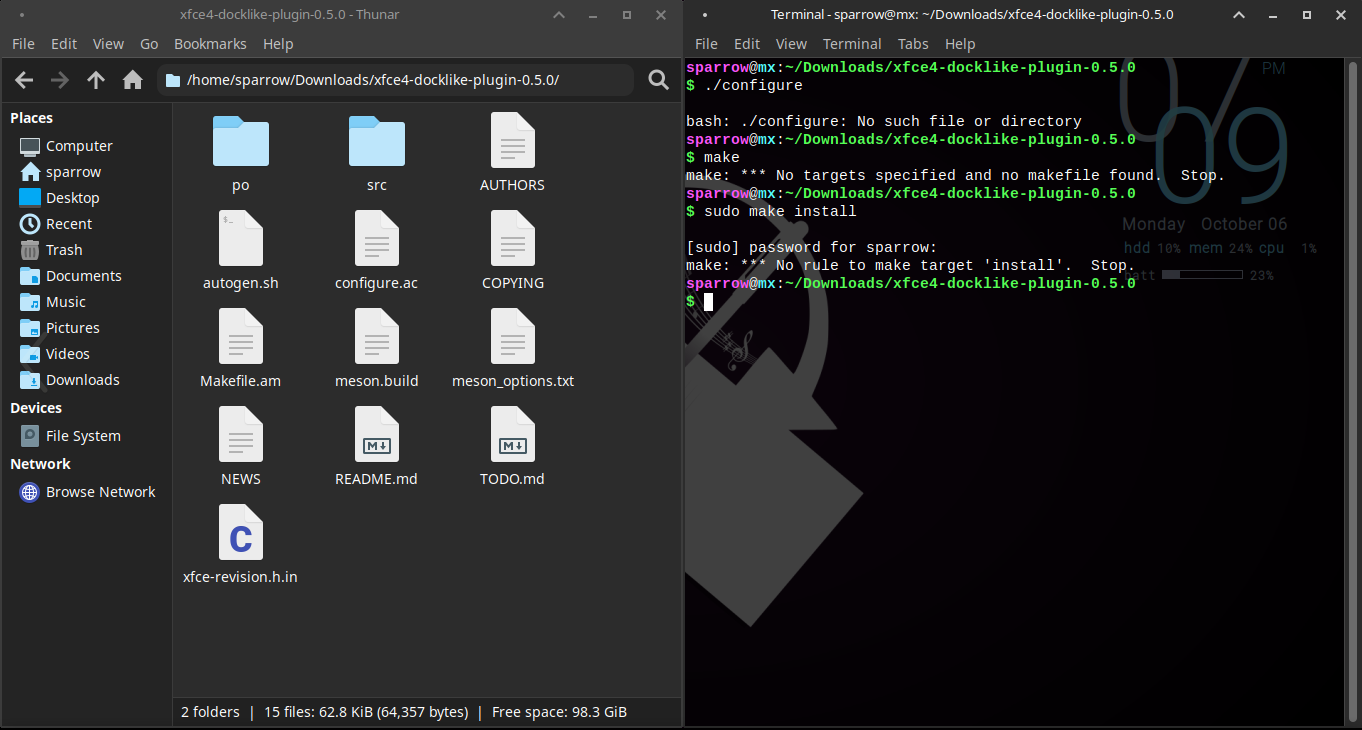
This is odd.
Everything is the same.
MX Linux is based on Antix and is a lot more minimal, including less bloat as a distro.
Zorin OS is more populace based, seeking to fit with most users out there so contains more preinstalled packages.
I am not sure - I might speculate that since Zorin OS includes underlying compatibility like dos2unix and other developer end tools; that MX lacks, it cannot run the autogenerator automatically: makefile.am to make and configure.ac to configure.
But, your autogen file is present.
./autogen.sh
That will generate configure and make. Then run
./configure
make
sudo make install
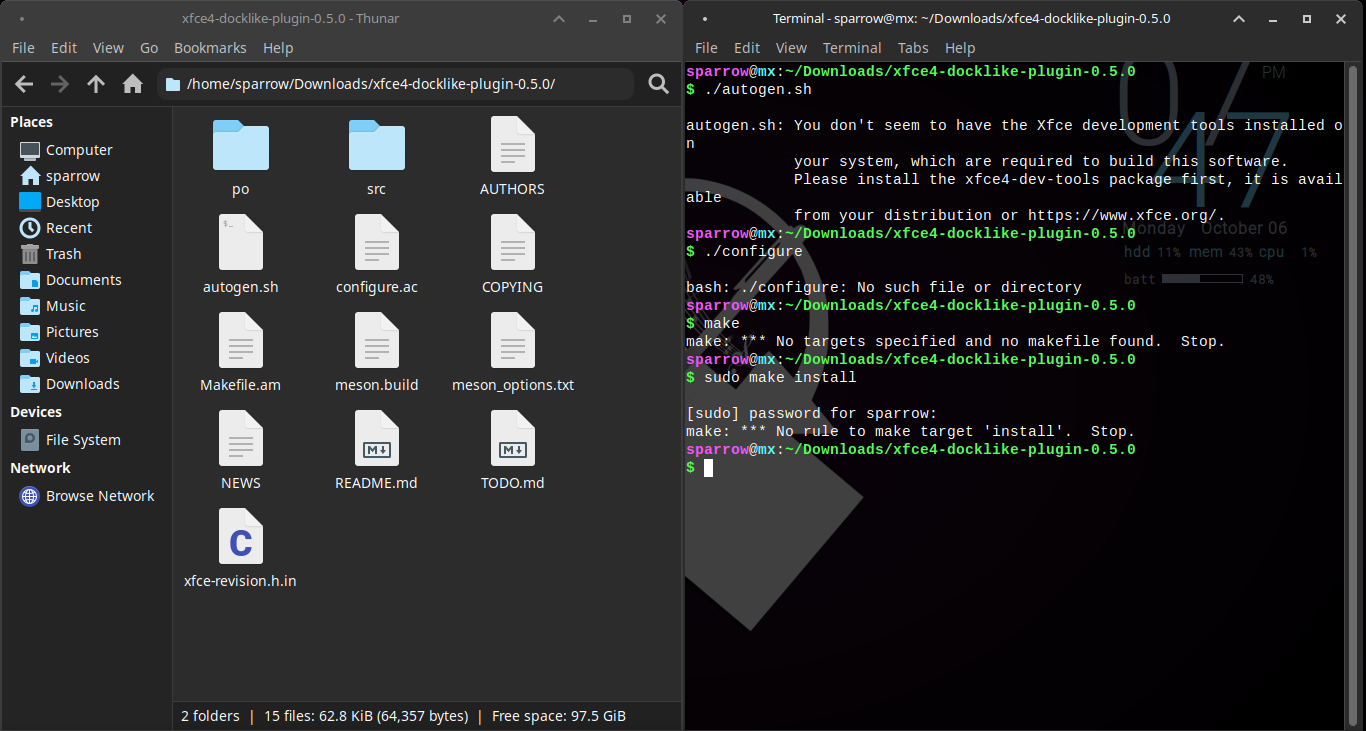
The terminal output relayed a message to you...
sudo apt install xfce4-dev-tools
2 Likes
If I run this command: sudo apt install xfce4-dev-tools, will it work?
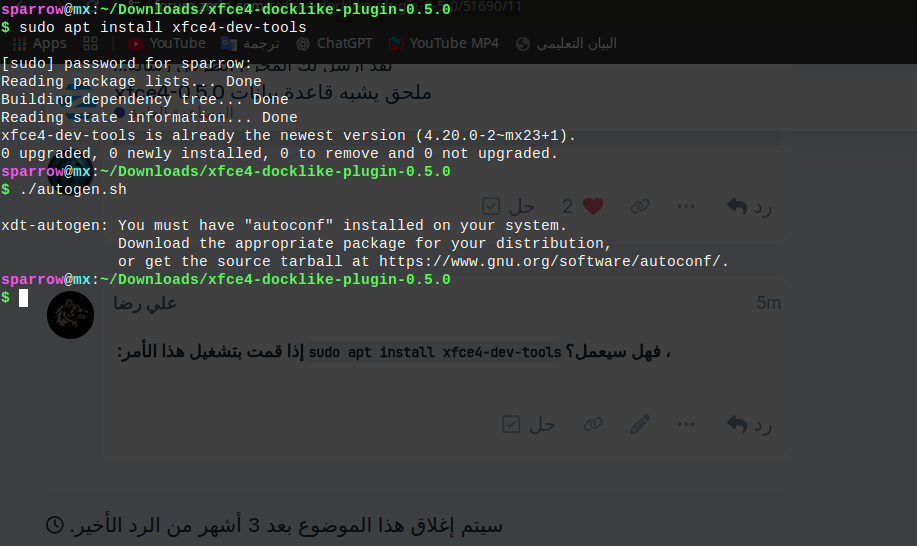
The problem changed.
MXLinux is a more minimal and leaner system. You will need to set things up.
The terminal is now requesting autoconf... which... makes sense in hindsight.
I kick myself.
Yes, alot of these lighter OSs are going to need to have a lot of stuff installed additionally in order to install other things that the user is going to want to install.
For some, this is a plus (and sometimes I like it). But other times, the "bloat" that comes along with more fully-fledged, mass-user focused distros come with save a lot of headache when it comes to stuff like this. And this is a very small complication compared to some others.
Is there any solution to the problem?
Follow the breadcrumbs. It's wanting you to install autoconf now, from the last screenshot.
Can he not install it in version 0.4 from the repo or download the .deb
Yes, which I mentioned in post number 2.
Given his reply... I considered that he may be trying to explore, learn how to install it when it is a .tar.gz
Which...
@AliReda, this is not Windows OS. The prompts communicate instead of giving some generic unreadable error.
You can install with
sudo apt installl xfce4-docklike-plugin
If you are wanting to expand your horizons, learning other format's, this includes proactive roles on your part.
1 Like
Sorry, I didn't have the whole thread in view.