Updated driver from 580 to 595 for performance. Reverted back to 580 due to instability. Never logged in Wayland. Always using Zorin on desktop(Xorg)
Edit: I cannot use the laptop as it's constantly crashing every 3 minute
Both upgrade and downgrade were done manually
sudo apt install --install-recommends nvidia-driver-595
sudo apt install --install-recommends nvidia-driver-580
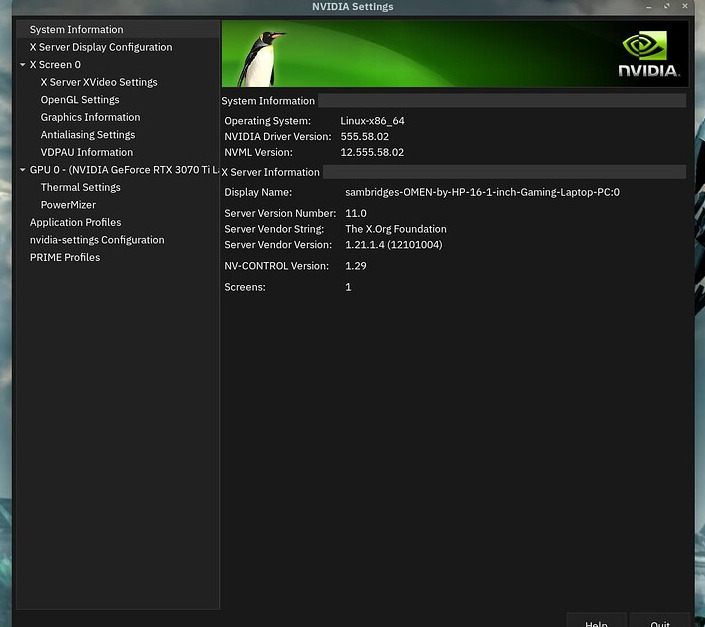
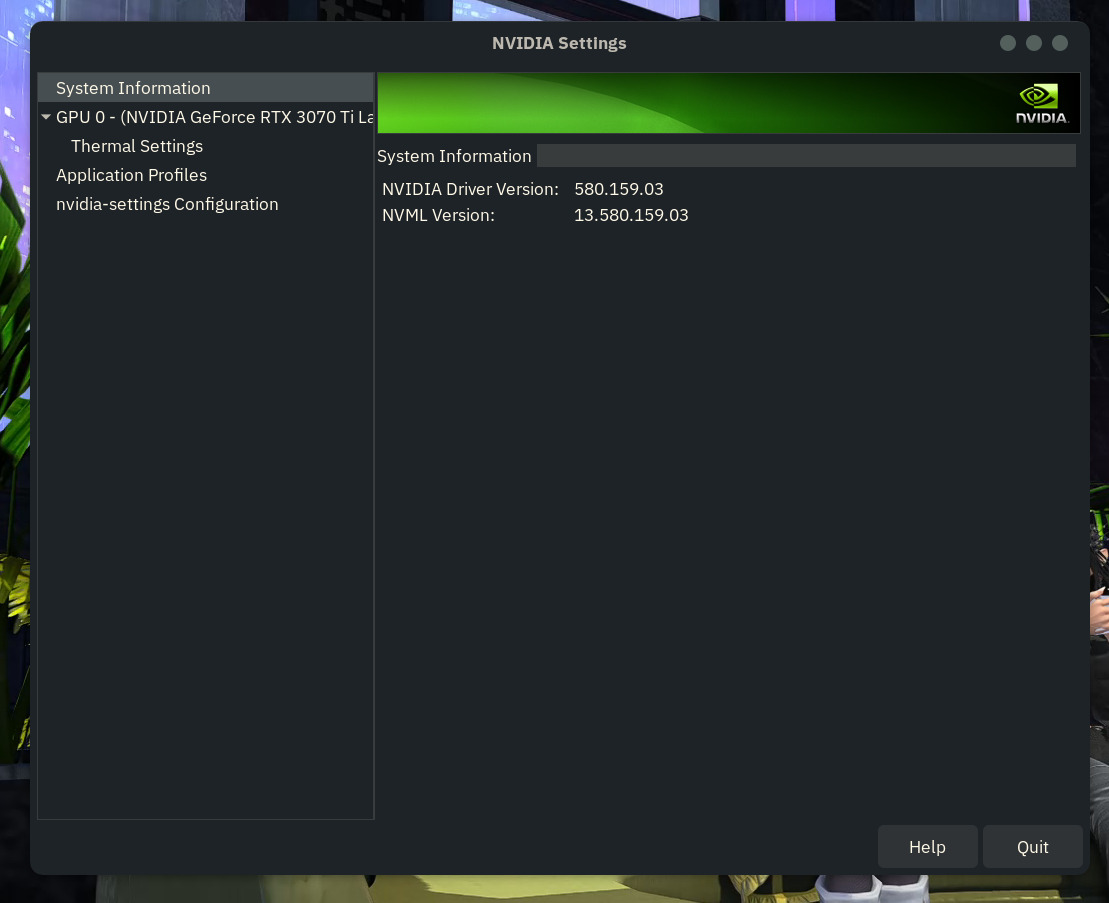
Nvidia X-server setting is lacking details after downgrade. Pictures before and after downgrade
My backup computer has the 3050 and it works well on the 470 server driver heres the command to install it or see it in additional drivers area
sudo apt install nvidia-driver-470-server
get it a try and let me know if that works better
Try this
sudo apt purge nvidia*
sudo reboot
After that try to reinstall 580 drivers from Software & Updates
Update:
after running
nvidia-smi
cat /proc/driver/nvidia/version
dpkg -l | grep nvidia
ubuntu-drivers devices
and analyzing with an LLM it was found out that i've been on Wayland the whole time. Issue immediately disperse after i logged in as
Zorin on Desktop (Xorg)
and that the default
Zoring on Desktop
was running Wayland.
I would assume that it was updating to 595 that enables Wayland in the first place
3 Likes
If you don't want it happen again do that
sudo gedit /etc/gdm3/custom.conf
remove the # and set that
WaylandEnable=false
sudo reboot
2 Likes
If that fixed it, I’d leave the driver version alone for now and only make the Wayland change. Small detail: don’t run graphical gedit with sudo if you can avoid it; use something like sudo nano /etc/gdm3/custom.conf or sudoedit /etc/gdm3/custom.conf.
After the reboot, check the login screen gear menu once and echo $XDG_SESSION_TYPE after login. If it says x11, you know you’re testing the same session type when comparing drivers.
2 Likes