Greetings,
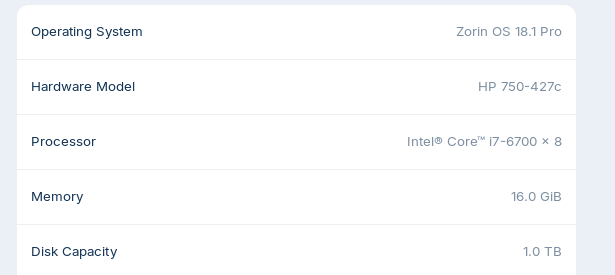
I have been running Zorin since March 2026 and I'm having intermittent freezing. The mouse curser disappears and no key combinations that I know of work to force a reboot. I'm then forced to hold the power button down to shut down. I then removed the AC plug from the desktop PC and hold the power button down for a few seconds to drain the supply, reconnect the AC plug and press the power button to boot up. All is well until the next event. Is there a log file that may point me in the direction of the root cause? Note that I wiped Windows 10 during the Lorin install and not dual booting.
If this happen again to preserve your Disks do a Magic SysRq key (REISUB)
What’s REISUB?
REISUB is a sequence of keystrokes that allows you to safely restart a locked-up Linux system without the risk of data loss. It’s like CPR for your computer—bringing it back to life without the hard reset.
How to Perform a REISUB Reboot
Hold downAlt + SysRq (that’s the Print Screen key) at the same time.
Type the letters R, E, I, S, U, B—in that order, with a 2-3 second pause between each one. This gives the system time to process each command.
Here’s what each letter does:
R: Puts the keyboard back in raw mode (from XLATE mode)
E: Sends a SIGTERM to all processes except the system’s init process
I: Sends a SIGKILL to all processes except init
S: Syncs all mounted filesystems, ensuring data is saved
U: Remounts all filesystems in read-only mode, to protect data
B: Reboots the system immediately, without unmounting filesystems
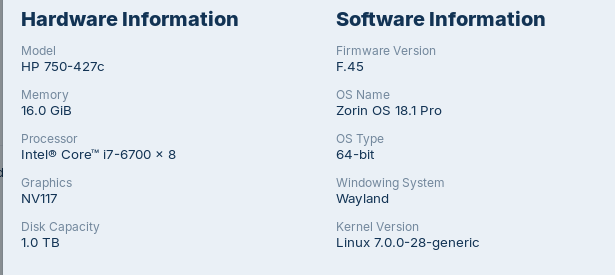
Try it with switching back to the older 6.17 Kernel. You can do that on Startup on the GRUB Menu. Choose ''Advanced Options'' and choose there the Option with the 6.17 Kernel (without Recovery Mode).
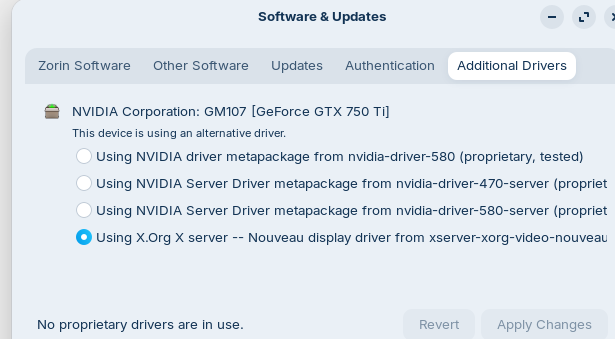
Install the Nvidia Driver. I checked the Nvidia Website and Your Card is supported for the 580 Driver.