Hi all  . I recently updated to Zorin 18 from 17 with a clean install and so far I'm loving the updates. However, there is something I've noticed is different and I'm wondering if there's a way to adjust it but I haven't been able to find a setting for it as of yet.
In the System Menu of the taskbar, there's this little widget to update the current audio output:
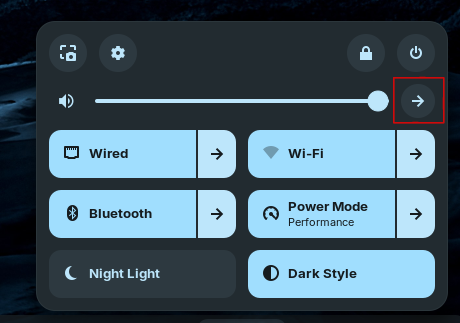
It's a nifty control I used all the time in Zorin 17. The issue I'm having is that in Zorin 18, the widget only appears when accessing the System Menu from the primary display, whereas in 17 it showed on all displays. I have the taskbar showing on all my displays, but currently the System Menu looks like this on my other display:

You can see the widget to select a new audio output is missing.
Is there a way to make this widget available in the Taskbar System Menu on all displays?
As a note: I'm not looking to assign a different output per-display (a question I came across while looking for an existing answer to this). Just looking for a way to make the System Menu show the same controls across all displays.