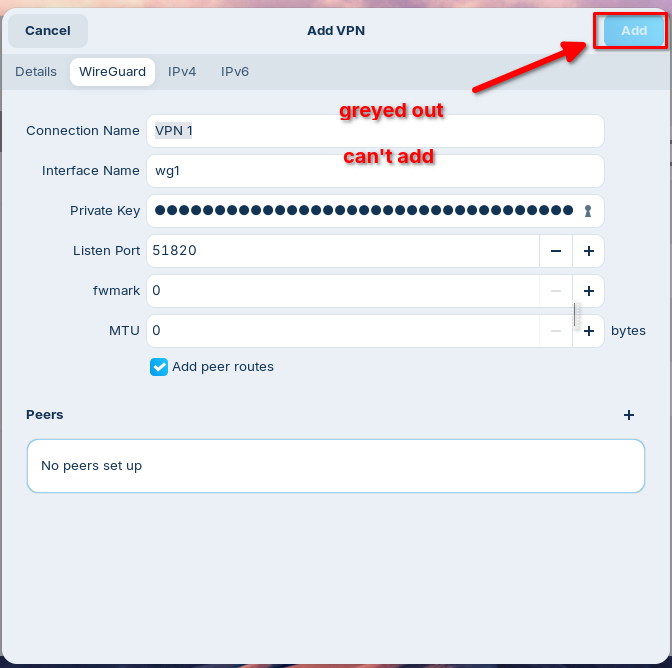
I never could get a wireguard connection to work when creating via GUI on Gnome. KDE works just fine.... However, I really only ever create a wireguard connection via nmcli:
nmcli connection import type wireguard file wgX.conf
nmcli connection modify wgX autoconnect no
nmcli connection down wgX
The "autoconnect no" and "connection down" are my preference, as I like to check the config in the GUI before testing. YMMV.
here is a sample wgX.conf file... Edit it to make it fit your config:
[Interface]
PrivateKey = <Private Key for Client>
PresharedKey = <PSK for Client>
Address = 10.10.10.10/32
DNS = 1.1.1.1,8.8.8.8

[Peer]
PublicKey = <Public Key of WG server>
AllowedIPs = 0.0.0.0/0, ::/0
Endpoint = <ISP public IP>:58120
Change the "wgX" part of the filename to be whatever you want the connection name to be (Before starting.) Or you can change the connection name later with:
nmcli connection modify wgX con-name GooberNetVPN
Once this is done, you connect and disconnect it via the normal gui "systray" button. These instructions work on any distro that uses Network Manager, regardless of DE. I distro hop quite a bit, so these instructions are pretty well tested by myself, and I just did it for Zorin 18 with zero issues.