I've been using ZorinOS 18 for a few weeks. Recently, I haven't updated the system or applications. However, when I turned on my computer today, this screen appeared. I tried restarting several times, but the startup process isn't working correctly.
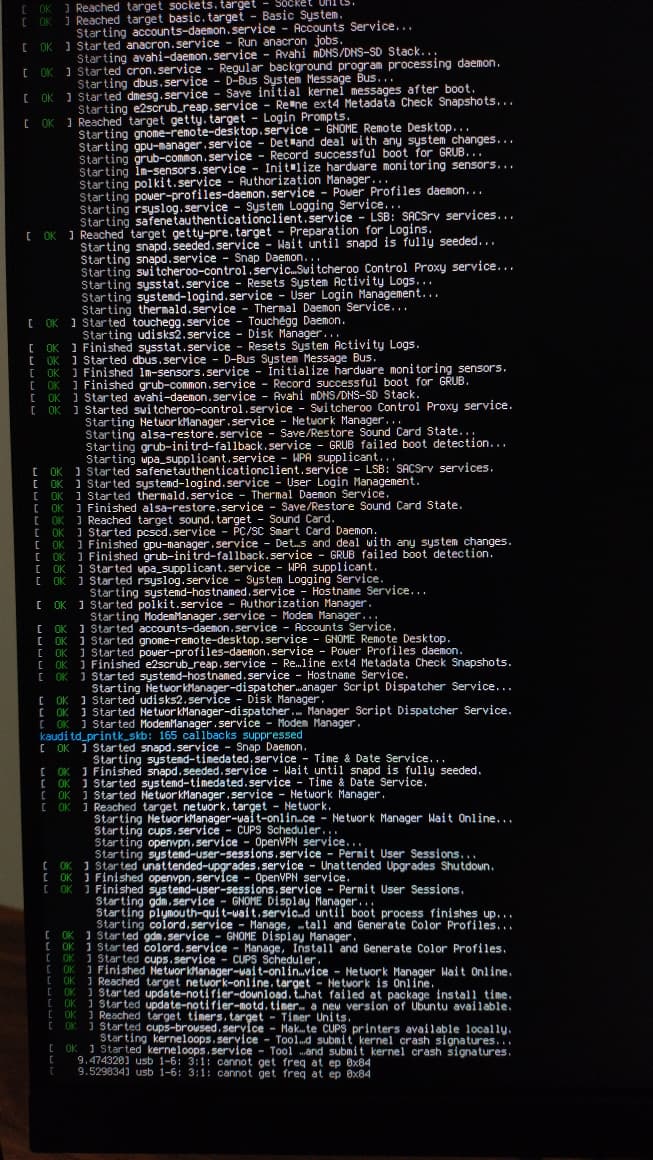
Are you unable to reach the desktop?
What is shown in the verbose output is mostly correct and successful init sequences, but the final lines show USB ports either not reporting correctly, or the driver not responding correctly.
Those, normally, won't prevent boot, though.
So, we really need more clues.
When was the last time the machine was powered up? Although not running updates, did you install or remove any software?
Is it dual boot - if so, has Windows OS gotten any updates?
I can't access the desktop. It doesn't even get to the part where I choose a user and enter a password.
I last used the computer two days ago, but I didn't install or remove any software.
I also don't use dual boot. Only Zorin OS is installed.
Are you using Thunderbolt, dock, USB supplied monitor or a USB hub?
I'm not using any of them.
Is this a Desktop PC or Notebook computer?
Depending on each, can you fully ensure it has no power from a wall source.
If Notebook, remove the battery.
Press and hold the power button... Yeah... you know the routine.
Thrity seconds. Get it all put together with electric and whatnot - then try booting it up?
If that is no good, do you have access to the Grub Menu, tapping esc or tab at the motherboard splash screen?
I'm using a PC connected to a power strip. I tried plugging it directly into the wall outlet and turning it on, but the error persisted.
I managed to access the Grub Menu by pressing Esc. I got to this screen:
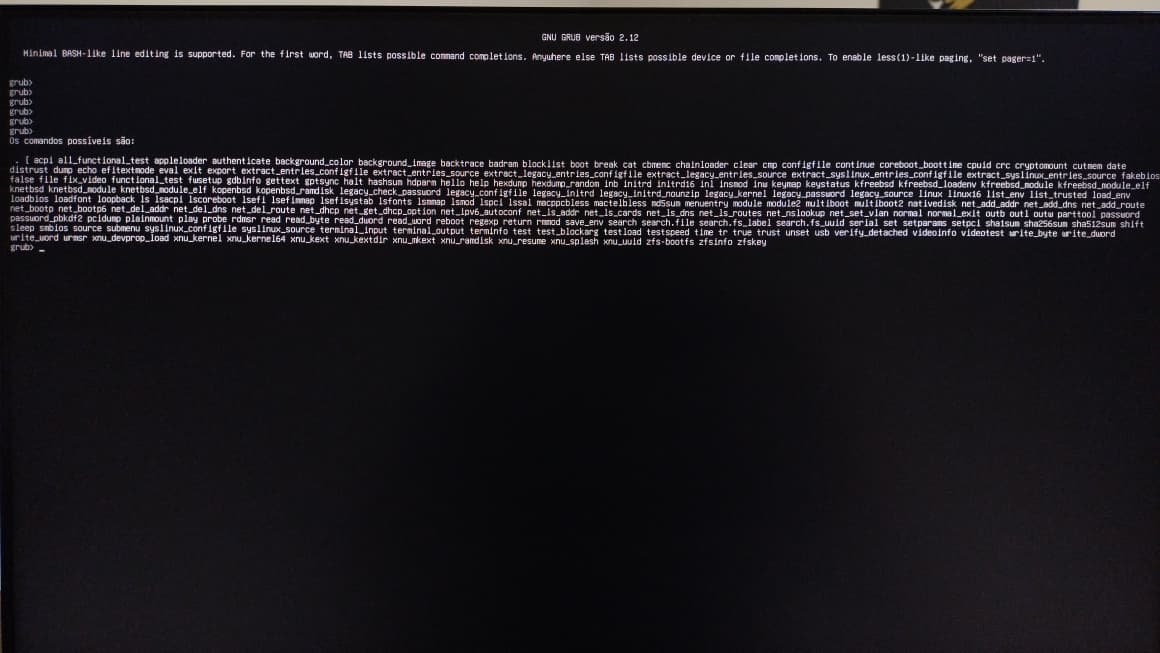
Can you type
exit
at the prompt and relay what it prints?
That is not the Grub menu, but the default grub screen shown when a system fails to boot.
Are Secure Boot and Fast Boot in BIOS disabled?
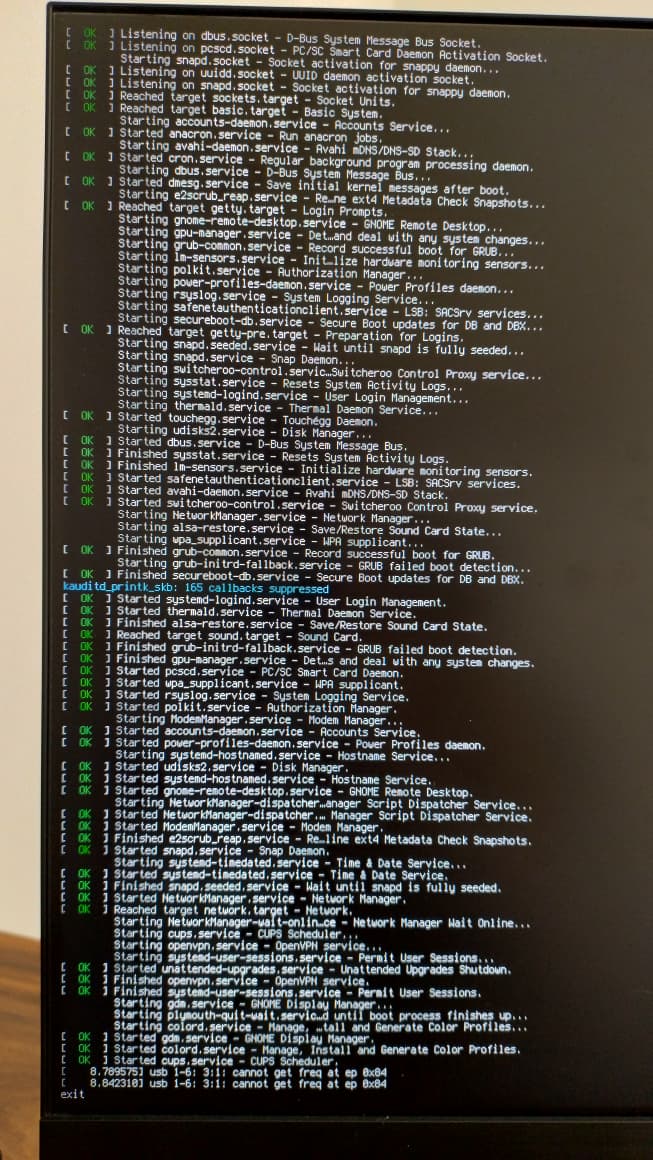
I typed "exit" on the GRUB screen and was redirected to the initial error screen. I also typed "exit" on that screen, but nothing happened, as shown in the image below.
Both Secure Boot and Fast Boot in BIOS are disabled.
Hmm ... do You have in Your BIOS Options to enable/disable USB Ports? Or set them to sleep?
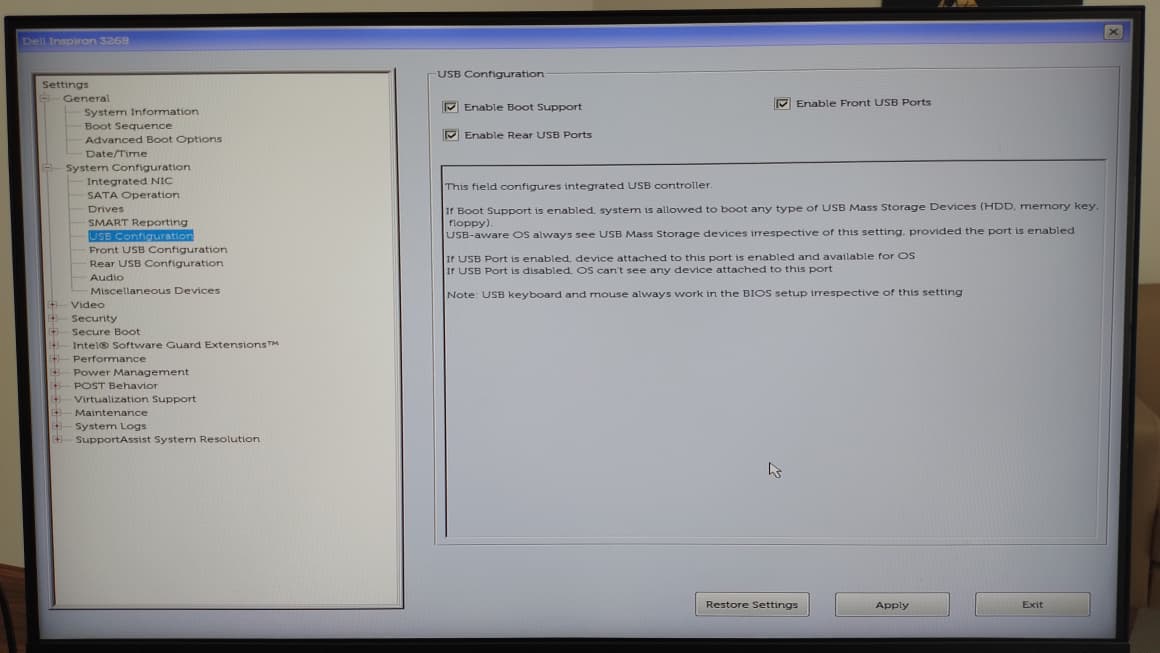
Okay, and what do You see on the Option ''Front USB connection'' and ''Rear USB Connection''?
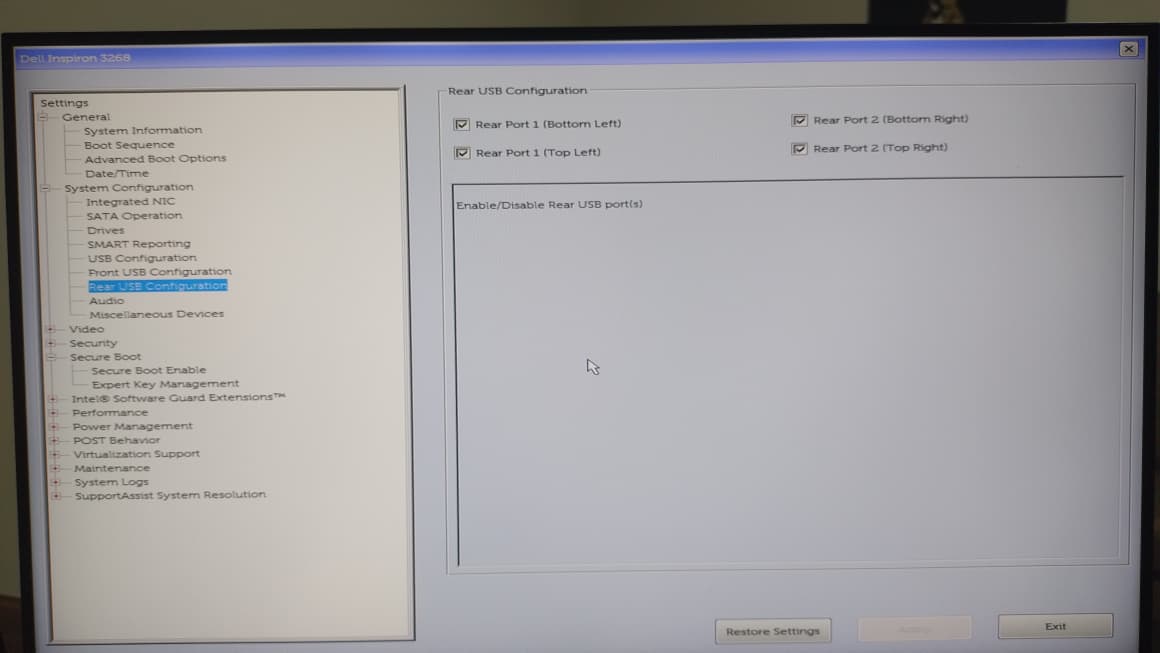
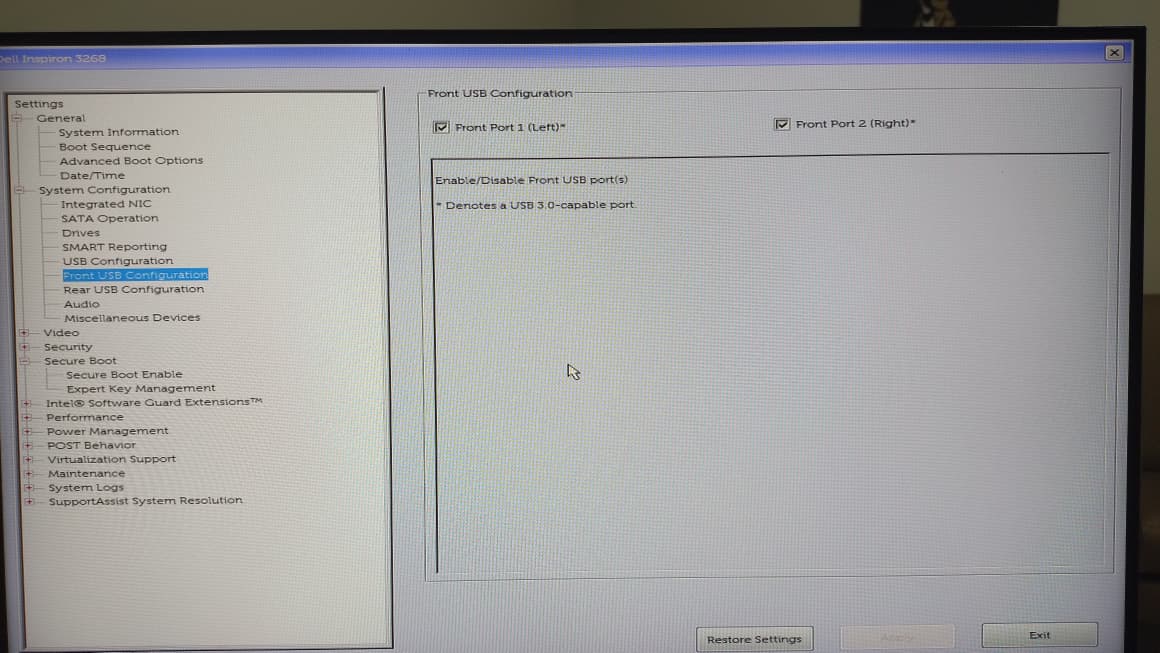
Okay, that looks all fine to me ... what have You plugged in in these USB Ports? Or are they empty?
On the rear ports, two have the keyboard and printer cables plugged in, and two are empty. On the front ports, one has the mouse adapter plugged in, and the other is empty.
And You don't use any USB Splitter-Cable or an HUB, yes?
I don't use any of them. Everything is directly connected.
I ran a test using a USB drive and was able to access the system in live mode. With that, I'll evaluate whether to reinstall Zorin or possibly test other distributions. Thank you very much for your help!
1 Like
This may be your best bet. Something has gone wrong here that is mysterious.
1 Like