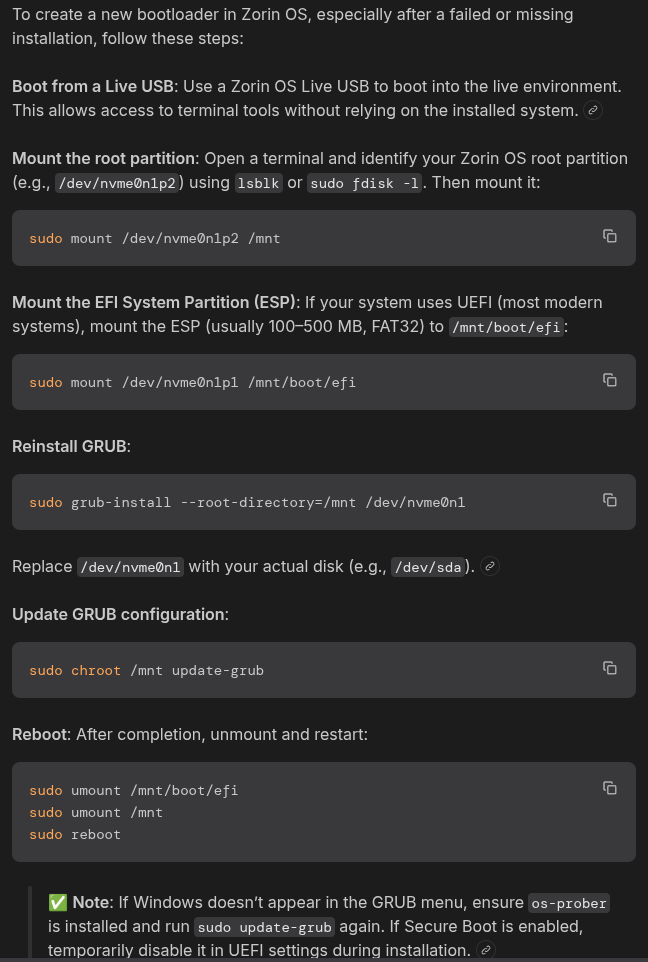
Hello, guys, i want to remove windows completely as i not need it anymore on this pc. When i installed Zorin on this pc i installed it on a different drive and i was thinking i had removed the windows drive, but unfortunately i had discovered after, that the windows drive was still in and so long story short the zorin's bootloader installed into the windows drive. Now on this pc i have Zorin 17.3 i want to install Zorin 18 or eventually Mint Cinnamon 22.3 cause this pc is getting old now so maybe a ligther distro should work better, even if i admit i like Zorin's Core ui's design the most. By the way i want to keep my Zorin 17 intallation intact just in case something goes wrong or to have it as a reference to then install all the programs i have on that old version, or also just to experimenting with other distros on that new drive while still keeping my old trusted Zorin 17 on the separed drive, but the real question is: if i format the windows drive deleting also the zorin bootloader from it, when i install the new Zorin 18 or Mint 22.3 or any other distro on that drive will then the new bootloader detect also my old Zorin 17 on that other drive?
If you like different themes, and as it is an older machine I would give Q4OS a try and install it's Look Switcher on your Windows drive. Make sure to disconnect your Zorin drive beforehand.
After you have installed Q4OS, shutdown, reconnect Zorin Drive, boot into Q4OS, open Konsole and enter:
sudo update-grub
This should then pick up Zorin OS and make an entry in Q4OS GRUB menu so you can choose which OS to boot into.
You do not need to delete the drive. You want to leave the Bootloader partition intact.
You can just wipe and install Zorin option.
Once Zorin OS is installed, if you feel so inclined, you can remove the defunct Windows bootloader file using efibootmgr
You could only wipe the Windows System from the Drive and keep the EFI-Partition. Then go in the EFI-Partition and delete there the Microsoft/Windows Stuff.
Another Option could be to run Zorin in Live Mode and use Boot Repair when the Windows Drive is wiped. Then Boot Repair should create a Boot Partition.
I think the best solution for me is going to be to use Zorin Live mode as by looking my ssds in the disk utility i noticed also my Zorin's ssd contains an efi system partition:

while the bootloader i see is from the windows ssd because as you can see from here:
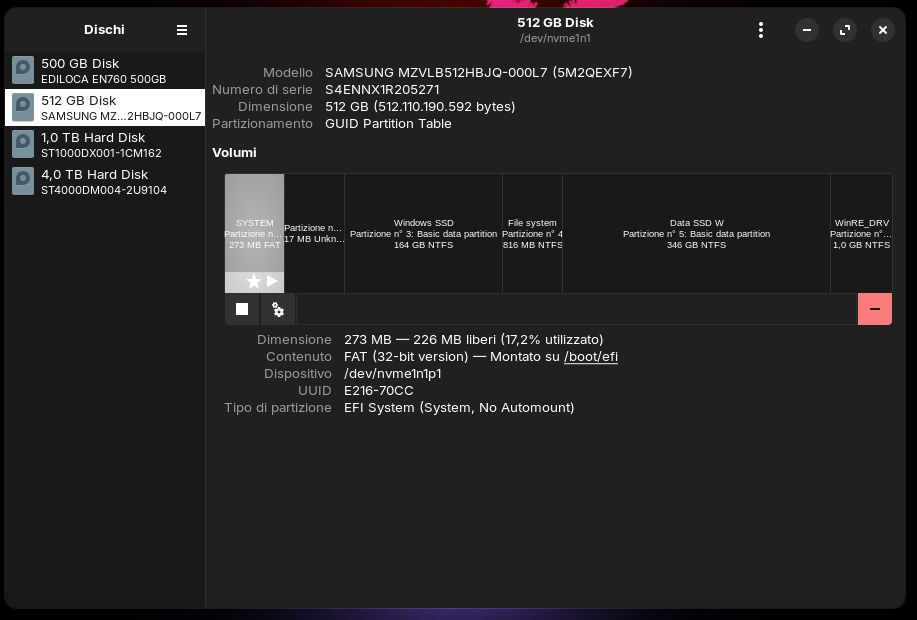
the mounted efi system partition is on the windows's ssd.
Today i asked to Leo what happens if i have Zorin and windows in dual boot in 2 separed drives and for some reasons the windows drive fails, now i not remember the exact question but was something similar and Leo answered:
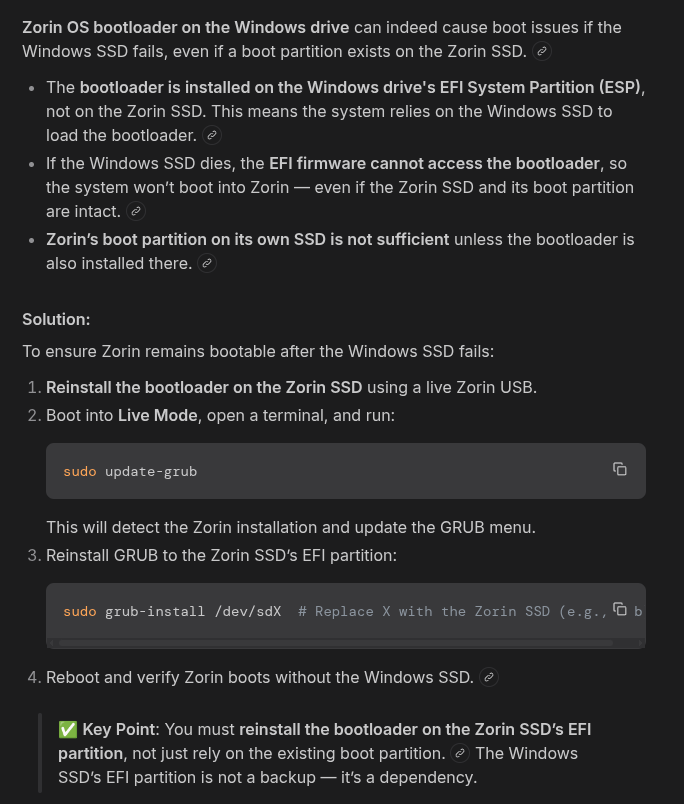
So all i have to do after removing the windows ssd, place my Zorin usb, boot into Zorin Live mode, open the terminal and type:
sudo update-grub
and then:
sudo grub-install /dev/sdX # Replace X with the Zorin SSD (e.g., sdb)
Where X in my case is going to be nvme0n1p1 so in my case is /dev/sdnvme0n1p1 right?
Only then i can finally wipe my windows ssd completely to install the new Zorin 18 or i will use that ssd to test other distros, because if in the future would be possible to update the zorin 17 to 18 then in the meantime i will use that other ssd for other distros, im even thinking to make an external portable os with that ssd hehe! 
Without the sd. sudo grub-install /dev/nvme0n1p1
Hello guys today i removed the windows ssd booted into zorin live, opened terminal and i launced the first command as you can see here:
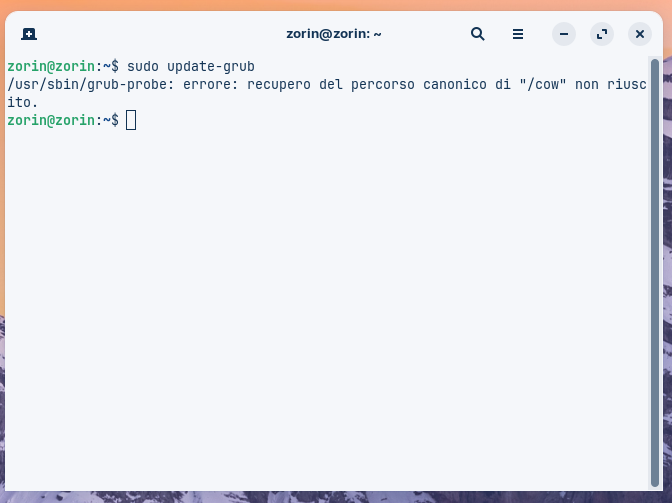
But it gave me this error: Failed to retrieve canonical path for “/cow”. Hoping it translated well, what to do in this case?