Hey, I installed Zorin in Dual Boot mode with Windows and nearly everything currently works as I want.
The one thing I can't get to work is suspension. If I suspend the pc I can't get it to unsuspend again. Asus motherboard posts 36/37/38 codes, syslog is completly empty between the suspend and my force reboot via power loss. Suspend/Hibernate with windows works without problems. Disabled fastboot, didn't make a diffrence
2025-12-26T17:00:50.519839+01:00 Zoeys-PC systemd[1]: systemd-localed.service: Deactivated successfully.
2025-12-26T17:00:51.412336+01:00 Zoeys-PC geoclue[2062]: Service not used for 60 seconds. Shutting down..
2025-12-26T17:00:51.414226+01:00 Zoeys-PC systemd[1]: geoclue.service: Deactivated successfully.
2025-12-26T17:00:51.464911+01:00 Zoeys-PC systemd[1]: nvidia-suspend.service: Deactivated successfully.
2025-12-26T17:00:51.465015+01:00 Zoeys-PC systemd[1]: Finished nvidia-suspend.service - NVIDIA system suspend actions.
2025-12-26T17:00:51.482408+01:00 Zoeys-PC systemd[1]: Starting systemd-suspend.service - System Suspend...
2025-12-26T17:00:51.490954+01:00 Zoeys-PC systemd-sleep[6069]: Performing sleep operation 'suspend'...
2025-12-26T17:04:41.926575+01:00 Zoeys-PC systemd-modules-load[623]: Inserted module 'lp'
2025-12-26T17:04:41.926626+01:00 Zoeys-PC systemd-modules-load[623]: Inserted module 'ppdev'
2025-12-26T17:04:41.926640+01:00 Zoeys-PC kernel: Linux version 6.14.0-37-generic (buildd@lcy02-amd64-031) (x86_64-linux-gnu-gcc-13 (Ubuntu 13.3.0-6ubuntu2~24.04) 13.3.0, GNU ld (GNU Binutils for Ubuntu) 2.42) #37~24.04.1-Ubuntu SMP PREEMPT_DYNAMIC Thu Nov 20 10:25:38 UTC 2 (Ubuntu 6.14.0-37.37~24.04.1-generic 6.14.11)
2025-12-26T17:04:41.926643+01:00 Zoeys-PC kernel: Command line: BOOT_IMAGE=/boot/vmlinuz-6.14.0-37-generic root=UUID=9b82d1f8-d7b5-4a94-8571-4575eb104693 ro quiet splash vt.handoff=7
NVIDIA Driver installed is the open 580 one as the non open 580 doesn't work (only getting cli and nvidia-smi says version/driver mismatch even though they are the exact same version)
The System is currently running on x11. Secure boot is currently enabled for Win 11, will disable it and test again and update here. Automatic suspend is disabled, so its on manually suspend
Okay, so disabled secure boot and after that tested suspend and hibernate (which I couldn't test before due to secure boot).
Suspend still doesn't work but Hibernate works.
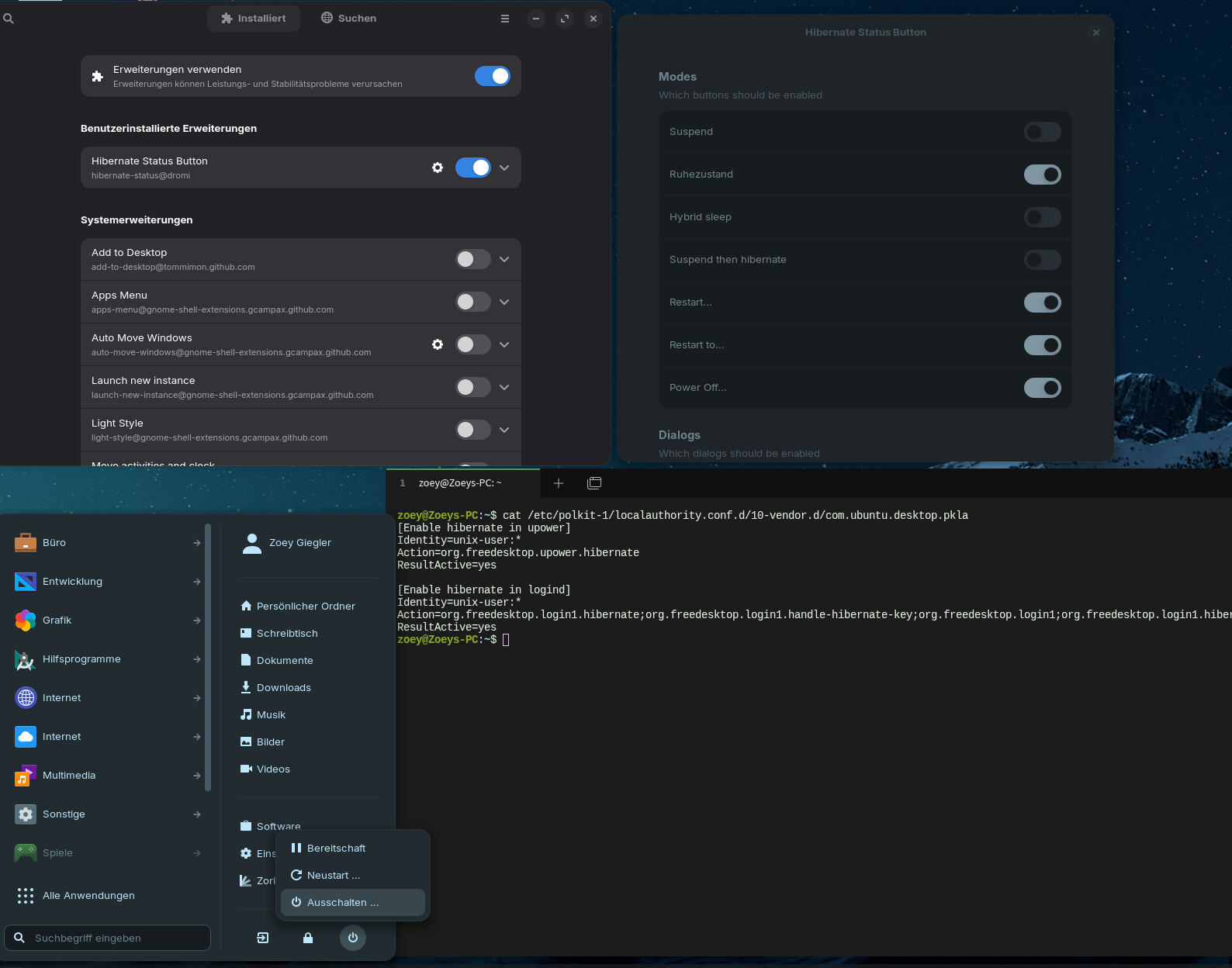
But that works for me for now, just have to debug why the button for hibernate doesn't appear after installing it. I can disable the other ones in the extension settings but enabling hibernate doesn't make the option appear
Yes, the file exists and has the entry from the github page. Extension is loaded as you can see and suspend deactivated and hibernate activated. Suspend is missing from the right context menu (still exists in the start menu) but hibernate is not showing in any of those 2