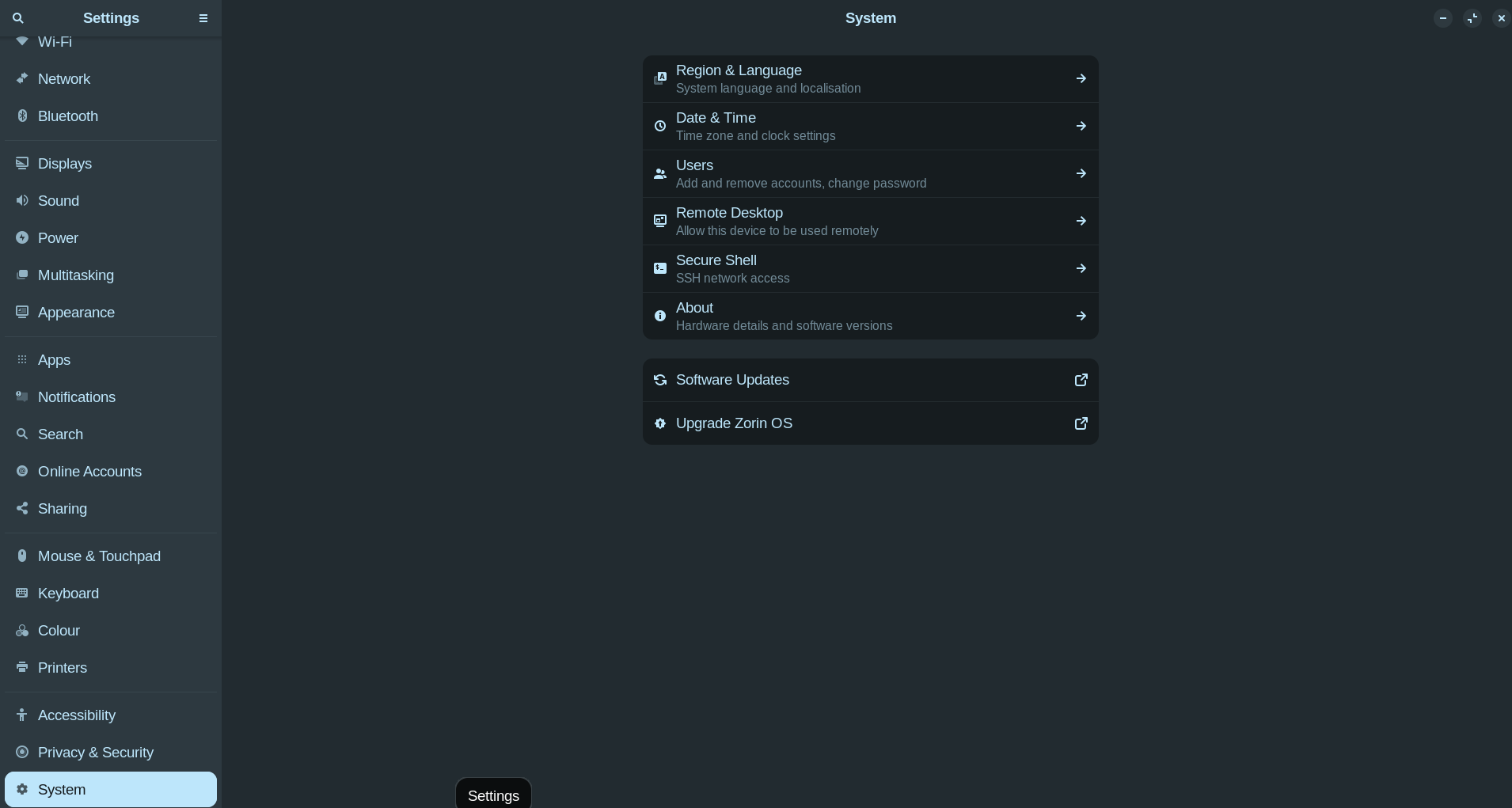
Greetings Folks!
In the Settings menu I cannot access any setting feature to view or make changes????
Please advise.
Greetings Folks!
In the Settings menu I cannot access any setting feature to view or make changes????
Please advise.
Are you running in "live" mode, meaning did you boot from the usb? That's my first guess as to why.
So, You click on the Options and nothing happens? It stays on what You have posted? Did You tried it with a Reboot? You could try it with a Reinstall, too:
sudo apt reinstall gnome-control-center
Thanks for your response.
Running in live mode!!!!
My Settings is GNOME 46.7. How do I upgrade to GNOME 47 or later?
The GNOME 46 series reached end of life (EOL) in March 2025 , so users are recommended to upgrade to GNOME 47 or later.
The Gnome series 46 is maintained by Canonical and Zorin some years after Gnome makes it EOL. A newer version of Gnome will be when Zorin OS releases 19. Both Zorin OS and Ubuntu 24.04 is LTS releases.
Did you check the checksum of the downloaded .iso and reboot to start a new live session? Usually you can see all settings in a live session.
Thanks for your response.
Still learning...........I can access the Settings menu tree with the up and down arrows and enter. Strange I cannot with my mouse???
Thanks for your response.
[quote="Guy, post:8, topic:62827, full:true"]
Thanks for your response.
I can access the Settings menu tree with the up and down arrows and enter. Strange I cannot with my mouse???
Does the Mouse Cursor not move?
Thanks for your response.
Mouse cursor does move. Double click on a setting.......nothing happens?
You don't need Double-Click. A Single-Click on an Option is enough.
Thanks for your response.
Cannot select even with a single mouse click??
Is this when the Window isn't in Full Screen, too?
Thanks for your response.
Yes!
Yes correct!
This topic was automatically closed 90 days after the last reply. New replies are no longer allowed.