I'm trying to install Zorin OS 18 Core in a dual-boot configuration on Windows 11.
I've set aside 100 GB on my Windows 11 SSD for Zorin.
I downloaded the ISO and used Rufus and Balena to create a bootable USB drive.
I ran the SHA256 checksum, and there are no issues.
During the check that Zorin performs before the installation interface launches, it tells me there is a file error.
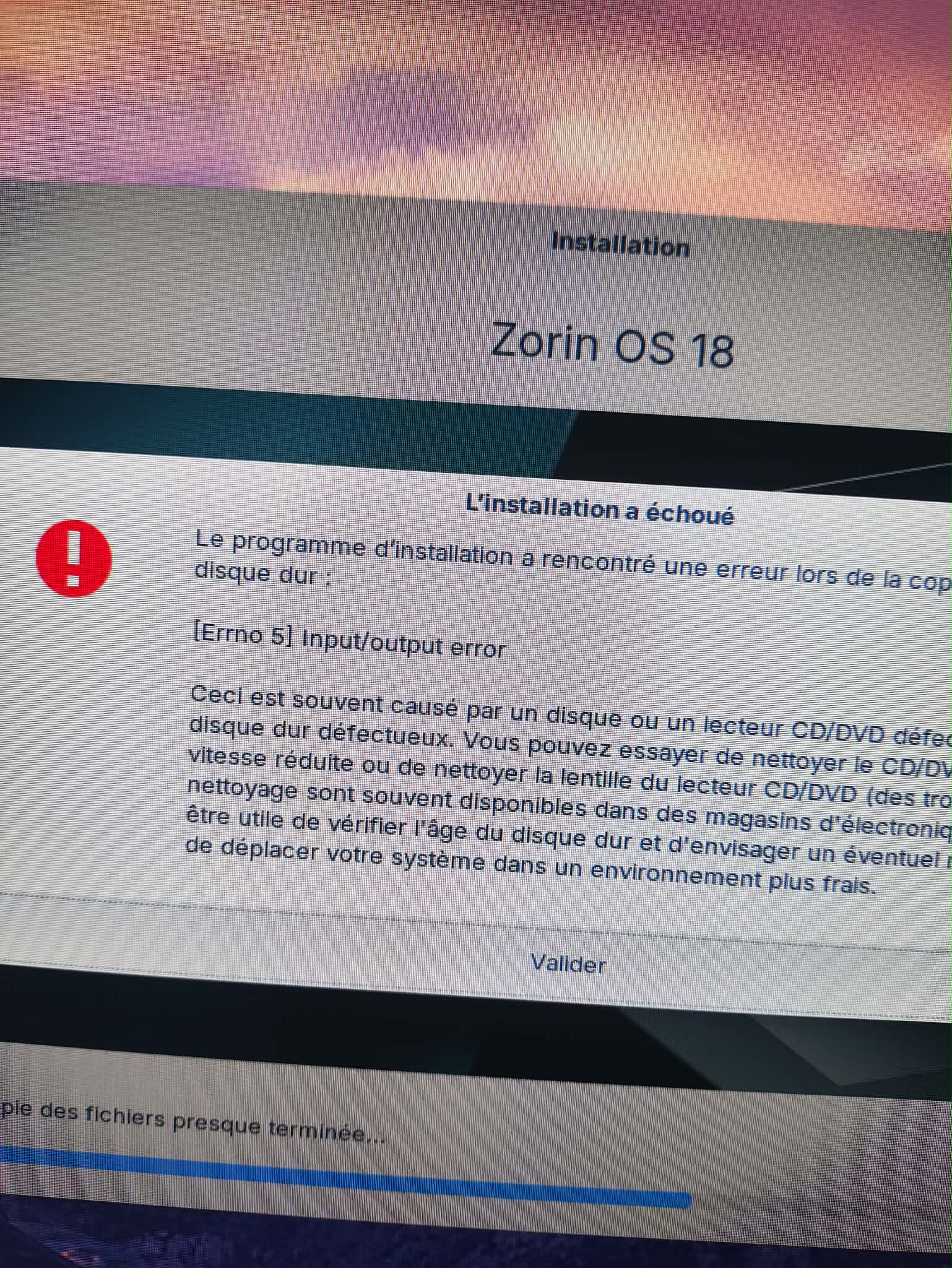
When I try to install it, after a few moments I get either error message number 5 or the one I’ve included in the screenshot. Then the installation stops.
I tried it with Wi-Fi turned on and also with it turned off, and without installing any drivers.
The “test” version of Zorin works without any issues.
Do you have any ideas on how to resolve this?
My PC:
MSI motherboard
32GB of G.Skill RAM
3 x 1TB SSDs
Asus GTX 4070
Check that Secure Boot and Fast Boot in BIOS are disabled.
Check that Fast Start-Up in Windows is disabled.
Download a new ISO and check the Checksum.
Rufus is a good Tool, so maybe stick with that. When Your BIOS is in UEFI Mode, choose in Rufus at the ''Partition Sheme'' Option GPT and when the BIOS is in Legacy Mode choose MBR. And format the Stick to FAT32 if the USB Stick has 32Gig's or less.
I've done all of that, and the problem is still there...
I ran a bad block check on my USB drive using Rufus, and it didn't find anything.
I checked the ISO file with QuickHash, and it's fine.
I'm going to try to find another USB drive to run a test.
-I downloaded the ISO from the official website and verified the hash; everything is fine.
-I reserved 100 GB of unallocated space on my SSD in Windows 11 for Zorin.
-In the BIOS, Fast Boot and Secure Boot are disabled, and the XMP profile is disabled. BIOS is set to UEFI.
-In Windows 11, Fast Startup is disabled.
-I tested with 3 different USB drives created using Rufus and Balena
For Rufus: Partition scheme: GPT Target system: UEFI (non-CSM) File system: FAT32
-I tested on all the motherboard’s USB ports.
I consistently get an error at the end of the check during boot.
During installation, I can create the “/” partition in ext4 within the 100GB, and I make sure to select the entire SSD for the bootloader. I move on to the next step, and there, I get error 5 100% of the time while copying files.
The “live” version seems to work fine.
I also tried an installation during the live session as follows: I retrieved the ISO from the Win11 SSD, placed it in /home/zorin/, and then mounted it. I then launched the installer with “sudo ubiquity,” but got the same result: error 5 ...
Same Issue I am facing. I also tried all the things here people suggested and you listed. None of them helped me to fix this issue. Don't the developers test a manual install before publishing!? I guess they just upgrade the system.
I agree with you, same things with Zorin 17.3. I was resolve issues by myself.
I was been go read around web what to do. I was try many things.
Then I was create partition on begining disk, the small part, I was formated this part in FAT32, must be size 512 MB and then flaged with (/boot/efi - must be written manually) - for bootloader and other bigger part of disk in EXT4 Filesystem wich is for Zorin OS - must have flag /. Then was my installation finally go foward and smoothly, program then do all needed things.
Okay, let's see ... Secure Boot, Fast Boot and Fast Start-Up are disabled. That is fine. Disabled XMP Profile shouldn't be neccessary - at least not that I would know.
You used Rufus and set it u with GPT for Your UEFI BIOS. That is good.
So, You choose the ''Something else'' Option during Installtion to set up the Partitions manually? Do You have multiple Drives? Or do You want install Zorin on the same Drive as Windows?
If you want install it on the same Drive, You could simply use the Option ''Install Zorin alongside Windows'' and in the next Step, You chosoe how many Disk Space You want use and the Rest makes the Installer automatically.
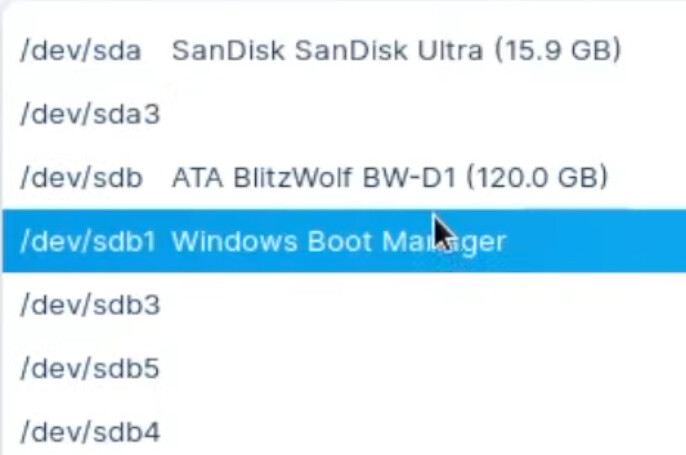
If You want set up the Partitions by Yourown, take the free Disk Space and take for that the Mount Point / and format it to ext4. Then under the Option ''Device for boot loader installation'' choose ''Windows Boot Manager'':
To do this, under the “Device for boot loader installation” option, select “Windows Boot Manager.” I've always been told to select the entire SSD.
If I select Windows Boot Manager and the installation fails, will that cause a problem when I reboot?
What this do is it uses the already existing EFI Parition and pack the Zorin Boot Stuff to it. If You afraid that this cold lead to Issues, You can create a seperate EFI-Partition, too. Take ... let's say ... 300mb from Your free Disk Space and choose that for ''EFI''.
To I answer you. I was have issues with boot yes. At the end I was must remove all partitions cuz wasn't been posiblle go in OS. In normal situations EFI partition from windows can be used. Otherwise I wasn't using dual boot never.
Create an unallocated partition in Win11 (for me, 100GB)
Create a Ventory USB drive with the Zorin 18 ISO
-Boot into Grub2 mode and disable SSD sleep mode with ‘nvme_core.default_ps_max_latency_us=0’ at the end of the Linux line
-Try installing with the NVIDIA drivers
-Do not enable Wi-Fi, do not install third-party drivers.
-During the installation options, select ‘Other options’, locate the 100GB partition and format it to Ext4 > tick “Format” > partition ‘/’
-Select the entire SSD or install the Win11 EFI partition
With these settings, it worked. However, I had a few issues during updates and had to:
Delete the package lists:
sudo rm -rf /var/lib/apt/lists/*
Delete the partial status file:
sudo rm -rf /var/lib/apt/lists/partial/*
Clear the local download cache:
sudo apt clean
Rebuild the package catalogue properly:
sudo apt update
After doing that, and after setting the Ubuntu session as the first boot option in the BIOS, everything works