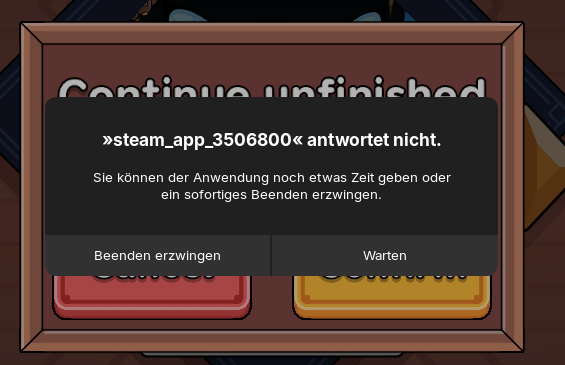
Hi, so in some Games (Walking Survival, Minecraft over Modrinth) this Popup just keeps Popping up telling me the current Window would'nt respond.
Even if i am mid game and the Window clearly DOES respond.
This is obviously really annoying and i hope someone can help me solve this
Forpli
September 4, 2025, 3:56pm
2
Take a look at this thread. You can increase the time until the message pops up:
Not sure what it exactly says in English, but it pops up pretty much every time i open game with wine. Options are to wait or close program. Sometimes it comes up when browser has slight hiccup and cpu peaks to max.
Is there way to adjust delay for that small but annoying problem?
I'm running Zorin in older i5 computer so it probably doesn't show up on faster computers so easily.
Here is the solution from @Ponce-De-Leon how to do it with dconf-editor:
You can install dconf-editor with
Another possibility is to increase the time with a terminal command:
This is the setting by default:
5000ms=5s until the pop-up appears
You can increase this time, e.g. to 60000ms= 60s
"gsettings set org.gnome.mutter check-alive-timeout 60000"
2 Likes
I set it to 15 Seconds and that fixed it.
Thank you very much : )
3 Likes
zoran
September 4, 2025, 9:35pm
4
that worked out good for clamtk. got message while still loading definitions. set timeout to 10000 and all good
1 Like
Interesting. I recently had this problem using a newer version of Proton and resolved it by reverting to an older version. If it happens again, I'll have to try the actual fix.
@Locklear93 If this is due to a Proton version, I agree try another one. My best advice for those who are using the Flatpak version of Steam, is to use Proton GE Flatpak.
1 Like
system
December 6, 2025, 11:59pm
7
This topic was automatically closed 90 days after the last reply. New replies are no longer allowed.