Hello,
Sorry to hear that the upgrade did not go very well.
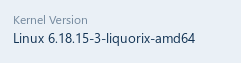
The current Kernel for Zorin 18 Core (March 2026) is the one that you've got at the top:
6.17.0-14-generic #14~24.04.1-Ubuntu
Do you get an error when you boot on 6.17.0-14?
There is an error:
Building module:
Cleaning build area...
unset ARCH; [ ! -h /usr/bin/cc ] && export CC=/usr/bin/gcc; env NV_VERBOSE=1 'make' -j2 NV_EXCLUDE_BUILD_MODULES='' KERNEL_UNAME=6.17.0-14-generic IGNORE_XEN_PRESENCE=1 IGNORE_CC_MISMATCH=1 SYSSRC=/
lib/modules/6.17.0-14-generic/build LD=/usr/bin/ld.bfd CONFIG_X86_KERNEL_IBT= modules.....................................(bad exit status: 2)
Error! Bad return status for module build on kernel: 6.17.0-14-generic (x86_64)
Consult /var/lib/dkms/nvidia/470.256.02/build/make.log for more information.
Sign command: /usr/bin/kmodsign
Binary update-secureboot-policy not found, modules won't be signed
Building module:
Cleaning build area...
arch='x86_64' kernelver='6.17.0-14-generic' ./driverctl make all...(bad exit status: 2)
Error! Bad return status for module build on kernel: 6.17.0-14-generic (x86_64)
Consult /var/lib/dkms/rtl8821cu/5.12.0/build/make.log for more information.
dkms autoinstall on 6.17.0-14-generic/x86_64 failed for nvidia(10) rtl8821cu(10)
Error! One or more modules failed to install during autoinstall.
Refer to previous errors for more information.
dkms: autoinstall for kernel 6.17.0-14-generic
...fail!
run-parts: /etc/kernel/postinst.d/dkms exited with return code 11
dpkg: errore nell'elaborare il pacchetto linux-image-6.17.0-14-generic (--configure):
il sottoprocesso installato pacchetto linux-image-6.17.0-14-generic script post-installation ha restituito lo stato di errore 11
Si sono verificati degli errori nell'elaborazione:
linux-headers-6.17.0-14-generic
linux-image-6.17.0-14-generic
E: Sub-process /usr/bin/dpkg returned an error code (1)
It seems that it didn't get built because of the 470 Nvidia Driver and then Realtek one. The Nvidia Driver doesn't surprise me; the 470 isn't compatible with the 6.17 Kernel. There, You would be better with the 6.8 Kernel.
OK, thanks, so I can keep 6.8.0-88-
but then when I check for a new upgrade, it tells me to reinstall 6.17.0-14-generic. And I can't even permanently remove it with Synaptic, it gives me an error.
If I can continue with 6.8.0-88, how can I permanently remove 6.17.0-14-generic and prevent it from reinstalling again?
It doesn't work, it makes me download it again.
Maybe I can block the version with synaptic?
I think this doesn't work either, - every time I upgrade it asks me to download it again
To be fair... I do not use the upgrader application.
It is simplified to a point that it cannot properly parse packages and it annoys me.
As far as I know - and as far as it used to be - held packages were noted by the updater. It will offer at the outset, but should not require you to say "no" to it in any way since it is System Held Back.
But on Zorin OS 18, I keep finding and noting where Gnome Packages have been simplified further and no longer do what they used to do - and since I do not use that package, I cannot verify this on a moments notice for this particular case.
But you can - try running as normal - do not select anything as "no" and see what it results with.
Don't worry... if it installs the package, we can immediately remove it:
I'll try updating the next kernel when it arrives.
However, before the graphical environment launches, the mouse appears on the black screen as an "X," or rather, a cross, before it becomes an arrow. Is this normal? Perhaps with Nvidia?
But specifically, when a distribution changes kernels with a version change, like with Zorin 17.3 to 18 or even L.Mint recently, what does staying with a different kernel mean in terms of performance or anything else? If there is indeed a difference...
That is, if I stay with 6.8 instead of 6.14, does anything change?
well the 6.14 would have some better drivers and maybe abit of a preforance lift of course its a generic kernel that can be built upon to needs of the OS