Hi there,
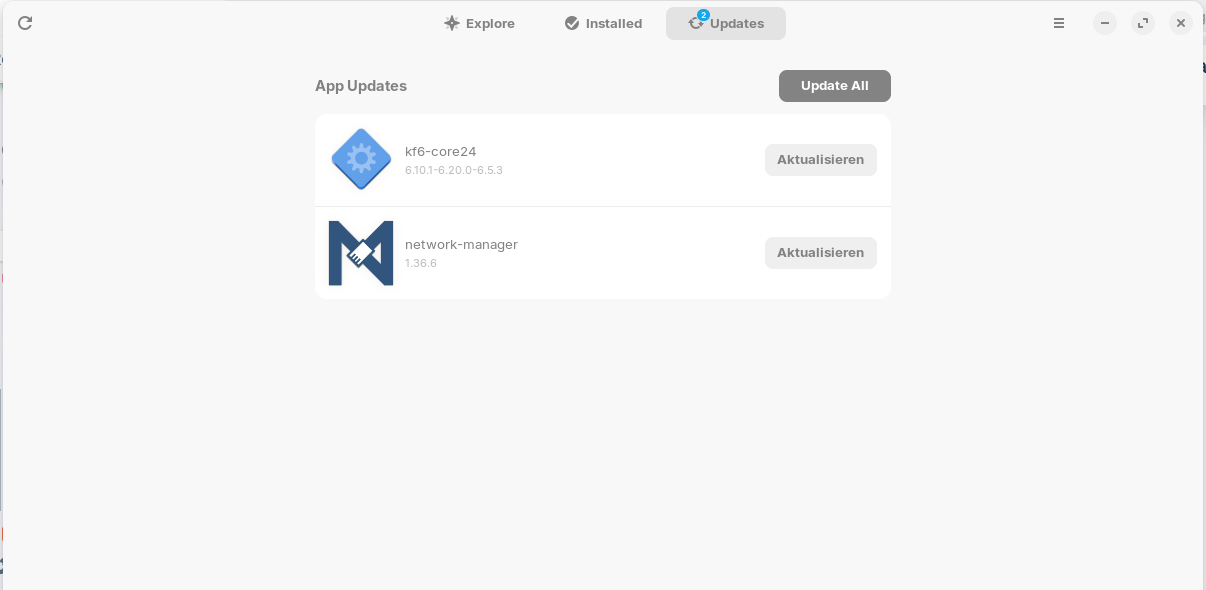
I have the problem that into my update software app shows that a update from installed version 1.36.6 of the network-manager won't update after I click onto update. It loads the updown but after that it don't install it. this I may try different times or also the snapd command but nothing is changing. https://youtu.be/aP3lNIwXRqQ
Please help me.
you may try opening a terminal and type
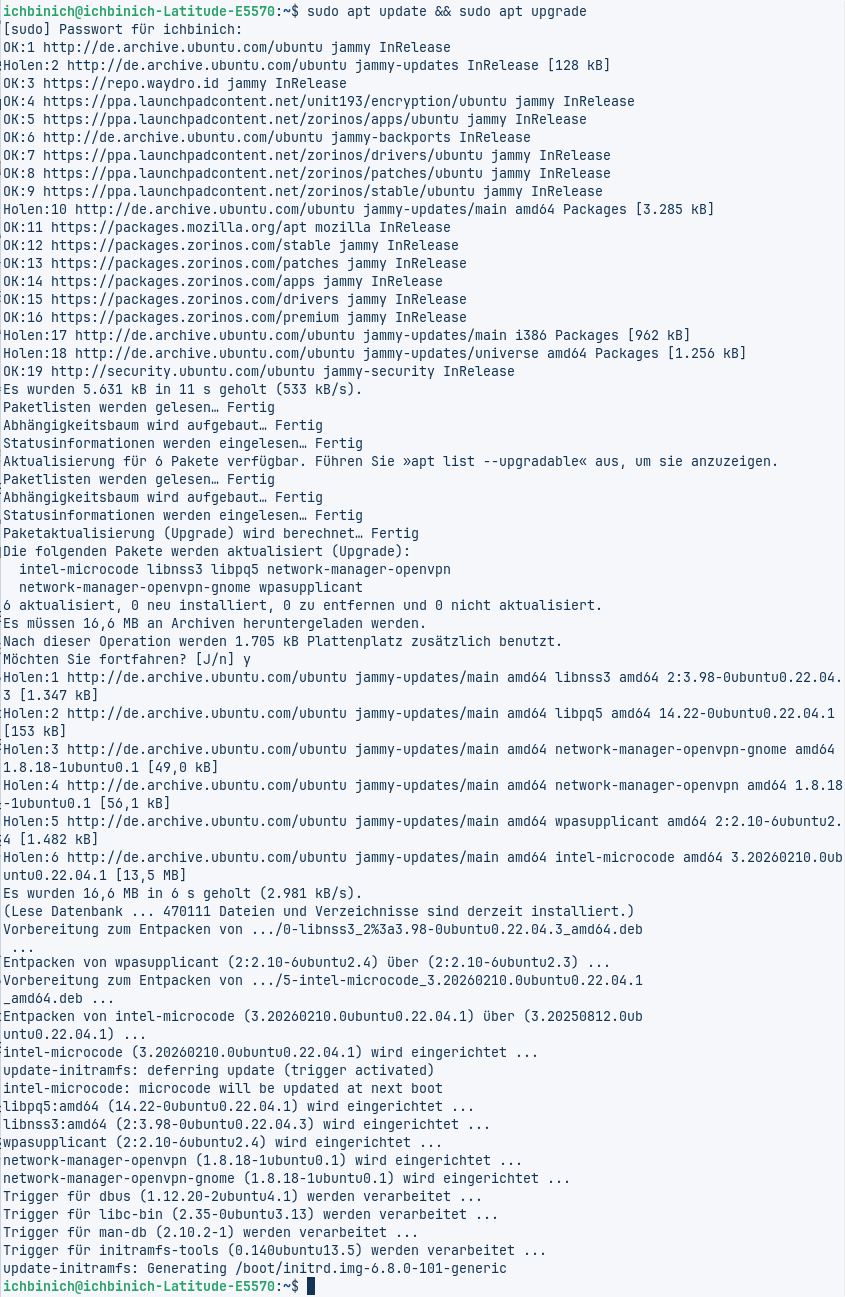
sudo apt update && sudo apt upgrade
and see if that helps if internet is working if proble ok for now may be something trying to install and its on the wait to install after list
You mentioned snap. Was the original snap or APT. I would follow @wesoliv429 's advice.
Sure I have tried this also before i wrote here my question
VIDEO
but nothing was changed!
im not sure but i think i see some files that are held back maybe due to parshing. that will make some software not install till those do...those will install eventually in the software updater
as i said before if your internet is working they may not be needed at this time
i tend to go by "If its not broke...dont fix it"
hriuq398r3iafh0rh20q:
From here it is shown that it was updated. The .deb Package. Now would be the Question what this Program in Gnome Software is. Can You open the Software Site and make a Screenshot?
Forpli
March 8, 2026, 6:15am
8
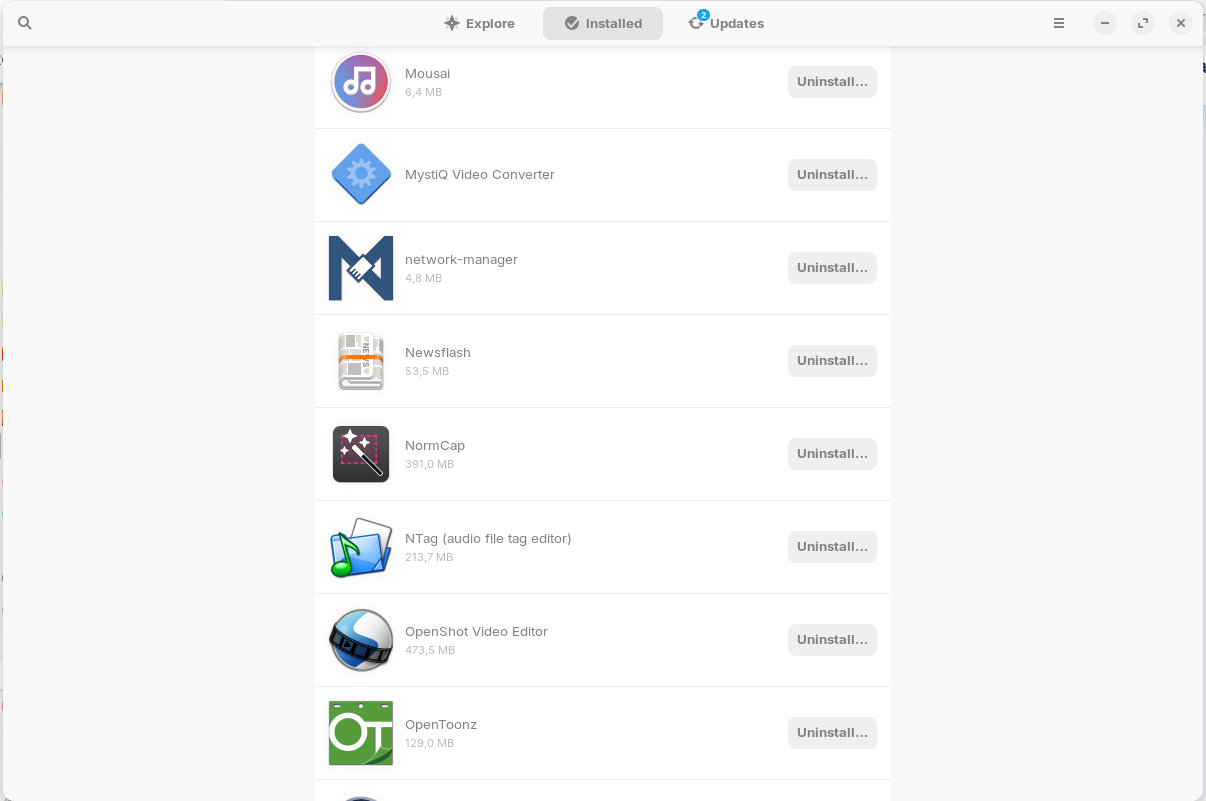
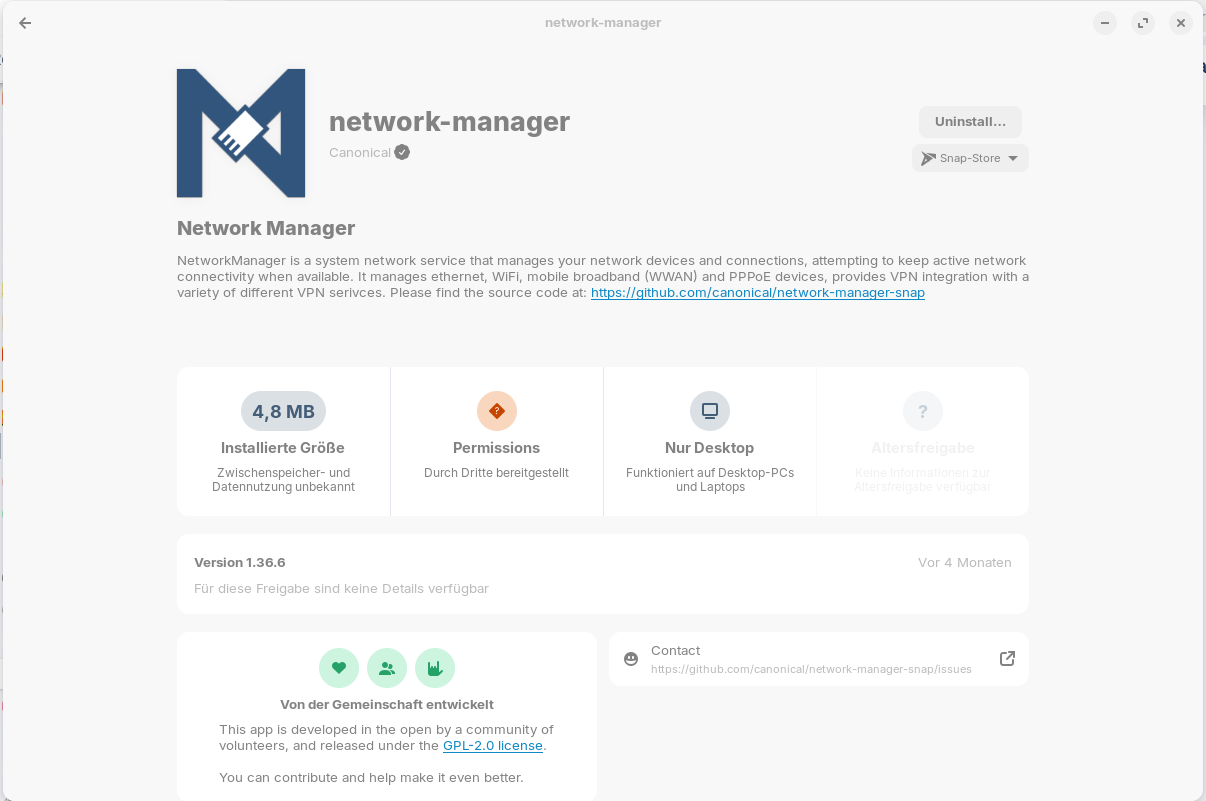
Can you please take a screenshot when you go to tab installed, search for the network-manager there and click on it?
Sorry for misunderstanding. here you have.
Forpli
March 8, 2026, 7:03am
10
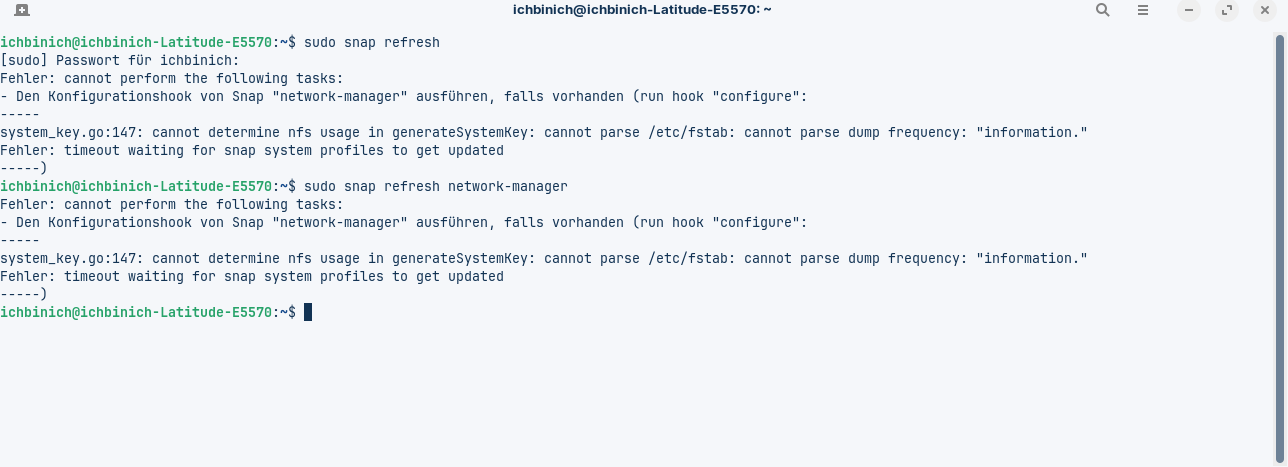
Thank you. Here we can see that it is a snap package. What is the terminal output when you enter in terminal
sudo snap refresh
or
sudo snap refresh network-manager
?
The command sudo apt update && sudo apt upgrade doesn't update snaps nor flatpaks, only apt packages.
Hi I have tried bought of your given commands
Forpli
March 8, 2026, 7:45am
12
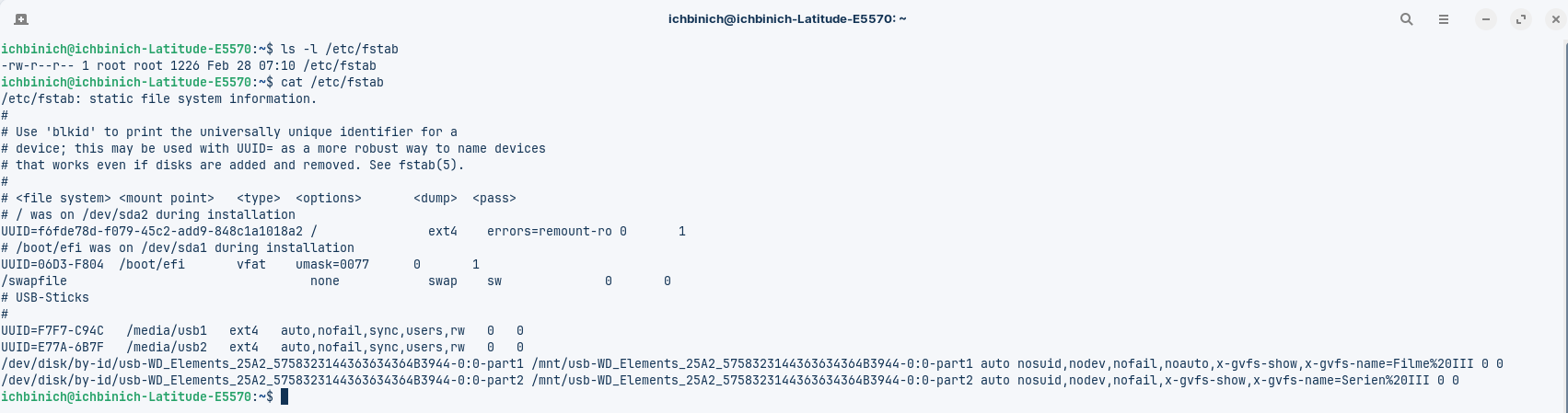
There seems to be a problem with the /etc/fstab file. I found this thread, maybe it can help. I'm not familar with this problem.
snap, fstab
Ubuntu Version: 24.04 LTS Desktop Environment (if applicable): GNOME Problem Description: Problem is that snaps suddenly don’t work. I have tried: sudo snap refresh & get the following response in Terminal: sudo snap refresh error:...
Reading time: 1 mins 🕑
Likes: 8 ❤
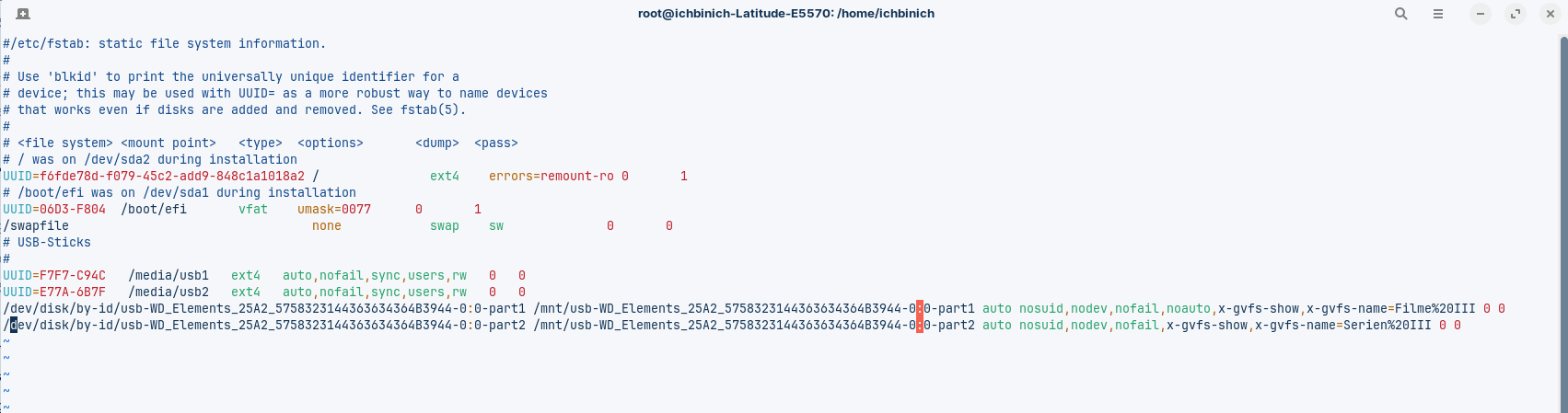
Look if the first line of your /etc/fstab file begins with a #. If not, add it at the beginning of the line.
sudo nano /etc/fstab
to edit the file, add the # and then press ctrl+o to save the file, enter to confirm and ctrl+x to exit the editor. Then reboot.
Edit: Maybe it is better to post a screenshot of the file here first before editing.
Hi thank you for the tip. I searched by myself and found this link Followed advice from @ogra and in my /etc/fstab was the “#” in the first line missing.
The orders in my terminal I found here Explanation of the fstab orders
Here are my fstab with root made changes - before
Here are my fstab with root made changes - after
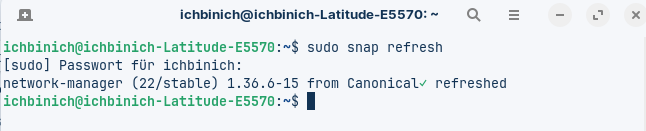
Now I have tried also the order sudo snap refresh and here are the pics:
in my software app I see this but the update is also available - is that ok?
1 Like
Forpli
March 8, 2026, 8:15am
14
For me it seems as everything is okay now and the snap network-manager has been updated.
How does network-manager look now when you click on it at tab "installed" in Gnome Software Center? Which version is shown?
1 Like
system
June 6, 2026, 8:15am
15
This topic was automatically closed 90 days after the last reply. New replies are no longer allowed.