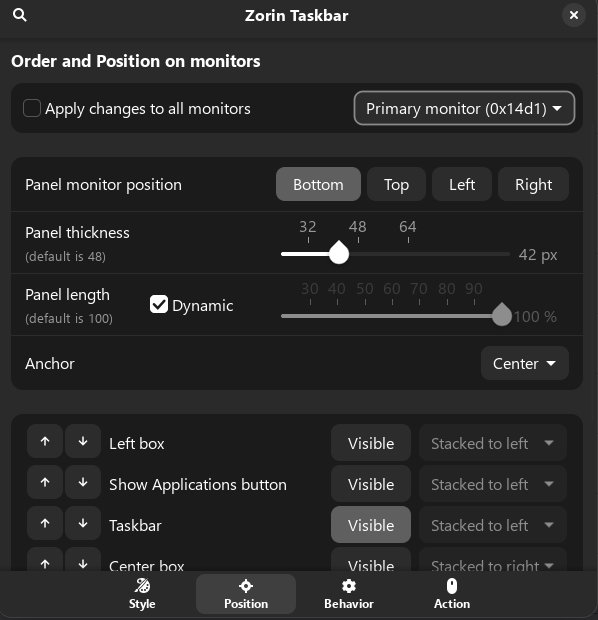
In the zorin 18 Taskbar extension you can set different layouts for each connected monitor.
When in my office I have the 'full' taskbar on my primary screen, which is one of the external ones, and then just the taskbar with currently open apps on that screen on the other two, one of which is the laptop screen.
However when I'm away from the office and just using my laptop, I'd like that to adopt the settings for the primary screen as currently it shows the minimal taskbar like when I have the external screens, and so I have to go into the Zorin Taskbar extension and turn everything else on or off every time I change from single to multiple screens.
There's already the "Show favourite applications on secondary panels" setting, so part of the extension already modifying behaviour based on which screen is currently the primary, rather than using the literal screen.
Is there any way of applying the "Order and position" so that settings can be applied to whichever monitor is currently primary?
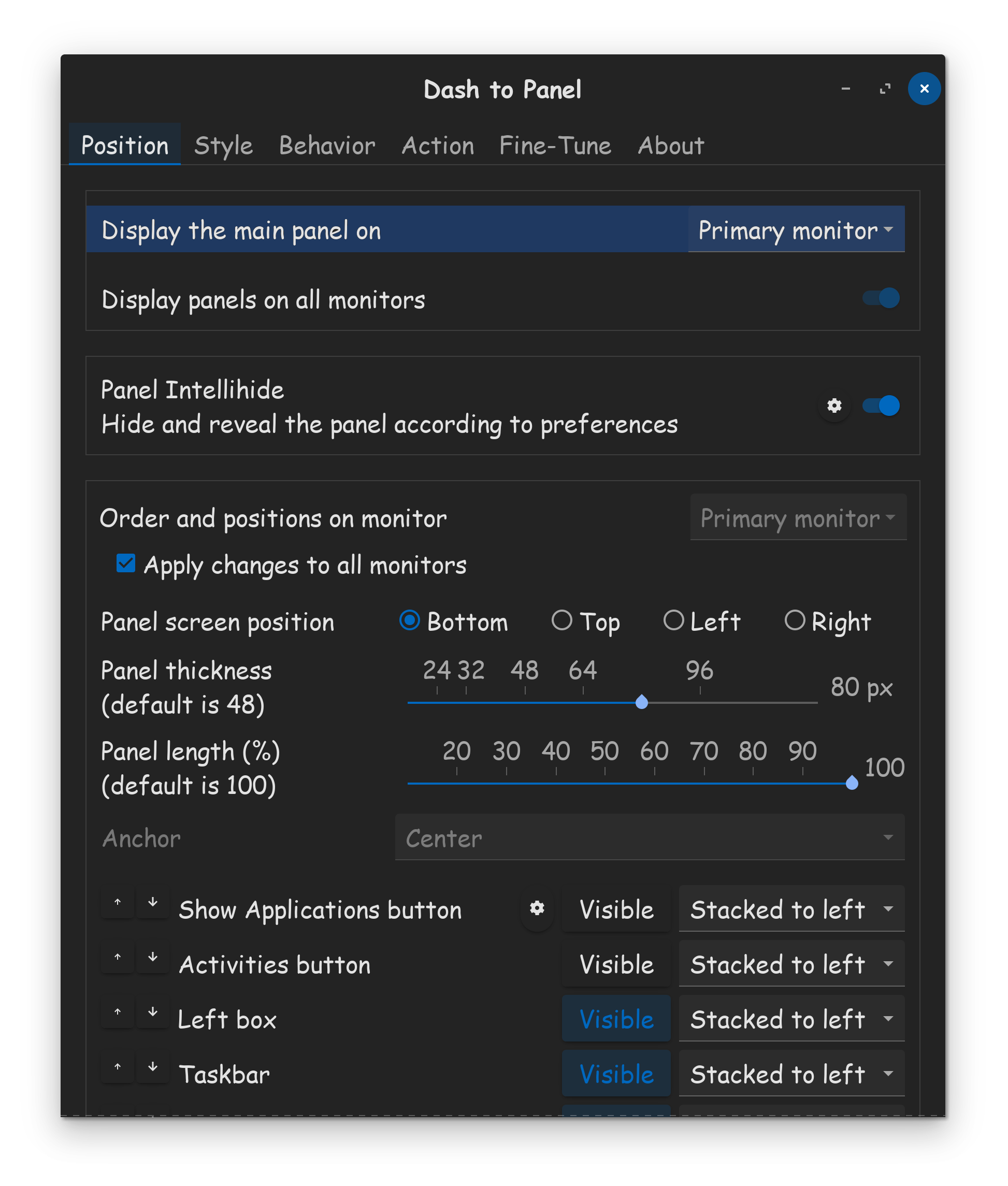
I only have a laptop and no monitors connected, so I can't test it. But you could try if it works when you use the gnome extension "Dash to panel" instead of gnome extension "Zorin taskbar" (disable Zorin taskbar when you test it). In the settings of "Dash to pamel" at tab position >Panel is a line where you can select
"Display the main panel on..."
There you could choose the monitor you want to.
This setting doesn't exist in Zorin taskbar. Maybe it helps.
Unfortunately, I didn't get my plan to work with the Dash to Panel extension. Maybe you have more luck, it was my first time with an external monitor. Perhaps it is easier to keep the normal taskbar on all monitors.