Hi, I know this has been asked before but the solutions I read aren't working for me (I have practically no coding or Linux experience/knowledge as I come from Windows and have used Zorin without really messing much with it).
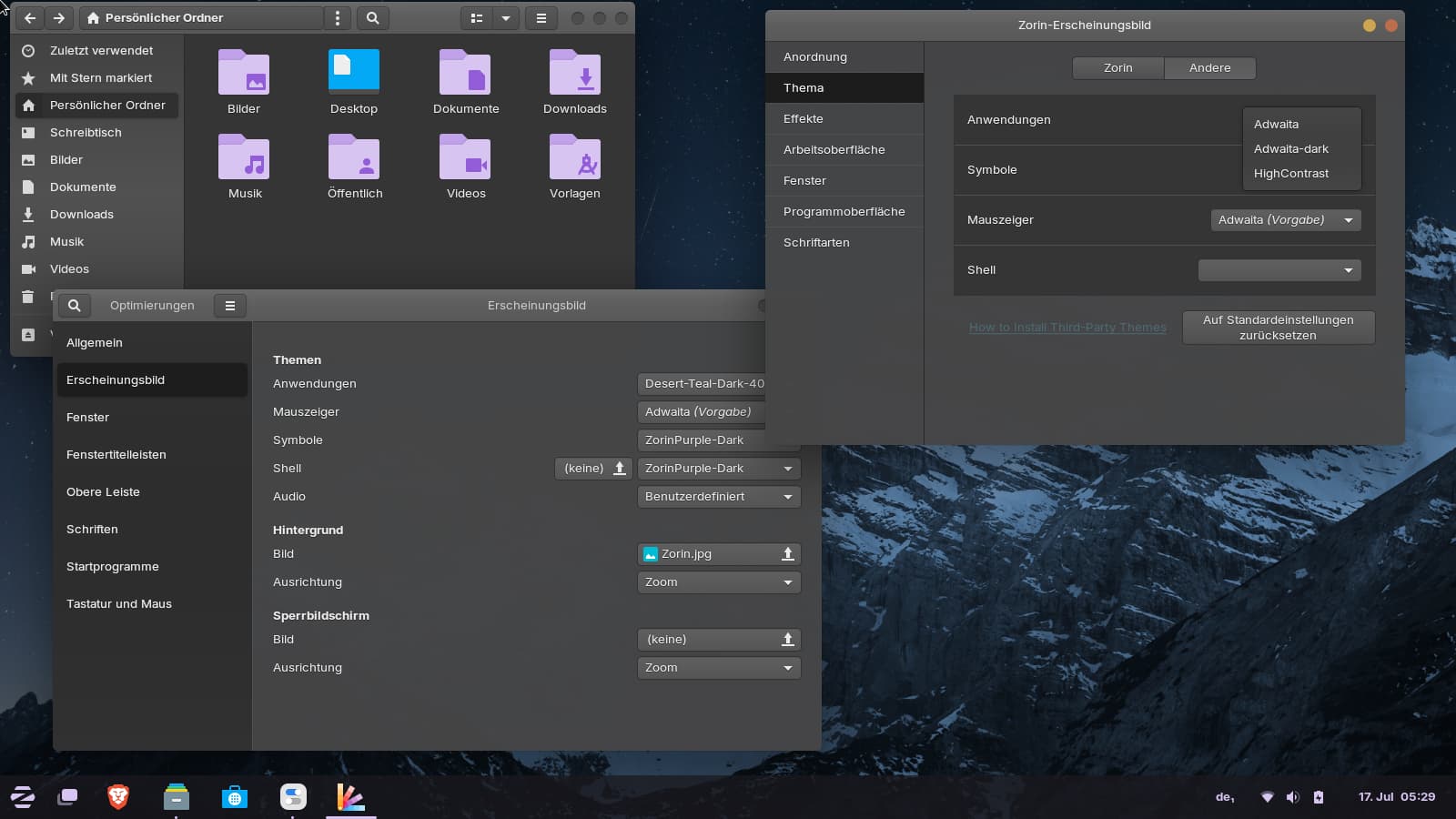
Basically, I want to set my Zorin theme to something that is not available/listed in the Zorin Appearance settings, so I am using Tweaks. After about 1 minute of setting my preferences, they go back to light blue, which I hate. I saw that maybe there is a priority issue with some .config file somewhere, but I literally don't even know where that would be located. Could you help me out? Also, I must say I haven't upgraded to Zorin OS v 18 cause I am not sure how risky that is and whether I truly need to back up my files (btw, do I lose all my apps and files when I upgrade?). Finally, I watched this video where this user creates their own theme which I wanna download but I don't know if it's safe to do so and if it's even compatible with Zorin lol Btw, how do you set this glassmorphism-like effect on linux for the windows?
I'll appreciate any help since, as you can see, I am extremely ignorant in this field. I apologise for the messy structure of my question, too. Thank you!!
How old is the theme?
Can you tell the name of the theme or show us where to find it? Then I can take a look later.
The theme of your linked video which you can download on github here
is probably not for Zorin, especially not with the installer script because Zorin has the gnome desktop and this is a theme for the use with hyprland (this is a window manager).
You want to backup personal files, as standard. You never know when a power outage will corrupt data - or hard drive failure will strike.
Nope, all files will remain in place and intact. Most apps should remain just fine - but there is a small chance that some apps will no longer be supported and so won't have a release file for Zorin OS 18. It is harmless if so, in that those apps won't be upgraded.
If you cannot find a theme that does it, then adding a user gtk.css to ~/.config/gtk-3.0 will do it.
GTK3 themes are still supported and should work fine. Most apps in use are GTK3.
Some apps are now the newest GTK4 - which, along with Gnome, is much more restrictive with theming as Forpli points out.
GTK4 removed a lot of the style handling and transfered it from the toolkit, where it is open source and auditable, to LibAdwaita, which locks it down and hides it. LibAdwaita then overrides your chosen theme and injects .css that Gnome Thinks you should be using, instead.
Thank you very much to both of you. I tried the Blur My Shell extension but it didn't give me the effect I wanted, though probably it's just me being unable to tweak it properly.
If you cannot find a theme that does it, then adding a user gtk.css to ~/.config/gtk-3.0 will do it.
What does that mean? Am I to understand you would add a text file named gtk.css in that gtk-3.0 folder? What would I write in the file? If it's too long to explain, don't worry about it, I'm just trying to learn but I understand this is getting long and repetitive.
As for my settings, I ended up clicking on Set To Default in the Zorin Appearance settings, after which I changed the themes on Tweaks and now everything looks like it used to. What can you make of all this? Was it a problem I created or something else? Asking cause I don't want to mess up again in the future.
As for upgrading to Zorin OS 18, I hear you, I'll back up my data. If I understand correctly, if and when I upgrade, some apps may not be able to run because they may not be supported in the new OS version, but that won't break anything apart from the app just not appearing/running (?). And in terms of the GTK issue (which idrk what it means), when I upgrade, the new OS won't change to GTK4 as this is an app-specific issue and not an OS handling problem? That is, if I upgrade to 18, my themes will still be tweakable but some apps could run into trouble? I know you never mentioned any of that, I am just trying to understand the relationship between upgrading the OS and the ability I currently have to tweak my visual settings.
Finally, since Gnome is what I believe I use and since you say there is a new version (gtk4) for some apps, is there any other customisation route I can take that doesn't involve Gnome and that allows for the customisations I'm interested in (in summary, I'm just a very visual person, so I'm trying to have control over what my screen looks like everywhere while still being manageable to me as a tech newbie coming from Windows, that's one of the reasons why I chose Zorin tbh).
Sorry for this insufferably long and messy response!
I actually think this is because Blur My Shell has a different effect.
There is no getting around the length - it is long.
But I would not want to stress you out with long explanations. I am a theme creator: https://www.deviantart.com/aravisian
So, you do not need to learn how to create a theme, rather, we can work together to create a file for you that you can copy paste.
Sadly, for me, at least, this is not enough detail to say it was or not something you did.
But, I would say, do not worry about what you do very much.
You are not "messing things up" even if you are learning the system. Even mistakes can make your knowledge and strength grow.
These are benefits, not fears.
Correct. There is a small chance some apps you use have been deprecated - but you can Check this before you upgrade if you want. For each app that you installed, look to see if it is available on Noble Numbat.
GTK is the GIMPToolKit. A toolkit is used to assemble the components of desktop and application widgets.
If you upgrade to Zorin OS 18, then this will upgrade the System Toolkit to GTK4 and will include LibAdwaita.
Themes are dependent on GTK version. Most current GTK3 themes will still work on Zorin OS 18, because GTK4 is still very new.
The apps will not have any trouble, at all. Themes only influence appearance styles, not application performance.
Yes, if you are on Zorin Core, that uses Gnome.
Gnome is the Desktop Environment of Zorin Core, just as Redmond is the Desktop Environment on Windows OS.
That is the environment you operate in - the user space.
If what I said earlier about Gnome overriding your custom presets and injecting their own that are hidden from you sounds like Microsoft - It really does.
Except... With Microsoft Windows you can still disable their controls. You can opt out.
Gnome does not allow that. You cannot opt out - it sets its HIG (Human Interface Guidelines) as a hard dependency.
Yes, you can use something else. Zorin OS Lite offers a non-Gnome Desktop Environment that allows much greater user control.
But... It still includes many Gnome Apps and LibAdwaita.
What I would recommend is switching to Zorin OS Lite, which you can do without reinstalling the OS.
Once done, begin setting things up Your Way. You do not need to be a GnuLinux Warrior like me right off the bat. Take it one step at a time.
I, too, am visual. But, a lot of these features are accessibility features, not wanton fluff. For example, being able to navigate to a scrollbar or find your mouse cursor right away - Just because themers make it FUN does not mean it is not FUNctional.
And I believe that a workbench should afford you a sense of joy while you are working - not be a drab cold cubicle you are eager to get away from.
To install Zorin OS Lite:
sudo apt install zorin-os-lite-desktop
When you see a prompt to switch from GDM to LightDM, I highly recommend you select yes and configure LightDM. LightDm allows you more controls and access, whereas GDM hides access.
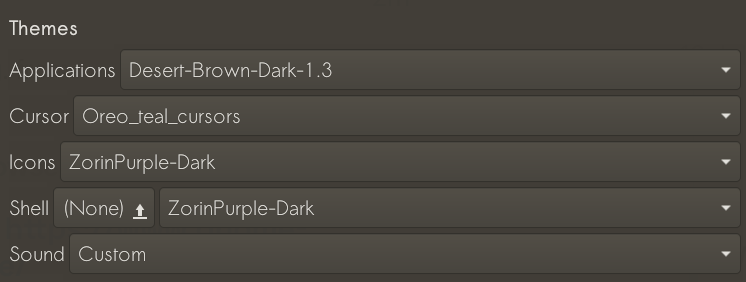
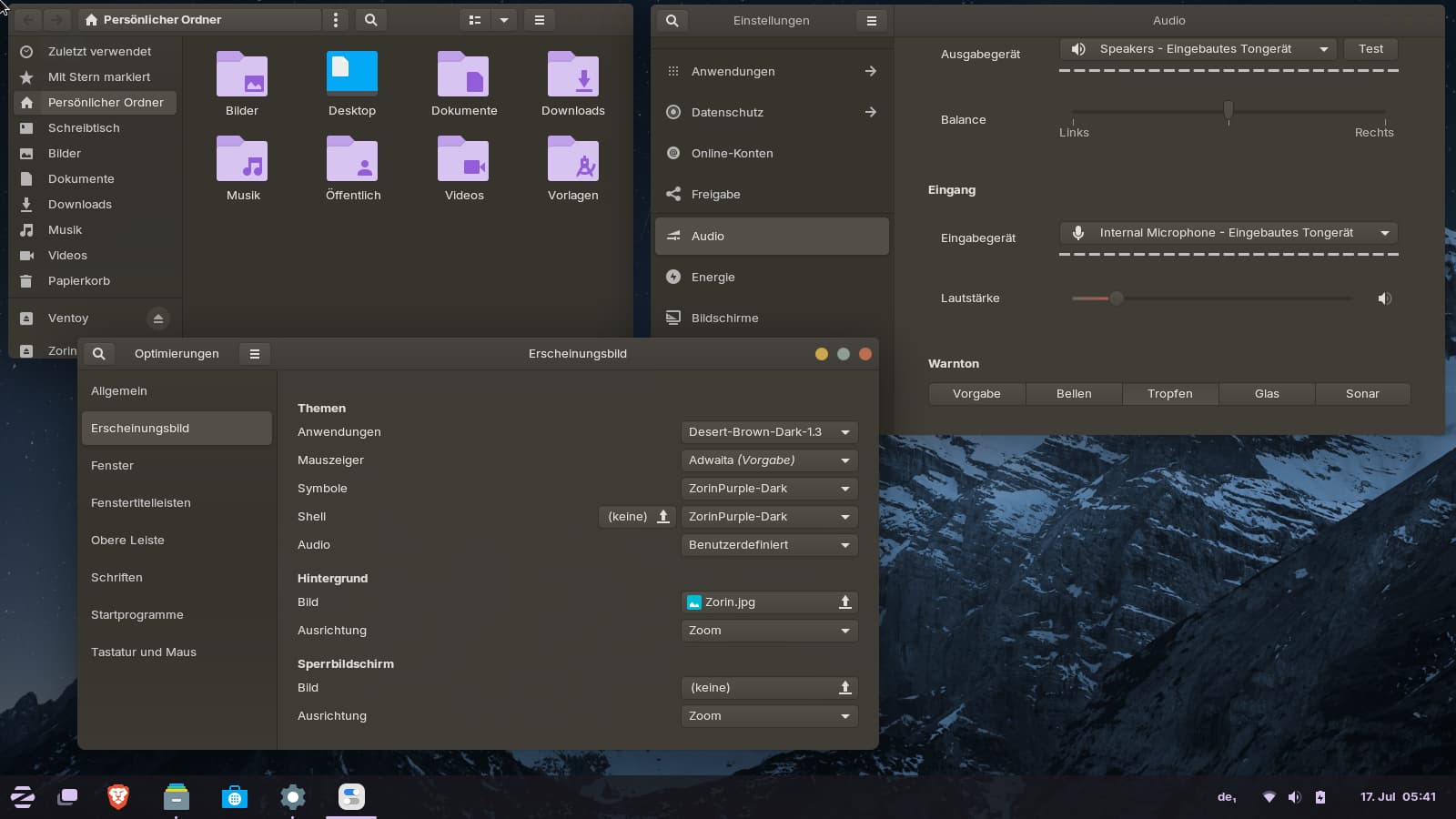
For changing the sound of the uppercase button go to settings > audio > warning sounds, there you can choose between some sounds.
Logout and login again after you changed the sound.
If you want to set up a custom sound for the uppercase key, search for a sound in .ogg format (I'm not sure, if others work, too or futher steps were required then) and put it to ~/.local/share/sounds/_custom.
To show the hidden files in your file manager press ctrl+h. Rename the sound to bell.ogg. At gnome-tweaks set as sound theme "custom", and at settings for warning sounds "default". Then logout. It worked for me in my test. But I'm not sure if all other system sounds still work, you would have to test that. The startup sound e.g. still worked when I enabled it.
I tested the Desert gtk theme in Zorin 18 and Zorin 17. In Zorin 18 I was not able to select it at all - neither in Zorin appearance, nor in gnome-tweaks.
In Zorin 17 it worked with the teal color. I read, that the support for gtk 4 was added just for the colors teal and blue of the Desert theme.
Interestingly, at Zorin appearance, the theme was not shown and selectable for the apps, but in gnome-tweaks. The shell theme of Desert theme didn´t work correctly with the Zorin menu.
The Theme of the Video will not work on zorin. It is made for Hyprland. Zorin uses Gnome and xfce. And Hyprland isn't available for Zorin 17 (with Ubuntu 22.04 Base).
Hi everyone! You people are amazing, thank you so much for all the time and effort you put into solving these issues <3
I don't know how we would go about that, but if you don't mind and have the time and energy, I'd be more than happy to go this custom file creation route!
The real MVP.
I searched and I didn't find any app haha I think I don't know where I am supposed to be looking up that info.
I looked up the differences between Core and Lite and I only found technical stuff that I didn't understand. What would you say are the biggest strengths and weaknesses in Lite vs Core? From what I read, Lite would allow me to use my apps as normal but some UI settings would be different (?). Also, if I end up upgrading to Zorin OS 18, would you recommend I install the Lite version in 18 as well? On the Upgrade Zorin OS window I ony see OS18 Core and Pro. Is Lite a thing in 18? Also, would you recommend OS 18 Pro for someone as tech ignorant as me?
Ayoo.
100% agreed.
This worked perfectly and now I have the cutest sound for my uppercase key haha Thank you!
That's so unfortunate. Do you know where and how I can search for Zorin OS 18 compatible themes? What should I pay attention to when I move to OS 18 and download themes?
Dang it. Well, now I understand something new so thank you!
Vinceluice e.g. makes themes for gnome which are good ones. You find his themes also on gnome-look.
It helps a bit when you look in which year the themes are published. E.g. 8 year old gtk themes may not work well.
If in doubt, try it out and test it. For example, I personally test a lot of things in a live session for me and other users (that is, Zorin booted from a USB boot stick), and whatever I like, I then install on my system.
I also like sites which give recommendations to get ideas:
There are many sources to look at and yes, you need to know about them.
Let's be basic:
Zorin OS is based on Ubuntu. Zorin OS 17 is based on Ubuntu 22.04. Zorin OS 18 is based on Ubtuntu 24.04.
Ubuntu's convention is to use whimsical naming.
Ubuntu 22.04 is named Jammy Jellyfish.
Ubuntu 24.04 is named Noble Numbat. The theme is, Trait and Animal.
Most people shorten this to the trait portion... calling the repository "Jammy" or "Noble."
Now you know what the names are and why they matter: Where to look.
Most apps have a source. Where you got it from. If you got it from an external source, that is where you look for its compatibility.
But many are listed simply on Launchpad.
For Example:
If you click Package Details on the Mid-Right side of the page, you will see the list in detail - this includes Series which shows if it is in Jammy, Focal, Bionic, Noble...
On this site, you can search using the search entry field - then scroll down the list to see if it is listed for Ubuntu - 22.04, 24.04, 26.04... Which makes it easy.
That the theme is supported for gtk 3.22 and up.
The user experience as far as Tech Use, is pretty much the same. Choose Pro if you want to help fund Zorin OS development. But it will not buy you simplicity or more features.
If you choose Pro, or choose Core, you will be treated no differently here and you will get the same lousy troubleshooting and tech support I always give everyone.
It is a factor of Tailoring.
Core is minimalist and restrictive compared to other D.E.'s. You are seeking more control over your desktop, so an environment that lifts away the restrictions would suit you better.
You may not like XFCE and prefer Plasma (KDE) or Cinnamon. Trying is the only way to know.
Zorin OS Lite affords you a distinct window manager, which makes theming easier and more consistent.
It has more settings included in the desktop, no need for hunting down extensions that may conflict each other or not work.
The name "Lite" is due to it being light on resource usage. It is not a reduced or trimmed down version of Core. In fact, it is full featured and has abilities and settings that Core lacks entirely.
Tap the ctl+h keyboard shortcut while looking at your home directory - and this toggles the hidden system files into and out of view.
When toggled on, you can see the .config folder.
In this, you will find the gtk-3.0 folder.
You can right click, create a new file and name it gtk.css. Save it, leaving the contents blank for now. We can begin filling it in once you detail what you want to do to theme your desktop.
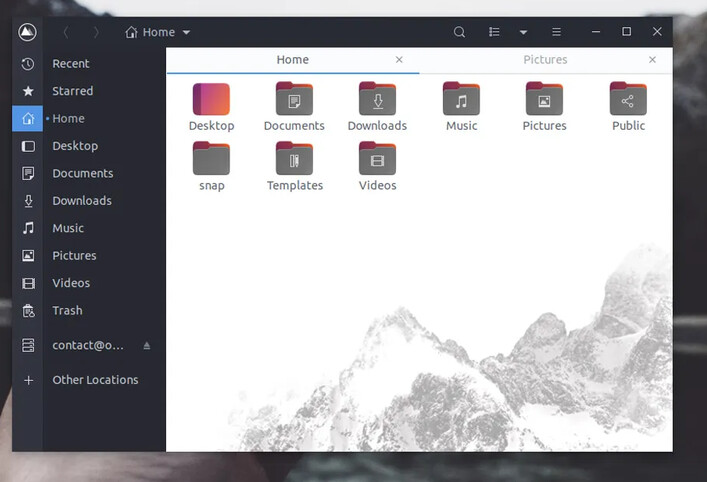
I have no idea how to do that haha. Is that a risky thing to do? I wanna try it but I don't want to break anything. And thank you for the recs! This image as background effect on the windows looks so fire:
I'd love to combine that with some other effects.
Speaking of customisations, is there a way to modify the terminal's look? Are terminal-specific themes a thing? So far, I have only managed to change the font and the theme but it's the same as my overall theme.
Thank you so much for this! This is the level of basic I need haha
Incredible, this is what I needed!
Great to know this!
And is Lite also available on Zorin OS 18?
Done! I will message you at some point with the details. Merci!!
Yes, it is. Lite will no longer be developed from 19 onward, but you can still install and use the desktop on 19, or later, 20, if you want.
Yes. My own is heavily customized. But... I have had less luck editing the Gnome Terminal.
It has reduced options compared to others. Since I am on Lite, I change - well, just about everything.
Added spellcheck.
Added autocorrect - so that if I typo in terminal, I catch it.
Added auto suggestions - this shows what my options are, so I am not memorizing or guessing...
Zorin Lite is available in 18.1 version. You can also install the Zorin lite desktop on Zorin Core as in Zorin 17. I think, when you would upgrade to Zorin 18, the Zorin lite desktop would automatically be upgraded, too, but I'm not sure.
Using the USB stick and live session is very save, but you can't save things (except you have a stick with perststence). After a reboot everything is gone. But many more experienced users laugh at me because I'm a live session fan. But I install and test so many things for other users, and I don't like messing my system or to clean up afterwards.
This is convincing me to change to Zorin OS 17 Lite. Could you tell me how to do that? Anything I'd need to do in preparation for that?
This sounds like what I wanna do. If you don't mind, could you guide me through the steps I need to follow to try Zorin Os 18 using a live session? I have zero coding experience so I'll appreciate a foolproof step by step explanation haha
This way, you can switch back and forth between Core and Lite.
When you see a prompt during that install to set GDM or LIGHTDM to default Display Manager, I recommend choosing LIGHTDM. It is more user friendly and easy to choose what desktop you want to log into.
Prepare for a learning curve - A Lot like borrowing a friends car. When you first get in, you need to note where the wiper switch is, etc...
You need a USB drive with Zorin (the same one you used to install Zorin).
Boot from it and select "Try Zorin".
Enter your Wi-Fi password to connect to the internet.
Open the terminal and run sudo apt update, that is important if you want to install other apps (do not upgrade when you're asked- unless you have a lot of RAM; for me with 8 GiB RAM, the upgrade command often caused problems because it filled my RAM and I ran out of space, when the kernel and firmware updates were included, so I'm leaving it out. Sometimes I only upgrade brave-browser with sudo apt --only-upgrade brave-browser).
Everything in a live session is written in the RAM, not saved on the drive or USB stick.
Now you are ready to begin.
You can e.g. download themes from Internet and install them to test.
Or install gnome-shell-extension-manager sudo apt install gnome-shell-extension-manager if you want to install and test other gnome extensions.
You are free what you want to install, but the RAM space limits you. When you have not much RAM, avoid flatpaks and snap packages from software store, because they are very big, and only install that in the session, what you want to test.
If you want to test installing another desktop, e.g. Zorin lite desktop, create another user account with password login (choose any name and password) before. Logout and login as the new user. Then install the desktop sudo apt install zorin-os-lite-desktop (you can keep gdm when you're asked or select lightdm). After the desktop is installed, logout, click on your user's profile on login screen, then a cogwheel appears at the bottom right corner. There select Zorin lite desktop. Then enter your password. Use the same method to switch back to the Core desktop by selecting Zorin desktop.
That's all. That's the way I make it.
When you run out of RAM when installing things, you break the package manager and can't install further apps. Then it is the best to start a fresh live session by rebooting, but all stuff and changes are gone then.
If you have only 4 or 6 GiB of RAM on your computer, these tests are not possible. You should have min 8 GiB.
I wouldn't enter any sensitive passwords in the browser or other apps during these tests.
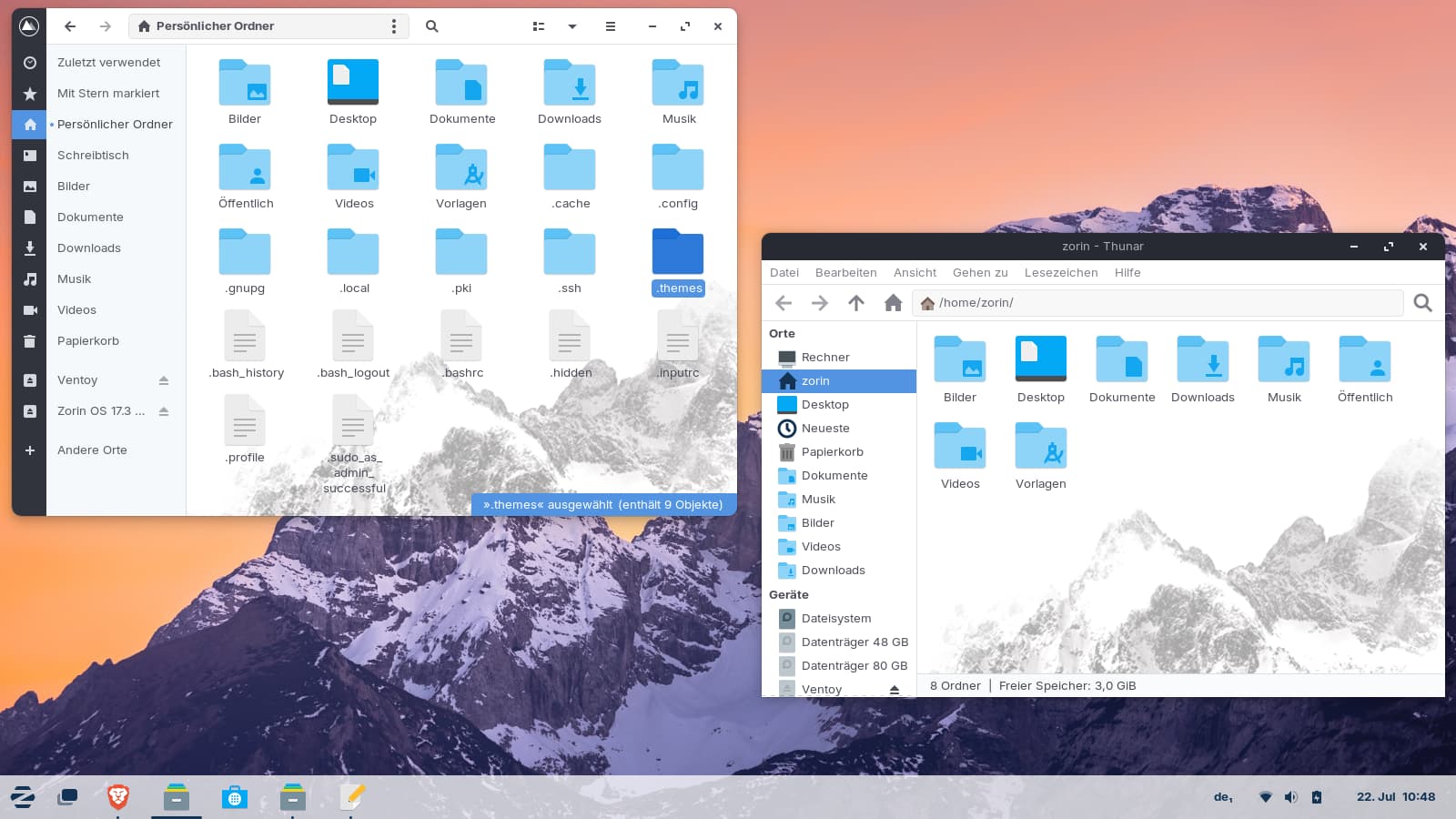
You made me curious with the screenshot of nautilus with a mountain background image, and I wanted to test this in Zorin 17.
You need to install the Qogir gtk theme with the --tweaks imageoption. The command to install the theme with the script is after you have downloaded and unzipped the theme
./install.sh -l --tweaks image
To also set round corners for the windows use that command instead
Nautilus and even Thunar which I tested because it is the default file manager in Zorin Lite, have a background image now. The text of the folders is not always as good readable as it was before.
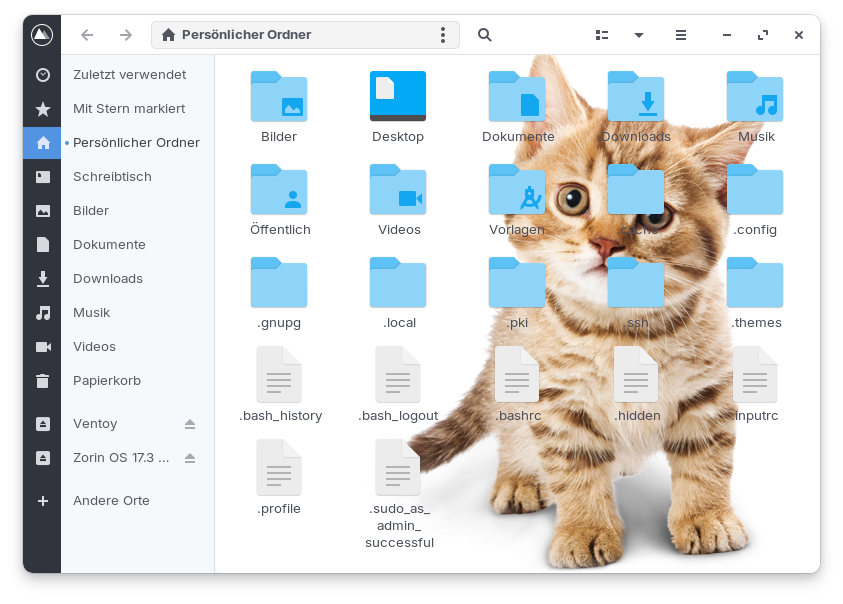
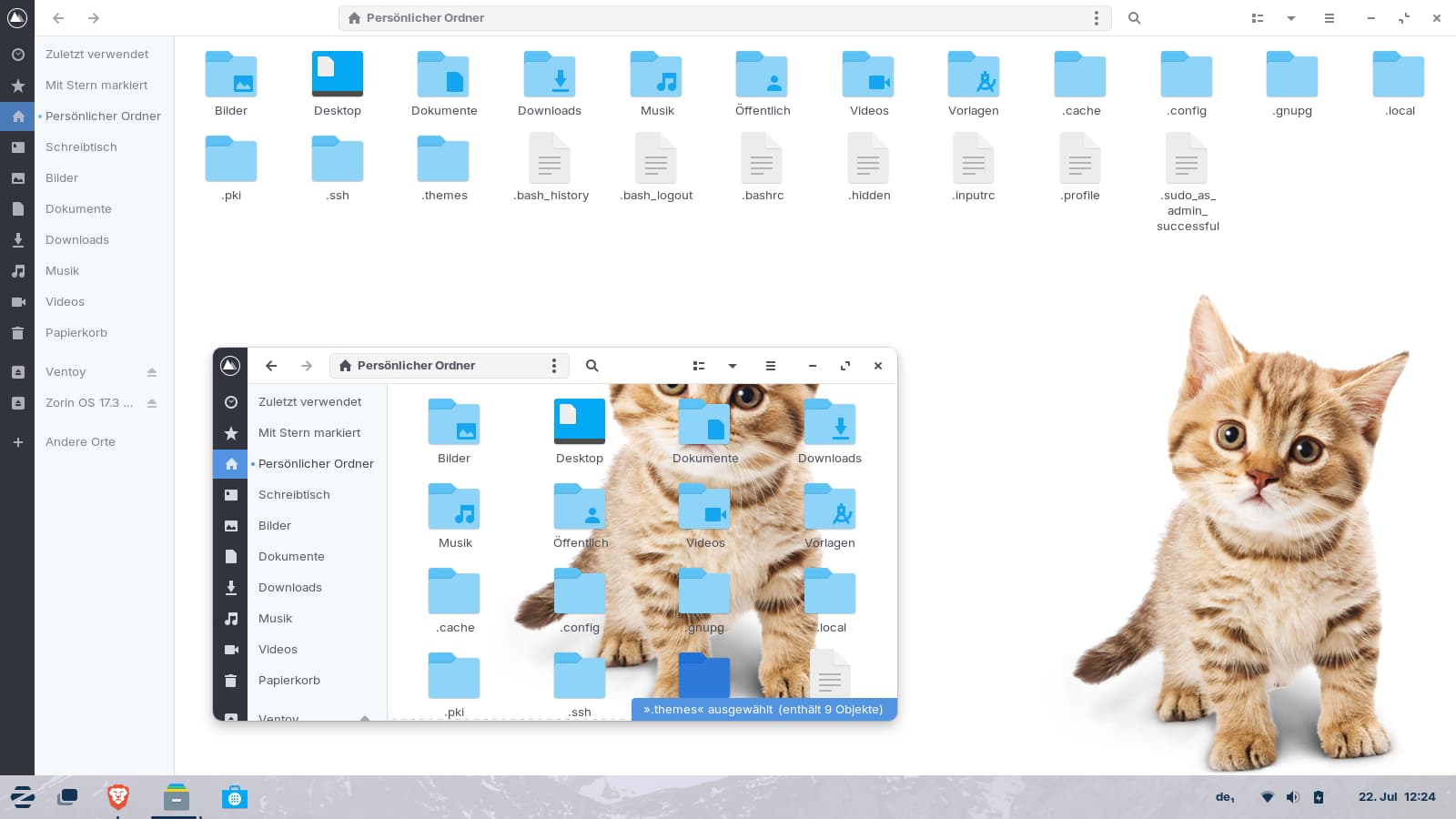
I also replaced the background image with a own custom image to test if it would work. The default background image is named "backimage.png" and saved at assets folder of your selected Qogir theme in gtk-3.0 and gtk-4.0 folder at ~/.themes (press ctrl+h in your file manager to show the hidden files). I just renamed the original backimage.png and backimage@2.png files (for the light theme) by adding .bak and put my .png image there and named it to backimage.png and backimage@2.png. It surely can be improved (a smaller cat with more background would be better as picture, also some blur effect and a bit lighter), but I wanted just to test if it is possible to set an own image.
You probably need two images - a small one and a large one -for it to display correctly, or it would have to be scaled to the correct size somehow. Unfortunately, I don't know how to do that. Maybe an image in .svg format would help. I only used a .png image in my test, and it gets cropped when the Nautilus window is resized to smaller size. When Nautilus is maximized, the cat image is displayed in full.
I like Qogir because of the seperated Icons on the left. And You can even set up a Distro Icon instead of the default Mountain Icon in the upper left Corner. You have the Choice between square and rounded Corners and square or round min/max/close Buttons.
Unfortunately, I don't like the Color Combinations.