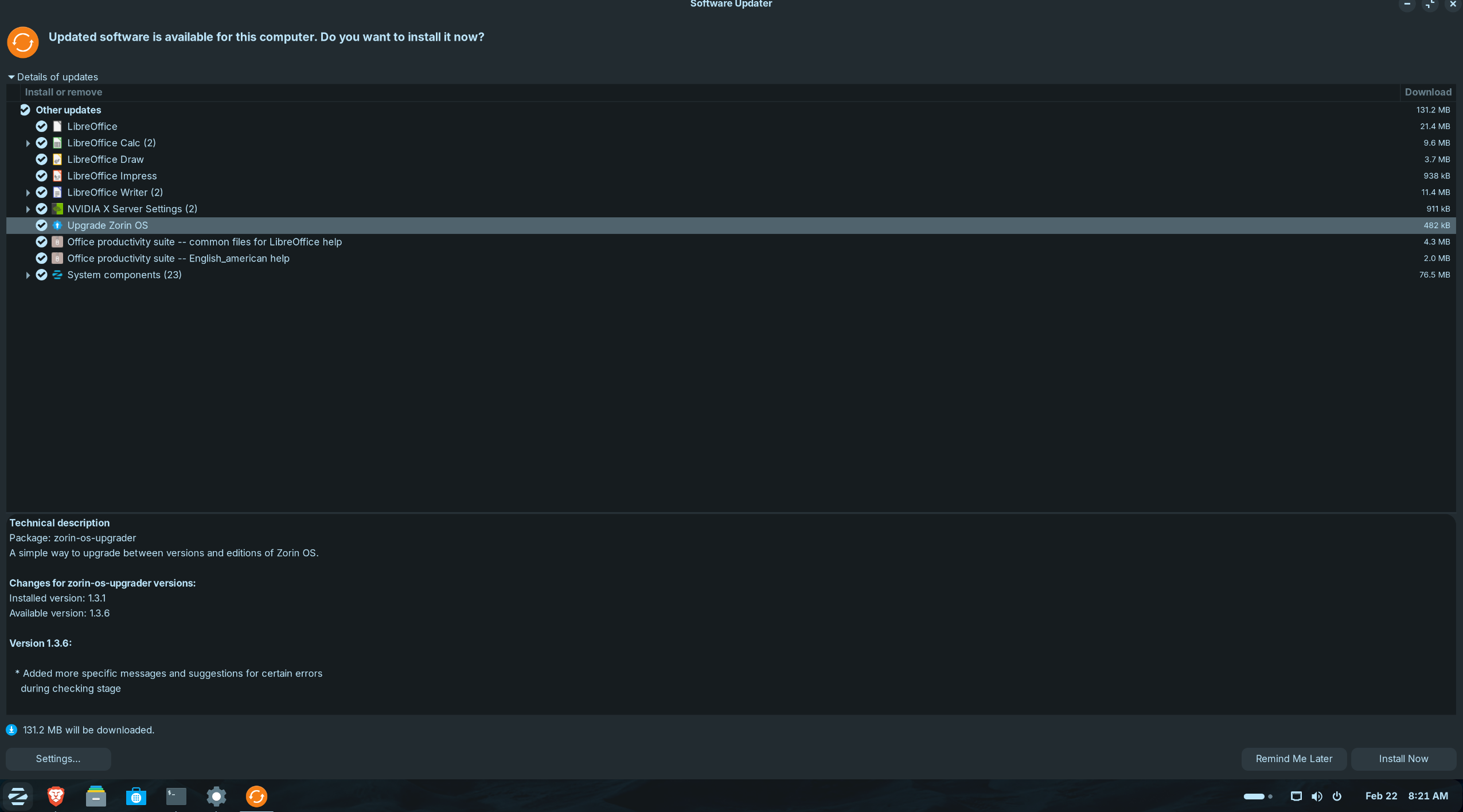
Windows 11 refugee here... I installed Zorin version 18 Core and it's been smooth sailing for the past week...
I accidentally clicked on "Upgrade" when I meant to click on "updates" to check for any updates i.e. Security, Brave Browser, etc...
Now after clicking on "Upgrade", I now see a ton of Updates... While I don't rule out buying the "Pro" Version in the future and I guess Zorin 19 is still a year away... I don't need to "Upgrade" at this time...
How long will the "Upgrade" Prerequisite updates hang around for in the updates?
What do you mean?
Are you asking how long you can upgrade to Zorin 18 pro? I think that is possible as long as Zorin 18 is officially supported.
Or do you want to stop the process? You could open the system monitor and look for the processes there. Search for a upgrader there, select it and click on stop.
That "upgrade Zorin OS" item in Software Updater screenshot, is simply an update to the ZorinOS upgrader tool.
That item will not itself perform any OS version or edition upgrade, but just improve the tool you can use to "Upgrade ZorinOS".
The wording of "Upgrade ZorinOS" would be better as "ZorinOS Upgrader tool" or similar. This wording issue has already been picked up in another thread (which I cannot now find) and should feedback to the devs.