Aero theme

When you're running Zorin Pro, you don't have the xfce desktop by default. I think, you mean Xorg.

In your first post of this thread you wrote that you have xfce.

But I want to make sure if you are looking for a solution for gnome or xfce, because you can install xfce on Zorin Pro.

Now my memory is shot. Where can I check this?

Yes, you can.
Pro comes in Gnome or XFCE flavors; both are included in the Pro Package. (This will end with the release of Zorin OS 19, which will drop support for XFCE).

1 Like

Thank you. My short term memory is a bit shot, but I am certain the option was for Xfce.

But users of Pro which use the Lite version, usually have set Pro Lite in their profile, and it was a screenshot of the settings app of gnome here.

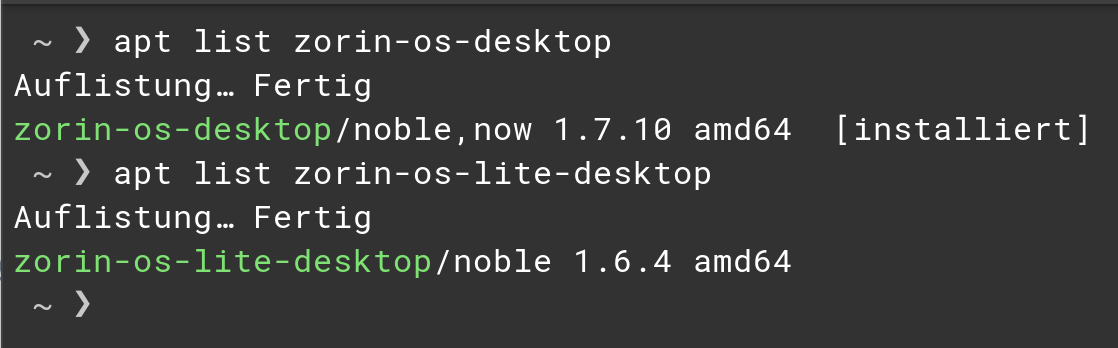
Open the Terminal and type first

apt list zorin-os-desktop

and press enter. Then type

apt list zorin-os-lite-desktop

The Outputs should look like this:

Check on which Output is [installed] at the End. In my Case it is zorin-os-desktop which means, I have Gnome.

1 Like

I am pretty sure the settings app doesn't, actually. This has repeatedly been a point of contention.
That said, by default, Zorin OS Pro can be either XFCE or Gnome, it is not just Gnome by default.

You should also check xfce4.

Are both desktops preinstalled on Zorin Pro?

zorin-os-desktop/jammy,now 1.6.9 amd64 [installed]

No, the user chooses Which Edition at point of install. It does not come with both, nor is one a Default edition.

Unless you manually installed XFCE, you are on Gnome Desktop Environment.

Okay, then You have Gnome. Not xfce. And it confirms, too that You are on Zorin 17 because of the jammy. So, I would doubt that this Theme will work.

Just curious, how would that line have differed if it was Xfce?

When You would have the Zorin Lite Desktop (that is the xfce Version) then the Package zorin-os-lite-desktop would have the [installed] Marker.

1 Like

So we learn then. But is there a difference between the Xfce- and GNOME desktops?

Yes, a big one.

Here you can watch a video with a comparison between the versions on Zorin 18.

And xfce4 desktop is also different from the zorin-os-lite desktop. Zorin has added many functions to the pure xfce4 desktop and made adaptations.

If you are interested, you can take a look at distrosea.com. You need no account. There are both versions of Zorin, and the site loads a virtual machine with Zorin (at the moment, unfortunately without internet access).
You can e.g. test the settings app of Zorin Lite.

For a nearly pure xfce4 desktop , you can take a look at Debian XFCE.
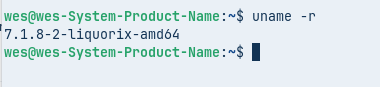
I reinstalled the Liquorix kernel and it has this for gnome

image
kernel version

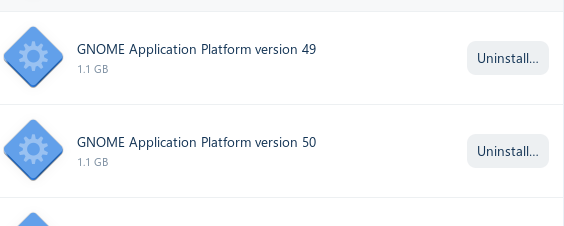
This usually are runtimes for gnome for flatpaks.
You can't upgrade the GNOME version in Zorin to a higher version.

2 Likes

yep @Forpli ran gnome-shell --version can back with version 46.... :face_with_peeking_eye:

1 Like

kosenator@KosieRosie:~$ uname -r 7.1.8-2-liquorix-amd64
uname: extra operand ‘7.1.8-2-liquorix-amd64’
Try 'uname --help' for more information.

1 Like