I see. Thanks for trying though.
I just went KDE Plasma for about 30 minutes, saw an Aero package, downloaded and then noticed it's for KDE 6 and I had KDE 5.
Sucks, man!
I see. Thanks for trying though.
I just went KDE Plasma for about 30 minutes, saw an Aero package, downloaded and then noticed it's for KDE 6 and I had KDE 5.
Sucks, man!
Yes, these are totally different Desktop Environments. xfce is a more lightweight Desktop which means it needs less Hardware Ressources. Gnome is more heavy. So, when You don't have much RAM and/or a slower CPU xfce can be a good Choice.
As @Forpli already mentioned: Zorin has customized both Desktops. So, what You here get are customized and preconfigured Versions in Comparison to the Vanilla Desktop Versions of both.
But at the End, what matters: Use what You like.
When You want try Plasma, Kubuntu could be an Option. There are on Plasma 6.6.
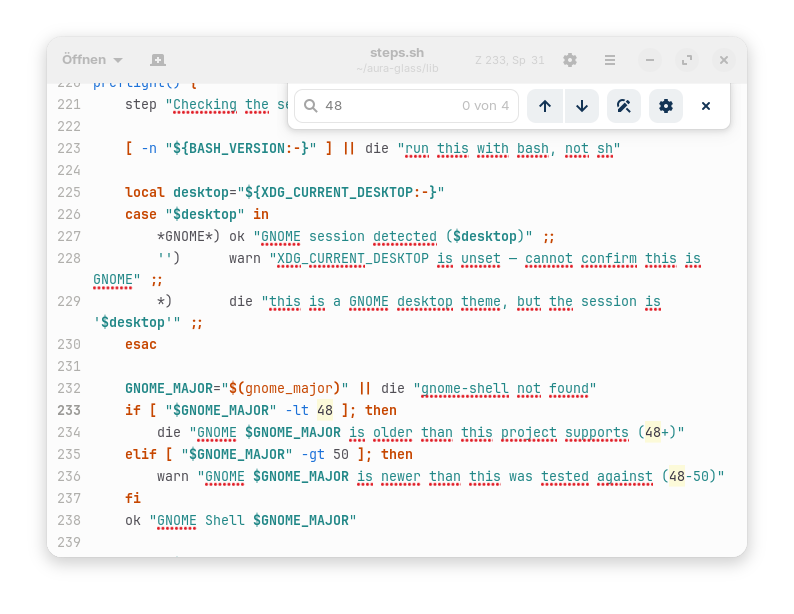
I found the file now to get the script to run. You need to change line 233 in ~/aura-glass/lib/steps.sh and replace the 48 with a 46(for Zorin 18 with gnome shell 46).
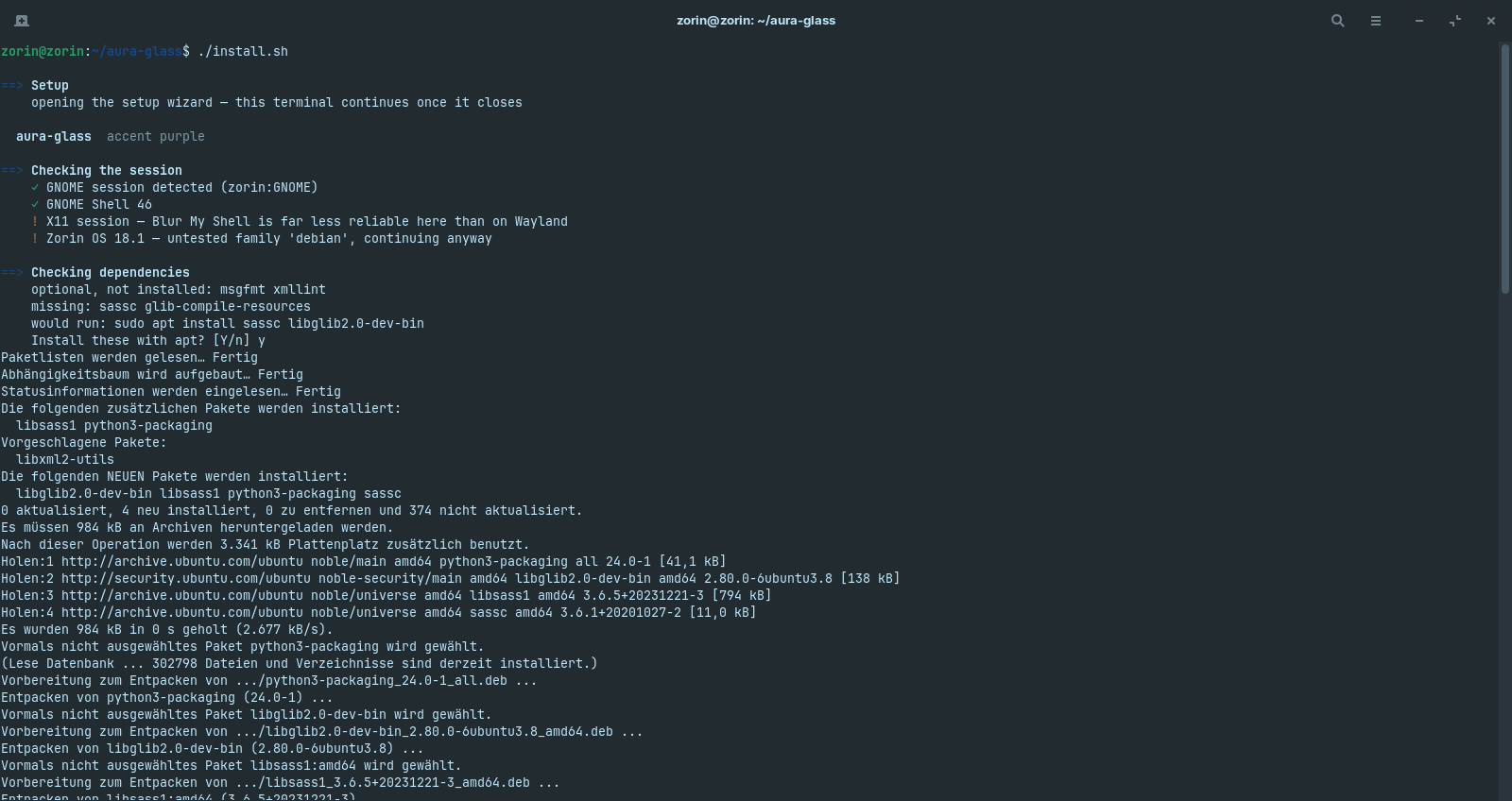
I chose the option to skip the manual configuration and selected the default settings.
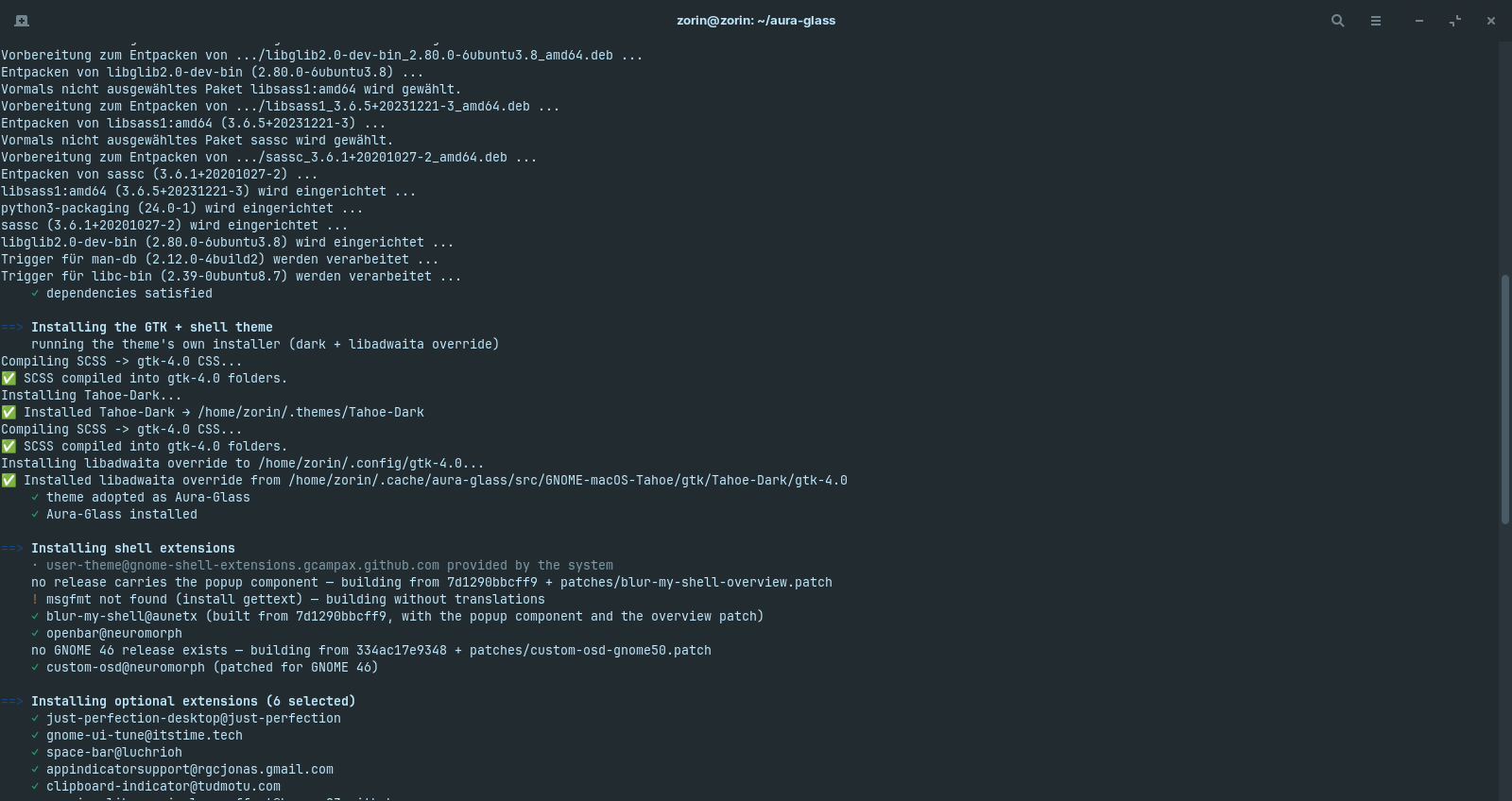
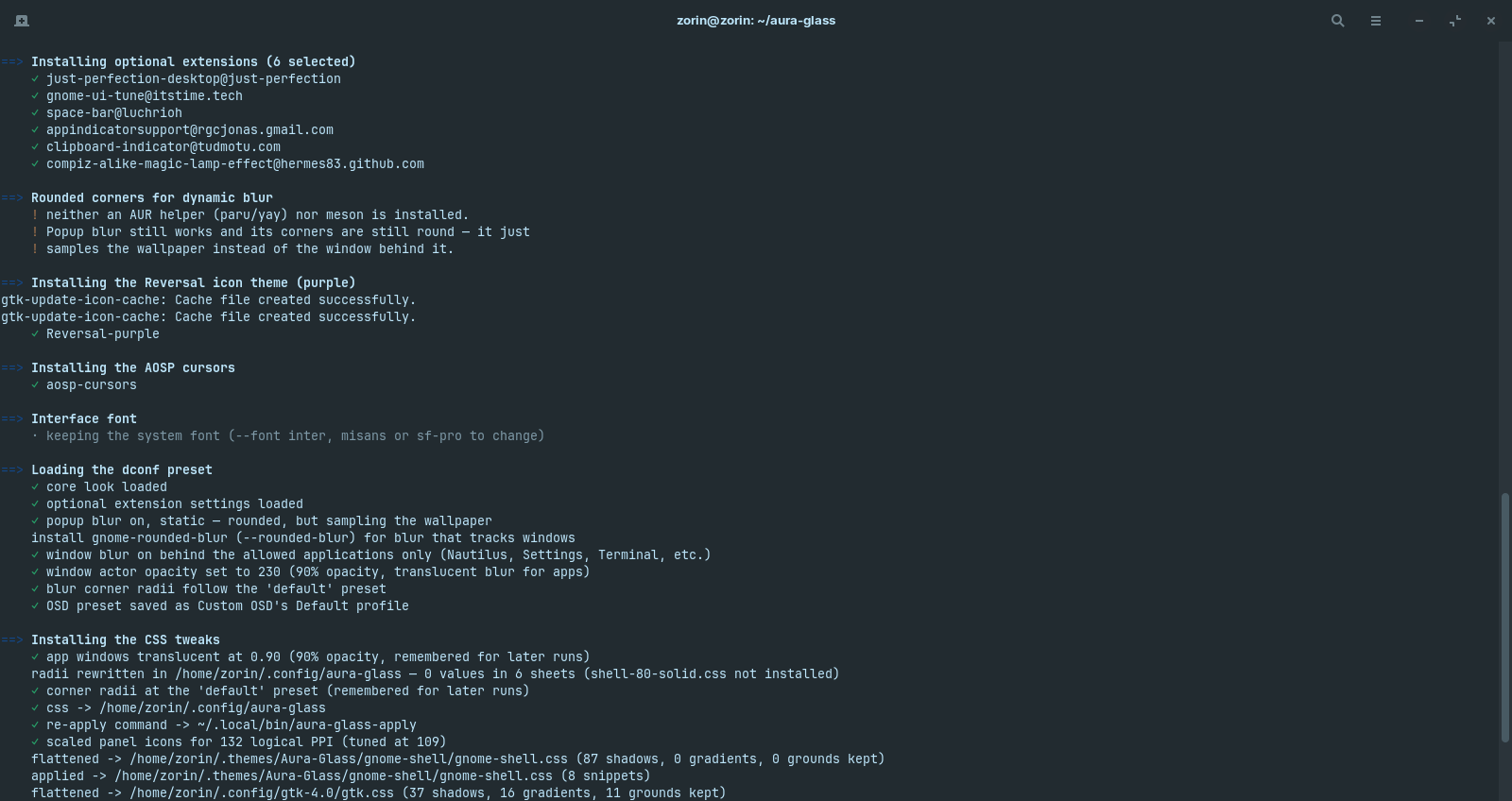
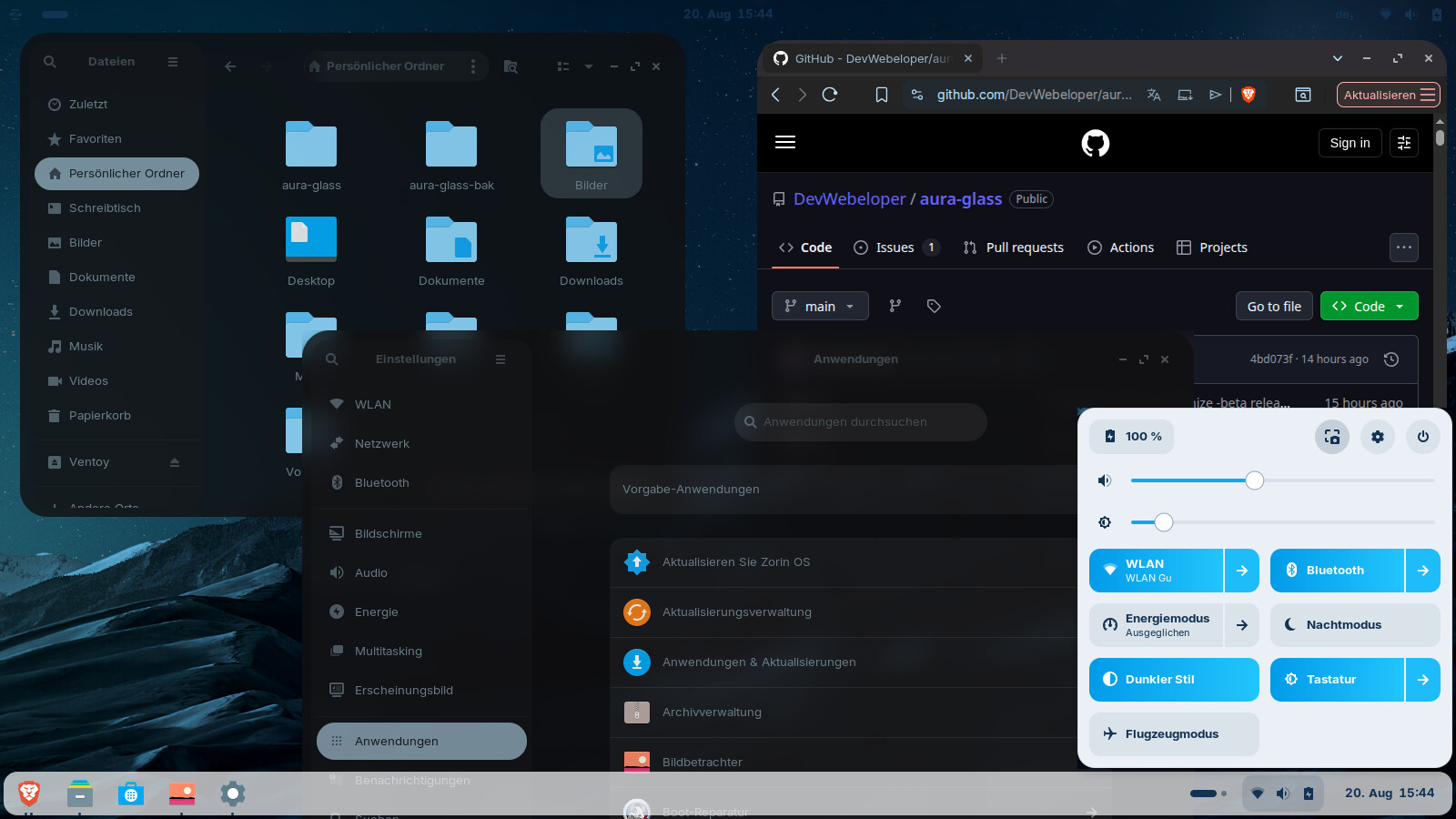
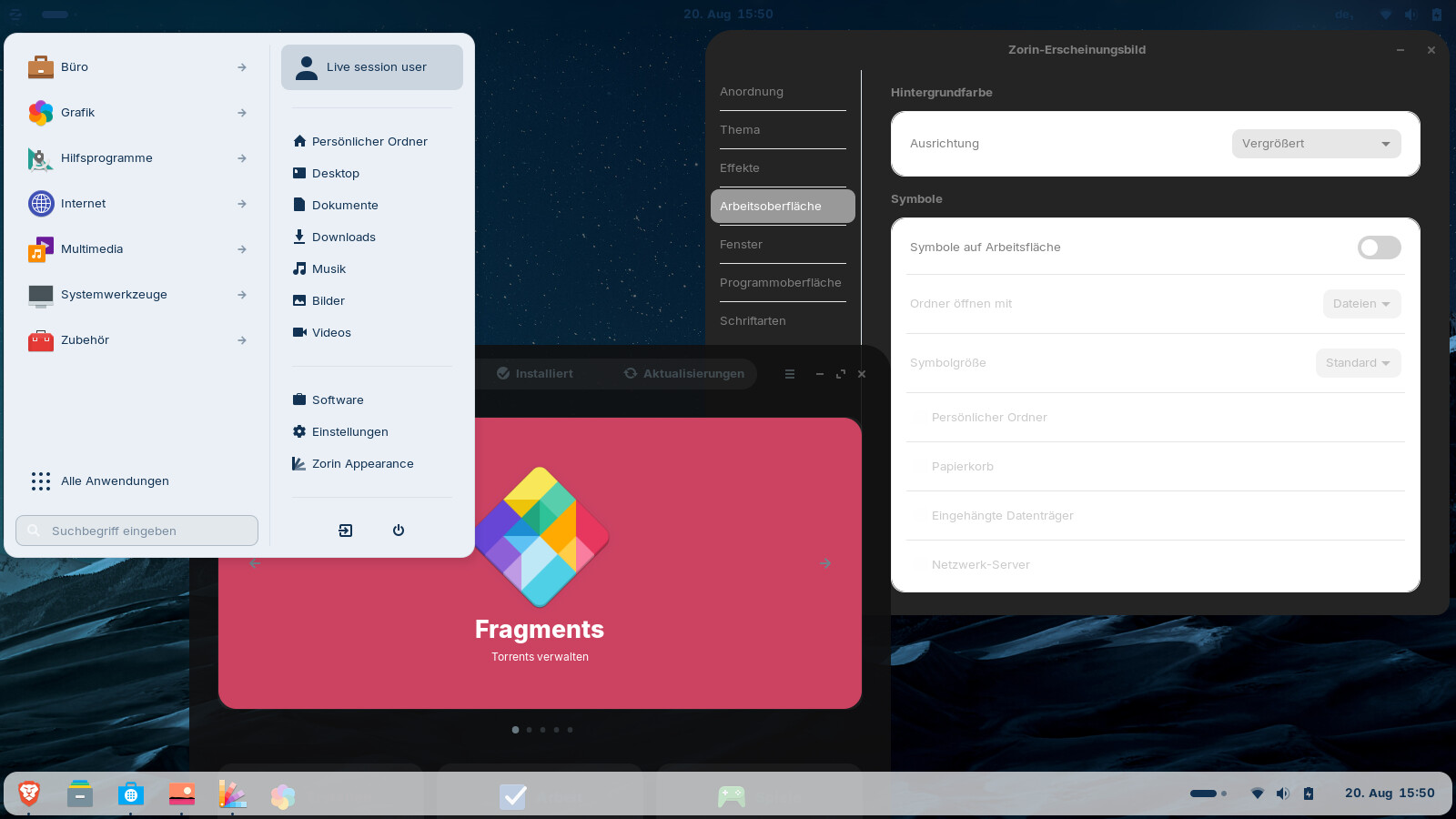
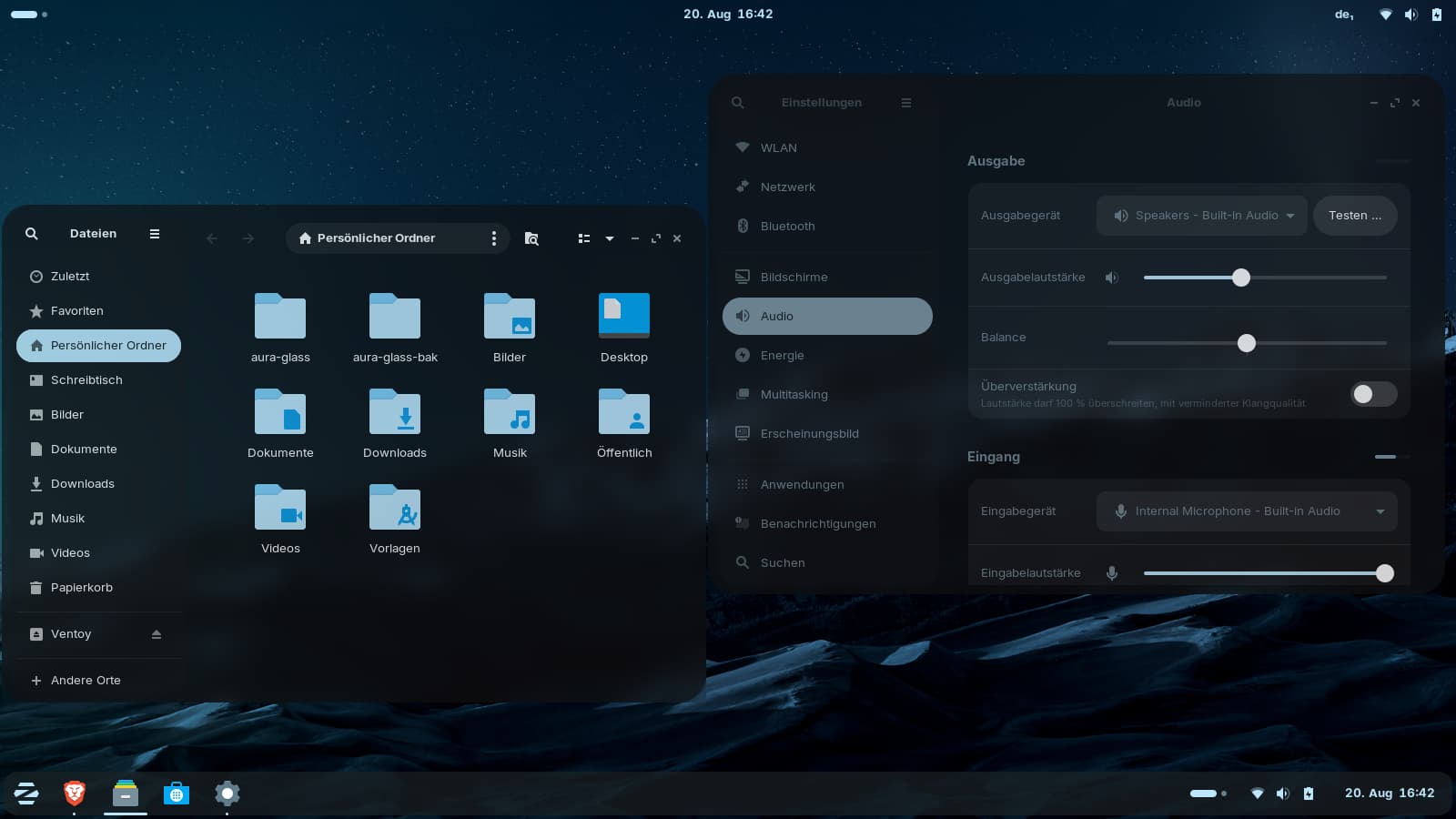
These are the screeenshots of the terminal outputs (sorry, the last one is bad):
It doesn't work as it should. There is no app to make settings after the installation (running aura-glass-settings gives the output command not found).
The background was dark grey after the installation. In a issue report on github another user reported that it was caused on ubuntu 26.04 by the DING extension, so I disabled the Zorin desktop icons extension, then the dark Zorin mountains were shown. Many things look a bit strange. With Zorin dark theme enabled, it looks much better and more consistent. I only enabled blur my shell of the installed extensions.
The windows have a big radius now for the rounded corners.
Perhaps I'll try the installation later with custom settings.
Edit: Still many things were not applied automatically as they should (I think?), e.g. the icon and cursor theme which I had selected. But you can select them in Zorin appearance. Here you see a screenshot with a bit more transparency.
I think, you are more flexible when you don't use that aura-glass tool and install the gnome extensions and themes on your own which you like, e.g. blur my shell, transparent window/s, open bar...Zorin has made so much adaptations that the tool doesn't work as it would in vanilla gnome.
First: You run in X11. And You get the Info:

Then, You can see here Erros:
Because of the rounded Corners:
You could install meson. Maybe with that, it works better.

Gnome 46 doesn't have Accent Colors.
You can see that this isn't made for lower Gnome Versions. Even when You force the Installation that doesn't mean that it will look fine. It isn't made for this.
You could try it with installing the missing Packages and the Gnome Extensions mentioned in Your Output. When the Script should detect that they exist, it maybe takes and uses them.
That theme looks really good. I dunno if Zorin 19 will come with that blur.
And 18.1 even uses Wayland on the fully installed copy, but not in the live session.
You can switch to Wayland in a live session, I just forgot it.
If you like to test aura-glass in a Zorin live session with Wayland:
Edit the file
/etc/gdm3/custom.conf
and change the line
WaylandEnable=false
to
WaylandEnable=true,
save it, then run
sudo systemctl restart gdm3
Then you are on Wayland.
I installed the extension-manager, too, to have easier access to the extensions.
sudo apt install gnome-shell-extension-manager
The program installs extensions and themes, but probably you have to enable some yourself. I wouldn't recommend to use/enable all extensions as they can conflict with the Zorin extensions (especially just perfection), or to disable Zorin desktop icons, appindicators and magic lamp.
In the Zorin taskbar settings also enable at tab "action" all check boxes referring to the original gnome top bar. That is important for the open bar extension, otherwise you get double layers in the taskbar.
You could also test it in a more current distribution with gnome 48-50 to get better results.
Note: Such blur/transparency effects need more ressources. They affect the computer's performance.