Today I received this link from a colleague in a community, which is supposedly for installing Affinity on Linux. However, from what I understand, there are some restrictions and specific procedures for some distributions, including Zorin. Does anyone know of a step-by-step guide to install it on Zorin 18?
1 Like
Hi Dunham,
I just tried the v2 Affinity installer, since I have a license for it and I am not yet ready to look at the new V3.
I am on Zorin 17.3
You must have various dependencies installed (especially wine and winetricks). You can do this with:
sudo apt install wine
sudo apt install winetricks
Then run the installer script:
bash -c "$(curl -s https://raw.githubusercontent.com/ryzendew/AffinityOnLinux/refs/heads/main/AffinityScripts/AffinityPhoto.sh)"
First of all there is a warning notice that you are on an unupported Linux version, after which the installer continues. It will warn you and exit if there are unmet dependencies.
the other dependencies are probably installed already with Zorin.
The installer creates a folder in your Home directory ".AffinityLinux" which you must then download the windows installer .exe into.
Then run the installer script again
bash -c "$(curl -s https://raw.githubusercontent.com/ryzendew/AffinityOnLinux/refs/heads/main/AffinityScripts/AffinityPhoto.sh)"
This creates an entry in the Zorin menu as well as a desktop shortcut.
When I try to run Affinity - nothing happens. No flicker, nothing.
I don't have time to test any further just now unfortunately.
I spent a lot of time last year researching various methods to get Affinity Photo V2 (I use this a lot and have a Windows license) running through WINE. In the end, it seemed more effort than it was worth, as most methods seemed buggy and with various features not working.
I installed it in a Win10 VM in Boxes, which works great for me. I recently installed WinBoat with Affinity and can confirm it also works, although my CPU usage shoots up and the fan comes on. The issue with these methods is you typically don't have access to the GPU so it is more CPU-intensive.
For many tasks I now use Krita, which takes some learning, but offers powerful tools.
Good luck...
1 Like
Olá NeilW
Hello,
Thank you for the reply.
Last night I managed to install Affinity v3 on my Zorin 18. When I open it, I select to open it with the dedicated video card, and I believe it's using my GPU because it shows up in the Affinity settings and I can see the GPU usage. But a small problem occurred. When I start it, the option to link with Canva Pro and unlock some extra functions like AI doesn't appear. I also have a Windows 11 Pro license and I think I'll install Windows in dual boot now.
Ontem à noite eu consegui instalar o affinity v3 noi meu zorin 18. E quando vou abrir a seleção para abrir com uma placa de vídeo dedicada ecreditio que ele usa meu gpu pois assim conta no item configurações do affinity e com percebo a utilização da GPU. Mas ocorreu um pequeno problema. Quando inicializado não aprece a opção de vincular com o canva pro e liberar funções extras como Ia. Eu também tenho licença do windows 11 pro e acho que vou instalar o windows em dyal boot agora.
If you only have only one drive and set up dual boot with Windows after Zorin is already installed, the Zorin grub bootloader will usually be deleted when Windows is installed.
It would be safer to install Windows first and then Zorin on the computer, or to use different hard drives, each with its own boot partition. Or you can install Windows on a virtual machine in Zorin.
Hello,
My idea is to do it the following way, since I have two SSDs installed:
- Physically remove the SSD where Zorin and Mint are installed, as a precaution.
- Install Windows on the other SSD.
- Reconnect the SSD where Zorin and Mint are located.
- Enter the BIOS and set the SSD where Zorin and Mint are installed as the first boot option.
- Use
sudo update-grubto update GRUB.
2 Likes
Before you run sudo update-grub you should enable os-prober as shown in this link so that Windows will be detected.
This guide is more detailed how to change the /etc/default/grub with nano editor:
2 Likes
Thanks.
Gratitude
1 Like
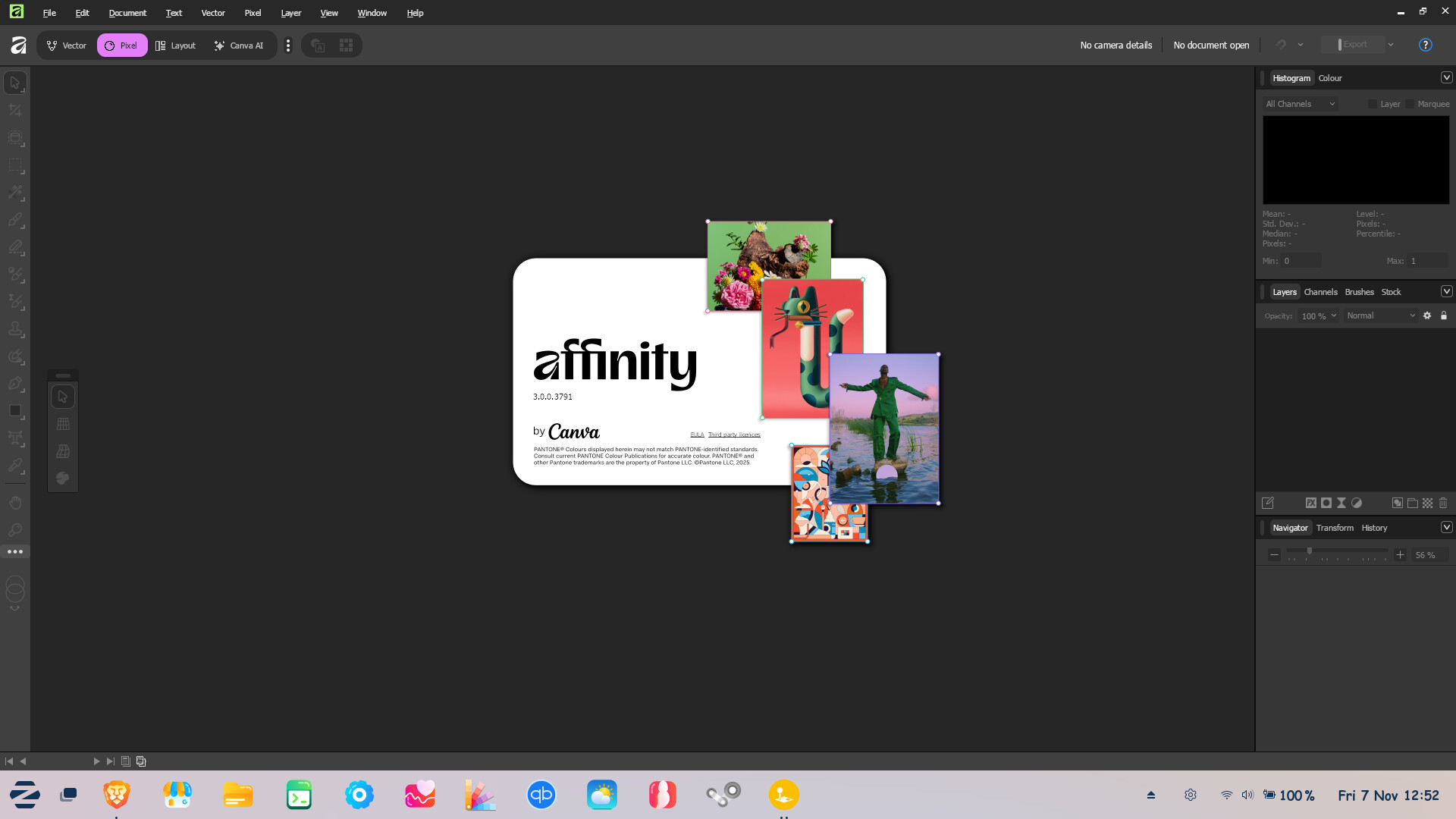
This thread has gone a bit off-topic, but the original question has been left unanswered. The question is how to install Affinity on Zorin. I've tried it on 2 laptops without success using all kind of different suggestions on how to do it including the one provided earlier in this thread. All times it failed to install dotnet3.5 using winetricks. All other things that you need to do to get it working seem successful, so I have good hope that if I´d able to install dotnet3.5 it will work. Anyone any ideas on this? Thanks
I installed it in a Win11 VM, running under QEMU / KVM (Virtmanager). This is the smoothest experience. Yes, it needs more space, but it's worth it. Performance is nearly bare metal. Tutorial here (german, pls use Google Translator):
1 Like
I installed my Affinity V2 in Winboat after having varying success with VMs. Its fantastic. I often need to make a quick edit on a graphics file, now I can fire up Winboat, launch Affinity in its own Zorin taskbar tab and close when finished so as to not take up system resources. It seems perfectly fast enough for what I need, and reliably steady. I thought I might do a batch file operation and test it against the same operation on the same files in windows.
3 Likes
I did a batch file operation on a folder of 500 images at 6000px by 4000px to resize them all to 2400px.
The same Affinity version 2.65 on Windows 11 and in Winboat on Zorin 17.3 on laptop, Core™ Ultra 5 125U × 14 core.
Windows with all 16GB and 14 cores: 100 seconds
Zorin-Winboat using 6GB RAM and 6 cores: 160 seconds.
This is something I do regularly but usually only on 20-30 images at a time, I think its an acceptable overhead given otherwise the added overhead of rebooting into windows and back again. Most times I am just making a few edits on an image and saving.
2 Likes
Do you run ZorinOS under Wayland or X11?
For some reason Winboat does not recognize FreeRDP on my machine (Wayland) ...
I've only used Wayland, never experienced any issues. I had issues with Winboat not working well on the previous version, but now on version 0.90 it is much better.
Thanks!
sudo apt install freerdp3-x11
did the trick 
Winboat looks nice, it uses KVM in its backend.
2 Likes
I will try that. Pity the dedicated installer doesn't work, I mean the one that checks and installs dependencies etc... : / this really is bad with Zorin : /
This topic was automatically closed 90 days after the last reply. New replies are no longer allowed.