Had same problem last year, posted to forum: After upgrade Nvidia driver wont install and can only use 1 monitor
I followed the same procedure that worked last time, but doesn't help now.
Last time, I noticed you were using the 470 driver, due to the Nvidia card you are using.
Which Zorin OS version are you on (16, 17, 18)...
@Locklear93 pointed out a fiddly package that I now include in the Nvidia instructions that was not present last year in the thread that helped you resolve this.
I will suggest that addition this time:
sudo apt remove --purge '^nvidia-.*' '^libnvidia-.*'
Those libraries for Nvidia also need to be replaced, so including them above may be all you need.
With that done, reinstall:
sudo apt install nvidia-driver-470 nvidia-dkms-470
If it still does not work, please run in terminal:
uname -r
That command will show which Kernel version you are on.
The Nvidia Drivers must bind to the Linux Kernel - that is a module, which you see mentioned...
And DKMS is Dynamic Kernel Module Support, which must be recognized by the kernel.
So... if the 6-2-26 update replaced your kernel with a later one that has deprecated the 470 Nvidia module, it cannot bind and DKMS cannot resolve it.
If so - reboot, but access Grub menu - if it does not show at boot, tap esc if using EFI boot, or hold Left Shift Key if using MBR (Legacy) boot to pull up the Grub menu.
Then choose Advanced Options for Zorin
And from there, bump the arrow key down to the Previous Kernel (not the one that says Recovery. Just the option for Zorin on... older kernel).
Once highlighted, proceed to normal boot and see if the 470 driver is working.
If so, that is your fix; lock in the Older Kernel to prevent updates from replacing it with a newer one:
Brought the Update a Kernel Update? If yes, You could for testing switch back to the older Kernel and see if it behaves right again. To switch, choose on the GRUB Menu ''Advanced Options'' and there the Options with the older Kernel (and without ''Recovery Mode'').
Good morning. First, I'm on Zorin 17.3. I followed the steps through booting with the previous kernel, no change. I checked the additional drivers and saw I could now change manually (It was set to xorg x server, I think.) I changed it to the 470 driver, rebooted, and now it works. Rebooted again to make sure. Should I leave well enough alone?
What I suspect is that switching to an older kernel did help - opening the door to reassert the 470 driver.
I would suggest being bold and locking in the older kernel to prevent having to fiddle with the driver after upgrades.
Will do. Thank you for your help, once again.
Would I be better off to get a different video card?
Si non hoc, tum illud.
Can you benefit from upgrading hardware (including video card): Probably.
Is that benefit worth the cost to you? Only you can decide.
What we have done so far is mitigate the issue for a while. If you set the kernel to default remain on the older kernel - you do not even need to fret the next upgrade on the kernel, this time.
You have time to weigh options: Upgrade the card and gain performance or stability extras as well as peace of mind on upgrades.
Accept that over time, hardware must be upgraded.
Wait a bit and consider a new computer entirely.
If you decide on upgrading this card in that machine - you then weigh:
Nvidia against Intel against AMD.
I suspect you are not an avid gamer considering the card you have been running with. Unless you are doing a lot of CAD, graphics design and image creation; then rendering may not be your priority and you can plug in a reasonable good level Intel Dedicated card like the Intel Arc Challenger which is not too pricey. But rugged enough for the average user, easily.
If you need more than that - I would lean away from Nvidia and focus on AMD for built in kernel driver support. And... Other reasons to shun Nvidia...
If you prefer Nvidia, then Bumping Up to a midrange older but still viable card or even the 3060 would get you in a higher range of performance without going Latest and Greatest that is more fragile.
If sticking with Nvidia, I recommend against the 2070Ti, though.
Finicky, testy little card. Picky eater.
Spits the peas back out on the plate. Sometimes has a tantrum.
OK, thanks again for your help.
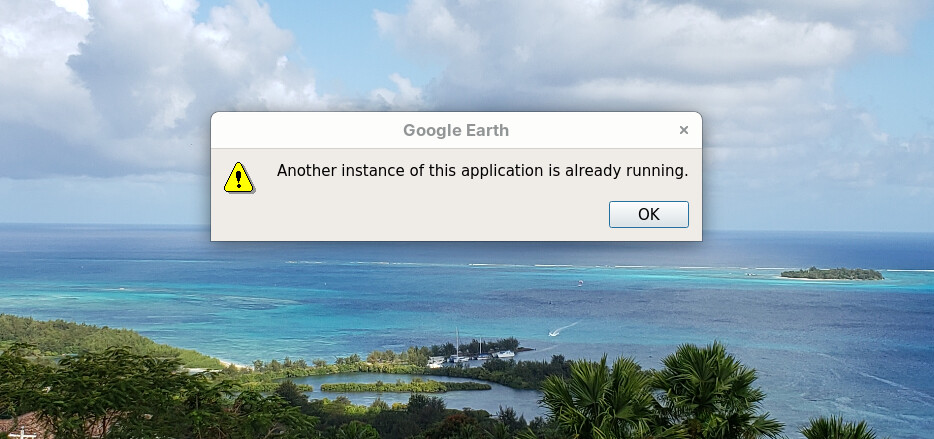
Followup: I installed an old AMD video card I had while deciding whether to invest in a new video card. Everything seems to work okay except now I found I get the message "Another instance of this application is already running" when I try to start Google Earth Pro (flatpak.) Tried "flatpak kill google-earth-pro" from https://forum.zorin.com/t/uninstalled-google-earth-pro-but-after-re-installing-it-says-an-instance-is-still-running. Got "error: google-earth-pro is not running" Tried reinstalling Google Earth Pro, same thing.
You can use
flatpak list
and check the actual name of the flatpak Google Earth package to target it.
Probably a helper process is running even when the main window is closed.
ps aux | grep -i google
Sorry, but you need to keep it really simple for me. The name is listed as Google Earth Pro. When I run "flatpak kill Google Earth Pro," I get: "error: Extra arguments given."
What am I supposed to do with the "ps aux | grep -i google"
A screenshot of
flatpak list
can help us a lot.
That is a terminal command that will show all running instances that can contain "google".
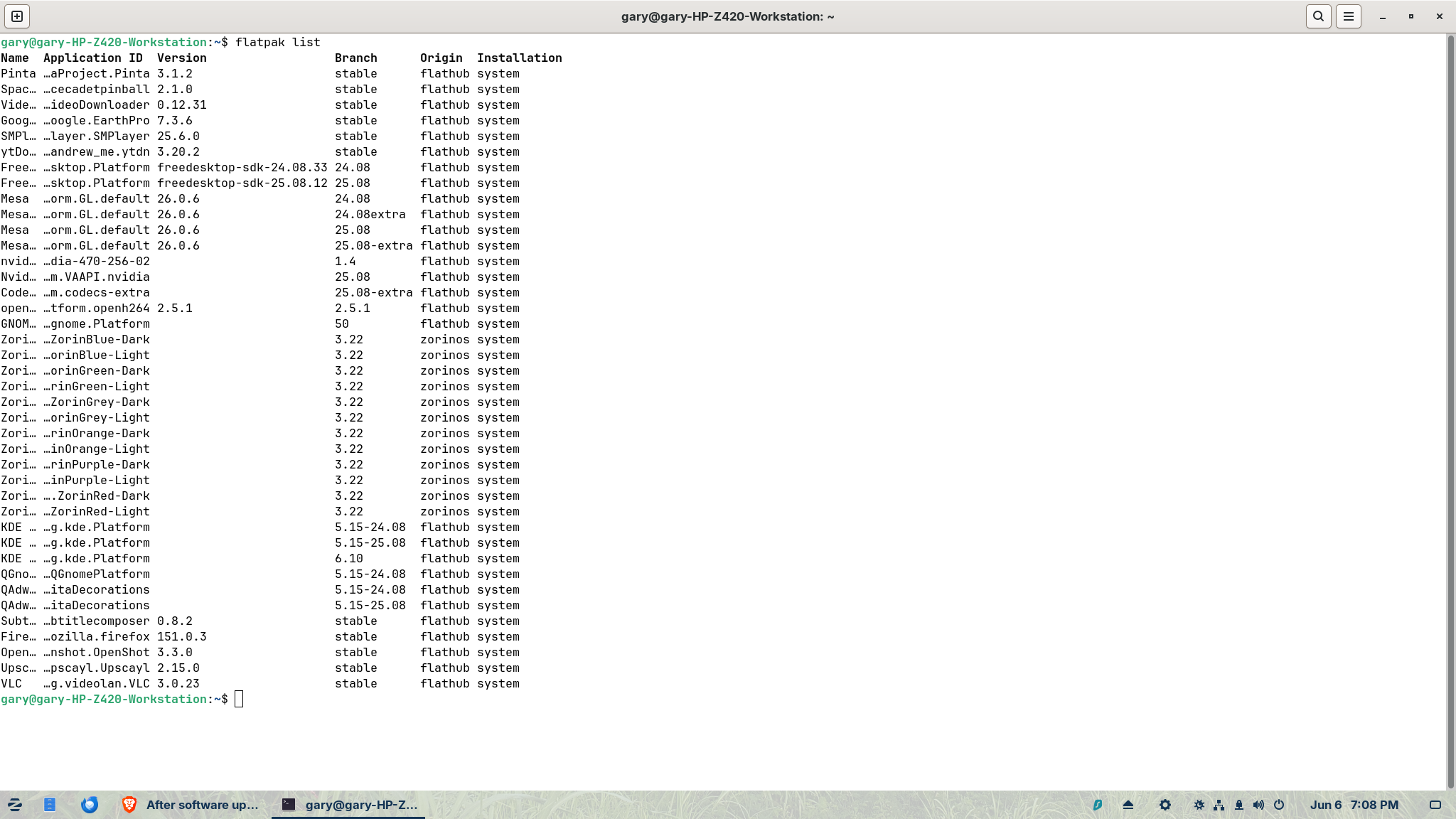

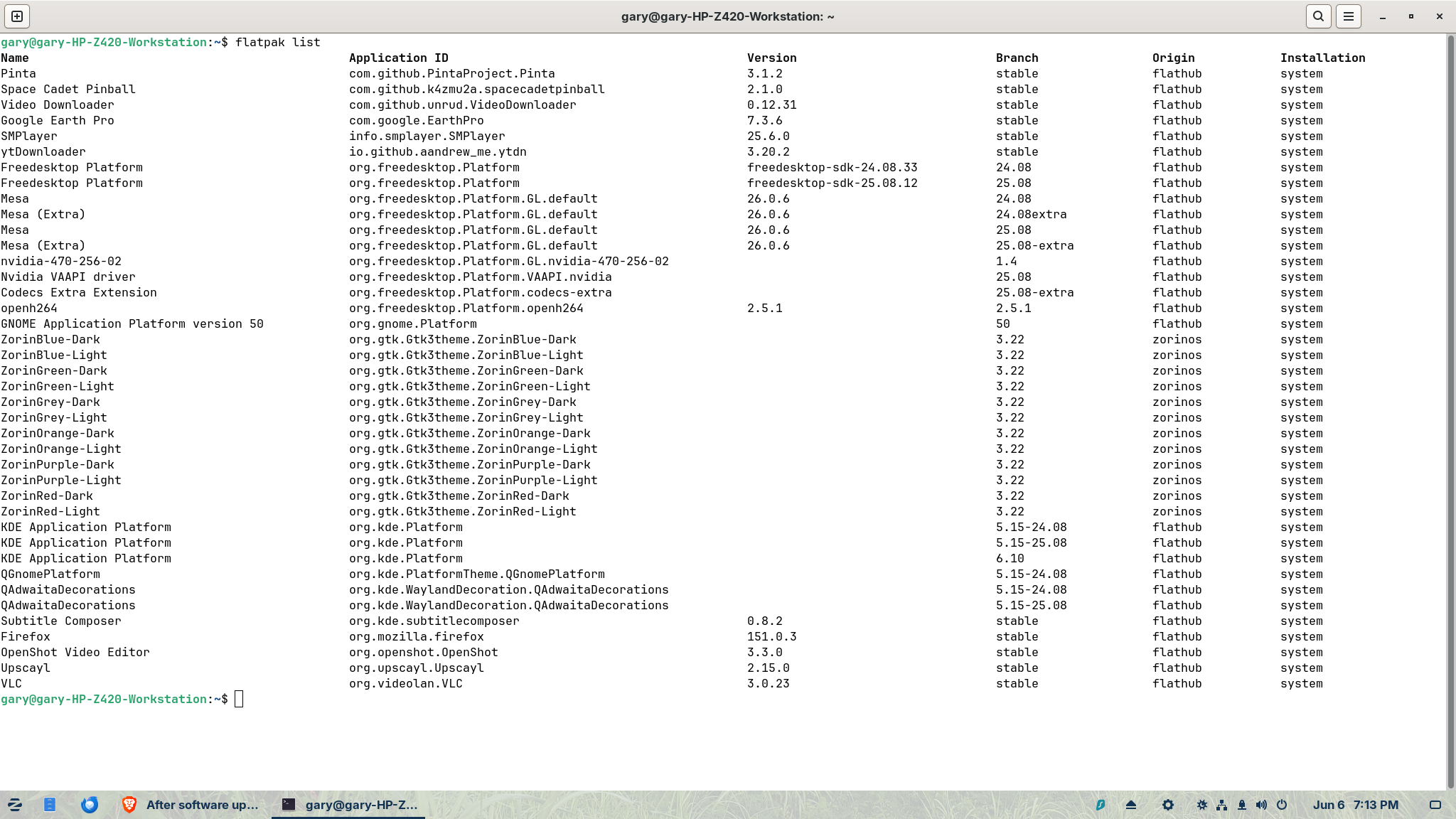
That shows com.google.EarthPro
Which gives us
flatpak kill com.google.EarthPro

But does launching it now claim it is?