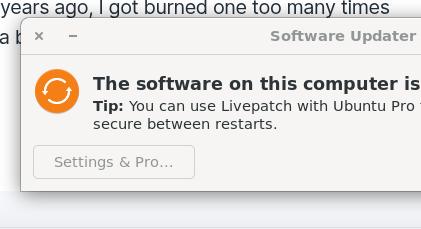
I'm getting this error when I click "Upgrade Zorin OS" in the About setting of the Settings app.

No clue what the problem is. Is there any way to debug this?
Current OS is Zorin 17.3 Pro.
I'm getting this error when I click "Upgrade Zorin OS" in the About setting of the Settings app.
No clue what the problem is. Is there any way to debug this?
Current OS is Zorin 17.3 Pro.
This error looks a bit different from the other ones. The developers wrote about failing the upgrade the following:
If you have added third party repositories, please disable or remove them before the upgrade.
Maybe simply wait to tomorrow and then try it again.
Tried again today. Same problem.
Disabled all the packages in the "Other Software" tab apart from those with packages.zorinos.com in the URL. Same problem.
It comes up pretty instantly so it doesn't look like it is checking anything remotely when it happens. I click the "Upgrade Zorin OS" in the About page of Settings, authenticate and the error pops up instantly.
Is there a log file that I can check which might have more clues?
You could try it with starting the Zorin OS Upgrader manually. It should be preinstalled. If not, You can install it with sudo apt install zorin-os-upgrader
How do I run it? I already have it installed ... is it the same application as is run from the About page in Settings like this?

If so, then I'm getting the same result.
What is the terminal output when you run it from terminal
zorin-os-upgrader
and leave the terminal opened when you click on upgrade to Zorin 18?
If launching the Zorin Upgrader tool from the terminal, you must include the path
/usr/lib/x86_64-linux-gnu/zorin-os-upgrader/zorin-os-upgrader
simply click on the Icon.
Thanks. Here's the output:
$ /usr/lib/x86_64-linux-gnu/zorin-os-upgrader/zorin-os-upgrader

** (zorin-os-upgrader:2844029): WARNING **: 10:07:04.385: CheckingForUpgrades.vala:73: GDBus.Error:org.gtk.GDBus.UnmappedGError.Quark._g_2dio_2derror_2dquark.Code14: Error: sender not authorized
If I run with sudo:
$ sudo /usr/lib/x86_64-linux-gnu/zorin-os-upgrader/zorin-os-upgrader
[sudo] password for steve:
Authorization required, but no authorization protocol specified

(zorin-os-upgrader:2846516): Gtk-WARNING **: 10:09:59.580: cannot open display: :10.0
Hm..You got the same error as in this thread from last year about an upgrade to Zorin 17:
Do you have vala installed on your system, or also not? Maybe it could help to remove the repositories of installed browsers.
No Vala installed.
I have Chrome, and the old Brave bits but I use Chrome. I don't want to uninstall Chrome for fear of losing stuff, and it shouldn't really be necessary anyway should it?
So is there any sort of solution or am I stuck with 17.3 forever?
I could be wrong... But I think Zorin Upgrader tool relies on PolKit to launch rather than sudo.
This is a security feature, as it ensures that only the normal logged in user can run the process.
In your case, since you are not operating third party repositories and you tried launching from terminal, but cannot authorize the action - it implies that the issue is caused by polkit.
Can you try:
sudo apt install --reinstall policykit-1-gnome
/usr/lib/policykit-1-gnome/polkit-gnome-authentication-agent-1 &
Then launch the Zorin Upgrader from the app menu to test?
Same problem, sorry.
$ /usr/lib/policykit-1-gnome/polkit-gnome-authentication-agent-1 &
[1] 1046499
$
** (polkit-gnome-authentication-agent-1:1046499): WARNING **: 12:19:18.869: Unable to register authentication agent: GDBus.Error:org.freedesktop.PolicyKit1.Error.Failed: An authentication agent already exists for the given subject
Cannot register authentication agent: GDBus.Error:org.freedesktop.PolicyKit1.Error.Failed: An authentication agent already exists for the given subject
Is there no other way to upgrade than run the Zorin Upgrader tool?
This error means that it's already running (it probably started automatically after re-installing). Did you try after this to launch the Zorin Upgrader again?
Yes. No luck.
To be honest, I'll leave it. If a newer version of the Zorin upgrade app is released then I'll try it and see if it fixes the issue. Otherwise I'll just stay on 17.3 for the foreseeable future. If I do rebuild this PC, I'll probably just switch to Ubuntu anyway as I'm not sure there's anything significant in Zorin over the base Ubuntu OS that I need.
I'm afraid I'm a little lost as to how to troubleshoot this further. Perhaps after the first attempt something has been left in a broken state. But if you don't have a need to upgrade just yet, I do think it's best to wait a bit. Zorin OS 17 is still supported until 2027, so there's still some time.
On a personal note, I do prefer to run a fresh install rather than using upgrade mechanisms. Even on Windows, years ago, I got burned one too many times because of this... a fresh start is a bit more work but is also more reliable (again, just my experience).
Something else weird.
Clicking the "Settings & Pro" button does nothing. The busy cursor spins and then nothing happens. Should it?
If this helps:
$ cat /etc/apt/sources.list
# deb cdrom:[Zorin-OS 17.3 Core 64bit]/ jammy main restricted

# See http://help.ubuntu.com/community/UpgradeNotes for how to upgrade to
# newer versions of the distribution.
deb http://gb.archive.ubuntu.com/ubuntu/ jammy main restricted
# deb-src http://gb.archive.ubuntu.com/ubuntu/ jammy main restricted

## Major bug fix updates produced after the final release of the
## distribution.
deb http://gb.archive.ubuntu.com/ubuntu/ jammy-updates main restricted
# deb-src http://gb.archive.ubuntu.com/ubuntu/ jammy-updates main restricted

## N.B. software from this repository is ENTIRELY UNSUPPORTED by the Ubuntu
## team. Also, please note that software in universe WILL NOT receive any
## review or updates from the Ubuntu security team.
deb http://gb.archive.ubuntu.com/ubuntu/ jammy universe
# deb-src http://gb.archive.ubuntu.com/ubuntu/ jammy universe
deb http://gb.archive.ubuntu.com/ubuntu/ jammy-updates universe
# deb-src http://gb.archive.ubuntu.com/ubuntu/ jammy-updates universe

## N.B. software from this repository is ENTIRELY UNSUPPORTED by the Ubuntu
## team, and may not be under a free licence. Please satisfy yourself as to
## your rights to use the software. Also, please note that software in
## multiverse WILL NOT receive any review or updates from the Ubuntu
## security team.
deb http://gb.archive.ubuntu.com/ubuntu/ jammy multiverse
# deb-src http://gb.archive.ubuntu.com/ubuntu/ jammy multiverse
deb http://gb.archive.ubuntu.com/ubuntu/ jammy-updates multiverse
# deb-src http://gb.archive.ubuntu.com/ubuntu/ jammy-updates multiverse

## N.B. software from this repository may not have been tested as
## extensively as that contained in the main release, although it includes
## newer versions of some applications which may provide useful features.
## Also, please note that software in backports WILL NOT receive any review
## or updates from the Ubuntu security team.
deb http://gb.archive.ubuntu.com/ubuntu/ jammy-backports main restricted universe multiverse
# deb-src http://gb.archive.ubuntu.com/ubuntu/ jammy-backports main restricted universe multiverse

deb http://security.ubuntu.com/ubuntu jammy-security main restricted
# deb-src http://security.ubuntu.com/ubuntu jammy-security main restricted
deb http://security.ubuntu.com/ubuntu jammy-security universe
# deb-src http://security.ubuntu.com/ubuntu jammy-security universe
deb http://security.ubuntu.com/ubuntu jammy-security multiverse
# deb-src http://security.ubuntu.com/ubuntu jammy-security multiverse

# This system was installed using small removable media
# (e.g. netinst, live or single CD). The matching "deb cdrom"
# entries were disabled at the end of the installation process.
# For information about how to configure apt package sources,
# see the sources.list(5) manual.
and
$ ls /etc/apt/sources.list.d
total 80
-rw-r--r-- 1 root root 150 Dec  8 11:07 awesometic-ubuntu-ppa-jammy.list
-rw-r--r-- 1 root root 150 Dec  8 11:07 awesometic-ubuntu-ppa-jammy.list.save
-rw-r--r-- 1 root root 142 Dec  8 11:07 brave-browser-release.list
-rw-r--r-- 1 root root 142 Dec  8 11:07 brave-browser-release.list.save
-rw-r--r-- 1 root root 150 Dec  8 11:07 cappelikan-ubuntu-ppa-jammy.list
-rw-r--r-- 1 root root 150 Dec  8 11:07 cappelikan-ubuntu-ppa-jammy.list.save
-rw-r--r-- 1 root root 112 Dec  8 11:07 docker.list
-rw-r--r-- 1 root root 112 Dec  8 11:07 docker.list.save
-rw-r--r-- 1 root root 154 Dec  8 11:07 dotnet-ubuntu-backports-jammy.list
-rw-r--r-- 1 root root 154 Dec  8 11:07 dotnet-ubuntu-backports-jammy.list.save
-rw-r--r-- 1 root root   0 Apr 13  2025 gezakovacs-ubuntu-ppa-jammy.list
-rw-r--r-- 1 root root   0 Apr 13  2025 gezakovacs-ubuntu-ppa-jammy.list.save
-rw-r--r-- 1 root root 192 Dec  8 11:07 google-chrome.list
-rw-r--r-- 1 root root 192 Dec  8 11:07 google-chrome.list.save
-rw-r--r-- 1 root root  54 Dec  8 11:07 mattermost_stable.list
-rw-r--r-- 1 root root  52 Dec  8 11:07 mattermost_stable.list.save
-rw-r--r-- 1 root root   0 Apr 13  2025 mkusb-ubuntu-ppa-jammy.list
-rw-r--r-- 1 root root   0 Apr 13  2025 mkusb-ubuntu-ppa-jammy.list.save
-rw-r--r-- 1 root root 106 Dec  8 11:07 mozilla.list
-rw-r--r-- 1 root root 106 Dec  8 11:07 mozilla.list.save
-rw-r--r-- 1 root root 457 Dec  8 11:07 plexmediaserver.list
-rw-r--r-- 1 root root 457 Dec  8 11:07 plexmediaserver.list.save
-rw-r--r-- 1 root root 510 Dec  8 11:07 zorin.list
-rw-r--r-- 1 root root 510 Dec  8 11:07 zorin.list.save
-rw-r--r-- 1 root root   0 Apr 12  2025 zorinos-ubuntu-apps-jammy.list
-rw-r--r-- 1 root root   0 Apr 12  2025 zorinos-ubuntu-apps-jammy.list.save
-rw-r--r-- 1 root root   0 Apr 12  2025 zorinos-ubuntu-drivers-jammy.list
-rw-r--r-- 1 root root   0 Apr 12  2025 zorinos-ubuntu-drivers-jammy.list.save
-rw-r--r-- 1 root root   0 Apr 12  2025 zorinos-ubuntu-patches-jammy.list
-rw-r--r-- 1 root root   0 Apr 12  2025 zorinos-ubuntu-patches-jammy.list.save
-rw-r--r-- 1 root root   0 Apr 12  2025 zorinos-ubuntu-stable-jammy.list
-rw-r--r-- 1 root root   0 Apr 12  2025 zorinos-ubuntu-stable-jammy.list.save
This looks like the option that Ubuntu carries for ubuntu-advantage-tools package.
This used to be easy to remove the package. But Canonical did not like end users having control like that, so they embedded it further into the system and tied a bunch of dependencies to it that will be removed along with it and break your desktop. If... For Some Reason... You thought you did not want or need it and actually owned your computer or something.
Silly end user.