Ah... is there a fix for this? Are the list of packages I posted correct or incomplete?
Well... Something needs to be be broken in order to fix it.
It is not broken, just unwanted.
I know something, You could try. But it is related to Advertisement in Terminal when You update there. So, I don't know if this will affect the Software Updater, too. But it is a german Article. So, You would need to translate it:
Thanks. I was able to translate and work through this. It got rid of the ESM message but the Settings & Pro button still doesn't work.
Have I got a really broken desktop?
I don't think it is broken ... for some Reason the Upgrader and the Software Updater doesn't work like they should.
Okay, let's try the Following:
sudo apt purge zorin-os-upgrader update-manager
That will uninstall the Zorin OS Upgrader and the Software Updater. Then Type:
sudo apt autoremove
to remove File Rests. But please take a Look at the List of the removable Packages before You delete them. Then reboot. After the Reboot type in the Terminal:
sudo apt install zorin-os-upgrader update-manager
to install both again. And then there is a Point what I didn't mentioned yet: The Upgrader is still in Beta. So, it could be unstable and not working properly. So, before making the Upgrade have backup Your Data and have a Zorin Bootstick ready for the Case something should going bad.
When prepared, type in Terminal:
sudo apt update && sudo apt upgrade to update Your System. Then:
gsettings set com.zorin.desktop.upgrader show-test-upgrades true
And then start the Upgrader.
Hmm... after that, I get:
$ sudo apt reinstall zorin-os-desktop
[sudo] password for steve:
Reading package lists... Done
Building dependency tree... Done
Reading state information... Done
E: Unable to locate package zorin-os-desktop
Looks like my package list is wrong. What is the command to install the package list for zorin OS desktop?
Some progress. I've managed to fix the zorin-os-upgrader issue by copying from a fresh install but I'm still stuck on zorin-os-desktop.
$ sudo apt install zorin-os-desktop
Reading package lists... Done
Building dependency tree... Done
Reading state information... Done
Some packages could not be installed. This may mean that you have
requested an impossible situation or if you are using the unstable
distribution that some required packages have not yet been created
or been moved out of Incoming.
The following information may help to resolve the situation:

The following packages have unmet dependencies.
 update-manager : Depends: update-manager-core (= 1:22.04.21+zorin1) but 1:22.04.22 is to be installed
E: Unable to correct problems, you have held broken packages.
Are you on Zorin pro? If yes, you could try
sudo apt install --reinstall zorin-os-desktop-pro
but I'm not sure. You could check first if this package is installed on your computer.
Yes. However...
$ sudo apt install --reinstall zorin-os-desktop-pro
Reading package lists... Done
Building dependency tree... Done
Reading state information... Done
E: Unable to locate package zorin-os-desktop-pro
What is the terminal output when you run sudo apt update?
$ sudo apt update
Hit:1 http://gb.archive.ubuntu.com/ubuntu jammy InRelease
Hit:2 http://gb.archive.ubuntu.com/ubuntu jammy-updates InRelease
Hit:3 http://gb.archive.ubuntu.com/ubuntu jammy-backports InRelease
Hit:4 http://security.ubuntu.com/ubuntu jammy-security InRelease
Hit:5 https://brave-browser-apt-release.s3.brave.com stable InRelease
Hit:6 https://packages.mozilla.org/apt mozilla InRelease
Hit:7 https://packages.zorinos.com/stable jammy InRelease
Hit:8 https://ppa.launchpadcontent.net/zorinos/apps/ubuntu jammy InRelease
Hit:9 https://ppa.launchpadcontent.net/zorinos/drivers/ubuntu jammy InRelease
Hit:10 https://ppa.launchpadcontent.net/zorinos/patches/ubuntu jammy InRelease
Hit:11 https://ppa.launchpadcontent.net/zorinos/stable/ubuntu jammy InRelease
Hit:12 https://packages.zorinos.com/patches jammy InRelease
Hit:13 https://packages.zorinos.com/apps jammy InRelease
Hit:14 https://packages.zorinos.com/drivers jammy InRelease
Hit:15 https://packages.zorinos.com/premium jammy InRelease
Reading package lists... Done
Building dependency tree... Done
Reading state information... Done
All packages are up-to-date.
That looks so far okay but doesn't fit right to this:
There are way more Sources that shown.
I trimmed it down using a copy from a fresh install of 17.3 which fixed some of the upgrader issues but not the os-desktop one:
$ ls /etc/apt/sources.list.d
total 28
-rw-r--r-- 1 root root 142 May 31  2025 brave-browser-release.list
-rw-r--r-- 1 root root 106 May 31  2025 mozilla.list
-rw-r--r-- 1 root root 569 May 31  2025 zorin.list
-rw-r--r-- 1 root root 144 May 31  2025 zorinos-ubuntu-apps-jammy.list
-rw-r--r-- 1 root root 150 May 31  2025 zorinos-ubuntu-drivers-jammy.list
-rw-r--r-- 1 root root 150 May 31  2025 zorinos-ubuntu-patches-jammy.list
-rw-r--r-- 1 root root 148 May 31  2025 zorinos-ubuntu-stable-jammy.list
I've now got the option of doing (I think) an in-place upgrade of Zorin 18 Pro but I'm unsure if I want to try for fear of breaking a lot of things. Plus I can't afford the cost of the Pro right now.
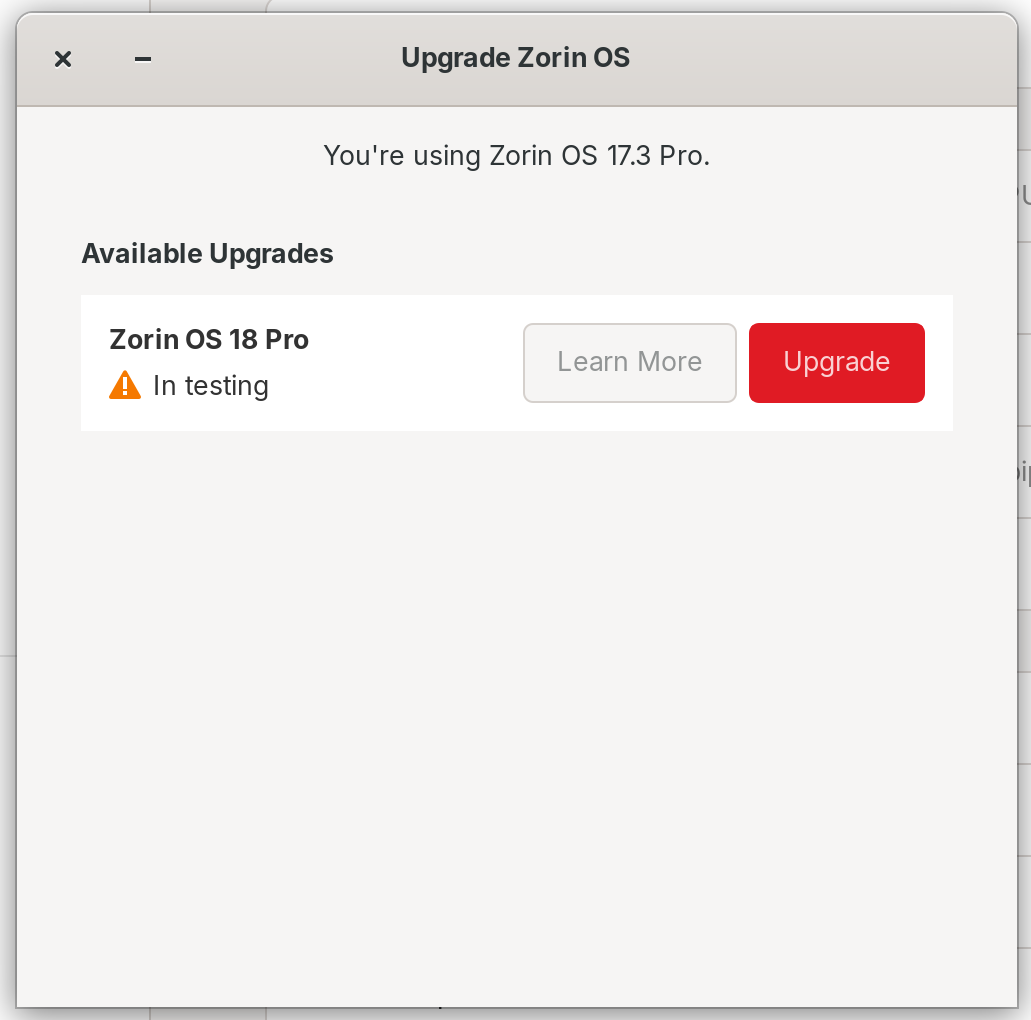
Well, the Upgrader is still in Beta (You can see the ''In testing'' Mark on the Picture). So, it could be unstable or not working. So, maybe simply just wait. Or: Save Your Data and instead of upgrading, make a fresh Install of Zorin Core. And later, You can still buy a Pro Licence.
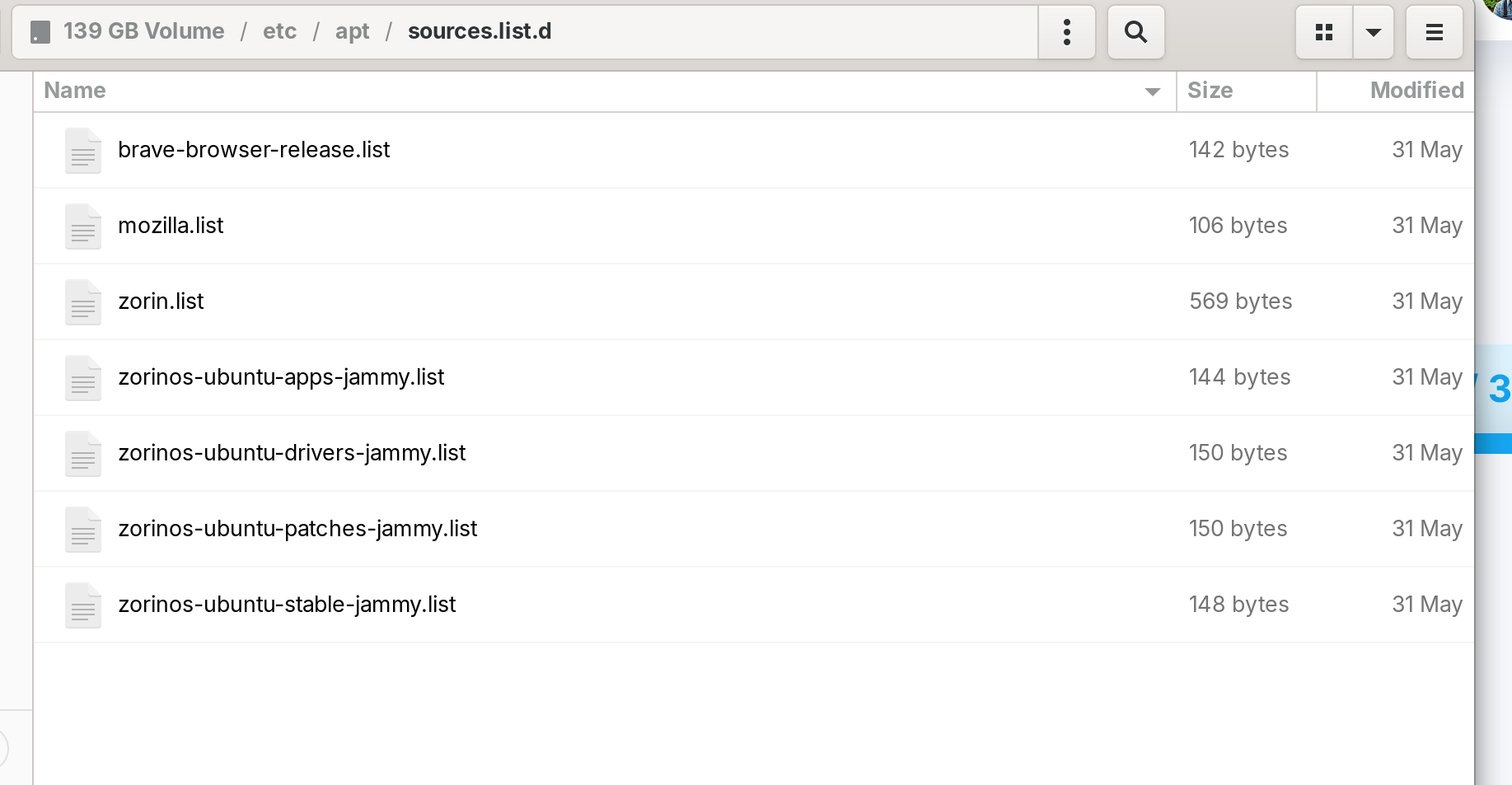
I can copy files from a clean setup if needed, if that will help. Any suggestions how to fix the sources?
Sorry, that was my mistake. I mixed something up from my terminal output.
Thanks. I think I'll wait. So far I'm making small steps toward resolving the issue and the original upgrade problem is fixed now since I now get the Zorin 18 option. I just need to fix the issue why the Software Updates app seems to have disappeared and I'll be sorted.
The sudo apt upgrade command still works from the terminal so I can still install upgrades (I hope!) but I'm still concerned about the error with update-manager that I reported earlier and the fact that I may miss updates due to broken packages. So if anybody has an idea how to restore the Software Updates GUI app, that would be appreciated!
Okay, open Software & Updates and on the first Tab check if ''Main Server'' is set as Source. Then go to the ''Other Software'' Tab and make a Screenshot of the List of Sources there. And then type in the Terminal sudo apt update && sudo apt upgrade and show a Screenshot of it or post the Output of it here.
I'm not sure where the tabs are that you mention. When I run "Software & Updates" from the Show Applications screen, I get this:
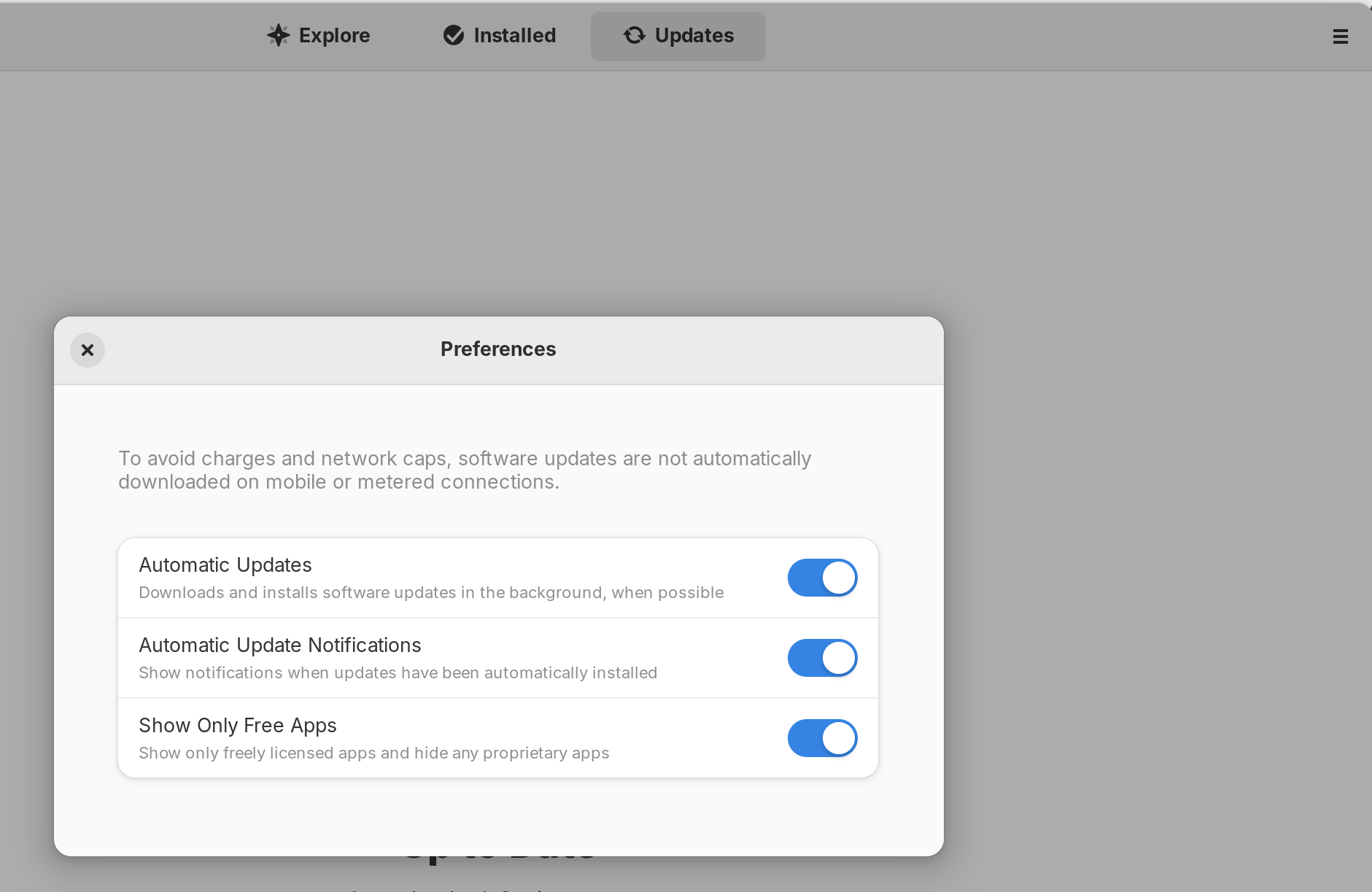
The Software Repositories command on the menu does nothing. The Preferences command works and shows what I see in the screenshot.
The original Software Updates GUI (with the orange icon) seems to have disappeared after I ran the steps here.