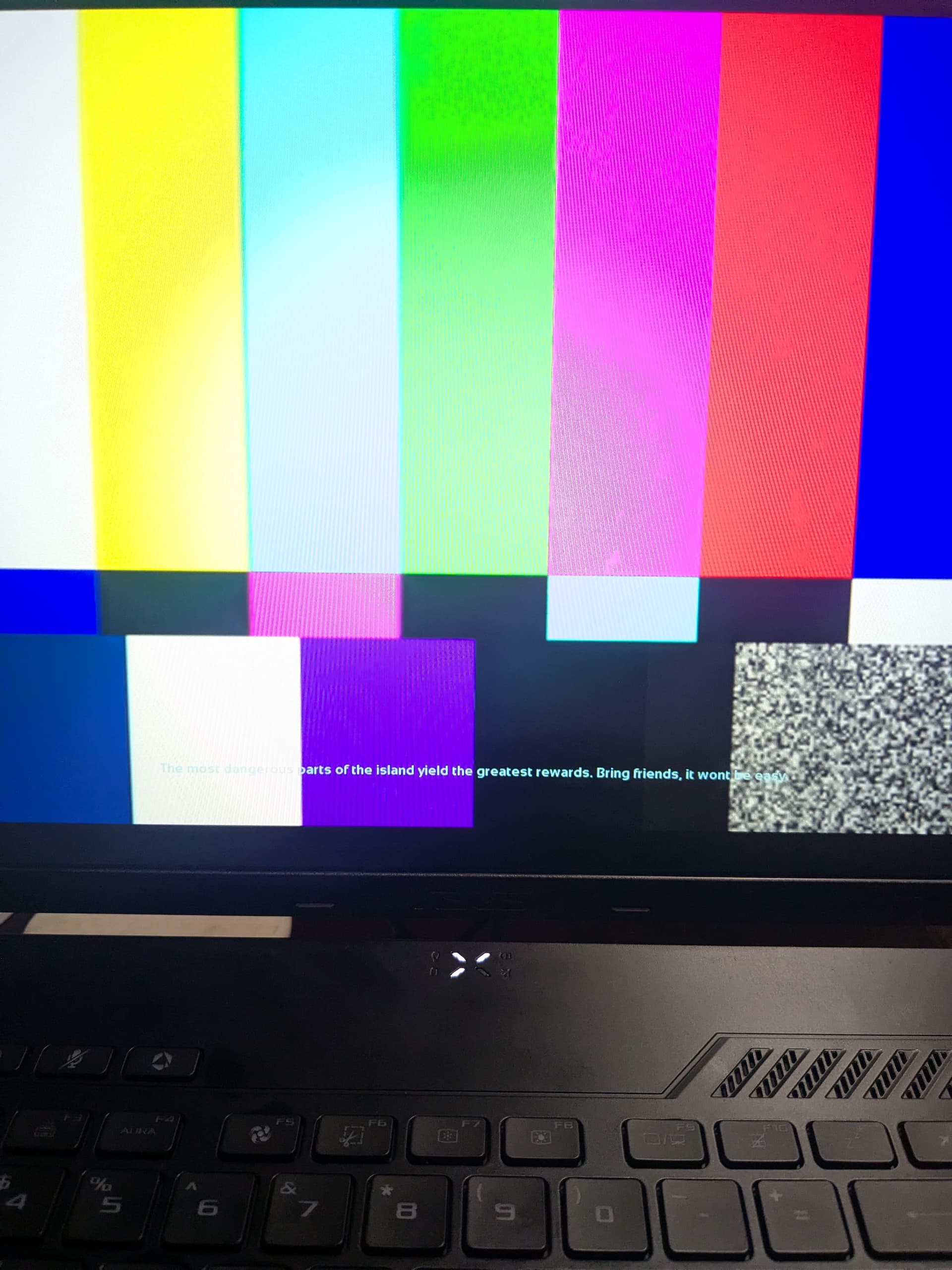
Latest steam update with proton. I have tried proton 6 thru experimental and 9 including beta has been the best so far. I am new to linux and just wanna game. After half a minute of ark loading up it will crash. There is no log or crash dump file. Just the desktop. Also I get this weird image as it loads.
Protondb a handy website for community reporting on running games on Linux across varied distros and hardware it seems to be a mixed bag for ark usually requiring more tinkering then most games.
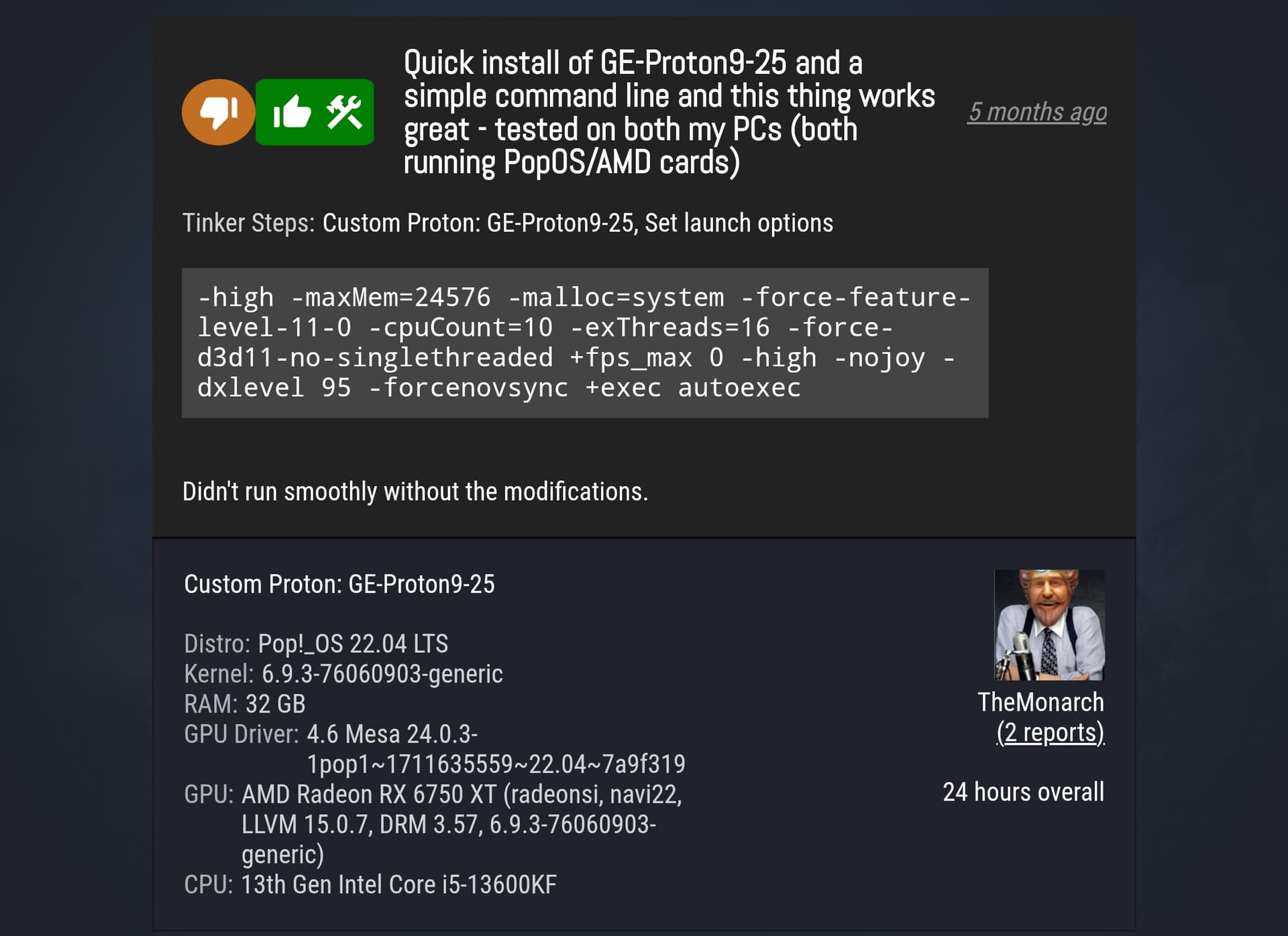
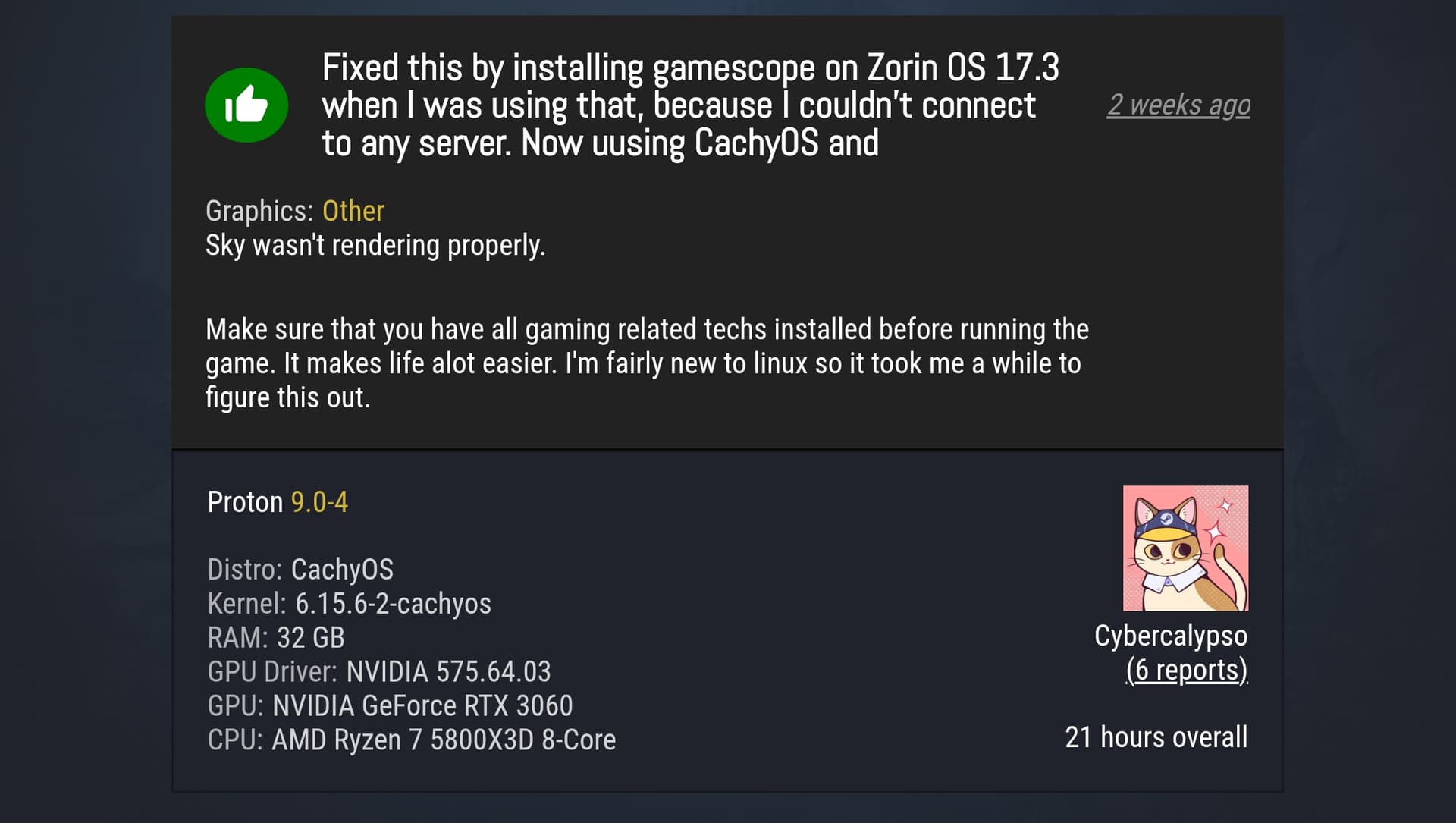
I've found two recent reports that could be of us:
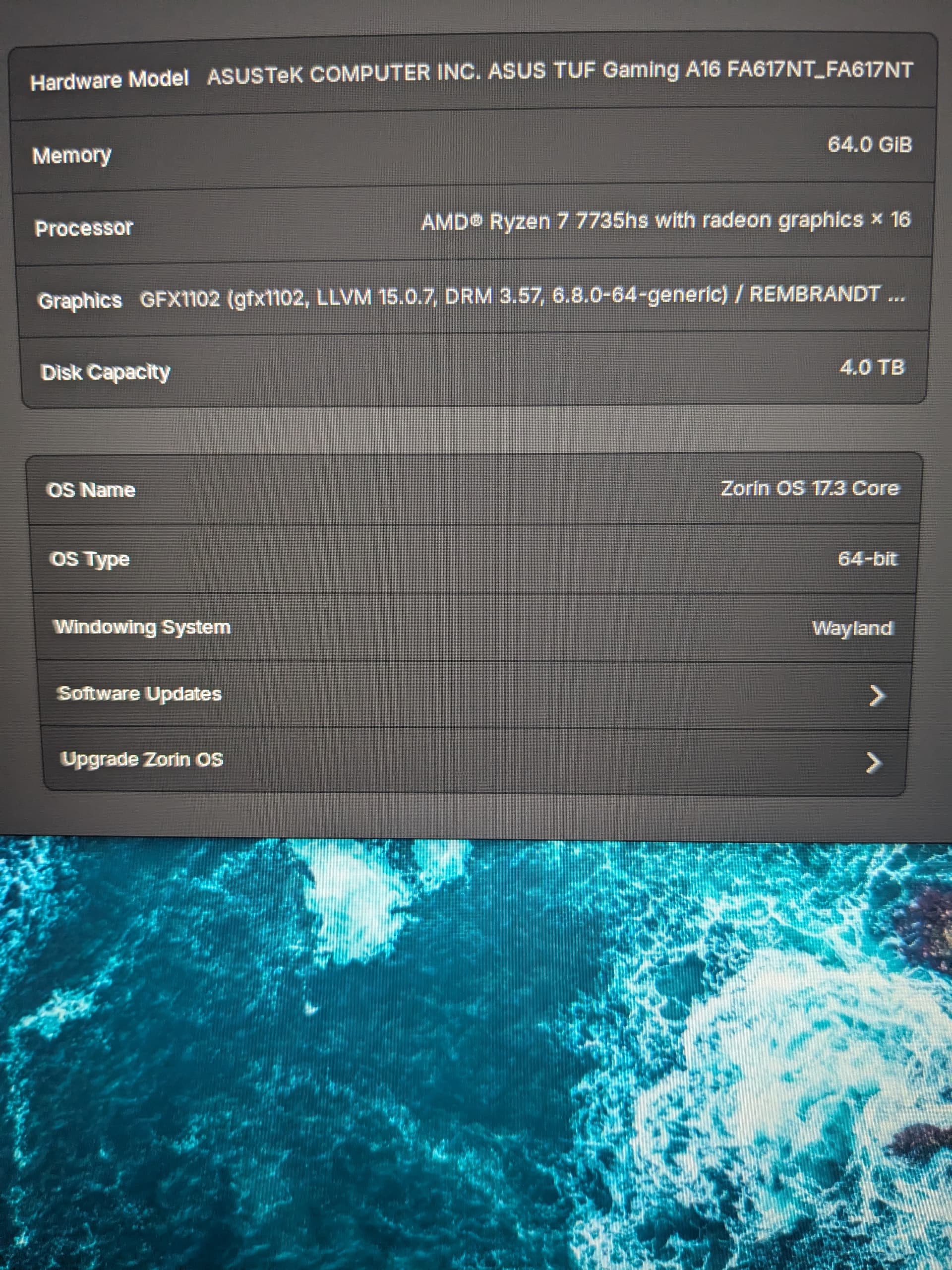
Zorin OS is a Ubuntu based distribution which it itself is based on Debian, so it may be worth while to try fixes that have worked for other Ubuntu or debian or even this one users Zorin OS fix via game scope or the Pop OS one I've attached.
Proton is fantastic and you have a beast of a rig so your ideal tinker would be to try some steps from someone with an AMD GPU and an Ubuntu/deb based distro.
I notice you reference 6-9 versions of proton. I would highly recommend installing proton-ge as an option, as those versions typically include lots of fixes that help possibly in scenarios such as this:
Thanks for the Proton GE suggestion, unfortunately it didn't work. I installed 9-27 and 10-10. !0 says I need dx 11(maybe it said 10) to even play. With and without the launch options.
Thanks for the Gamescope suggestion. Is that a specific app or general term? Would Scope Buddy GUI from the Software be a "Gamescope?"
I also noticed that your running on Wayland, this causes many issues. Restart your PC, once on the login screen, you need to click on your name. A cog wheel appears. Click on that, and choose Zorin on Xorg.
It can also be the simple sometimes of it being Wayland which is still although very well polished and i am typing this to you now on it (still something very much that gets alot of attention and work overtime)
on linux there are two main window systems, X11 which has been around a very long time and Wayland the modern replacement it is a more straightforward way of interacting with windows for programs and is designed with newer hardware in mind.
iirc X11 was created in the 80's so its definitely been around a short bit
atm Most linux systems are going from x11 to wayland as the default its taking time as the community keeps developing wayland and improving bugs and issues noticeably a few years back it used to be quite rough on NVIDIA hardware but that isn't as much of the case nowadays.
The problem with Wayland is you can't share your desktop, video-conference, or capture your desktop to video. Additionally, accessibility packages for uses with restricted ability are left behind.
Thanks, I do have new hardware made in 2023 but purchased this year. Personally I haven't noticed any difference. Except maybe that usb-c has some issues but maybe that is just me.
Found a fix though for ARK.
So GE proton 9-27 with BETA branch Linuxnative makes the game stable. However the game over 30 major updates behind.
Studio Wildcard is currently working on fixing the issues that the Aquatica update have caused. For example missing linux binaries. I believe once that is fixed I will be able to leave the BETA branch and play the latest with GE proton 9-27.
edit: I will check out the BETA branch pre aquatica with GE proton 9-27. Stay tuned.

 wheel appears. Click on that, and choose Zorin on Xorg.