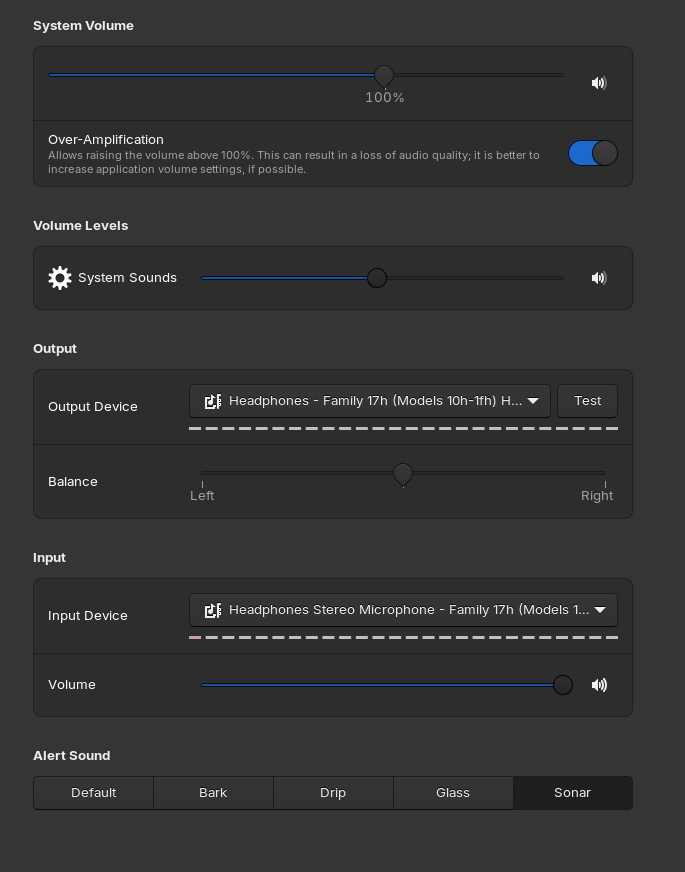
when connecting my headphone with 3.5mm jack on google meet, I cannot hear what other is saying but it working fine with video streaming platform
Are these normal Headphones or a Headset?
headphones
You could try using alsamixer to have a play with your headphone and mic settings.
Open terminal (ctrl+alt+t) , then type:
alsamixer
Hit F6 to select sound card.
Hit F5 to display All sound channels. Post a screenshot would be good at this point.
Check no headphone, speakers or microphone channels are showing Muted [MM] or low volume.
Unmute by selecting the channel and Hit M
You may want to play with [Auto-Mute] and [Feedback-mode] channel settings to test effect.
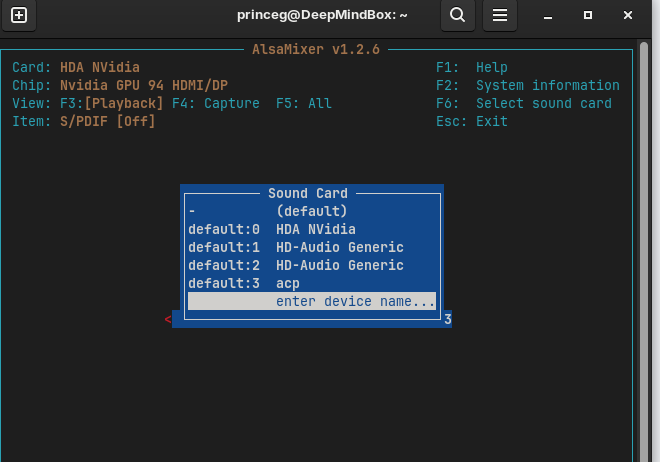
Select "HD-Audio Generic"
default 1 or default 2
Try default 1 for starters
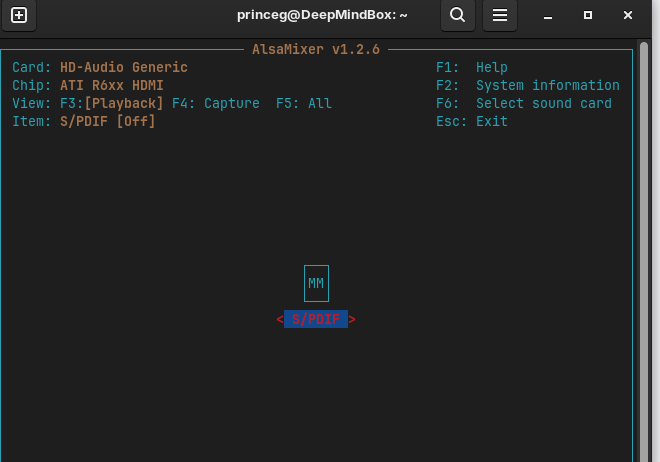
Hmmm. OK default 2 then.
showing same thing 4 times
Hit F5 to display All sound channels.
Does that show anything more. If not select that S/PDIF and hit "m" to unmute.
by clicking m, it going to be 00, what to do now?
Try select and up-arrow to increase volume.
(Im not sure if that will work on S/PDIF channel though)
Do you know what soundcard your machine has. Or can you tell us what your machine make/model is so we can find that info?
HDA Nvidia
What is your machine?
HP Victus by HP 16 Laptop PC
AMD® Ryzen 5 5600h with radeon graphics × 12
Back to original post. Can others hear you?
If you are using 3.5mm headphones, I assume you are using internal or another mic.
Can you post a screenshot of Zorin>Settings >Sound screen for output devices.
other can hear me but I cannot hear others