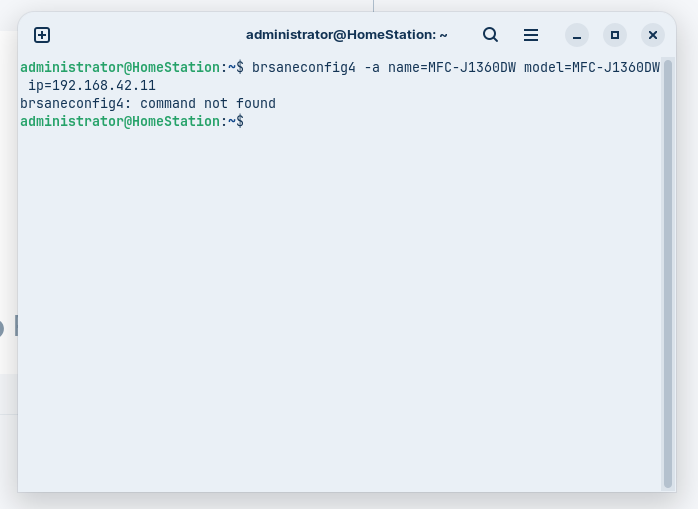
I can't use Document Scanner? Once the scanner is on the WiFi.
Question. Just thought of this do I have to have the scanner plugged in to the USB with coding you gave me. Just popped my mind here.
Plugged in scanner to USB. Retried the code for the wifi IP. Still nothing. The same as before in the terminal.
possibly....lol i did find this...if it helps any
mines just a fax/printer so i have mine usbed in to use.... my computer dont have wifi on it...sorry if that dont work i belive.. @swarfendor437 is the printer expert send him a pm he can maybe get it running on a network. glad it works on usb tho... 
I do have the printer connected to the WifI Network. Has been for a long time now. Can print wireless without a problem for a few weeks now. Just the scanner. Ok, now the scanner driver is INSTALLED by the USB Only. I want to GIVE A BIG SHOUT OUT TO EVERYBODY THAT WAS INVOLVED WITH A LINUX NEWBIE FOR ALL THE HELP AND WORK THEY GAVE ME. THANK YOU SO MUCH.
Currently my scanner only works on the USB. If anybody out there knows how to put and register my scanner on the wifi. Since my printer is already and has been connected to the wifi. My IP address is in the forum. That would Help. Thank You again. countrywolf19.
Ok, I took some time to think. I did a search on the scanner wifi. This has all been heavy thinking on my part. I kept the scanner plugged in. Then did Network Search on the Printer Settings. To find a WiFi Network. I didn't think I needed to do this. Since this was already done for the printer many weeks ago. I redid the network search with the scanner (printer) plugged in chose my network name. Then put in my password. Connected to the WiFi. Then I unplugged the printer scanner. To test. Bingo. "She" WORKS on the Wifi. Thank you all again for your HELP. countrywolf19.
awsome job...not sure who you want to give the solution to..but ill leave that to you
its needed tho so folks will know this is solved
just find person who helped most in those who posted ..should be a solution box there click it