Cant Shutdown/Reboot Normally after upgrading 17.3 Lite → 18.1 Lite (Bay Trail Celeron N2840)

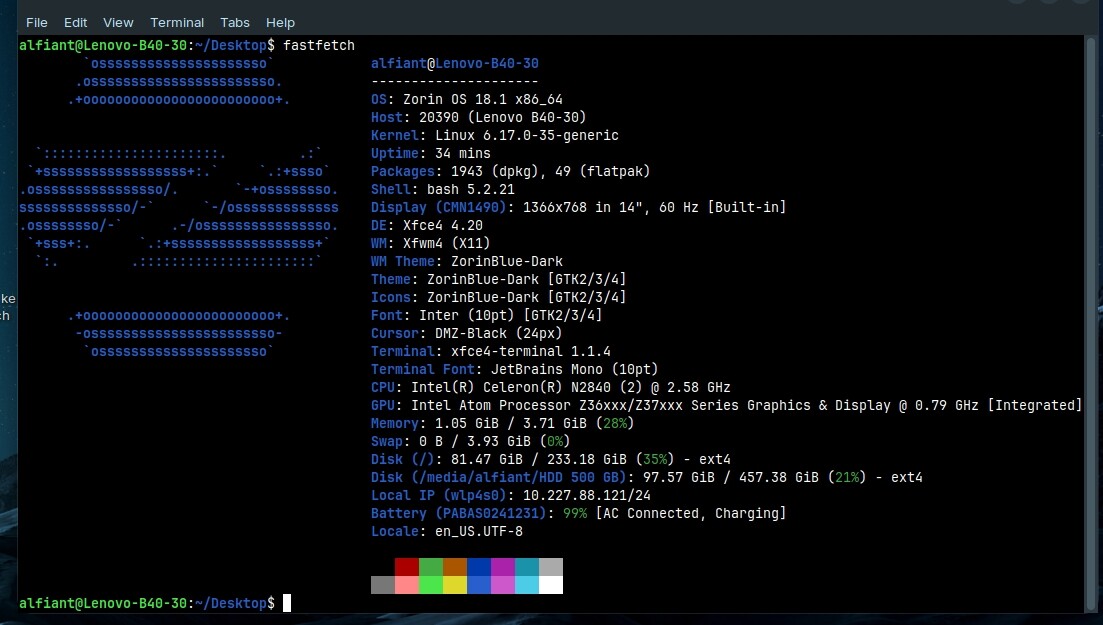
System info

What happened
Upgraded in-place from Zorin OS 17.3 Lite to 18.1 Lite using the built-in Upgrade Zorin OS tool. Before upgrading I disabled the third-party repos I had (renamed the .list files so apt would ignore them), ran a full apt update && apt full-upgrade on 17.3 first, and the upgrade itself completed cleanly with no errors.

The very first reboot — triggered from "Restart Now" on the upgrade completion screen — worked perfectly, fast as usual. I only realized afterward that this reboot was still running under the old 17.3 kernel.

The issues started after this point:

  • When I tried to shut down after that first reboot, the system failed to power off and hung. I had to force a shutdown using the power button.

  • I turned the laptop back on, but it got stuck at the Lenovo & Zorin boot logo.

  • I forced it off again, turned it back on while pressing Esc to bring up the GRUB menu, selected Zorin OS, and finally reached the login screen.

  • To fix this stuck booting issue, I followed advice from Claude AI and added intel_idle.max_cstate=5 to the kernel parameters. This successfully allowed the system to boot normally again.

However, the shutdown and reboot hang persists. Every subsequent shutdown or reboot hangs indefinitely at the Lenovo boot logo. No crash, no visible error — it just never powers off / never restarts on its own. I've had to hold the power button to force it off every time since.

Troubleshooting done so far

  • Disabled the Plymouth splash (removed quiet splash from GRUB_CMDLINE_LINUX_DEFAULT) to see the full text output instead of the logo. With this, I confirmed the shutdown/reboot sequence actually completes cleanly all the way through:
[ OK ] Finished systemd-poweroff.service - System Power Off.
[ OK ] Reached target poweroff.target - System Power Off.
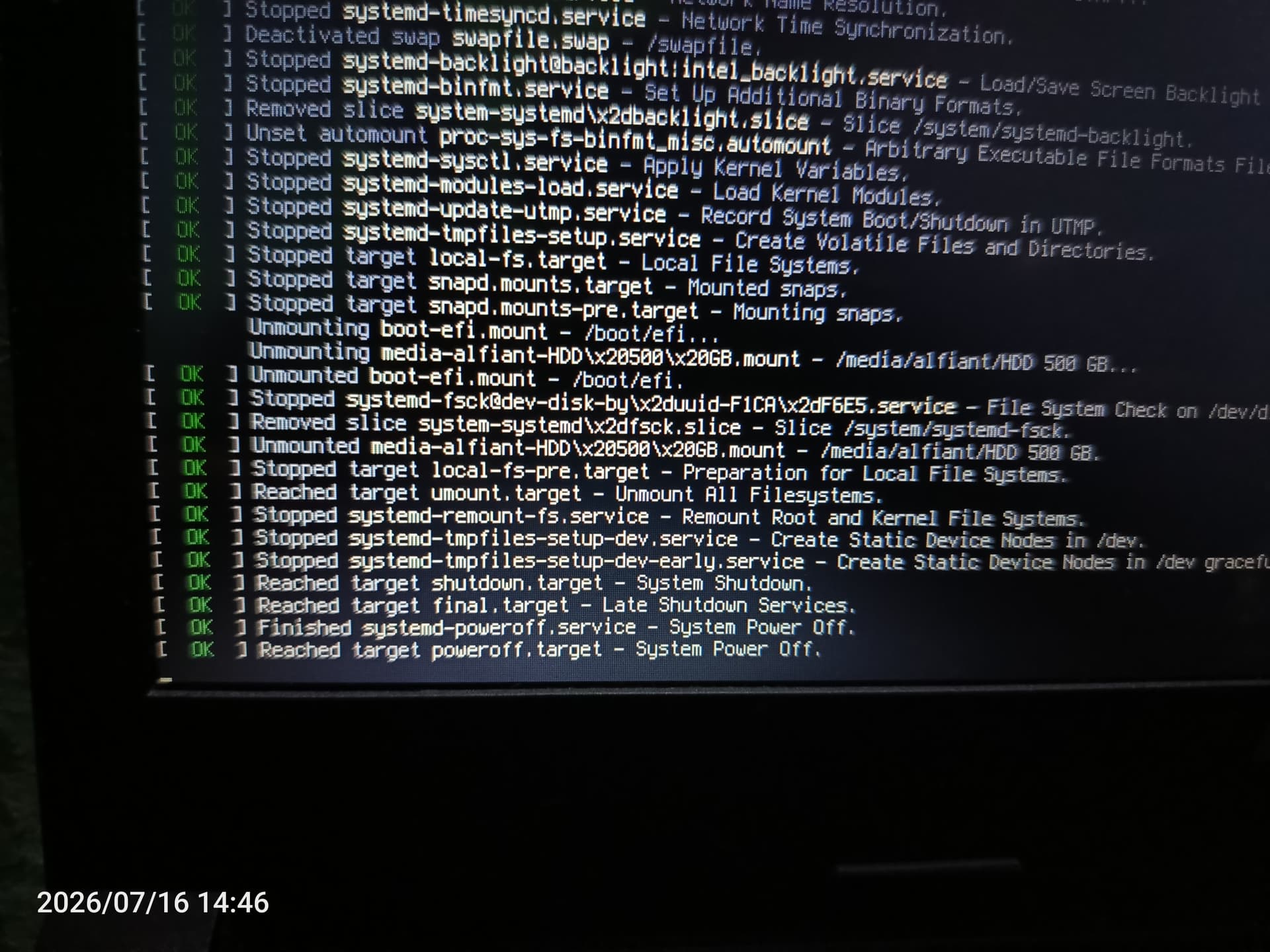
(same clean result for systemd-reboot.service / reboot.target when restarting). Everything before that is also clean — all services stopped OK, all filesystems unmounted OK. The hang happens strictly after this point, at the actual hardware power transition.

  • As mentioned above, intel_idle.max_cstate=5 is already applied. It fixed the boot issue, but did not resolve the shutdown hang.

  • Added reboot=acpi (combined with the above) — no change.

  • Checked journalctl -b -1 --no-pager | grep -i acpi for the hung session — no ACPI errors around shutdown at all. Only two generic firmware warnings at early boot, which don't seem related:

ACPI: [Firmware Bug]: BIOS _OSI(Linux) query ignored
ACPI: thermal: [Firmware Bug]: No valid trip points!

Current workaround
Since the system fully reaches poweroff.target / reboot.target with everything already unmounted cleanly before it hangs, holding the power button at that point is safe — no data loss so far. That's what I'm doing for now.

Question
Has anyone else seen this on Bay Trail hardware (Celeron/Pentium N28xx/N29xx, Atom Z36xx/Z37xx) after upgrading to 18.1 / kernel 6.17? Since the hang happens after the ACPI shutdown signal is sent but the system never actually cuts power, I'm guessing it might be an EC-level firmware quirk rather than something fixable purely from the kernel side.

I dont mind shutting down my laptop by pressing power button.. but I'm open to workarounds if anyone's found one that works fixing this issue.
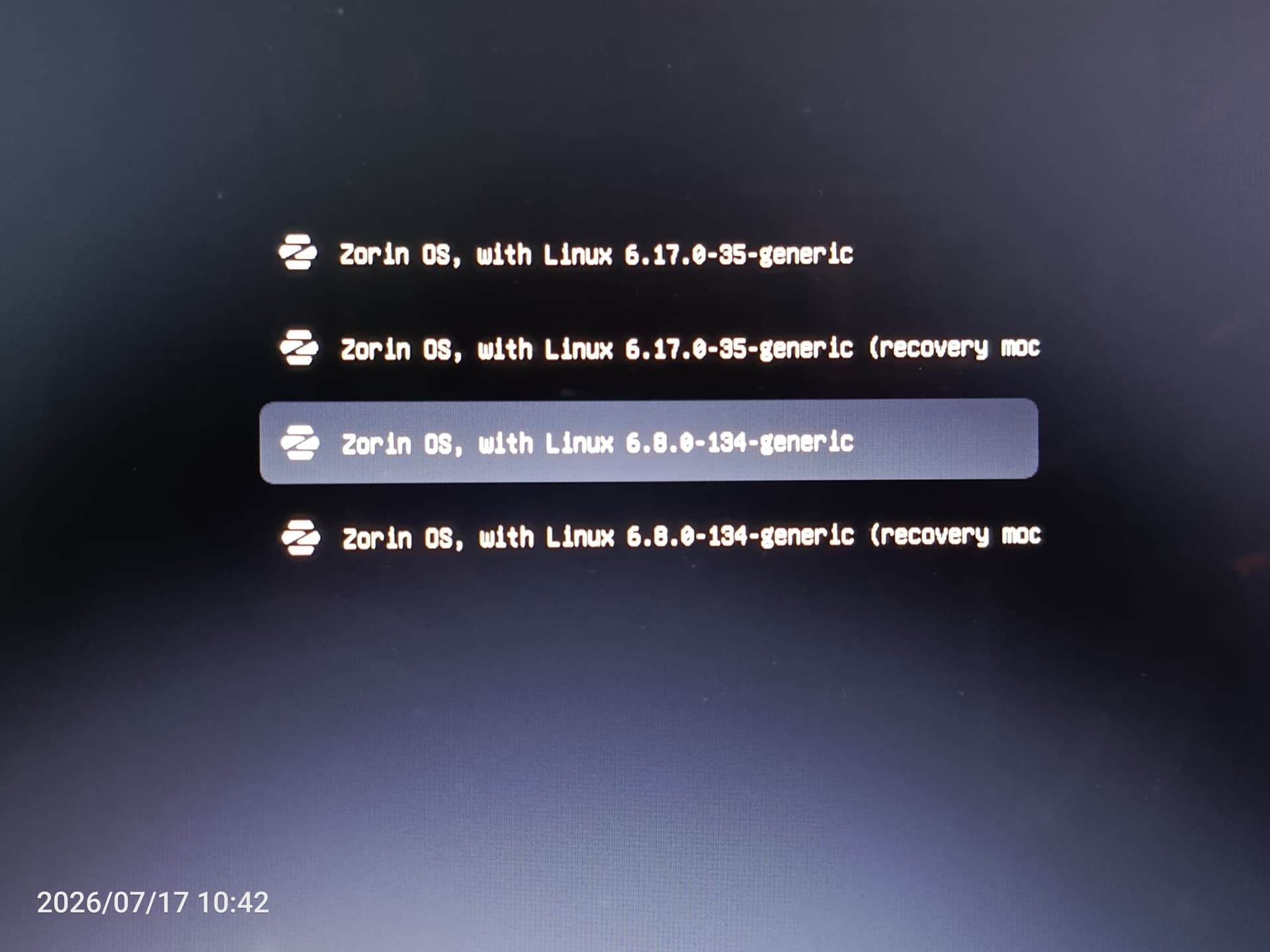
And when you go back to kernel 6.8 at advanced options for Zorin, test if everything works then, and set it as default to boot if the thest was fine?

The 6.8 kernel is still supported and your old hardware doesn't need the latest kernels.

3 Likes

Thanks for the advice. I will try that later when going back home.

2 Likes

Hello, i am back.

I've tried booting with kernel 6.8 as shown in this picture.

I also updated the grub settings as you requested:

GRUB_DEFAULT=saved
GRUB_SAVEDEFAULT=true

Then I typed sudo update-grub and clicked the restart button. The restart was successful.

After that, I checked fastfetch, and the kernel had reverted back to 6.17 (the problematic kernel).

Then I turned it off again by clicking the shutdown menu and force-shutting it down using the power button. I booted up again using kernel 6.8, tested the shutdown, and it successfully shut down normally.

It is definitely kernel 6.17 that is causing the problem.

The new issue is: the grub settings from earlier couldn't prevent the system from booting back into kernel 6.17.

I already tried asking Claude AI, and it gave me this grub setting solution, based on the result of grep "menuentry '" /boot/grub/grub.cfg :backhand_index_pointing_down:


GRUB_DEFAULT="gnulinux-6.8.0-134-generic-advanced-57335638-7ff3-4785-bb20-750ccf861833"

After that, sudo update-grup and sudo reboot

However, the method above also failed to permanently set kernel 6.8 as the default when booting (Please tell me if any of the steps are incorrect).

I can just press esc when lenovo logo appear and choose to boot using 6.8 kernel manually, but thats a little inconvenient.

EDIT:

I repeated your solution above one more time, and for some reason it works now. The kernel is still at 6.8.

1 Like

I'm glad it's working now.

Yes, i did sudo reboot after applying that settings this time, and previously i rebooted using reboot menu, maybe thats why.

Perhaps not relevant, but the latest kernel has changed from your status 6.17.0-35-generic to 6.17.0-40-generic.

Did you install all updates after upgrading to Zorin 18.1?

Yes, did sudo apt update && sudo apt full-upgrade after upgrade to 18.1 successfull, but its still stay 6.17.0-35-generic ? I dont see it changed to 40

And since today's update the kernel is now version 7.0.0-28-generic...
But anyhow, most important is that your system works with the 6.8 kernel!

Yes, I'm going to stick with the 6.8 kernel on this laptop. I've set it to the GA track so it won't jump to a newer major kernel version for no reason.

Apologies for reaching out again.

​I recently received a minor kernel update from 6.8.0-134-generic to 6.8.0-136-generic. Assuming it was stable, I booted into the new 136 kernel.

​I then performed my weekly system updates using sudo apt update && sudo apt upgrade and flatpak update.

After the updates completed, I attempted to shut down the laptop, but the process hung. The screen displayed "Reached target poweroff.target" but the screen remained on, forcing me to perform a hard shutdown via the power button.

​I subsequently bootted my laptop again and initiated another shutdown test. This time, the laptop powered off normally while still on the 136 kernel.

​Based on this, would you recommend staying on the 6.8.0-136-generic kernel or reverting back to 6.8.0-134-generic?

If this is just one reboot right after a Kernel install, I would suggest waiting through a few reboots to be sure.

I test shutdown again: its normal, no problem.

I test reboot again: no problem.

Its looking good so far, the error doesnt come back.

1 Like

Sorry for reopening this topic.

I’ve found another issue:

After running sudo apt update, I then run sudo reboot, but my laptop hangs and refuses to reboot, even though the screen already displays “Reached target reboot”.

This happens with both kernel 6.8.0-134 and 6.8.0-136.

If I don’t run sudo apt update, the laptop reboots normally.

However, if I shut it down instead, it shuts down normally, both after running sudo apt update and without running it.

It’s not a major problem, since I can simply shut down the laptop and turn it back on whenever I want to reboot. I’m just curious about what might be causing it.