Hello everyone. I'm getting a Dell latitude 9440 2in1 containing a i7-1365u, 512 GB of SSD, and 32 GB of ram. I want to use it for school and light gaming. My main concerns are getting the laptop to go into a "tent mode" for gaming (where I only use the screen while the keyboard and mouse are disabled) and the fingerprint reader working properly. Can anyone help me or give me tips? Thank you.
Hello and welcome. It is newer hardware, but will probably work with Zorin. You won't know until you get it in and try it out. If you run into trouble, feel free to come back here.
If you find the Linux kernel in Zorin to be too old to properly support the laptop's hardware, you can always check out Ubuntu 26.04 or Fedora Workstation.
Hi and welcome.
What elements do you need for school work? What do you mean by "light gaming"?
Some steps you will need to take before testing. As it is likely to have Windows 11 on it you will need to go into the BIOS (press F2 key while powering on) and disable Secure Boot and Fast Boot. Other things to look out for are Hard Drive settings which are usually set to RAID. This needs to be changed to AHCI. Additionally if it has an Intel processor, there might be another setting you have to disable relating to hard drive control (can't remember what it is called but I posted it to someone recently who was having issues installing Zorin.
Before installing I would advise you create a bootable USB, my preference is for Ventoy.
Once you have created the USB, all you have to do is drag the downloaded .iso of Zorin 18.1 Core to the USB and place it in a USB port on the new Notebook and while powering on, press F12 for the one time boot option. If USB is not listed you may need to enter the BIOS at boot time by pressing F2.
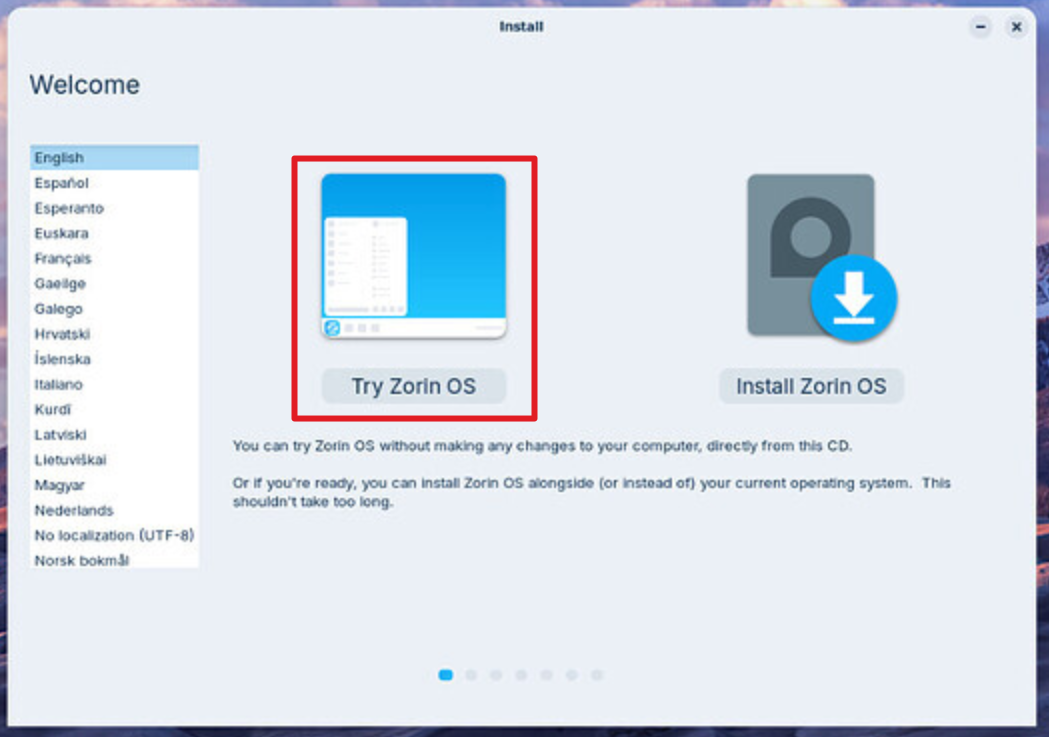
When you boot into Zorin you should select 'Try Zorin' first. This boots into what is called live mode where the OS is running entirely in RAM.
Now is the time to check everything works, Display, Sound, WiFi, Keyboard functions. Also check if the Notebook generates excessive fan noise whilst Trying Zorin.
Welcome to the Forum!
So, You want play then with a Controller or external Mouse/Keyboard?
That can be difficult. Here, it would depend what Brand/Model is built in.
A good first Step could be to create a Bootstick with Zorin , start it and run it in Live Mode (then it runs from the USB Stick). So, You can test Stuff without directly install it. The Performance might not be the best because it runs from the USB Stick but for Testing, it should be enough.
2 Likes
Most of my schoolwork is cloud based in the Google Workspace so that isn't my biggest concern considering I can just do it on Brave. Light gaming for me is mostly indie games (PEAK, Mouse: P.I for Hire, Snaptic, Team Fortress 2, Portal are my main focuses). Anything that is online isn't my speed and I know that wouldn't work due to anti-cheat restrictions.
I would prefer my playing style to be in the tent mode with an external controller, yes.
Just to confirm with the feedback I'm getting, I should use a USB drive to install Zorin and use the "try" feature to make sure all of the drivers, features, and software is compatible and running well, correct? Thank you to everyone who has helped me.
1 Like