As someone else mentioned, Fedora is its own version of Linux, not based on anything else, just like Debian.
I use Fedora daily. Both their KDE and GNOME (Workstation) distros are solid choices. Fedora is slightly harder to get set up since media codecs have to be installed manually (due in part to US copyright and permit laws). Besides that, I find it to be a great, cutting edge distro. I use it on any computer that doesn't have a NVIDIA GPU.
I would say yes to a certain amount. The thing is: Fedora offers Gnome not in a customized Way like You have it on Zorin. It is the Vanilla Gnome Desktop - like it comes from Gnome. So, You would have to set up everything by Yourself - mostly Gnome Extensions - to have a similar Layout like You have on Zorin.
When You know how to do it, it isn't directly difficult but takes a bit Time depending how much You set up in which Way.
I personally like about Fedora the Model. It is up-to-date but not bleeding Edge. So, it doesn't have the newest of the newest but current Software. And I like that the preinstalled Software Pack is not so big. It is not so much preinstalled and the Stuff what is preinstalled is useful.
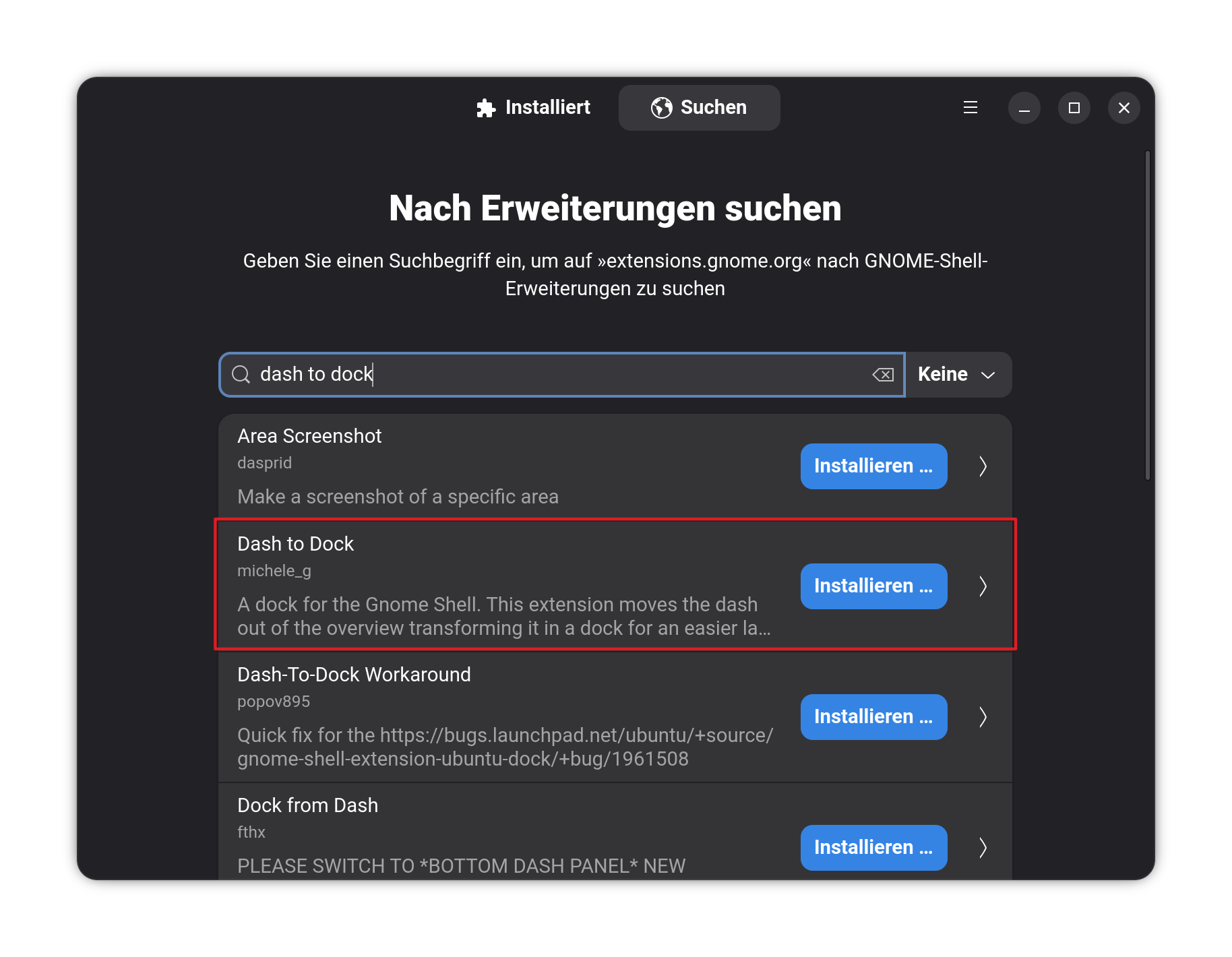
Maybe try it with the dock instead. It doesn't have the additonal Stuff like the Indicators for Sound, Internet. It is only for the Program Icons. For the other Stuff, You have then a Top bar when You use the Dock. You can move it, too. It woould look like this (ignore the Theme and the Icons):
The Dock, You can install as a Gnome Extension with the Extension Manager (I personally prefer this Way). Open Gnome Software and search for the Extension Manager:
Click on the Install Button to install it. But before you do that, You should disabled on the ''Installed'' Tab the Zorin Taskbar. If not, you would have Dock and Taskbar on the Desktop which could be irritating. And disabling it before can avoid Issues.
No. In the extension manager at tab installed is a line named Zorin taskbar. Disable it. You are in the taskbar settings at the moment.
Open the extension manager and at the top of the window select "installed".