Hi,
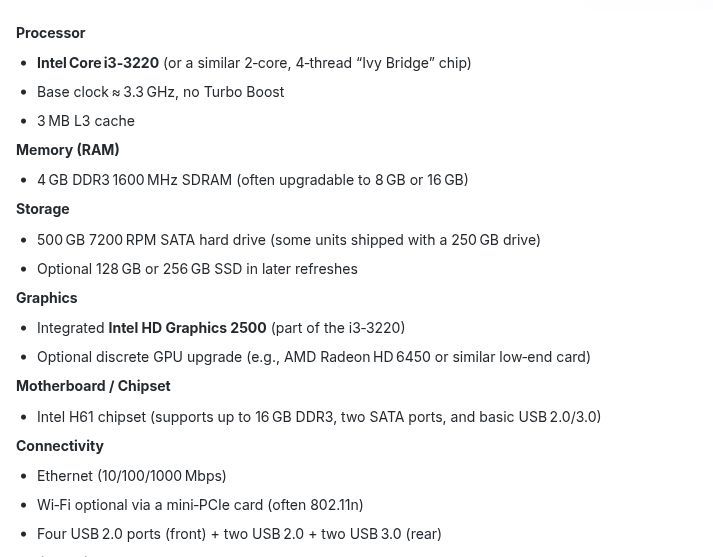
With end of support for Windows 10 coming up, I was excited to be able to save my parents' 12 yr old DELL PC (Core i3, 4 GB RAM) with Zorin.
Minimum specs seemed to be respected. Followed all recommendations.
But the OS is impossibly slow. Unusable. Can't install apps, open them, or even move the mouse without waiting. The PC is just 99% stuck.
Chatting with ChatGPT, it tells me that Zorin Lite would be the only option. That the minimum requirements posted for Core are simply not enough in practice. I think unfortunately it is right...
Very disappointed I could not use Zorin Core on the machine. I had prepared a bootable USB for my parents since I live far. Don't think I can guide them to make one for Lite. Seems like only option is to tell them to go out and buy a new Windows 11 machine.
I love what you are trying to do with Zorin and was really excited to a part of it. But didn't work. 4 Gb RAM not enough. Hopefully people see this and go straight for Lite.
It is not difficult to do and one of the biggest hurdles is Believing in others and allowing them to believe in themselves.
It is quite often people announce themselves too old to do computers; then another member joins and at eighty years old is rockin Zorin OS Lite.
I agree with your frustration and sentiment - it is disappointing to try something out and not have it pan out. But there are plenty of options to work solutions, from using Zorin OS Lite to using another Light Weight distro.
I think my main point though is that the published minimum requirements for Core don't translate into practice. We should be directed straight to Lite for a 4 GB machine. The option to use Lite seems a bit hidden, and the ability of Core to save an old machine is overstated.
I agree with this 100%. And it bothers me a great deal that Lite is hidden away as early as on Zorin OS 17, despite being promised to appear in Zorin 18 when it is released.
4 gb is just not practicable these days - or hdd. even on win 10 be too slow. your parents would appreciate a modern pc
there would be a learning curve with zorin but don't learn much on windows.
I gotta be honest, a core I3 is a budget low end PC to begin with, add 12-years, yeah, its gonna be slow as a slug & a snail, on a sidewalk. But, with any luck, it might run Zorin OS Lite, as other's have suggested.
To be perfectly honest, a computer has a relevance lifespan technology wise, for about 7 to 10 years. 12-years for a budget machine, is really pushing it. I strongly recommend a new machine.
It probably wouldn't have been a bad ideo to try X instead of Wayland on the Core experience to see if there was something else weird going on here. I've installed both core and lite onto some VERY old computers and they managed to work better than what you were describing here. I've got an old single core 2 gig machine that can run core. Not very well, mind you, but by your description it sounds better than that.
Perhaps you can install another RAM bar or replace the existing one with another one with 8 GiB. If your parents are very attached to the device, this would be worth considering. An SSD also works wonders. I would like to make a plea for the i3.
For me, my Dell with i3 from 2012 is not a snail and performs its everyday tasks well. But I have installed a SSD instead of the HDD and have 8 GiB RAM.
What your parents could try, if it is too difficult for them to create a bootstick, is, to install Zorin Lite desktop because it is gnome that needs much ressources.
I had Zorin Core installed on my computer first and it didn't run well because it got hot and the fan kept running. I got this tip, and it was much better then. You can install Zorin lite desktop by entering in terminal
sudo apt install zorin-os-lite-desktop
Then press return.
Afterwards reboot or logout.
At login you can select the desktop you want to choose - Zorin desktop or Zorin desktop on Xorg (that are the normal ones in Zorin core with gnome desktop) or Zorin lite desktop (that will start xfce desktop).
To do this, click on your username, then a cogwheel appears at the bottom right.
Logout and at login click on your profile then a cog wheal appears at the bottom right. Click there and select "Zorin Desktop on Xorg". Then login with your password. This setting will be kept until you change it back by choosing "Zorin Desktop", then Wayland is used by default.
In Zorin lite or Zorin lite desktop always Xorg is used.
While using Linux it is the best to turn off secure boot and fast boot in BIOS and if you have Dualboot with Windows also to turn off fast startup there.
We decided then to buy a new Windows PC, as part of dad's birthday, to put a good spin on it.
I will still try to get them to install Zorin Lite and try it on the old machine before donating. So it is in working order hopefully at least for the next user.
From what I've read here, I would hope Zorin updates or clarifies the published required system specs for Core. I thought it would work miracles on my parent's old machine, but was sadly disappointed.
It’s now possible to run the non-Lite editions of Zorin OS on computers with as little as 1½ GB of RAM and on machines as old as 15 years, with higher performance than the Lite edition in some tasks.
So I was perhaps rightly surprised that it hasn't worked out on my parents' machine. It was running slowly on Windows 10, sure, but very usable for years. Zorin advertises better performance still.
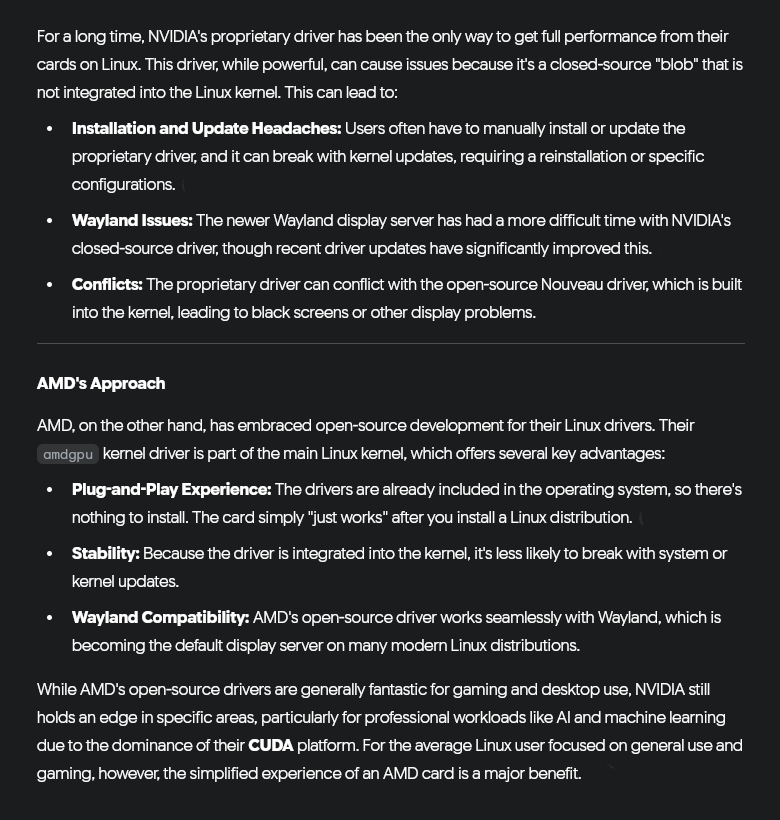
My impression is that Linux runs worse on old devices (mainly laptops) with Nvidia cards than on devices without Nvidia, especially worse than Windows 10
Endof10 helps people installing Linux. This has been mentioned in Zorin blog and recently in X(Twitter) post. There are various places mentioned, check if any available near to your parents' residence.
Hi and welcome. If you are looking for an alternative I can highly recommend Q4OS Plasma. I managed to install it on a machine I built in 2006, which only has a single Athlon 64-bit processor, 2 Gb RAM, and a 512 Mb AGP 8x EVGA nvidia card. It also has its own 'Look Switcher' (cf. Zorin Appearance). It is quite slow with this spec of machine, but should work OK with 4 Gb and dual-processor as shown in a video I made:
And they also do a lightweight Trinity Desktop in both 64-bit and 32-bit, the latter I also made a video of:
I have 4Gb RAM and 2 core machine and Z17.3 Core runs perfectly fine on that, for browsing email etc (no snap or flatpak used). There must be something else that is pulling it down.