Zorin has a pre-installed one. It's the one that is labeled as "Files" aka nautilus.
ok, I see now. A bit dense early in the am. i tried to open the program as administrator rather than just a folder Works now.
Ok, tried your suggestion and got stuck. This screenshot from the live usb may show you what you or I got wrong.
Sorry to be a pain.
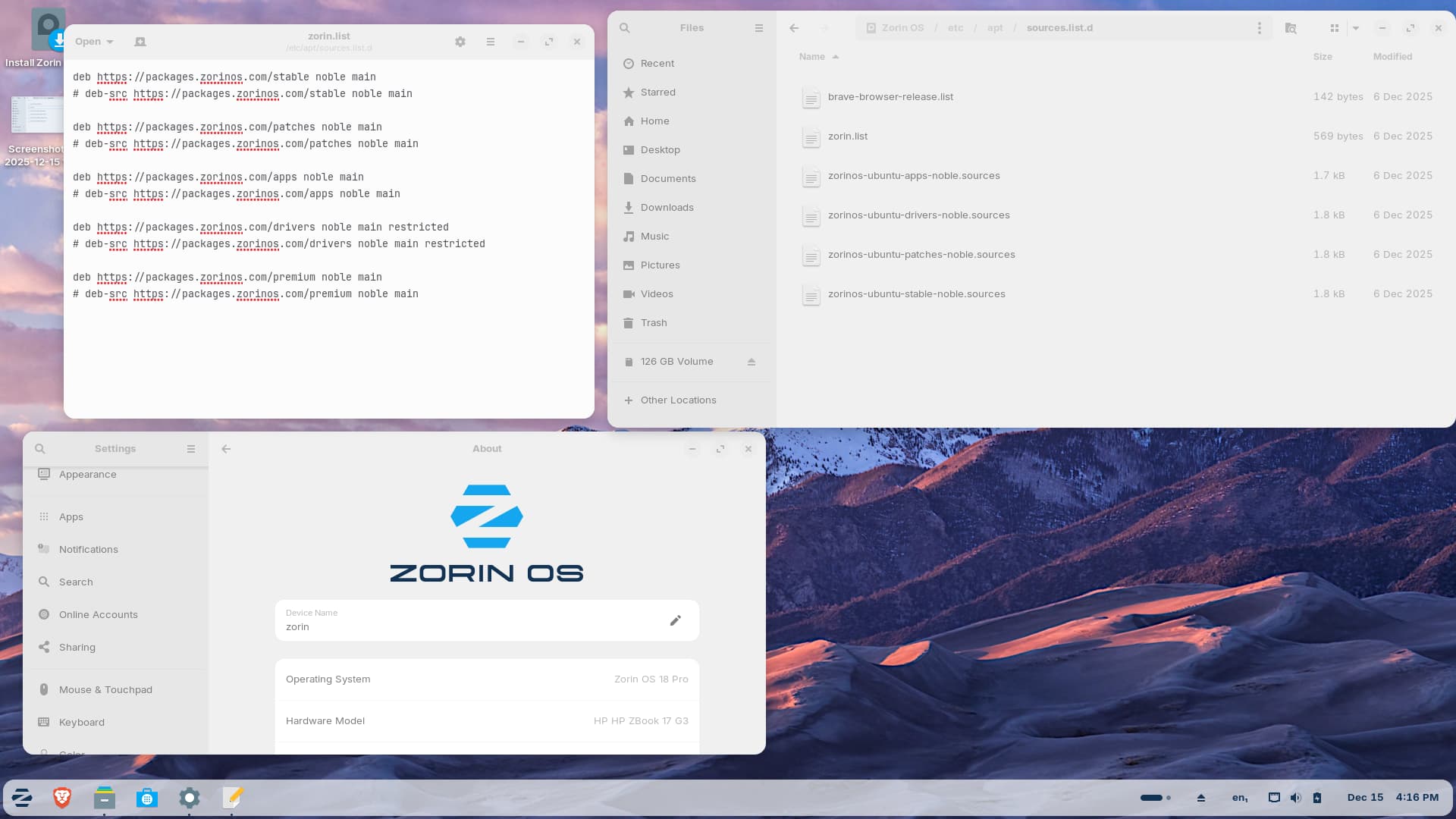
You need to copy this file to your drive. And follow the rest of steps
what are the are the names of the zorin premium file and its save?
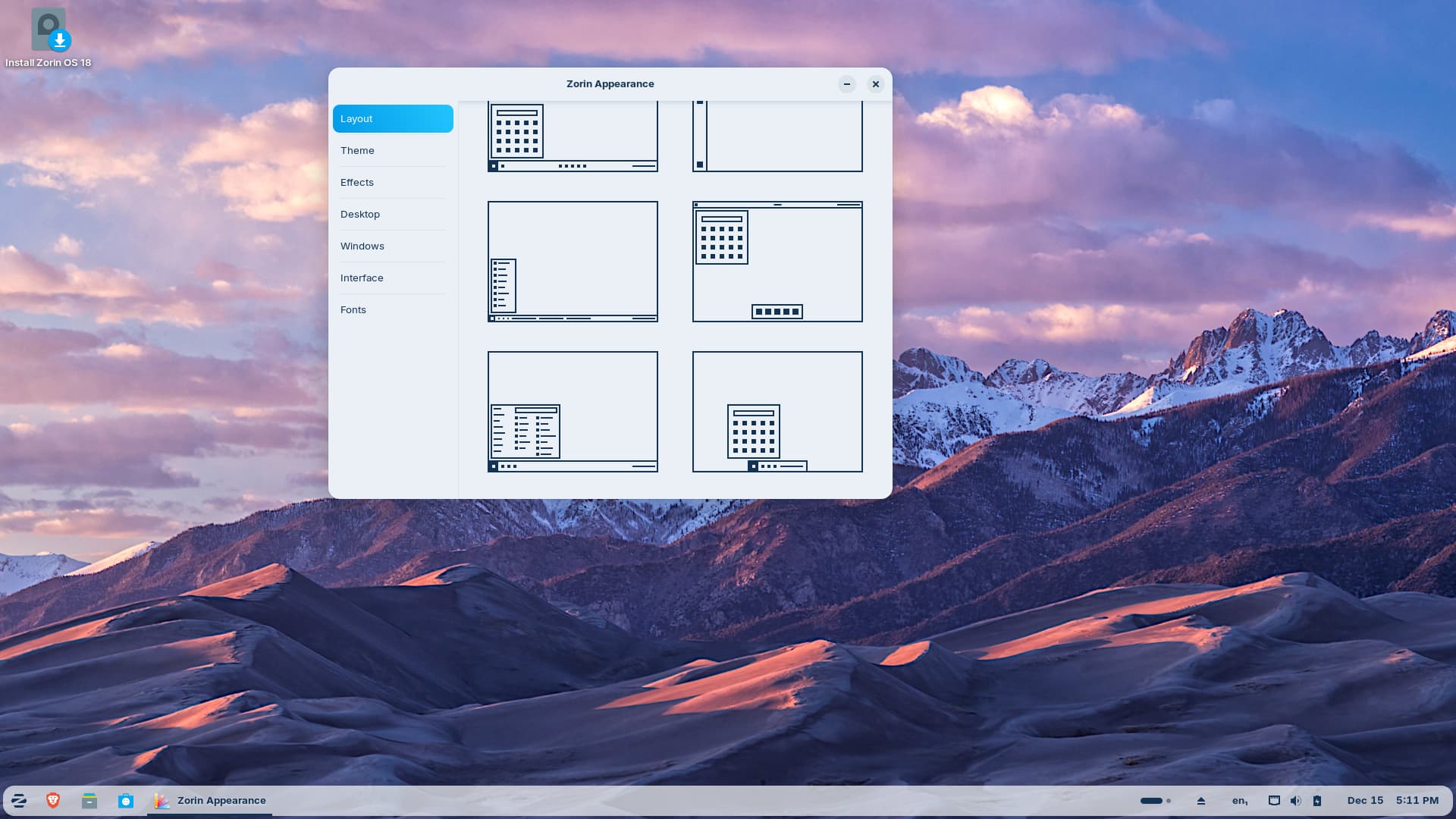
I don't see that. Also attached is a screenshot of Appearance from the usb boot. It show 12 templates, not 8 or 4.
OK, i think my grey hair would have fallen out completely if I had to go through what you are going through my friend. If you want a multiple choice of desktop layouts then I would suggest opting for Q40S. It is based (currently) on Debian 12 'bookworm'. Why Zorin decided to include a desktop that looks like a ChromeOS chromebook I will never know. Q4OS at no cost includes multiple layouts, (many Window version theming, 2 MacOS themes (one light, one dark), the standard Plasma Breeze themes, and it's own Debonnaire. It is a rollilng release and is good until Mid 2028. In some regards it feels more like Windows than Windows! To get their different themes you just have to install 'Look Switcher' from the Welcome Screen. Here is a video I made about it (if you find the music soundtrack a distraction then mute it. Also please note that I created a VM with low spec, Dual Core Processor with 4 Gb RAM allocated from the host memory.
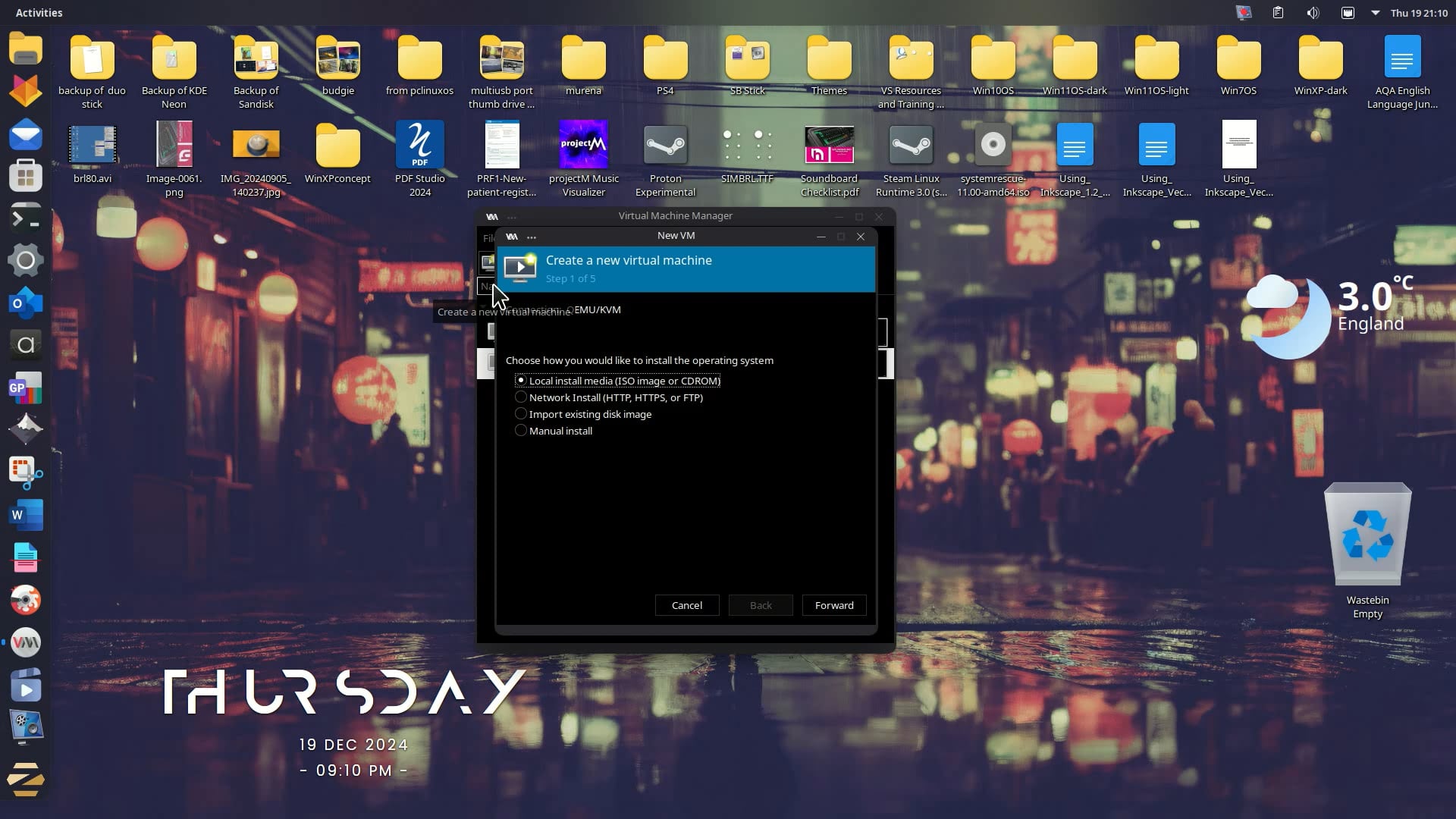
Don't be put off by my vertical menu on my Q4OS install on which I created the VM - it will look very much like Windows. If you like the Windows 10 alphabetised menu, then you just install 'Tiled Menu' from Widgets (Download New) search for Tiled Menu and the author is zren.
Right-click the Menu button first to select 'Add Widgets':
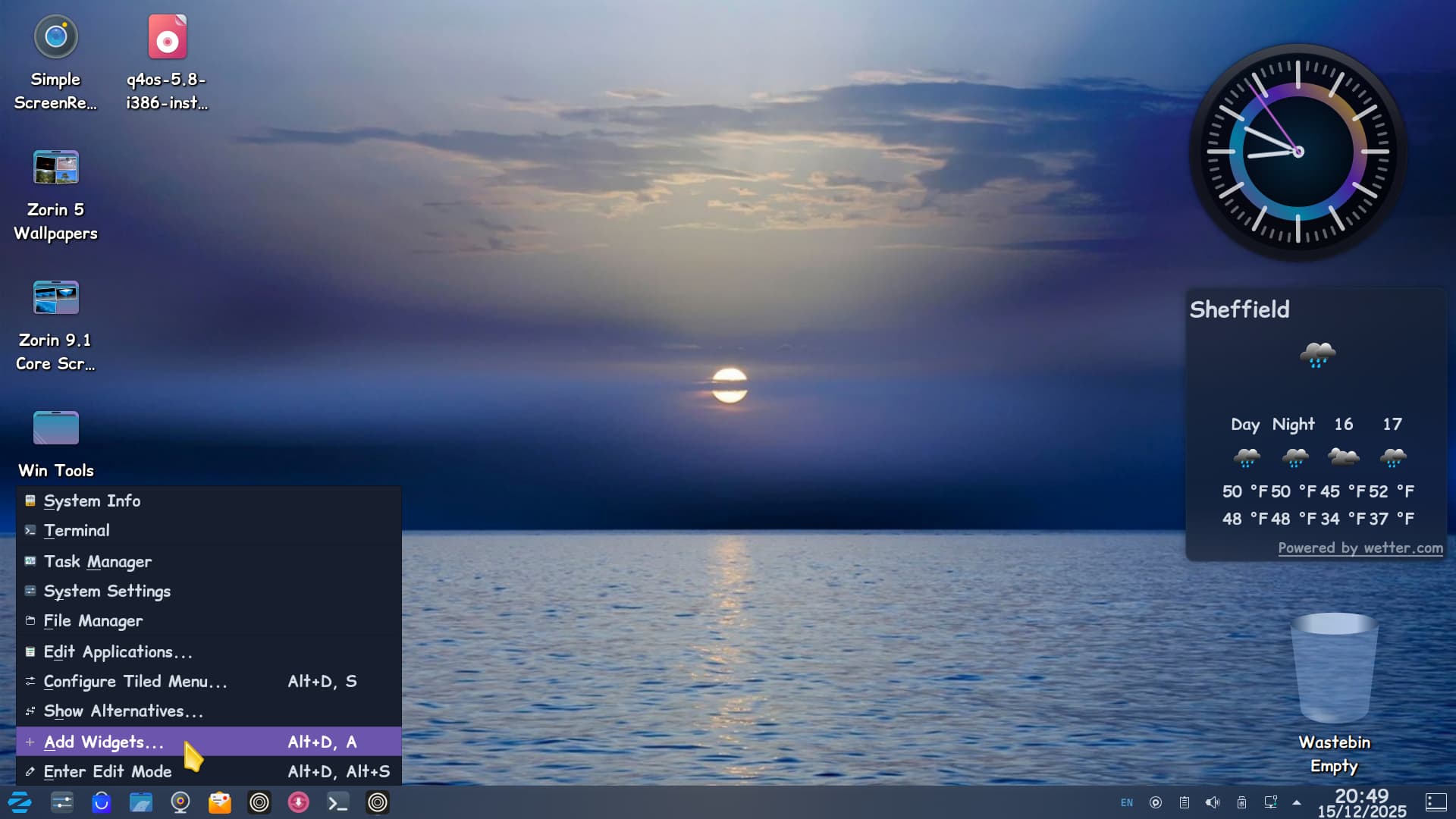

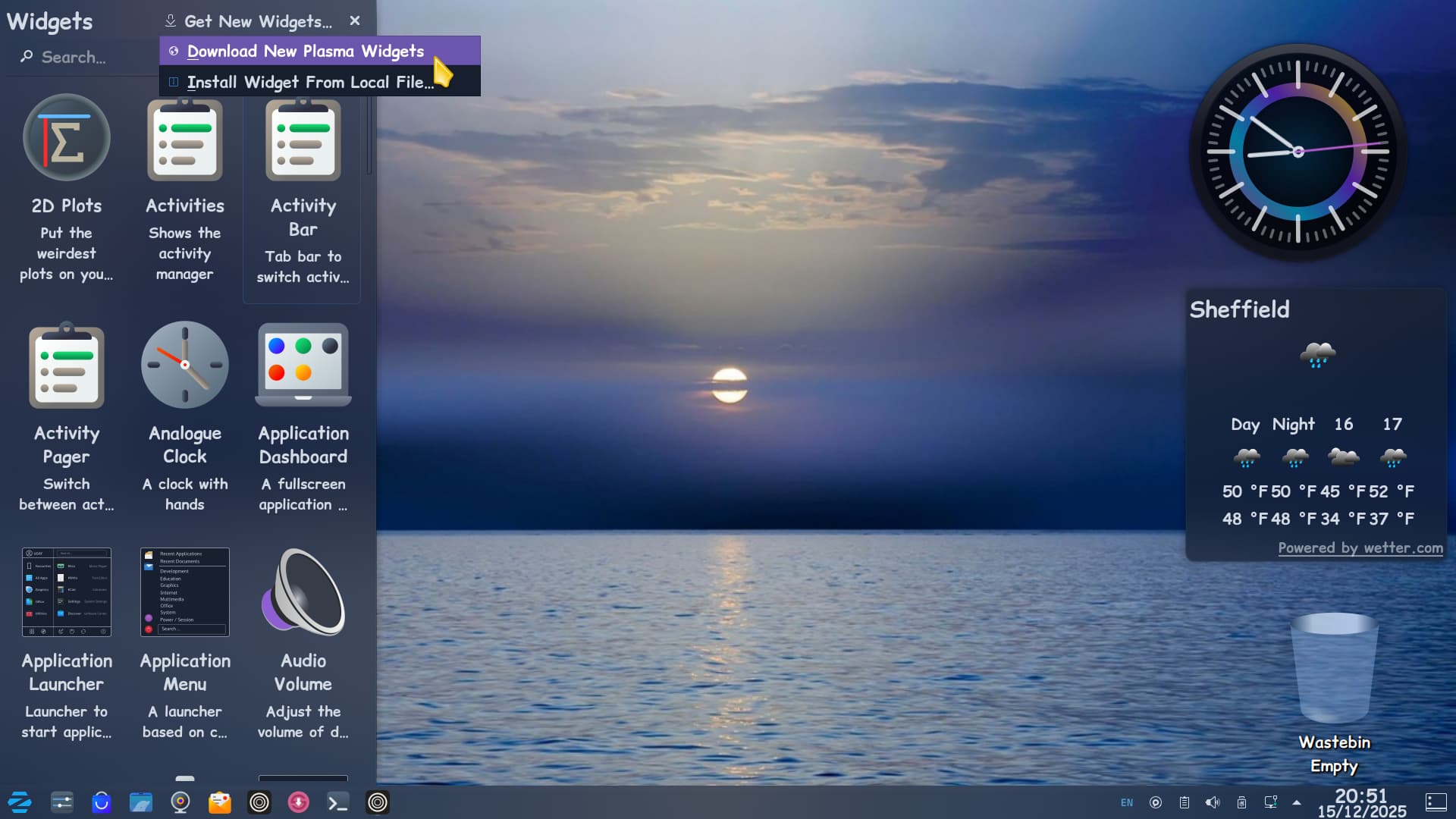
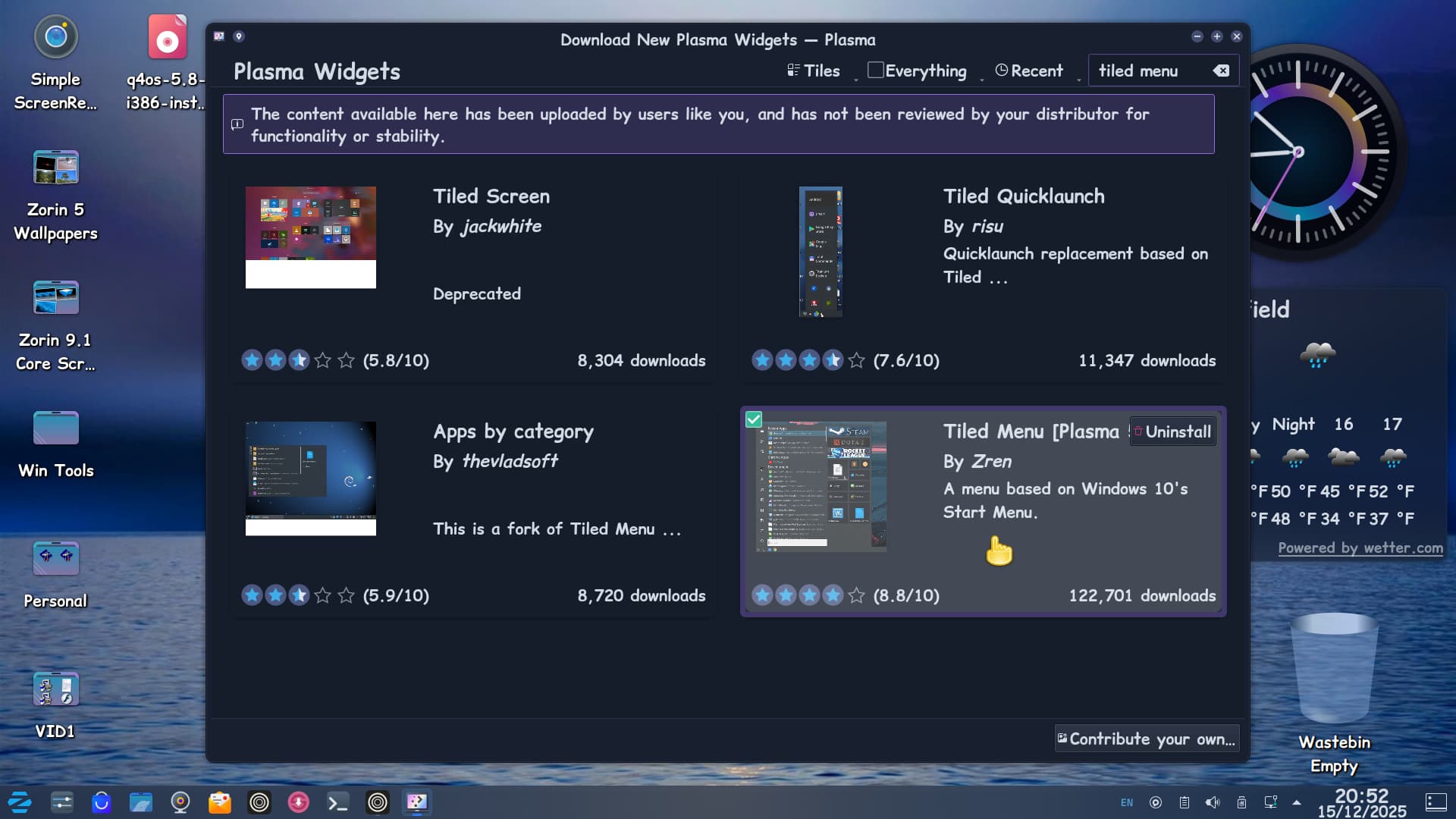
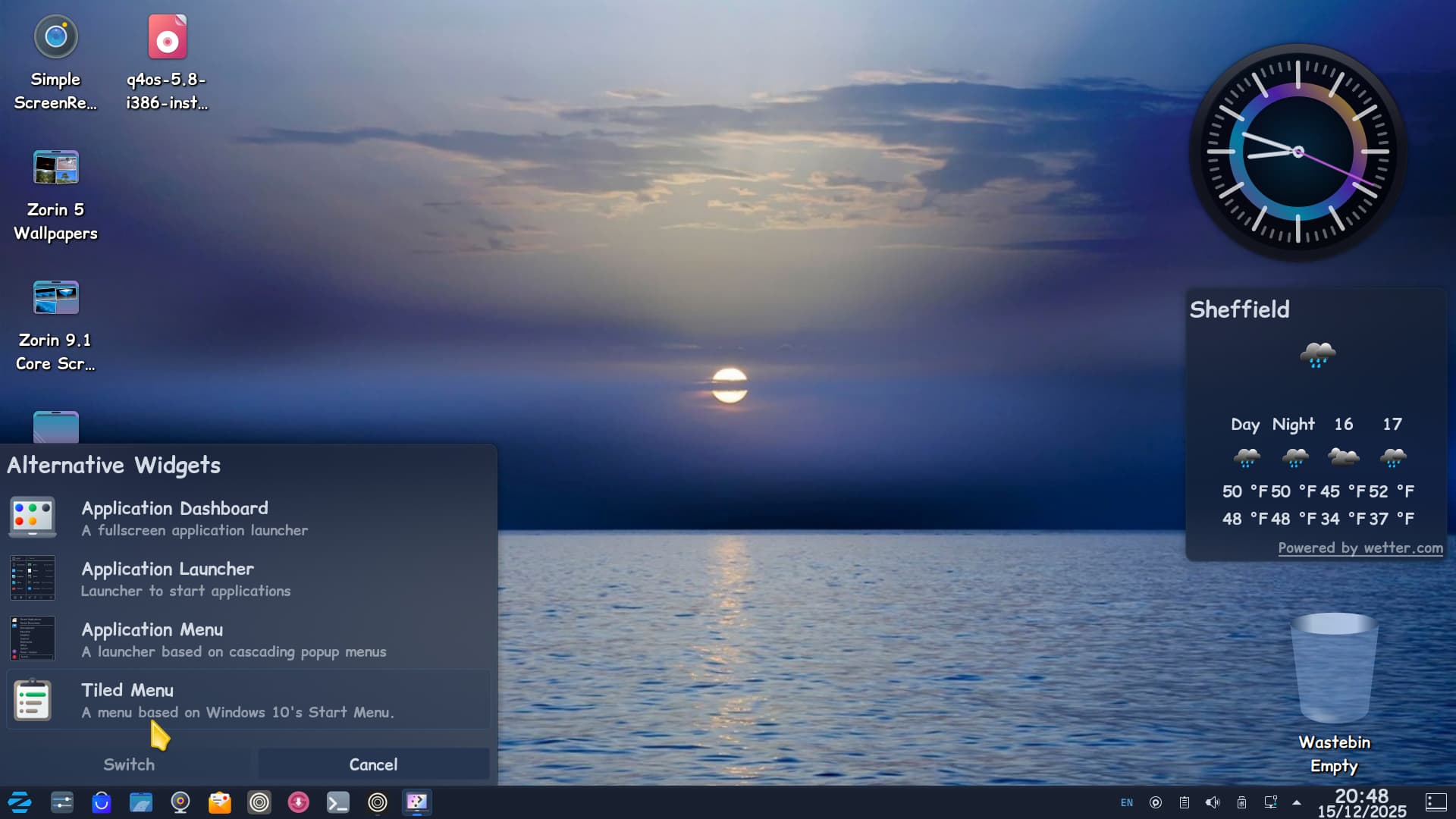
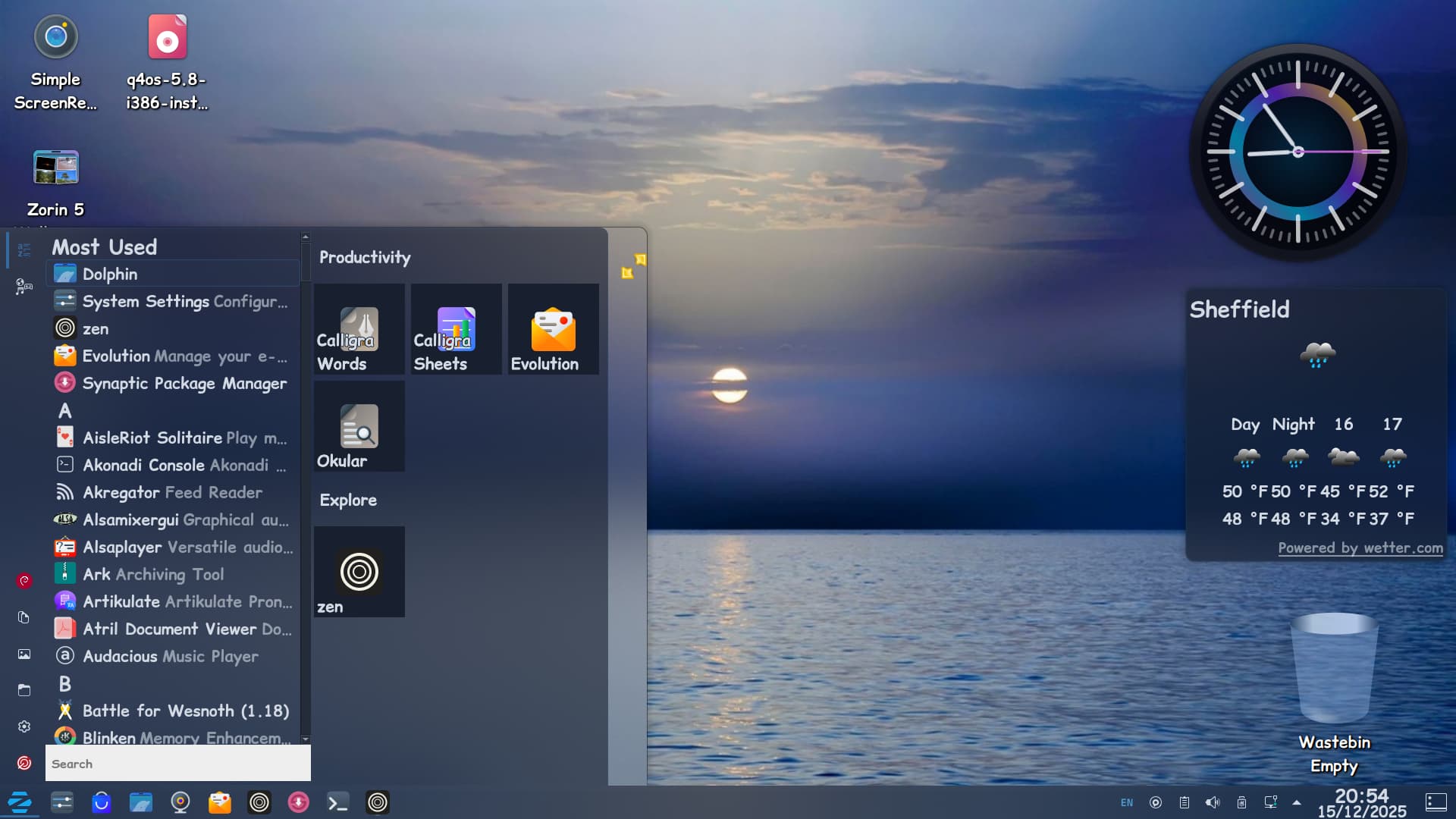
And once switched to Tiled Menu you can resize it with the Windows key and right-click and hold mouse to drag to your desired size:
Well, I am trying to see the 12 templates to see if they suck or not. I am trying to get as far away from Win8-11 as I can and move towards Vista/7. I like real world (skeuomorphic) icons and glass transparency. I have a modified Mint install on another machine and I mostly like it.
I am sorry, I missed the last post in this thread.
Can you check - on the LiveUSB...
/etc/apt/sources.list
For a line for premium?
I am not booted into Pro currently and cannot check. I am not in a good position to rummage for a copy and boot it up, as my computer is tasked on a project that does not want a reboot cutting it in the middle.
"Navigate again to /etc/apt/sources.list.d and copy your zorin premium file ( and its .save) from ~/Downloads into it."
"For a line for premium?"
The only line for premium is in zorin.list. and I don't see any matching files in /etc/apt/sources.list.d
I remain confused.
One of the reasons I am rock'in 12 machines is for specific tasks.
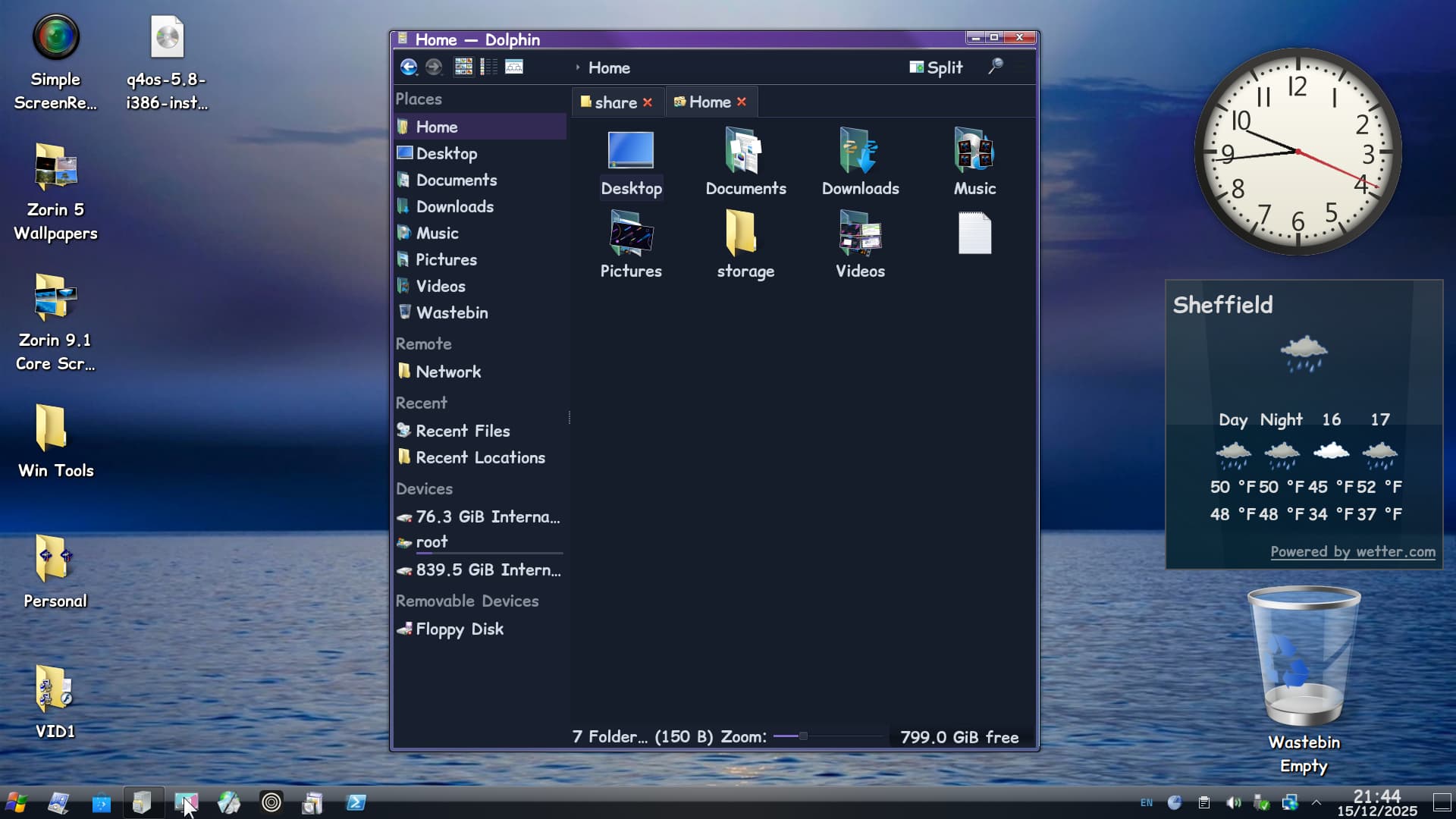
Tried to add a Windows 7 theme on top of the manually installed Vista theme - this screenshot is from WattOS-R13 not Q4OS and now I borked the system! Well it does kind of confirm my suspicions of a dodgy HDD as the Menu I installed started at K instead of A (Avalon Menu). Also recently, my monitor went on pre-fail but I think it is more to do with the HDD that I should not have bought off Amazon - claimed to be WD and a newer drive than the one I was waiting for. Manufacture date is 2015 and I bought this just over a year ago. Suspect it is a refurb.
Yes, we see it in the file /etc/apt/sources.list
deb https://packages.zorinos.com/ premium noble main
That line.
Summary
Sidenote for curious onlookers: That is the source. It's display is only part of how it works, so a Core user cannot copy it and add it to their sources and have it work, since it verifies server side against whether the user has purchased Zorin OS Pro.
Transfer that line to your baremetal install of Zorin OS /etc/apt/sources.list file.
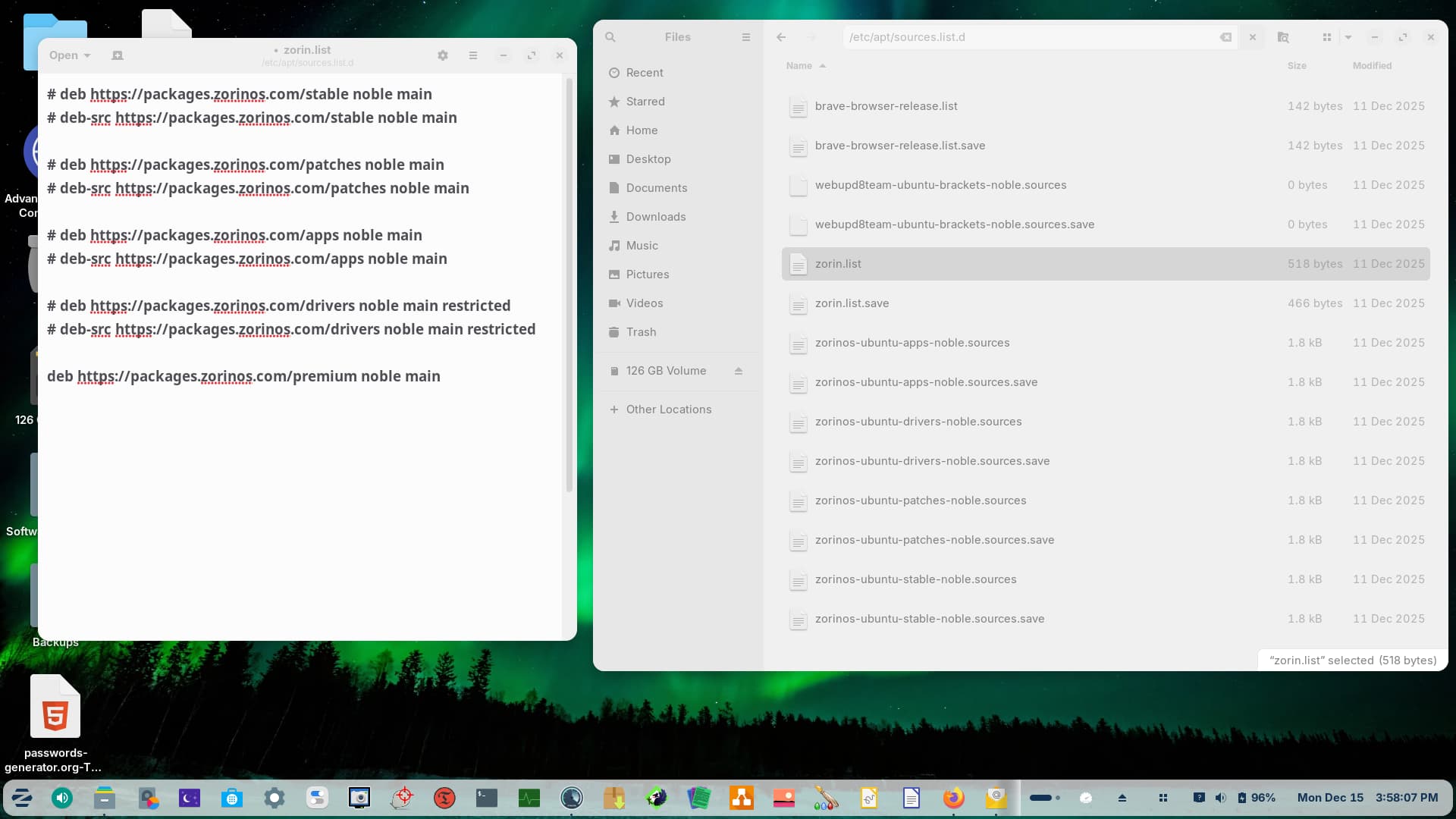
Ok, so there is no sources.list file, but there is a zorin.list file. See attached.
That line is already in there. Now what?
Oh, I see. Yeah, that is confusing.
There is an /etc/apt/sources.list file.
There is also an /etc/apt/sources.list.d directory.
Inside of that directory - is the zorin.list source - BUT you have located and established the presence of your verified premium source.
So - it should be working.
Booting into your baremetal install
In a terminal
Running
sudo apt update && sudo apt full-upgrade
should get all your packages aligned to Noble and no longer Focal.
And, installing
sudo apt update && sudo apt install --reinstall zorin-appearance-premium zorin-layouts-premium
Should work fine.
If you are still not seeing the layouts, let us know.
1 Like
[quote="Aravisian, post:53, topic:55827"]
Same errors at the end. Does E: mean error?
a_user@HP-ZBook-17-G3:~$ sudo apt update && sudo apt full-upgrade
[sudo] password for a_user:
Get:1 Index of /ubuntu noble-security InRelease [126 kB]
Hit:2 http://us.archive.ubuntu.com/ubuntu noble InRelease
Hit:3 https://brave-browser-apt-release.s3.brave.com stable InRelease
Get:4 http://us.archive.ubuntu.com/ubuntu noble-updates InRelease [126 kB]
Hit:5 Zorin OS Pro - Zorin OS noble InRelease
Get:6 http://us.archive.ubuntu.com/ubuntu noble-backports InRelease [126 kB]
Get:7 Index of /ubuntu noble-security/main amd64 Components [21.5 kB]
Get:8 Index of /ubuntu noble-security/main amd64 c-n-f Metadata [9,504 B]
Get:9 Index of /ubuntu noble-security/restricted amd64 Components [212 B]
Get:10 Index of /ubuntu noble-security/universe amd64 Components [71.4 kB]
Get:11 http://us.archive.ubuntu.com/ubuntu noble-updates/main i386 Packages [564 kB]
Get:12 Index of /ubuntu noble-security/multiverse amd64 Components [212 B]
Get:13 http://us.archive.ubuntu.com/ubuntu noble-updates/main amd64 Packages [1,679 kB]
Get:14 http://us.archive.ubuntu.com/ubuntu noble-updates/main amd64 Components [175 kB]
Get:15 http://us.archive.ubuntu.com/ubuntu noble-updates/main amd64 c-n-f Metadata [15.8 kB]
Get:16 http://us.archive.ubuntu.com/ubuntu noble-updates/restricted amd64 Components [212 B]
Get:17 http://us.archive.ubuntu.com/ubuntu noble-updates/universe i386 Packages [991 kB]
Get:18 http://us.archive.ubuntu.com/ubuntu noble-updates/universe amd64 Packages [1,502 kB]
Get:19 http://us.archive.ubuntu.com/ubuntu noble-updates/universe amd64 Components [378 kB]
Get:20 http://us.archive.ubuntu.com/ubuntu noble-updates/multiverse amd64 Components [940 B]
Get:21 http://us.archive.ubuntu.com/ubuntu noble-backports/main amd64 Components [7,132 B]
Get:22 http://us.archive.ubuntu.com/ubuntu noble-backports/restricted amd64 Components [216 B]
Get:23 http://us.archive.ubuntu.com/ubuntu noble-backports/universe amd64 Components [11.0 kB]
Get:24 http://us.archive.ubuntu.com/ubuntu noble-backports/multiverse amd64 Components [212 B]
Fetched 5,806 kB in 2s (2,678 kB/s)
Reading package lists... Done
Building dependency tree... Done
Reading state information... Done
All packages are up to date.
Reading package lists... Done
Building dependency tree... Done
Reading state information... Done
Calculating upgrade... Done
The following packages were automatically installed and are no longer required:
dkms nvidia-firmware-580-580.95.05 ocl-icd-libopencl1:i386
Use 'sudo apt autoremove' to remove them.
0 upgraded, 0 newly installed, 0 to remove and 0 not upgraded.
a_user@HP-ZBook-17-G3:~$ sudo apt update && sudo apt install --reinstall zorin-appearance-premium zorin-layouts-premium
Hit:1 http://us.archive.ubuntu.com/ubuntu noble InRelease
Hit:2 https://brave-browser-apt-release.s3.brave.com stable InRelease
Hit:3 http://us.archive.ubuntu.com/ubuntu noble-updates InRelease
Hit:4 http://us.archive.ubuntu.com/ubuntu noble-backports InRelease
Hit:5 Index of /ubuntu noble-security InRelease
Hit:6 Zorin OS Pro - Zorin OS noble InRelease
Reading package lists... Done
Building dependency tree... Done
Reading state information... Done
All packages are up to date.
Reading package lists... Done
Building dependency tree... Done
Reading state information... Done
E: Unable to locate package zorin-appearance-premium
E: Unable to locate package zorin-layouts-premium
a_user@HP-ZBook-17-G3:~$
Yes, I think I may need to grab a copy of Pro and check this...
I may just be getting the package names wrong.
1 Like
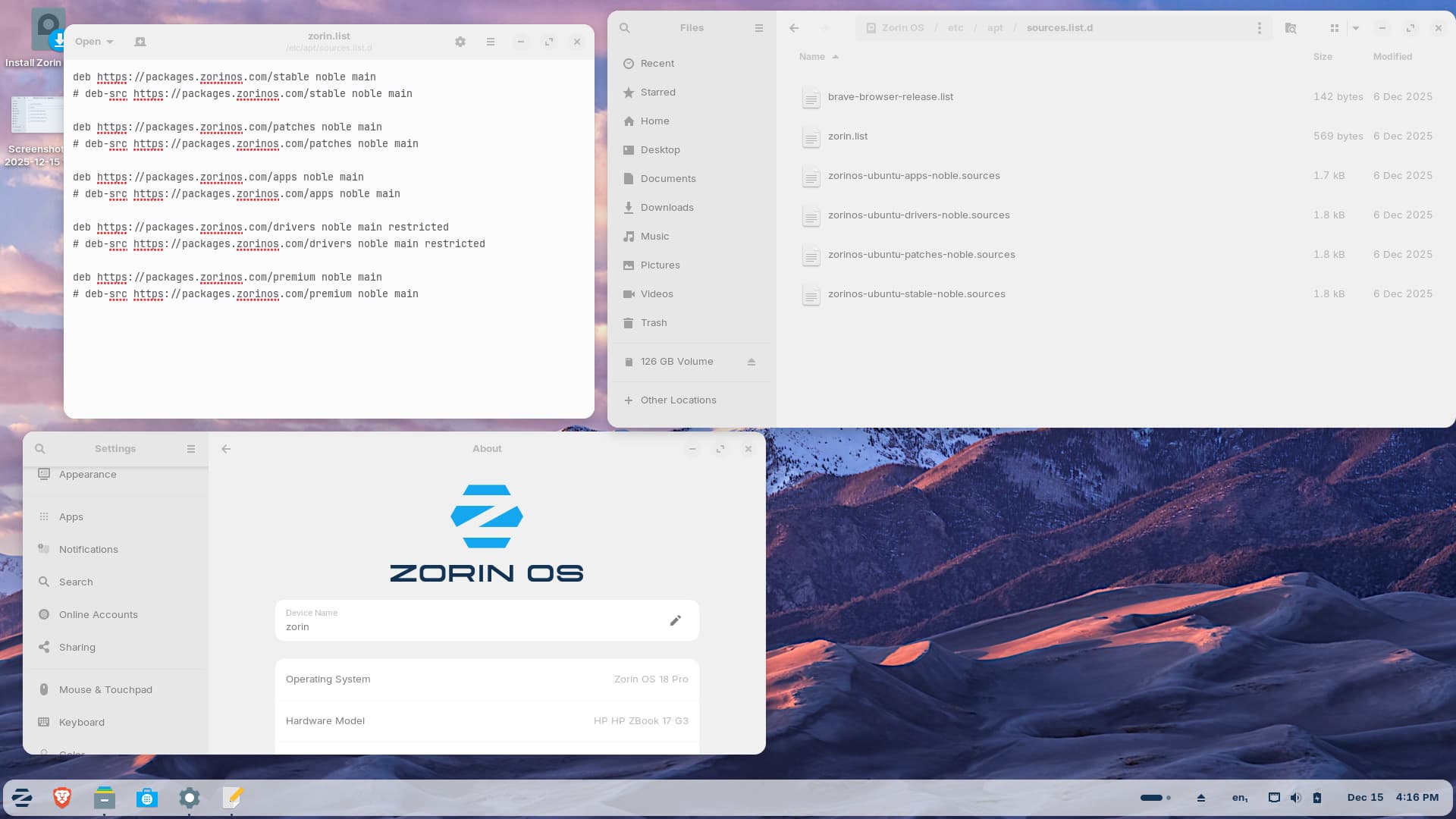
Indexes are mostly fetching from Ubuntu repositories and only one from Zorin repo. All other Zorin repos have been commented out:
In the above file, please remove the # at the beginning (leave the deb-src ones as commented) so the changes could see like this:
Save the changes and also check /etc/apt/sources.list file, check if anything Zorin related is commented, uncoment them and then run sudo apt update && sudo apt full-upgrade
Great eye!
Huh. I wonder if that was done at the time of the Focal repo addition... I missed noticing that.
.
.
As a Zorin 18 "Pro" user, I do not see the packages you are trying to install, installed on my system...
.
apt list --installed | grep premium

WARNING: apt does not have a stable CLI interface. Use with caution in scripts.

apt-user-agent-zorin-os-premium/noble,noble,now 1.1.5+zorinos18 all [installed]
zorin-appearance-layouts-shell-premium/noble,noble,now 5.1.2 all [installed,automatic]
zorin-os-premium-keyring/now 1.0 all [installed,local]


apt list --installed | grep layout

WARNING: apt does not have a stable CLI interface. Use with caution in scripts.

zorin-appearance-layouts-shell-core/noble,noble,now 4.5.4 all [installed,automatic]
zorin-appearance-layouts-shell-premium/noble,noble,now 5.1.2 all [installed,automatic]
zorin-appearance-layouts-support/noble,noble,now 3.5.6 all [installed,automatic]
.
.
Maybe try installing:
apt-user-agent-zorin-os-premium zorin-appearance-layouts-shell-premium zorin-appearance-layouts-support
.
.
You can also view all the packages installed for each Edition here (under the "Pre-installed packages" Section) (click the link and not the screenshot)  :
:

2 Likes
Thought I would also include the cat /etc/apt/sources.list from Zorin 18 Pro as well.
...not sure why the comments say "...16.1 pro..." for the cdrom... but it doesn't really matter, since it's commented out. It's irrelevant... Could just be a left over since I've been running pro since 16, but the contents of this file has never been modified by me.
# deb cdrom:[Zorin-OS 16.1 Pro 64bit]/ noble main restricted

# See http://help.ubuntu.com/community/UpgradeNotes for how to upgrade to
# newer versions of the distribution.
deb http://archive.ubuntu.com/ubuntu noble main restricted
# deb-src http://us.archive.ubuntu.com/ubuntu/ noble main restricted

## Major bug fix updates produced after the final release of the
## distribution.
deb http://archive.ubuntu.com/ubuntu noble-updates main restricted
# deb-src http://us.archive.ubuntu.com/ubuntu/ noble-updates main restricted

## N.B. software from this repository is ENTIRELY UNSUPPORTED by the Ubuntu
## team. Also, please note that software in universe WILL NOT receive any
## review or updates from the Ubuntu security team.
deb http://archive.ubuntu.com/ubuntu noble universe
# deb-src http://us.archive.ubuntu.com/ubuntu/ noble universe
deb http://archive.ubuntu.com/ubuntu noble-updates universe
# deb-src http://us.archive.ubuntu.com/ubuntu/ noble-updates universe

## N.B. software from this repository is ENTIRELY UNSUPPORTED by the Ubuntu
## team, and may not be under a free licence. Please satisfy yourself as to
## your rights to use the software. Also, please note that software in
## multiverse WILL NOT receive any review or updates from the Ubuntu
## security team.
deb http://archive.ubuntu.com/ubuntu noble multiverse
# deb-src http://us.archive.ubuntu.com/ubuntu/ noble multiverse
deb http://archive.ubuntu.com/ubuntu noble-updates multiverse
# deb-src http://us.archive.ubuntu.com/ubuntu/ noble-updates multiverse

## N.B. software from this repository may not have been tested as
## extensively as that contained in the main release, although it includes
## newer versions of some applications which may provide useful features.
## Also, please note that software in backports WILL NOT receive any review
## or updates from the Ubuntu security team.
deb http://archive.ubuntu.com/ubuntu noble-backports main restricted universe multiverse
# deb-src http://us.archive.ubuntu.com/ubuntu/ noble-backports main restricted universe multiverse

## Uncomment the following two lines to add software from Canonical's
## 'partner' repository.
## This software is not part of Ubuntu, but is offered by Canonical and the
## respective vendors as a service to Ubuntu users.
# deb http://archive.canonical.com/ubuntu noble partner
# deb-src http://archive.canonical.com/ubuntu noble partner

deb http://archive.ubuntu.com/ubuntu noble-security main restricted
# deb-src http://security.ubuntu.com/ubuntu noble-security main restricted
deb http://archive.ubuntu.com/ubuntu noble-security universe
# deb-src http://security.ubuntu.com/ubuntu noble-security universe
deb http://archive.ubuntu.com/ubuntu noble-security multiverse
# deb-src http://security.ubuntu.com/ubuntu noble-security multiverse

# This system was installed using small removable media
# (e.g. netinst, live or single CD). The matching "deb cdrom"
# entries were disabled at the end of the installation process.
# For information about how to configure apt package sources,
# see the sources.list(5) manual.
I'm wondering if also the
/etc/apt/souces.list.d
needs to be checked if there are some sources commented # or disabled (at the end of the file is shown "Enabled: no")
2 Likes