You could try the gnome extension "Arc menu". There you can set up different layouts. I link you a thread that shows some ideas.
Can you please show the output of
cat /etc/apt/sources.list
and
ls /etc/apt/sources.list.d
We have a minor mystery on our hands, as to how you are showing Zorin OS 16 and Zorin OS 18 sources.
It is best to resolve your sources first before installing another other software.
If you have used further AI solutions, please tell us what you have done.
I looked through your other posts where you used AI-suggested commands and didn't notice anything unusual. However, it's very risky to rely on AI when you're still a beginner in Linux.
This was a clean Pro 18 Core install followed by a Pro upgrade. You would think that this would be the most tested install scenario.
a_user@HP-ZBook-17-G3:~$ cat /etc/apt/sources.list**
# deb cdrom:[Zorin-OS 18 Core 64bit]/ noble main restricted

# See http://help.ubuntu.com/community/UpgradeNotes for how to upgrade to
# newer versions of the distribution.
deb http://us.archive.ubuntu.com/ubuntu/ noble main restricted
# deb-src http://us.archive.ubuntu.com/ubuntu/ noble main restricted

## Major bug fix updates produced after the final release of the
## distribution.
deb http://us.archive.ubuntu.com/ubuntu/ noble-updates main restricted
# deb-src http://us.archive.ubuntu.com/ubuntu/ noble-updates main restricted

## N.B. software from this repository is ENTIRELY UNSUPPORTED by the Ubuntu
## team. Also, please note that software in universe WILL NOT receive any
## review or updates from the Ubuntu security team.
deb http://us.archive.ubuntu.com/ubuntu/ noble universe
# deb-src http://us.archive.ubuntu.com/ubuntu/ noble universe
deb http://us.archive.ubuntu.com/ubuntu/ noble-updates universe
# deb-src http://us.archive.ubuntu.com/ubuntu/ noble-updates universe

## N.B. software from this repository is ENTIRELY UNSUPPORTED by the Ubuntu
## team, and may not be under a free licence. Please satisfy yourself as to
## your rights to use the software. Also, please note that software in
## multiverse WILL NOT receive any review or updates from the Ubuntu
## security team.
deb http://us.archive.ubuntu.com/ubuntu/ noble multiverse
# deb-src http://us.archive.ubuntu.com/ubuntu/ noble multiverse
deb http://us.archive.ubuntu.com/ubuntu/ noble-updates multiverse
# deb-src http://us.archive.ubuntu.com/ubuntu/ noble-updates multiverse

## N.B. software from this repository may not have been tested as
## extensively as that contained in the main release, although it includes
## newer versions of some applications which may provide useful features.
## Also, please note that software in backports WILL NOT receive any review
## or updates from the Ubuntu security team.
deb http://us.archive.ubuntu.com/ubuntu/ noble-backports main restricted universe multiverse
# deb-src http://us.archive.ubuntu.com/ubuntu/ noble-backports main restricted universe multiverse

deb http://security.ubuntu.com/ubuntu noble-security main restricted
# deb-src http://security.ubuntu.com/ubuntu noble-security main restricted
deb http://security.ubuntu.com/ubuntu noble-security universe
# deb-src http://security.ubuntu.com/ubuntu noble-security universe
deb http://security.ubuntu.com/ubuntu noble-security multiverse
# deb-src http://security.ubuntu.com/ubuntu noble-security multiverse

# user fix
deb http://ppa.launchpad.net/zorinos/drivers/ubuntu focal main
deb http://ppa.launchpad.net/zorinos/stable/ubuntu focal main

# This system was installed using small removable media
# (e.g. netinst, live or single CD). The matching "deb cdrom"
# entries were disabled at the end of the installation process.
# For information about how to configure apt package sources,
# see the sources.list(5) manual.
**
a_user@HP-ZBook-17-G3:~$ ls /etc/apt/sources.list.d**
brave-browser-release.list
brave-browser-release.list.save
webupd8team-ubuntu-brackets-noble.sources
webupd8team-ubuntu-brackets-noble.sources.save
zorin.list
zorin.list.save
zorinos-ubuntu-apps-noble.sources
zorinos-ubuntu-apps-noble.sources.save
zorinos-ubuntu-drivers-noble.sources
zorinos-ubuntu-drivers-noble.sources.save
zorinos-ubuntu-patches-noble.sources
zorinos-ubuntu-patches-noble.sources.save
zorinos-ubuntu-stable-noble.sources
zorinos-ubuntu-stable-noble.sources.save
Agreed. Counting on 40 years of computer experience, and some typically uncommon, common sense.
1 Like
Well, right here is your cause.
You can comment those out, or remove those two lines entirely.
The Zorin Installer, software manager, nor Upgrader have any tooling in place to insert a "user fix" source, nor can I find any scripts online that do it.
So what comes to mind as most likely is an LLM generated answer that annotated that for you, then guided you to add those sources into your sources.list.
You can fully transfer your Premium Sources from your LiveUSB.
They seem currently missing.
Despite this... I think we are circling back around to the answer first given to you by the ZorinGroup.
Your Best Course Of Action at this point is to install Zorin OS 18 Pro fresh, using the download link you received in your email.
Take the lesson learned along with the process, and in future... Please utilize this forum to vet and verify A.I. generated "solutions".
The Problem: We are conditioned in society to follow instructions. They come printed in kits that need assembly and in online guides...
But A.I. does not generate instructions. It generates something that mimics what instructions look like.
The #user fix is my comment to the change. I understood the # to indicate a comment. I made this and yes it was recommended by venice.ai to no visible fix and no additional problems. How are these two lines a cause to my problem when I had it both before and after this change?
I, a 73 year old man, fully understand the limitations of LLM's, but it has solved my audio problems, video driver problem, screensaver problem etc.
"You can fully transfer your Premium Sources from your LiveUSB."
I will need some instruction on this procedure. I downloaded the Pro iso and used balenaEtcher-linux-x64-2.1.4 to burn it to a usb stick. So do I boot off of this? And run Software & Updates? or sudo apt update && sudo apt install --reinstall zorin-appearance-premium? or sudo apt update && sudo apt full-upgrade?
TIA,
Annon
Your sources are what determines where you get software from.
If you include or retain conflicting sources, then your software will be conflicted.
You currently must rely on Ubuntu Sources from 24.04, but you manually added 20.04 additions.
These are a large conflict.
Different glibc version, Python version,compiler toolchains and dependency versions and naming.
Well, that version conflict is not transparent to me in any way.
Can you remind me of where I made this change. I don't seem to have notes on this. I will then go an delete these lines.
Txs
I do not see anything in any of your other posts (Guides or other threads) that reference this change, so it must be something you did personally on your machine, without activity here on the forum.
AI told me /etc/apt/sources.list so I deleted them.
Please clarify this statement.
What specifically did you delete?
Honestly, it is starting to sound like a fresh install will fix your predicament.
1 Like
# user fix
deb http://ppa.launchpad.net/zorinos/drivers/ubuntu focal main
deb http://ppa.launchpad.net/zorinos/stable/ubuntu focal main
I downloaded the Pro iso and used balenaEtcher-linux-x64-2.1.4 to burn it to a usb stick. So do I boot off of this and run in the trial Zorin PE
sudo apt update && sudo apt install --reinstall zorin-appearance-premium? or do I run sudo apt update && sudo apt full-upgrade?
Ok, good. Just these two.
You can use the LiveUSB to reclaim your premium features. Boot into it (This is an easier method than extracting the .iso) and navigate in your file manager to /etc/apt/sources.list.d and copy your zorin premium file ( and its .save) and save them to your hard drive. Just to keep it neat; plop the two files into your home Downloads folder if you want, just to maintain patterns of habit.
You can now boot into your normal Zorin Install, then elevate your file manager to root.
Navigate again to /etc/apt/sources.list.d and copy your zorin premium file ( and its .save) from ~/Downloads into it. (Yes, you could move directly from the LiveUSB, but I am seeking to avoid any permissions complications, this way)
Once done...
sudo apt update && sudo apt full-upgrade
Test if installing the appearance for Pro now works.
sudo apt install --reinstall zorin-appearance-premium
"You can now boot into your normal Zorin Install, then elevate your file manager to root."
How to do this?
Using your terminal tool, run:
nautilus admin:///
This will launch the file manager as root.
If you like, you can install an extension:
sudo apt install nautilus-admin
which will give you a right click context menu option to "Open as administrator" in your file manager.
Cool. Not sure why this is not the default.
So I did this:
a_user@HP-ZBook-17-G3:~$ sudo apt install nautilus-admin
[sudo] password for a_user:
Reading package lists... Done
Building dependency tree... Done
Reading state information... Done
The following packages were automatically installed and are no longer required:
dkms nvidia-firmware-580-580.95.05 ocl-icd-libopencl1:i386
Use 'sudo apt autoremove' to remove them.
The following additional packages will be installed:
gedit gedit-common gir1.2-amtk-5 gir1.2-gtksource-300 gir1.2-tepl-6
libgedit-amtk-5-0 libgedit-amtk-5-common libgedit-gtksourceview-300-0
libgedit-gtksourceview-300-common libtepl-6-4 libtepl-common
Suggested packages:
gedit-plugins
The following NEW packages will be installed:
gedit gedit-common gir1.2-amtk-5 gir1.2-gtksource-300 gir1.2-tepl-6
libgedit-amtk-5-0 libgedit-amtk-5-common libgedit-gtksourceview-300-0
libgedit-gtksourceview-300-common libtepl-6-4 libtepl-common nautilus-admin
0 upgraded, 12 newly installed, 0 to remove and 0 not upgraded.
Need to get 2,576 kB of archives.
After this operation, 17.5 MB of additional disk space will be used.
Do you want to continue? [Y/n] y
Get:1 http://us.archive.ubuntu.com/ubuntu noble/universe amd64 gedit-common all 46.2-2 [1,480 kB]
Get:2 http://us.archive.ubuntu.com/ubuntu noble/universe amd64 libgedit-gtksourceview-300-common all 299.0.4-3build1 [282 kB]
Get:3 http://us.archive.ubuntu.com/ubuntu noble/universe amd64 libgedit-gtksourceview-300-0 amd64 299.0.4-3build1 [224 kB]
Get:4 http://us.archive.ubuntu.com/ubuntu noble/universe amd64 gir1.2-gtksource-300 amd64 299.0.4-3build1 [19.9 kB]
Get:5 http://us.archive.ubuntu.com/ubuntu noble/universe amd64 libgedit-amtk-5-common all 5.8.0-4build2 [23.9 kB]
Get:6 http://us.archive.ubuntu.com/ubuntu noble/universe amd64 libgedit-amtk-5-0 amd64 5.8.0-4build2 [25.7 kB]
Get:7 http://us.archive.ubuntu.com/ubuntu noble/universe amd64 gir1.2-amtk-5 amd64 5.8.0-4build2 [5,344 B]
Get:8 http://us.archive.ubuntu.com/ubuntu noble/universe amd64 libtepl-common all 6.8.0-2build4 [40.6 kB]
Get:9 http://us.archive.ubuntu.com/ubuntu noble/universe amd64 libtepl-6-4 amd64 6.8.0-2build4 [94.0 kB]
Get:10 http://us.archive.ubuntu.com/ubuntu noble/universe amd64 gir1.2-tepl-6 amd64 6.8.0-2build4 [14.2 kB]
Get:11 http://us.archive.ubuntu.com/ubuntu noble/universe amd64 gedit amd64 46.2-2 [356 kB]
Get:12 http://us.archive.ubuntu.com/ubuntu noble/universe amd64 nautilus-admin all 1.1.9-3.3 [9,834 B]
Fetched 2,576 kB in 1s (2,893 kB/s)
Selecting previously unselected package gedit-common.
(Reading database ... 305975 files and directories currently installed.)
Preparing to unpack .../00-gedit-common_46.2-2_all.deb ...
Unpacking gedit-common (46.2-2) ...
Selecting previously unselected package libgedit-gtksourceview-300-common.
Preparing to unpack .../01-libgedit-gtksourceview-300-common_299.0.4-3build1_all
.deb ...
Unpacking libgedit-gtksourceview-300-common (299.0.4-3build1) ...
Selecting previously unselected package libgedit-gtksourceview-300-0:amd64.
Preparing to unpack .../02-libgedit-gtksourceview-300-0_299.0.4-3build1_amd64.de
b ...
Unpacking libgedit-gtksourceview-300-0:amd64 (299.0.4-3build1) ...
Selecting previously unselected package gir1.2-gtksource-300:amd64.
Preparing to unpack .../03-gir1.2-gtksource-300_299.0.4-3build1_amd64.deb ...
Unpacking gir1.2-gtksource-300:amd64 (299.0.4-3build1) ...
Selecting previously unselected package libgedit-amtk-5-common.
Preparing to unpack .../04-libgedit-amtk-5-common_5.8.0-4build2_all.deb ...
Unpacking libgedit-amtk-5-common (5.8.0-4build2) ...
Selecting previously unselected package libgedit-amtk-5-0:amd64.
Preparing to unpack .../05-libgedit-amtk-5-0_5.8.0-4build2_amd64.deb ...
Unpacking libgedit-amtk-5-0:amd64 (5.8.0-4build2) ...
Selecting previously unselected package gir1.2-amtk-5:amd64.
Preparing to unpack .../06-gir1.2-amtk-5_5.8.0-4build2_amd64.deb ...
Unpacking gir1.2-amtk-5:amd64 (5.8.0-4build2) ...
Selecting previously unselected package libtepl-common.
Preparing to unpack .../07-libtepl-common_6.8.0-2build4_all.deb ...
Unpacking libtepl-common (6.8.0-2build4) ...
Selecting previously unselected package libtepl-6-4:amd64.
Preparing to unpack .../08-libtepl-6-4_6.8.0-2build4_amd64.deb ...
Unpacking libtepl-6-4:amd64 (6.8.0-2build4) ...
Selecting previously unselected package gir1.2-tepl-6:amd64.
Preparing to unpack .../09-gir1.2-tepl-6_6.8.0-2build4_amd64.deb ...
Unpacking gir1.2-tepl-6:amd64 (6.8.0-2build4) ...
Selecting previously unselected package gedit.
Preparing to unpack .../10-gedit_46.2-2_amd64.deb ...
Unpacking gedit (46.2-2) ...
Selecting previously unselected package nautilus-admin.
Preparing to unpack .../11-nautilus-admin_1.1.9-3.3_all.deb ...
Unpacking nautilus-admin (1.1.9-3.3) ...
Setting up gedit-common (46.2-2) ...
Setting up nautilus-admin (1.1.9-3.3) ...
Setting up libtepl-common (6.8.0-2build4) ...
Setting up libgedit-gtksourceview-300-common (299.0.4-3build1) ...
Setting up libgedit-amtk-5-common (5.8.0-4build2) ...
Setting up libgedit-amtk-5-0:amd64 (5.8.0-4build2) ...
Setting up libgedit-gtksourceview-300-0:amd64 (299.0.4-3build1) ...
Setting up gir1.2-amtk-5:amd64 (5.8.0-4build2) ...
Setting up gir1.2-gtksource-300:amd64 (299.0.4-3build1) ...
Setting up libtepl-6-4:amd64 (6.8.0-2build4) ...
Setting up gir1.2-tepl-6:amd64 (6.8.0-2build4) ...
Processing triggers for gnome-menus (3.36.0-1.1ubuntu3) ...
Processing triggers for libc-bin (2.39-0ubuntu8.6) ...
Processing triggers for man-db (2.12.0-4build2) ...
Processing triggers for libglib2.0-0t64:amd64 (2.80.0-6ubuntu3.5) ...
Processing triggers for desktop-file-utils (0.27-2build1) ...
Processing triggers for hicolor-icon-theme (0.17-2) ...
Setting up gedit (46.2-2) ...
/usr/lib/x86_64-linux-gnu/gedit/plugins/externaltools/library.py:212: SyntaxWarn
ing: invalid escape sequence '-'
RE_KEY = re.compile('^([a-zA-Z_][a-zA-Z0-9_.-])([([a-zA-Z_@]+)])?$')
/usr/lib/x86_64-linux-gnu/gedit/plugins/snippets/substitutionparser.py:162: Synt
axWarning: invalid escape sequence '\s'
match = re.match('\\?%s\s' % self.REG_GROUP, tokens)
a_user@HP-ZBook-17-G3:~$
Then I noticed I don't have a file manager, so I installed File Manager, by Midstall Software, as suggested by the Software App, and it won't run right.
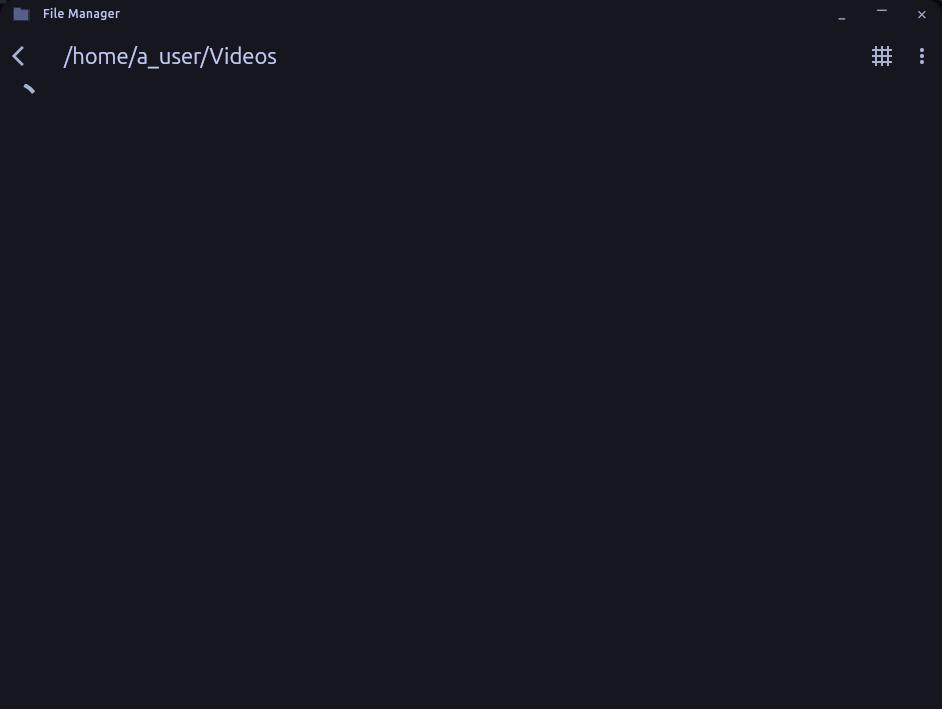
Suggestions for a file manager?