Hi there,
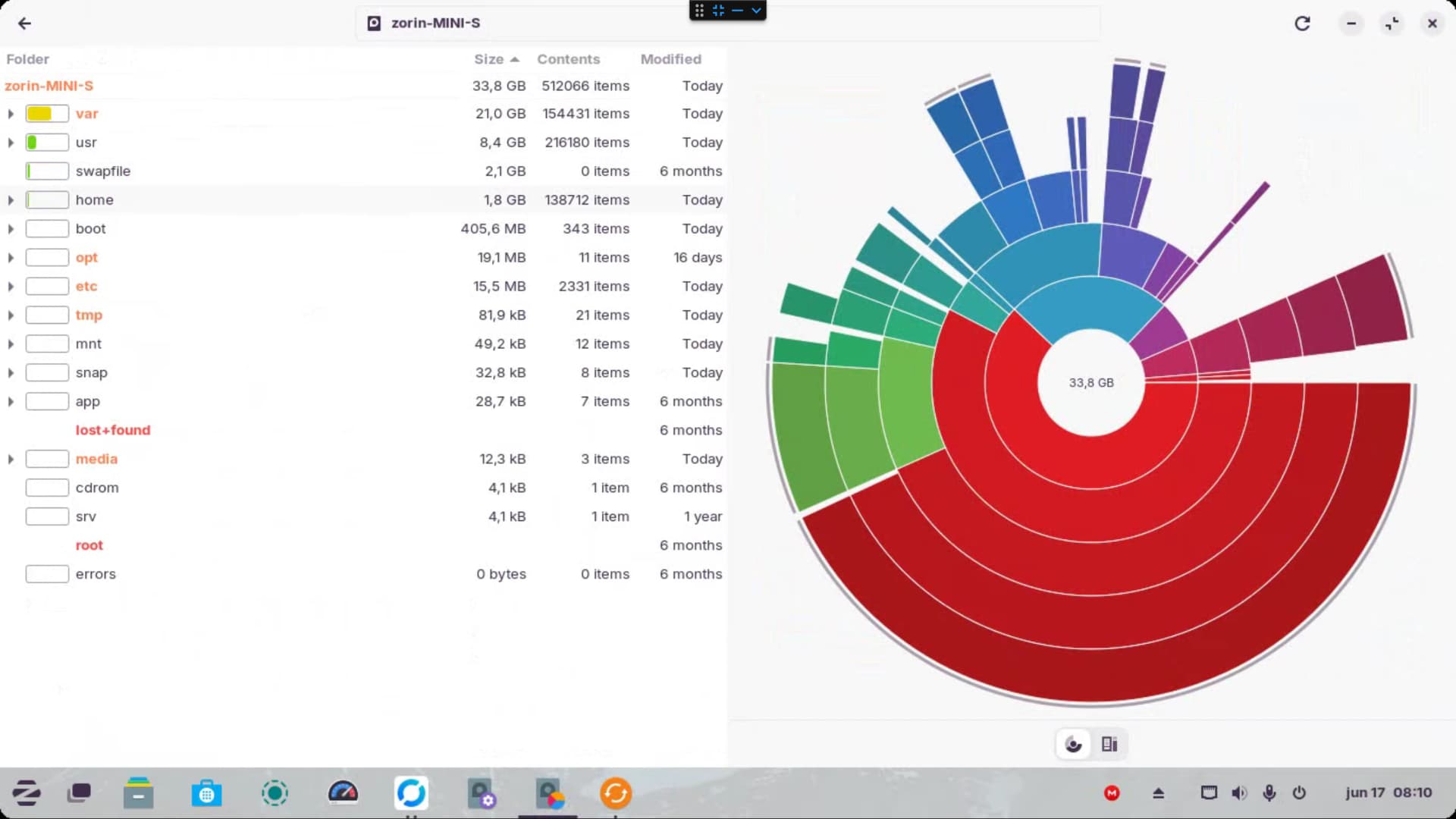
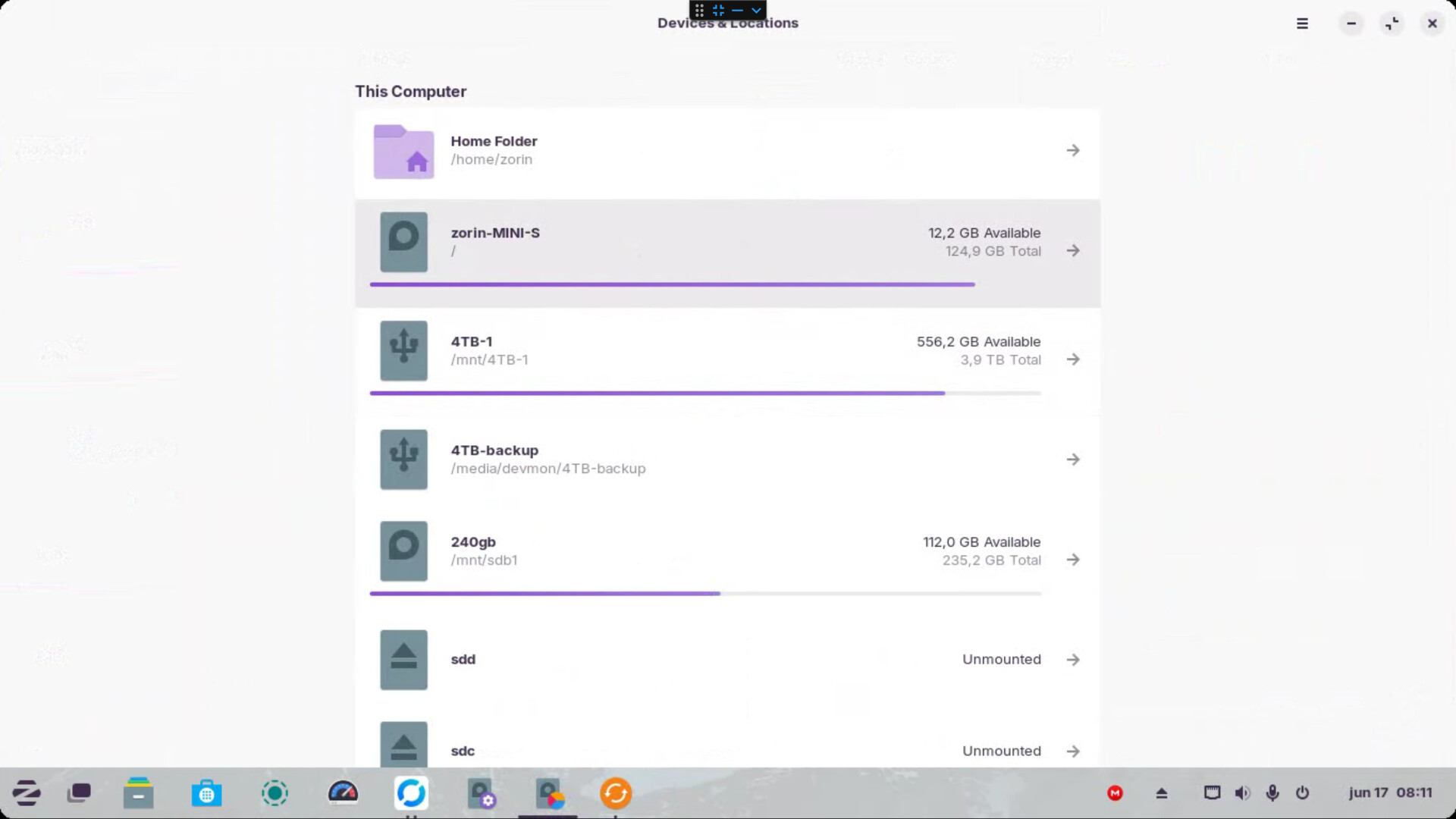
I've been using this install of zorin for a while, but I keep having issues with the drive filling up, it's a 128gb drive, but when I look into the disk analyzer it says the size is only 33.8gb? I don't understand how the drive is full, I have very few applications installed, I do have CasaOS but it only takes up around 20gb, so where is all the rest going?
I tried running Bleachbit, and that got me back a GB or two, but where is all the rest going?
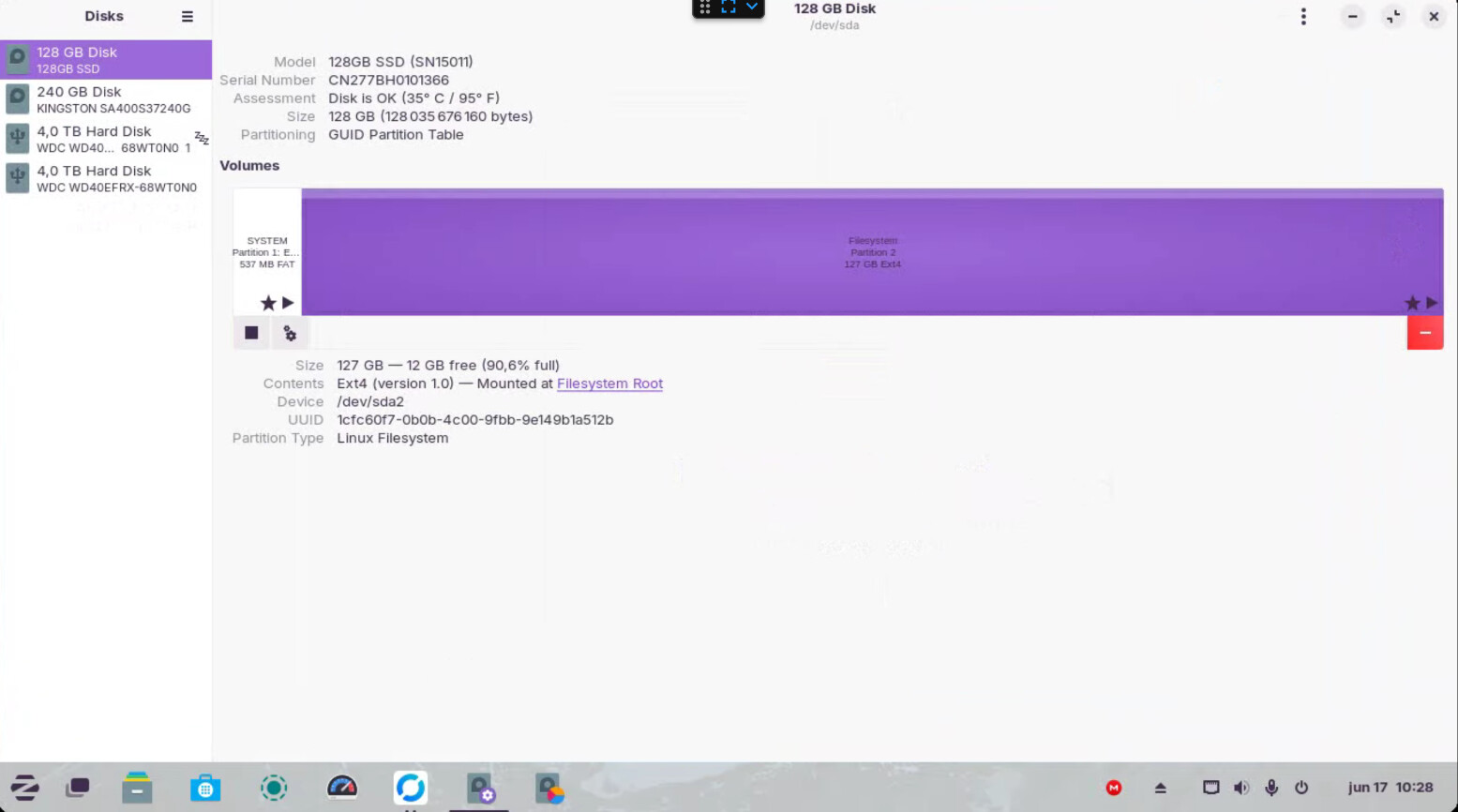
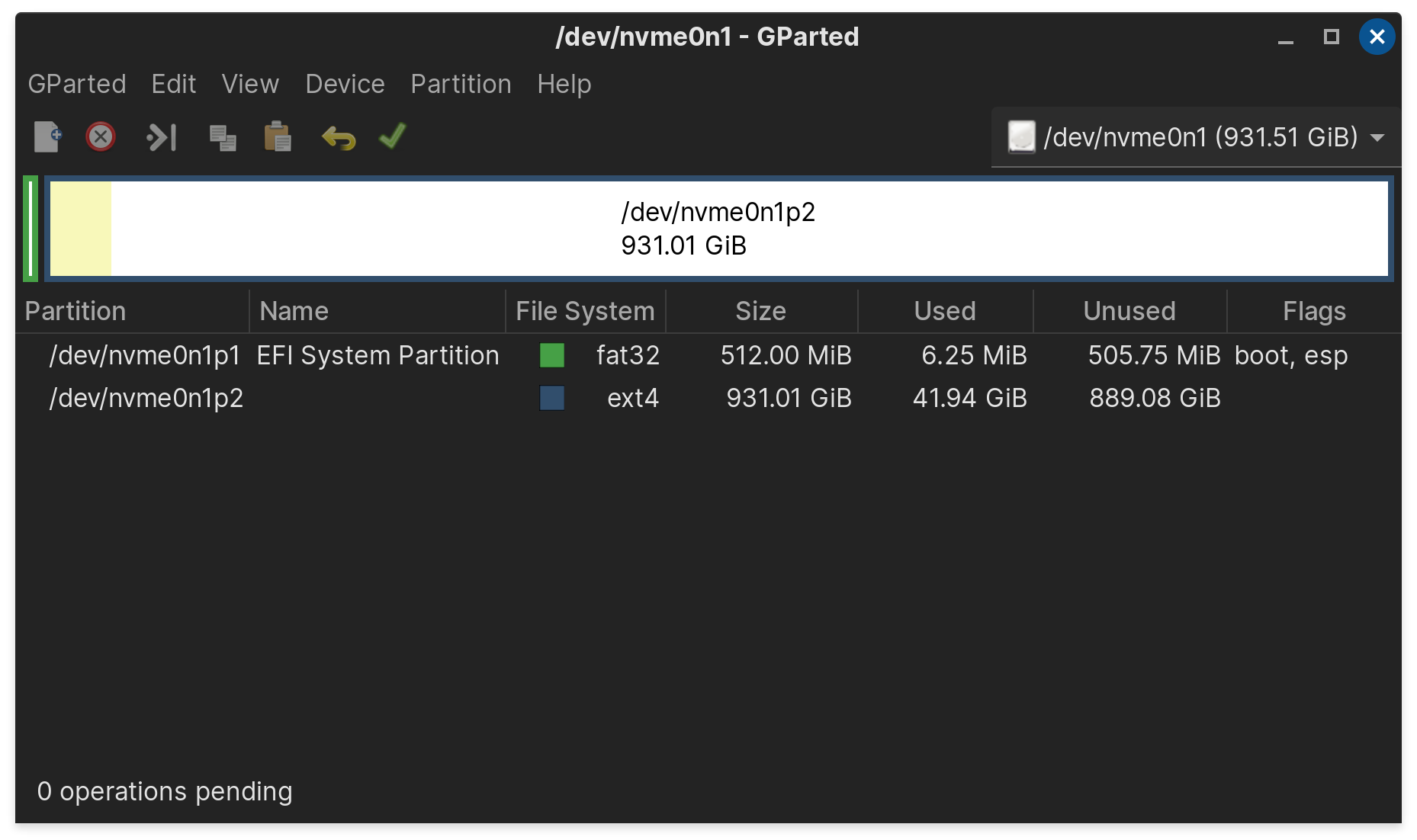
Would you be able to include a screenshot from possibly either Gparted or Disks of the partition layout of your drive(s)? If it's reporting that there's only that much space, did you install with a smaller partition or allow the installer to run automatically?
2 Likes
Try running this:
sudo journalctl --vacuum-size=200M
journald is prone to making tons and tons of logs and not deleting them. This will delete old logs until only 200 MB are left. It may or may not be your problem, but it's a common cause of inexplicable drive filling, and it takes no time at all try try.
Sure, there's only 2 partitions.
Thanks! I just tried this, it cleared a bit of 500mb, so that's something! but i'm still missing a lot of space
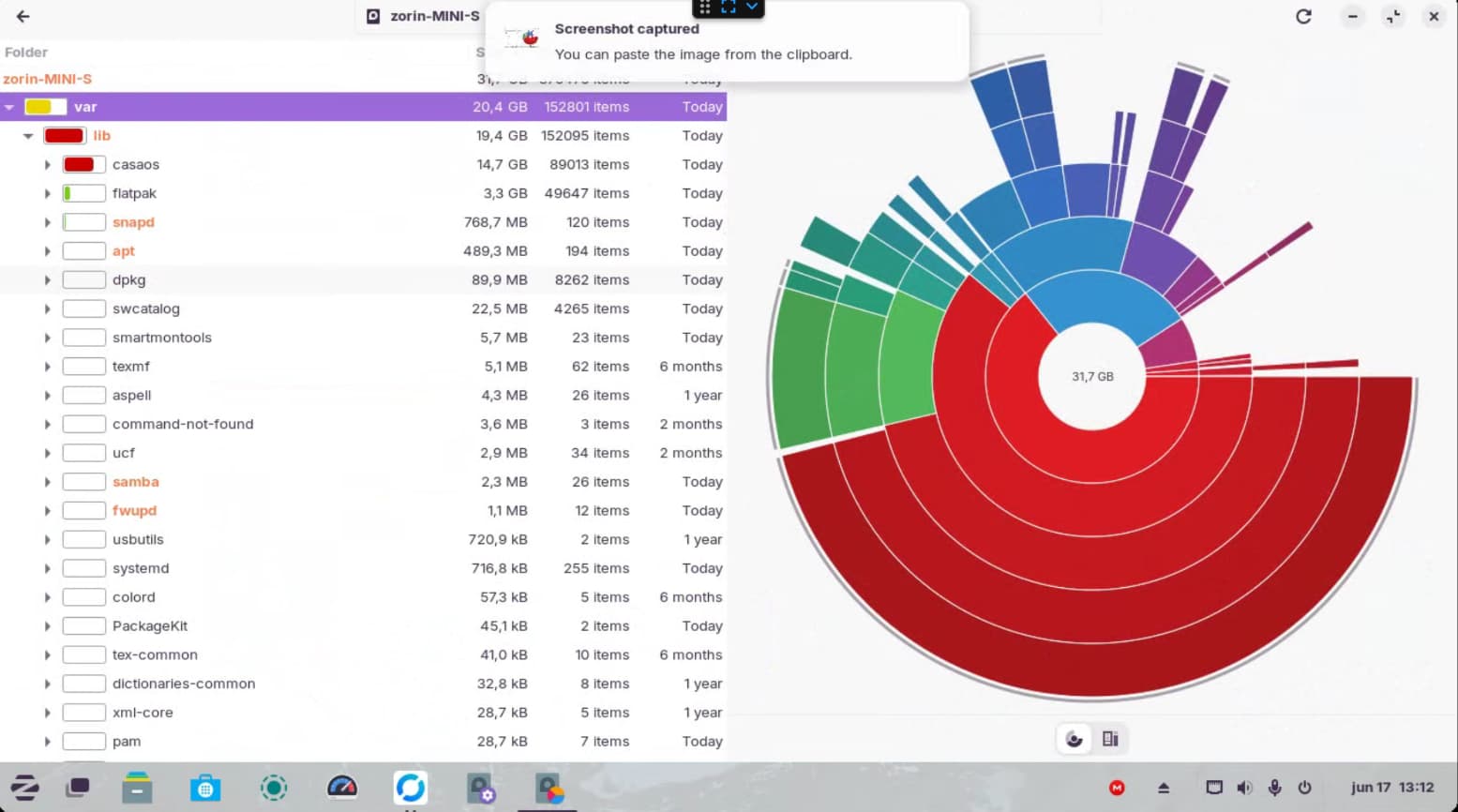
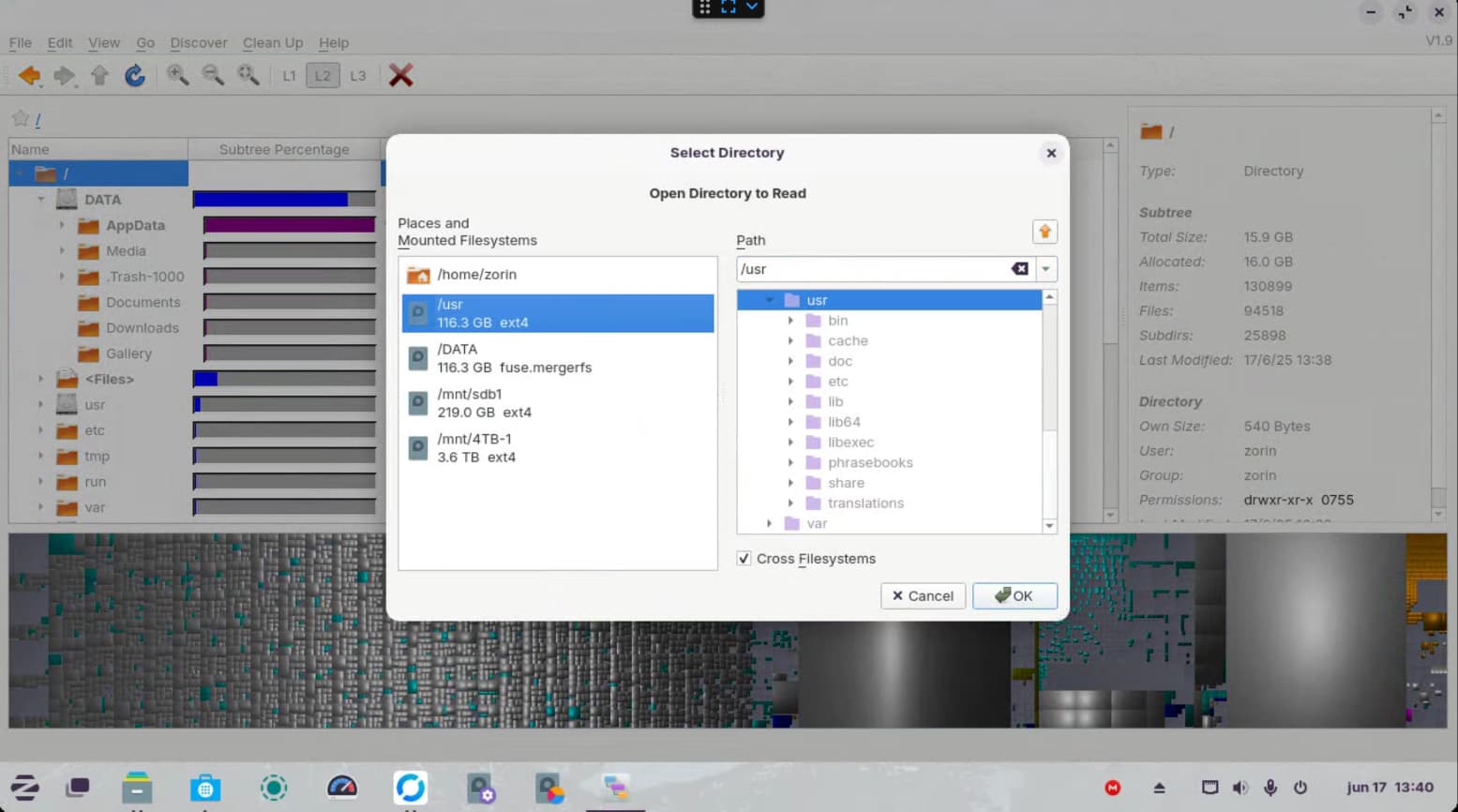
Looking at the first image you posted, most of your used space is under /var, which is why I expected the log issue to be your problem. (Logs go in /var/log.) Using the first program you took a screenshot of, can you expand /var (clicking it in the list on the left should do it, or you might need tgo click the triangle left of var) and show a screenshot of that?
1 Like
I also see that you mention CasaOS. How do you have that installed? Is it on the same partition is what you're saying? I've never used it myself, so I'm not sure how it works, but if that's the case is it reserving a lot of space for itself, regardless of how much space it is currently taking?
Like I said, I'm unfamiliar with that OS, but if it's on the same drive that would be one of the first things I would think of.
Hmm ... Your /var Directory is relatively big. In var are Flatpaks. Do you have a lot of Flatpaks installed? Type in the Terminal flatpak list and post the Output or a Screenshot of it here.
the /var is mostly the casaOS it's basically a docker container manager, it's only about 14gb though, I don't think it is taking up all the space, I don't have much in the logs folder
I don't have much in there, that's the weird thing, I don't have much installed, and all my big files are on external drives
CasaOS is basically a docker container manager, it only takes up around 14GB, so I don't think it's the problem, but why does the space analyzer only show 33GB of space on a 128GB drive?
Yeah, that's super weird. It looks to me like your drive should be about 1/2 full, and it's showing as 90%. I don't like poking people directly, but @Aravisian is the most technically advanced user on the forum. I'm mentioning him with an @ just to see if there's any strange filesystem related stuff that could be easily missed.
I'm fairly sure it's unrelated, but the closest thing I've ever experienced is a partition that has a filesystem smaller than the partition itself (fixed with resize2fs), but I feel like you'd have had to do something very unusual to get in a situation like that.
1 Like
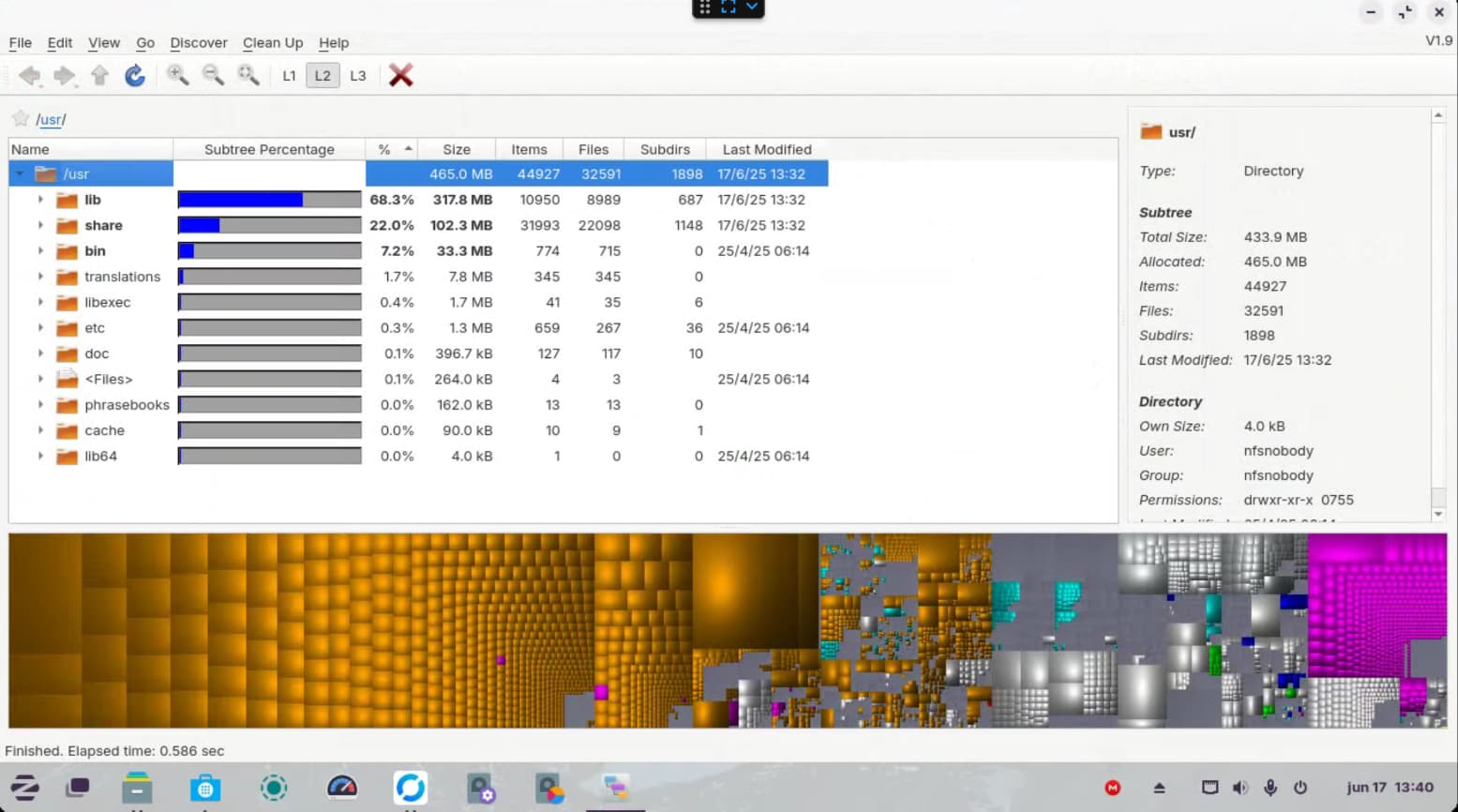
great! thanks, I tried looking with QDirStat and it shows some weird things too, it shows my drive to e 116GB but when I open it only shows 433MB?? I'm very lost
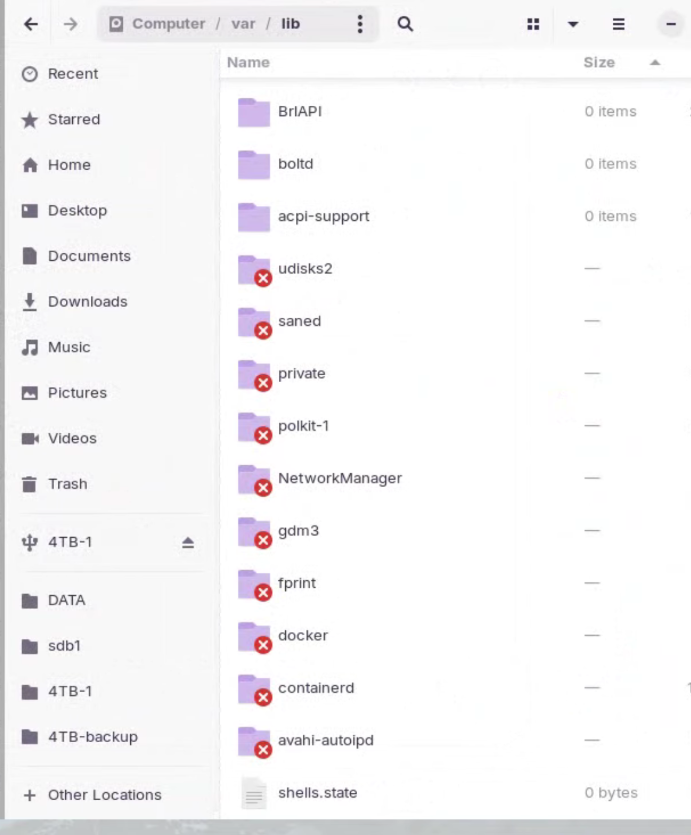
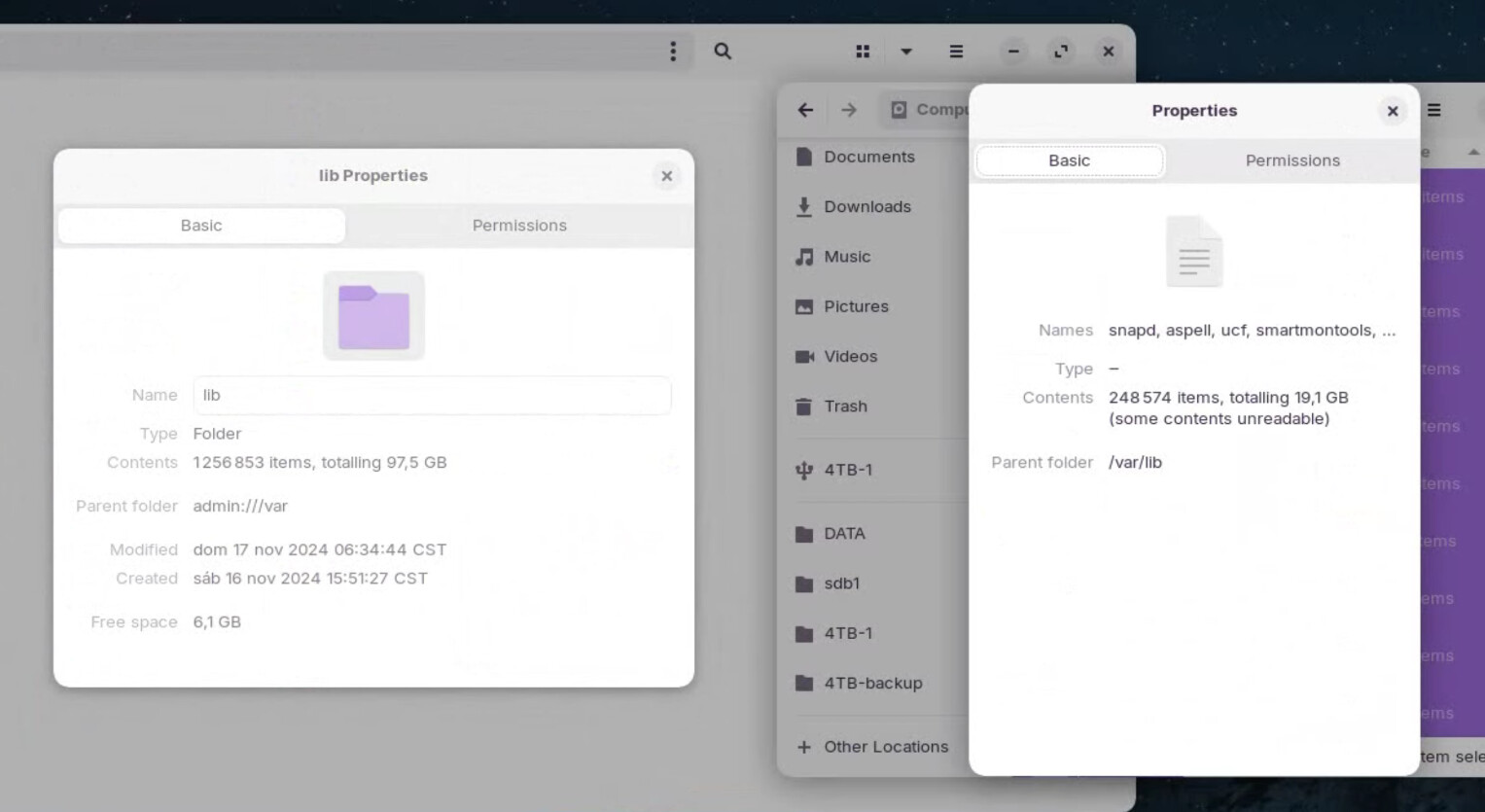
Another update, if in the file manager I get the properties of the /var/lib folder it's over 80GB, but I looked at each folder inside /lib and nothing is that big. I did notice a few weird unavailable folders, are those possibly the problem?
I would wager something's going on with this other OS that you're using and Docker, using a lot space and data that Zorin may not be privy to.
You were asked to provide a disks or gparted screenshot, to show how the drive is partitioned and what is being used, please follow instructions. I will provide mine for illustration purposes only.
While I know nothing about Casa OS, (Which is why I'm surprised your seeking help on a Zorin forum) with my installation, this is what is considered normal.
1 partition is for the EFI boot partition, the 2nd is the whole drive partition the OS is on. Old screenshot, my drive is full now.
I'm not sure what to say about the rest of it, but the inaccessible folders are normal. It just means you don't have access to them--they're probably owned by root to avoid breakage. Containerd is, I imagine, a container daemon, likely used by Docker. GDM3 is Gnome Desktop Manager; it's what you log into before your desktop comes up. Polkit is policy kit, which IIRC is related to managing permissions. I don't know what saned, fprint, or avahi-whatever are, but I've seen saned's name before somewhere, and given the rest are system related, I think you can assume these are normal things you need to not mess with, lest it break something.
1 Like
Zorin OS is the OS i'm running, CasaOS is just a docker containier manager I'm running in Zorin, and I did share the screen shot
And some more digging later, if I open the properties of /var/lib it says it's size is 97GB, but if i select all the contents of /var/lib the size is only 19GB??? I'm very lost