I recently bought an Asrock NUC BOX with an Intel 255H CPU. I then installed the latest version of ZorinOS pro, but even though my copy of ZorinOS is up to date, I only have the 800x600 resolution option.
I then installed Windows 11 on another NVMe and after installing the drivers I had no problems with it.
Could you please mention if the VGA drivers are included in ZorinOS 17 for Intel 255H?
Here is my Kernel info: 6.8.0-59-generic #61~22.04.1-Ubuntu SMP PREEMPT_DYNAMIC Tue Apr 15 17:03:15 UTC 2 x86_64 x86_64 x86_64 GNU/Linux
With new hardware it is better to install a newer kernel on Zorin OS (you can use mainline), so that more drivers are supported. Or you can use a distribution with a rolling release as Fedora, Endeavour...
Beneath a newer Kernel like suggested from @Forpli it would be worth a Try to switch to X11/Xorg. Zorin comes by default with Wayland.
To switch go to the Login Screen (not the Lock Screen). Simply reboot for that. On the Login Screen click on Your Profile so that the Password Field appears. It has to be appeared. When it is appeared, You should see a Gear Icon in the bottom right Corner. Click on it and choose the Option ''Zorin Desktop on Xorg'' and log in an check if it works now.
You have here the Option to install a newer Kernel for better Support. @Forpli already have linked Instructions for this. For dedicated Drivers, You should take a Look at the Manufacturer's Website if there are offering Drivers for Linux.
The Wayland implementation is not yet fully developed in the Gnome version that Zorin uses. Many of the problems reported here in the forum could be solved by simply switching to X11. Just keep in mind that it is an option worth trying if you encounter problems.
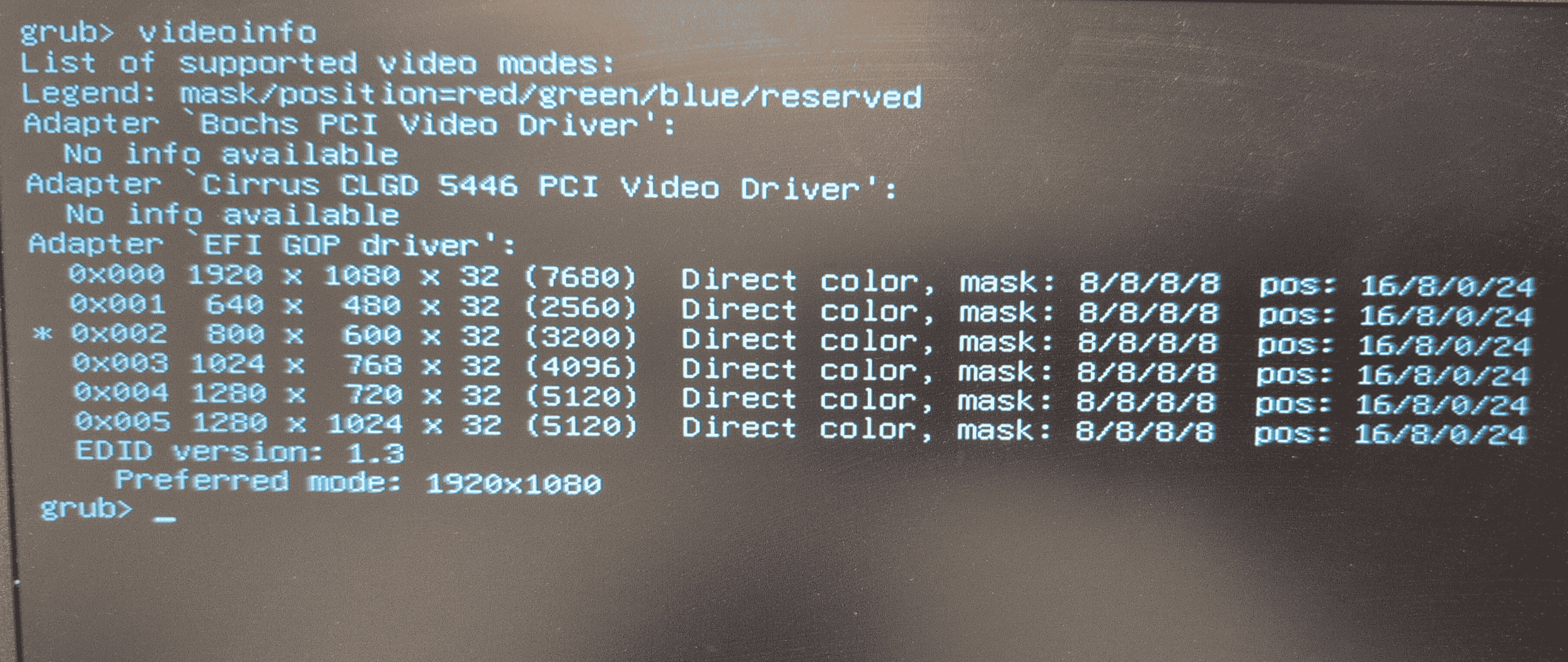
I noticed that even while booting (in grub) the resolution is very low (800x600).
I installed Windows, and in Windows after installing the drivers, the problem was resolved. So I believe it is not fully related to the gnome and Wayland.
So, You mean the Resolution of the GRUB Menu? That is chosen automatically be the default GRUB Theme. But if You want, You can change the Resolution if You want.
Thank you for your reply.
Yes, but when I put the same NVMe which Zorin is installed in an another PC, the resolution is higher or lets say based on the display it is connected to.
Hmm ... Display and the different Hardware could be a Point, yes. You can check that. When You are in the GRUB Menu, press the c Button to open a Terminal. There You type vbeinfo or videoinfo to get an Output about the supported Resolutions and which one is used.
You can set up in the GRUB Configuration File a fix Resolution if You want that. Then it should be the same everywhere, when the Resolution is supported.
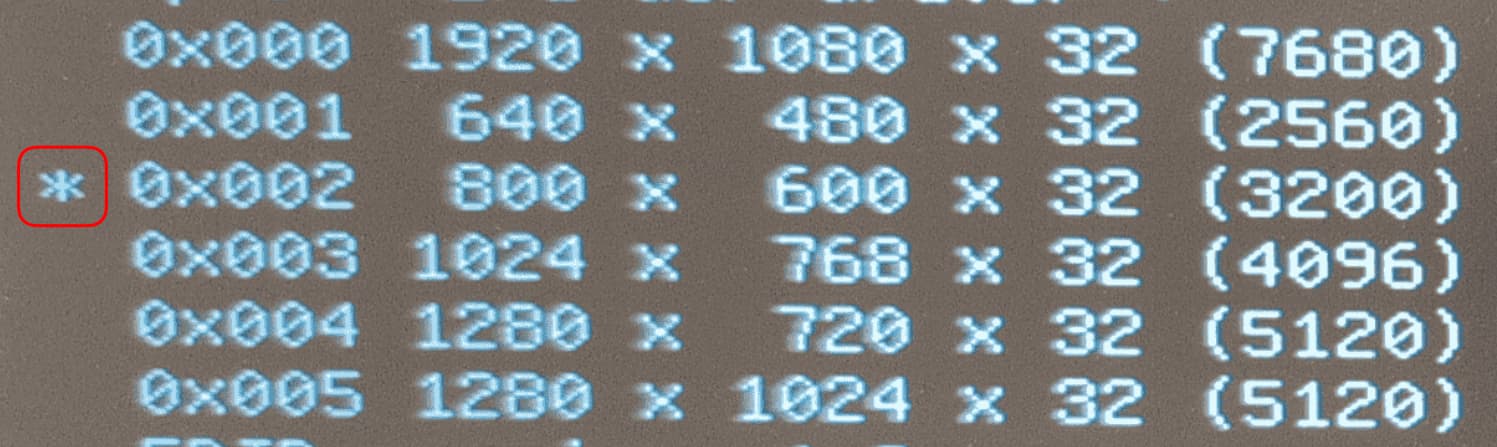
That means that it runs in this Resolution. And it shows You that You can go up to 1920x1080. If You want have that Resolution, I can show You how to set that up. Start Zorin and in zorin open the Terminal, not in the GRUB Menu. Type there:
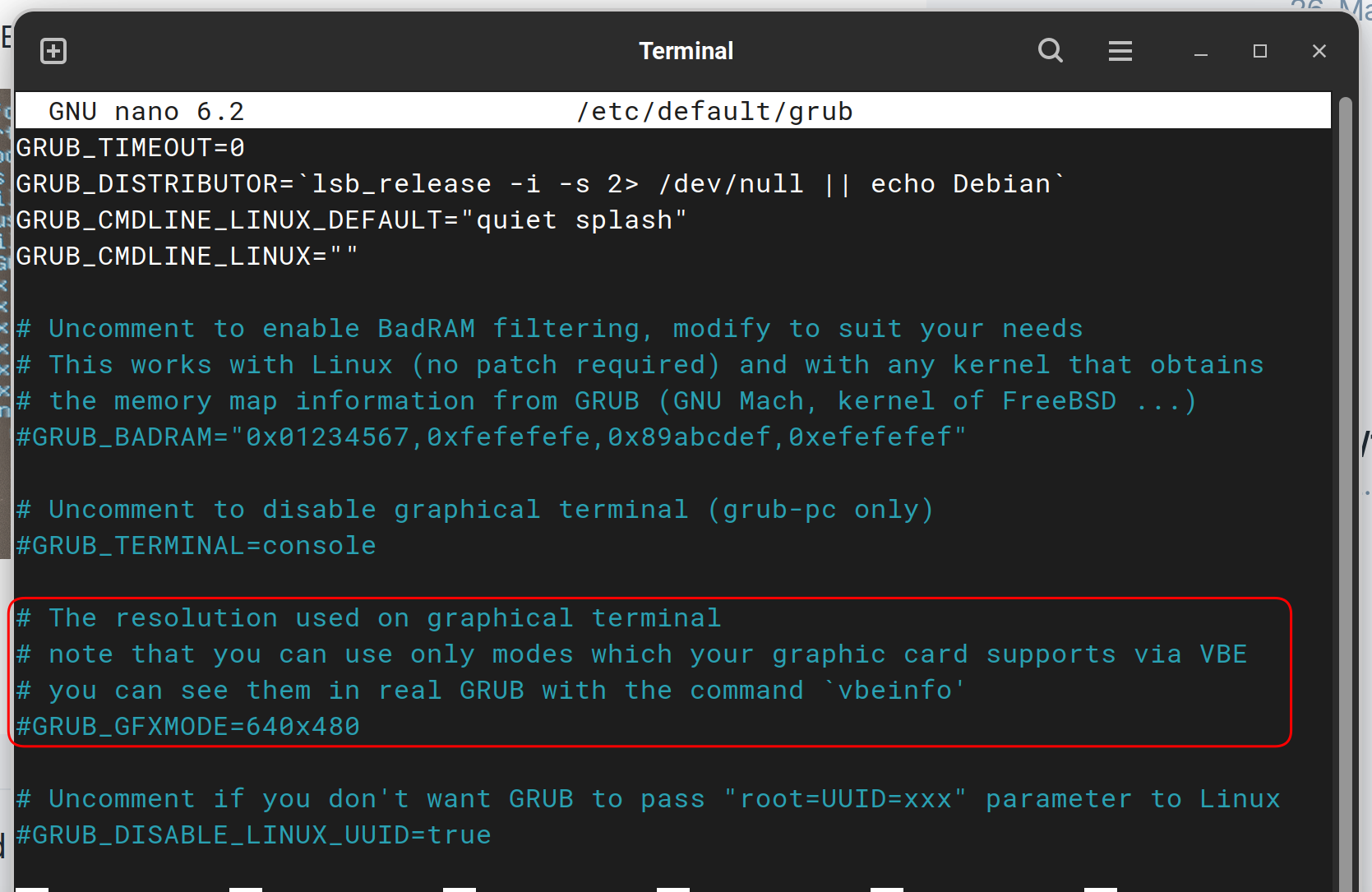
sudo nano /etc/default/grub
This Command is to edit the Grub File. When it opens, you have to look for this Block:
The last Line of the Block is #GRUB_GFXMODE=640x480 and You have to change that to GRUB_GFXMODE=1920x1080 - so, you have to remove the # and type in the Resolution. The Block should then look like this:
After that, press ctrl+o to save the Change, Enter to confirm and ctrl+x to exit. Back in the normal Terminal Overview type sudo update-grub to make the Changes affect. Don't forget that!Otherwise, it will not work.
Actually the resolution problem in Zorin is not resolved yet. Whatever resolution GRUB has, will be transferred to Zorin! It is fixed and impossible to change!
So it must be the included drivers for the Intel graphics, then.
I know that above, it was mentioned to install the Later Kernel - I highly recommend doing so if you have not already.
Installing the drivers manually may work, but may also be problematic if missing kernel modules.
Installing the kernel is very, very easy. And Safe.