I've got The Computer That Time Forgot, a Dell Studio XPS 435T running Windows 10 Pro v22H2, Build 19046466. It does not have, to the best of my ability to detect, any UEFI capabilities.
I attempted to install Zorin OS 18 as a dual boot with Win 10 (because I didn't want to delete the contents of my primary hard drive. (I know, picky, picky, picky!) But, no matter what I do, the computer boots directly into windows.
If my BIOS/CMOS settings don't have UEFI, is there a way to tell the computer to find and open the GRUB file to let me pick my boot?
Failing that, is it possible to create a bootable USB stick that will serve only to open a grub menu, so I can boot into my OS of choice, then remove the stick until my next reboot?
Does an ISO to do that already exist?
Does an automated tool exist to ask me the drive letters and/or paths of the partitions and generate the ISO I need?
If anybody can point me in the right direction, I will be most grateful.
Like @zabadabadoo already wrote, You would have to create a bootable USB Stick with the MBR Sheme for Your non-UEFI BIOS. Rufus is a good Tool for this because You have diectly the Option available as ''Partition Sheme''. Choose there MBR.
Because of Your BIOS: When Your there in the Boot Tab (or similar named), do You have there a Boot List? Maybe You could do some Pictures of Your BIOS and post it here. So, we could get an Overview.
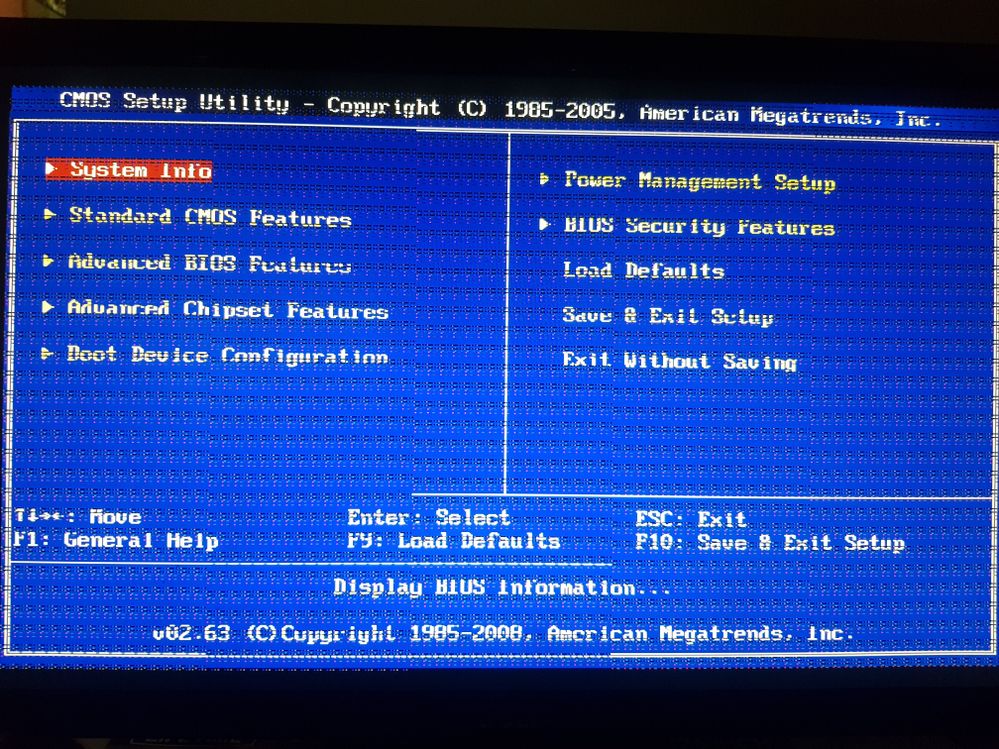
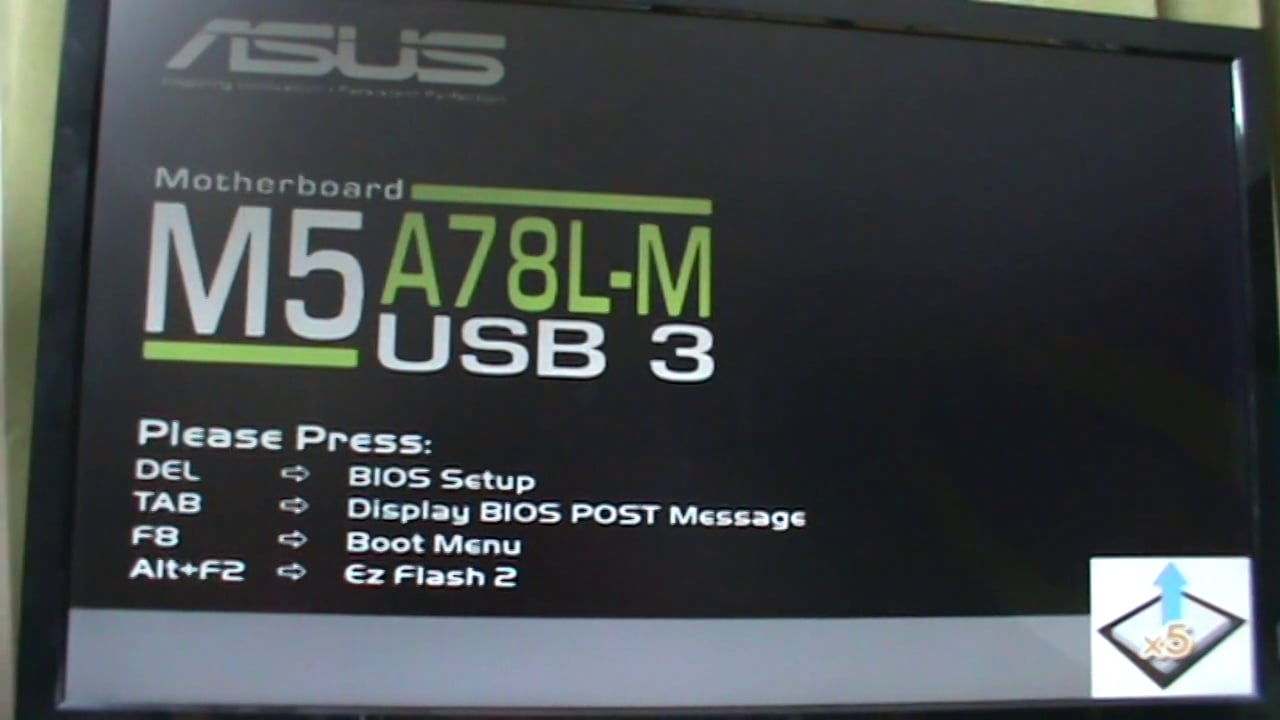
My BIOS doesn't have any such boot tab or boot list. No GUI, just a blue screen, and neither the BIOS or -- the other choice when booting, the boot device options list, showed the Zorin partition as an available choice.
I can't comment on Dell notebooks, but HP ones tended to have mbr and 4 Primary partitions:
Driver Store
C:\ partition holding Windows
Factory reset
Media creation for reinstallation.
mbr only allows 4 primary partitions to exist.
Did you create space on the drive by shrinking C:\ first? It is an old video, but the principals remain the same:
You should be able to get to the BIOS by pressing F2 repeatedly when the Dell logo appears at boot time. Windows 8 was the first version to include Fast Boot which means there should be a BIOS setting somewhere. From memory you need to expand items in a Dell BIOs by clicking on a bracket next to each BIOS heading.
Starting again, this time choosing "Something Different."
To recap, I currently dual boot win7 and win10 and want to replace the win7 with Zorin18 (which I have on a DVD).
I have a legacy BIOS.
Win10 is on C: aka /dev/sda
Win7 is on E: aka /dev/sdb
I was unable to mount E: but C: mounts fine on the live DVD boot of Zorin 18.
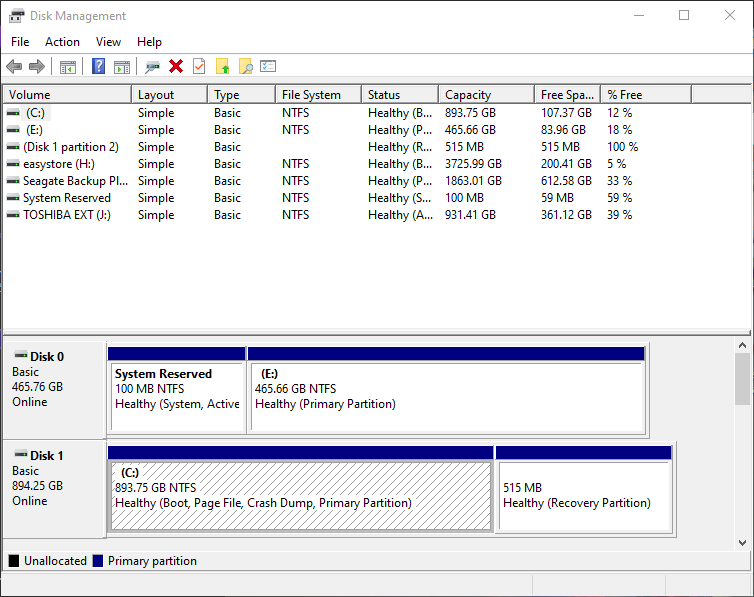
To Win10, these 2 drives look like:
(C:) Simple Basic NTFS Healthy (Boot, Page File, Crash Dump,
Primary Partition 893.75 GB 115.29 GB 13%
(E:) Simple Basic NTFS Healthy (Primary Partition) 465.66 GB
83.96 GB 18%
or https://www.echonyc.com/~jimb/My_disks.png
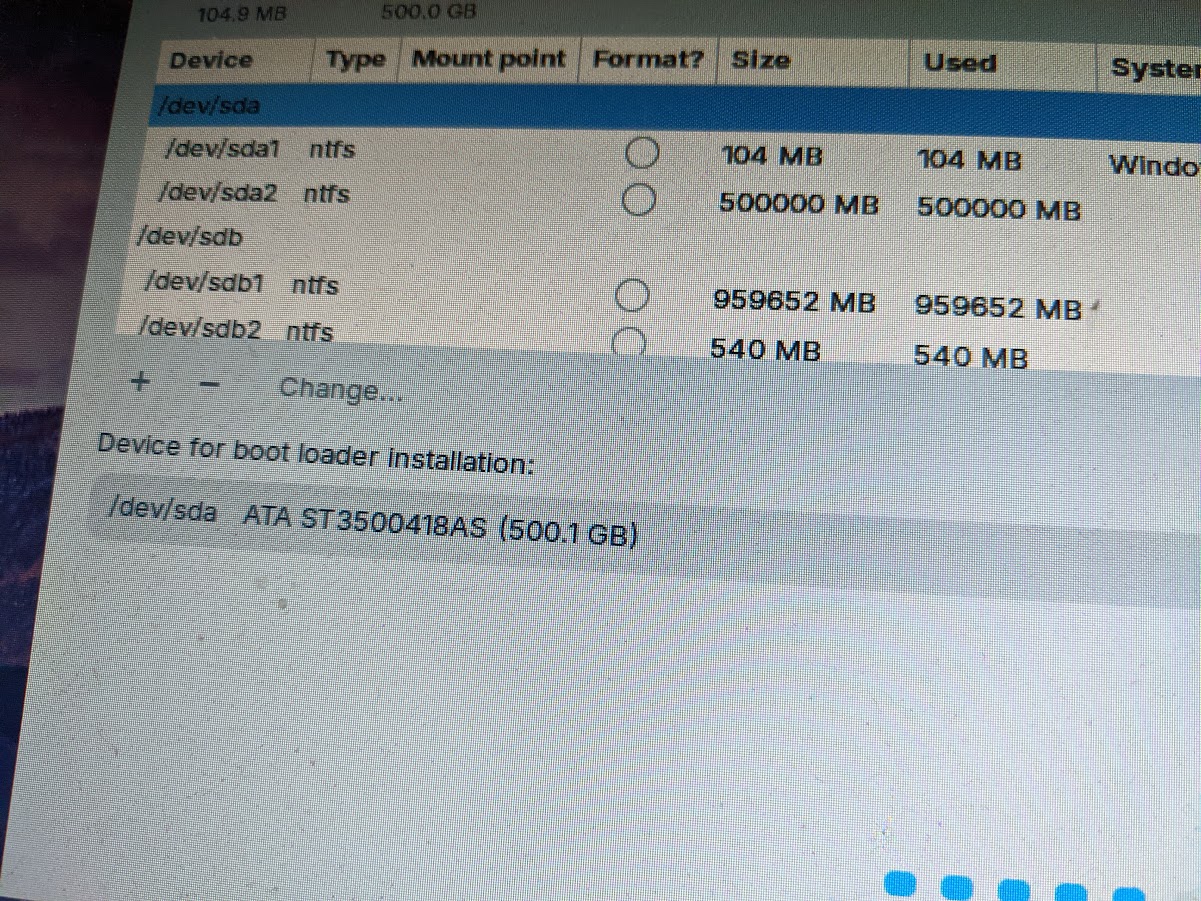
Zorin 18 live dvd sees it as:
Device Type Mount point Format? Size Used System
/dev/sda
/dev/sda1 NTFS O 104 MB 104 MB Windows 10
/dev/sda2 NTFS O 500000 MB 500000 MB
/dev/sdb
/dev/sdb1 NTFS O 959652 MB 959652 MB
/dev/sdb2 NTFS O 540 MB 540 MB
I've tried unsuccessfully to answer the "Something Different" questions and need help.
It doesn't like sdb (couldn't mount it) so should I format it ext4 in advance of the install (from the live DVD)?
When I try to put the bootloader on sdb it wants an EFI partition. I can't boot EFI. If windows can handle a dual boot from these disks, surely grub can. Can someone walk me through the Something Different menu in a way that will work for me?
It's a bit confusing. You wrote that Wndows 10 is on C: in Windows. That is the bigger drive than E:.
I think Windows 10 is /dev/sdb on your second screenshot.
I'd format /dev/sda2 to ext4 during the Zorin installation and set the mountpoint / for this partition, and choose /dev/sda as place for the bootloader installation. Don't format /dev/sda1 and be careful that the names of the drives are the same as last time when you try it (look at the partition size to find out which drive is win 10 and win 7).
But I'm not so familar with multiple drives installations and legacy BIOS, so please wait until someone else confirms this procedure.
The error of a missing efi partition is normal with legacy BIOS. I'm not quite sure if it would be better to take /dev/sda1 as place for the boot loader installation.
It is also important to ensure that fast startup is disabled in Windows (at power settings) and in the BIOS (if available), and that you select the correct partition scheme when creating the boot CD (if your hard drive is formatted to MBR scheme, you should select this option and not GPT).
Hi, the easiest way to determine which drive is which would be to make sure the machine is powered off, remove the power lead from the tower completely. If the casing is plastic, ground yourself by touching a central heating radiator and then remove the side cover to disconnect one of the drives. Replace the cover and power lead. Power up. Which drive boots up?
If it is Windows 10, repeat the above procedure, this time disconnecting the Win10 drive and reconnecting the Windows 7 drive.
Once the Windows 7 drive is in place, boot off your Zorin installation media.
Don't start installation yet, instead, run GParted (just search for it in the menu search bar while running 'Try Zorin'.
From within GParted you should be able to unmount your Windows 7 drive, before deleting its entire contents, but before you do that, take the time to find out your Windows 7 key in case you want to run it as a Virtual Machine in Zorin (Scroll to the bottom of this page on my website Free Advice | Blue Penguin Computing).
Once you have deleted everything (I trust you have backed anything of importance beforehand), start the installation and go with 'something else'.
Create a /boot partition of 512 Mb (but use Mebibytes as that is what GNU/Linux uses:
512 MB = 488.28125 MiB
Format it to Ext4 FS
Create a Primary partition labeled '/' for the root file system, make this 80 Gb. Format to Ext4 FS.
80 GB = 76293.9453125 MiB
Create an Extended partition and at the end, create a 'swap area' equivalent to your physical RAM. You don't need to specify FS.
Go to this page for conversion number:
Whatever space is available (to the left of 'swap area', label it as /home and format to Ext4 FS.