For over a month Zorin OS 18.1 cannot be updated. I have tried every suggestion and turned off autoupdate etc. I no longer feel safe using Zorin OS 18.1.
I am glad I didn't pay for the Pro Version.
Goodbye
Thank you for your feedback. Real quick, make sure to have your updates set to "Main Server."
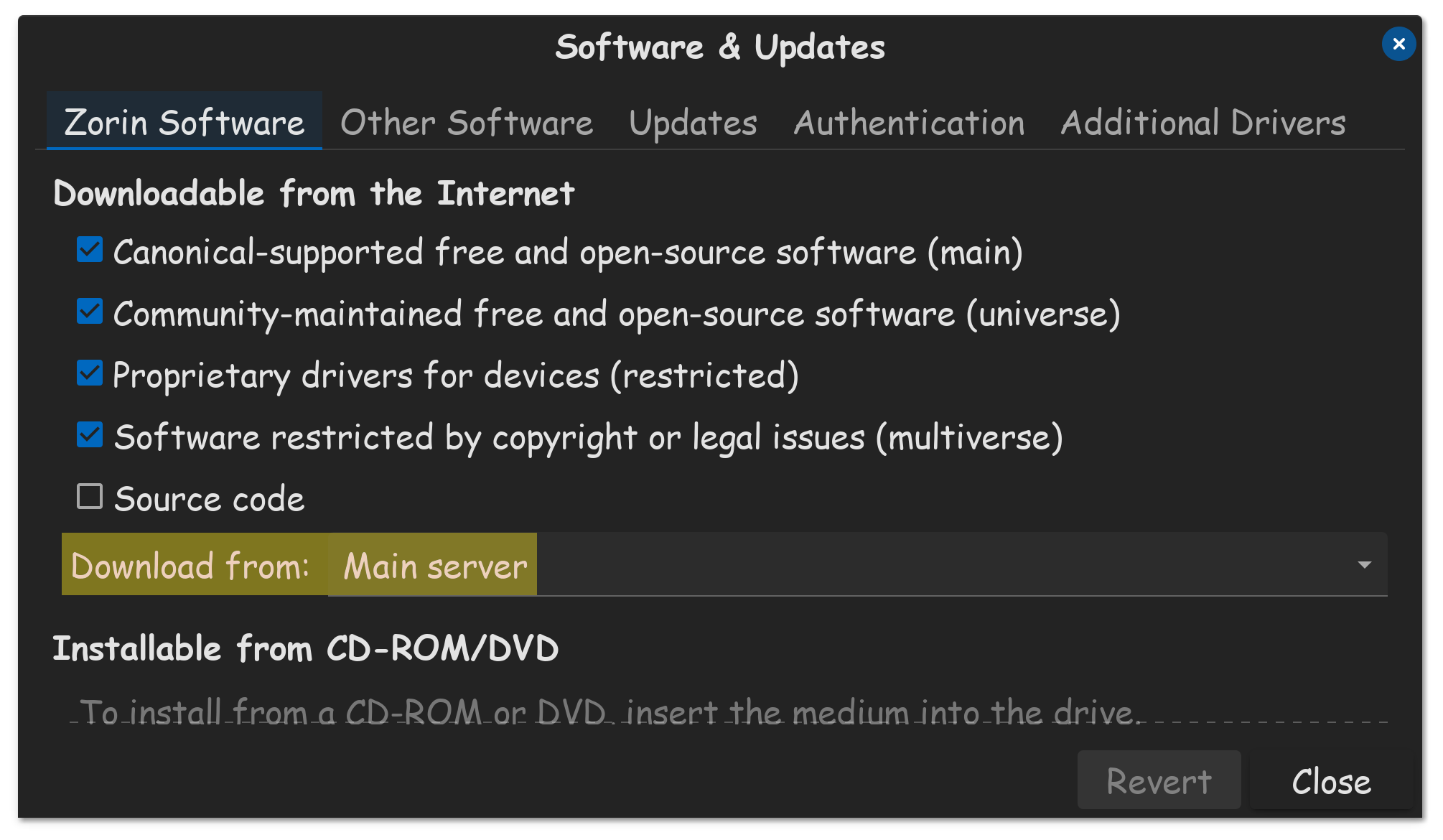
A week ago, there was a DDOSS attack from an Iranian hacker group, that prevented updates. However, that should be resolved by this point, as people are reporting being able to update their system since.

3 Likes
I'm wondering how many updates specifically to 18.1 as opposed to other software there have been in the time period the OP references. I have automatic updates switched on and I know there were some updates a few days ago but they may only have been to other programs not to Zorin itself.
1 Like
Oh I don't know... It seems the other way around to me. GnuLinux users complain anything ollder than a week is "Grossly outdated" whereas Windows OS uses the same software for half a decade to longer easily.
4 Likes
i cannot update the cache. Software update is set as above. pk client cannot connect.
@confused. Your system doesn't suddenly become unsafe, don't worry. Try disconnecting any VPN you might be using. Mine auto connects and I have to remember to disconnect it and try again.
If there is an important update you'll get a notification asking if you want to update now, or be reminded later.
Once the updates have finished you can reconnect the VPN, if you use one.
Rest assured though, there is no reason to feel unsafe, although feeling a little frustrated is normal. It takes time to get used to a new system and just how different things can be.
2 Likes
Great that worked but I get this message
Hit:1 Index of /ubuntu noble InRelease
Hit:2 Index of /ubuntu noble-security InRelease
Reading package lists... Done
Building dependency tree... Done
Reading state information... Done
All packages are up to date.
W: http://archive.ubuntu.com/ubuntu/dists/noble/InRelease: Key is stored in legacy trusted.gpg keyring (/etc/apt/trusted.gpg), see the DEPRECATION section in apt-key(8) for details.
W: http://security.ubuntu.com/ubuntu/dists/noble-security/InRelease: Key is stored in legacy trusted.gpg keyring (/etc/apt/trusted.gpg), see the DEPRECATION section in apt-key(8) for details.
What is this
Hi,
Take a look here:
2 Likes
thank you
2 Likes