This usually happens when the partition is mounted and in use.
Did you run the operation from the Live USB?
If so, using the disks app, try unmounting the partition you are installing to.
Ok because I think it might be Windows Boot manager in the second disk and I don’t know how. Yes I did use Live USB. How do I unmount it? Are you talking about deleting partition? If so then yes I did now.
Launch Disks app. Click on the /nvme partition 2
In the gear icon, click on the selection to unmount it.
Well I couldn’t click ok again after it failed, it just won’t let me exit so I powered off and unplugged USB, then went back windows using boot manager.
Anddd I deleted it. Also I don’t know why it was laggy at the second attempt.
ok well nobody is helping me I guess.
Do I create one more empty 80 mb Partition ?
Can you please clarify exactly what is going on and the state of the partition? Screenshots or photos taken using a camera and uploaded can be very helpful.

I've provided the screenshot up there ^
By seeing from the screenshot, there are lot of things first need to be clear here before proceeding to the Zorin installation.
Disk 0 is where your Windows OS installed, right?
Since Disk 0 don't have an EFI partition, I'm assuming your system is under legacy BIOS and using MBR mode.
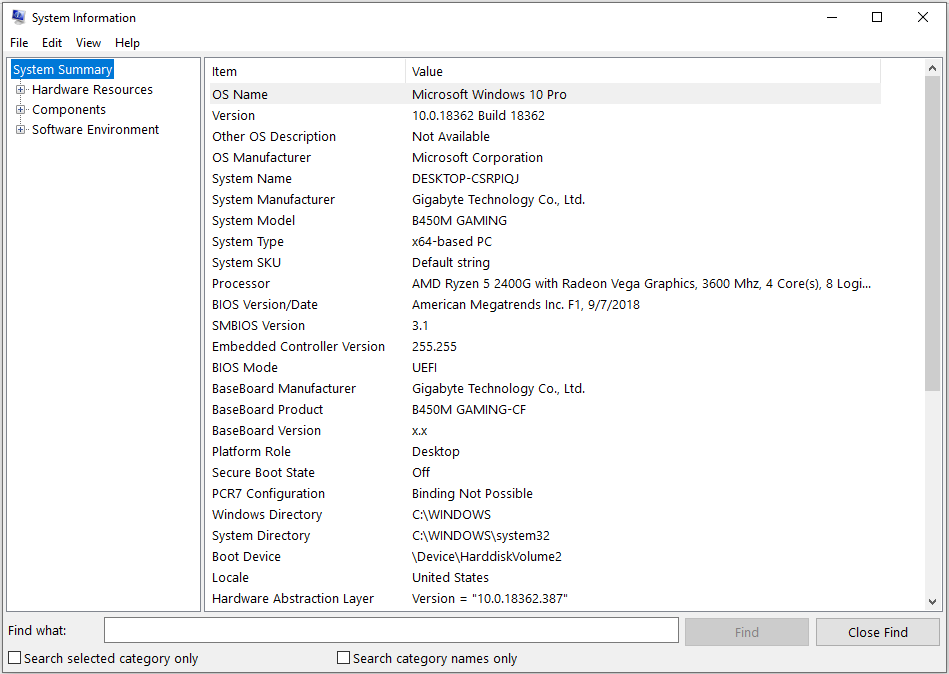
(To confirm this, Open System Information (msinfo32) and share a screenshot)
So Disk 1 is where you want to install Zorin?
But Disk 1 is somehow have an EFI partition, I guess this is got created on your first attempt of Zorin installation.
This means Zorin is trying to install under UEFI + GPT mode. This will cause trouble in dual booting if your Windows is really installed in legacy BIOS + MBR mode.
First you have to make sure, in which mode your Windows is installed.
Depending on that use Rufus to recreate the flash USB:
Now start the Zorin installation - if you are trying to install it on your Disk 1 then simply choose Erase disk and install and carefully select your Disk 1, then proceed with the rest of process.
If screenshot is not possible during Zorin installation then use your phone camera to take pictures.
Yes Disk 0 is where my windows installed.
Yes
No it's not.
I don't feel comforting sharing it but what is msinfo32?
it's UEFI mode so yeah.
Ok I'll do that. But what about windows boot manager that is in disk 1? I'm kinda worried. Should I just go along with it that you said and not worry?
This a Windows inbuilt tool to show your System Informations. Nothing personal is visible there so you are good. From this information set, we are looking for your BIOS mode.
Image of msinfo32 for reference:
If your Windows is under UEFI mode and correctly installed in Disk 0 then the EFI should have been present in your Disk 0. I don't know how it got in Disk 1 while Windows is in other drive. Have you done any manual installation for your Windows??
OK it worked! I went with “none” option, that’s the option im supposed go with right? But then when I restarted Zorin OS 18 to update (I see a Zorin and windows boot manager which is good) but when I selected Zorin, it loaded up but then the screen went black like displaying blank screen. I then tried selecting as windows, but did not worked also, it had an error saying: “Recovery Your PC/Device needs to be repaired. A required device isn’t connected or can’t be accessed.” So welp, I broke my computer as it seems like.
None option?? You meant the location for bootloader? It should have been the same drive where you want to install Zorin.
Since both the OSes are in unbootable state at this point, for less headaches, I believe reinstall of both Windows and Zorin will help you.
If you have any personal data in your drives. Backup them into an external SSD and first reinstall Windows in your Disk 0. After you finish setting up Windows, then try to install Zorin on Disk 1.
No, the advanced option “None”. Bro you told me to choose erase disk 
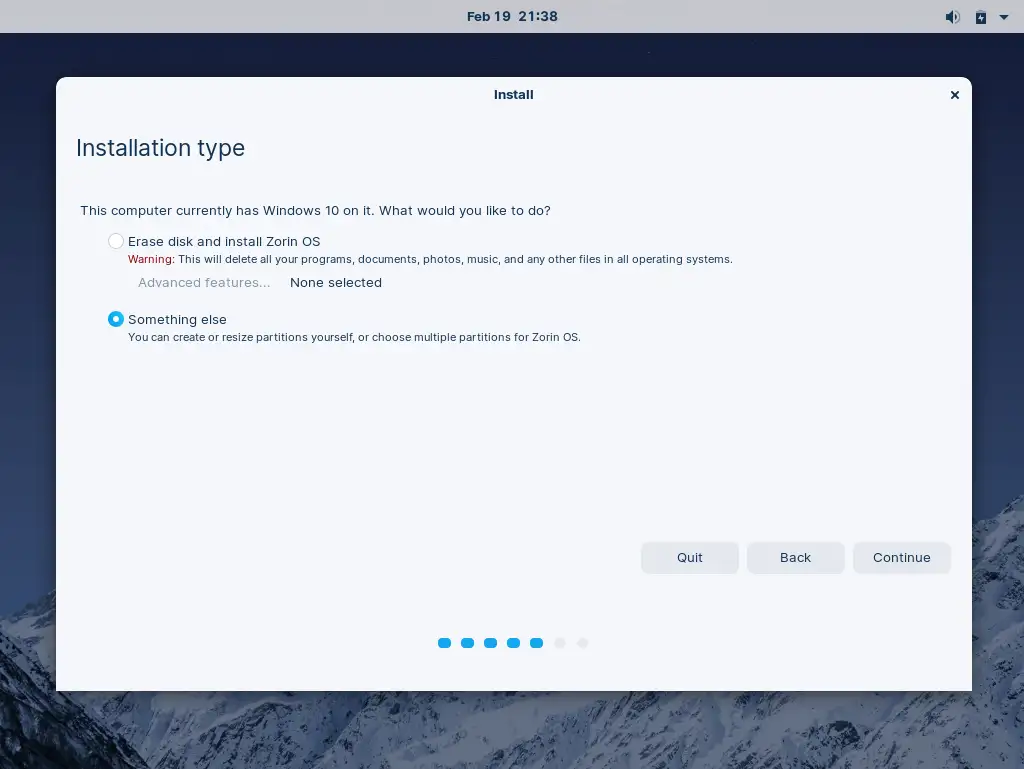
I meant for the Installation Type:
I suggested Erase disk option as I had initially assumed that your Windows is in Disk 0 and Zorin will be in your Disk 1.
And I have asked you about this as well:
You had a unique setup (where Windows is in one drive but it's EFI is in another drive) that's why I had asked you about it to make sure of it before starting the Zorin installation. But seems like you already proceeded with the Zorin installation and by choosing Erase disk option it wiped your Windows EFI that results to the unbootable state of Windows. I'm sorry for what happened, I no way wished for this to happen.
As for the Zorin black screen issue - from the grub menu select Advance option and try to boot from a older kernel.
I do have personal data but I AM NOT reinstalling windows.
Yes IM installing windows on disk 0 and Zorin disk 1 bro.