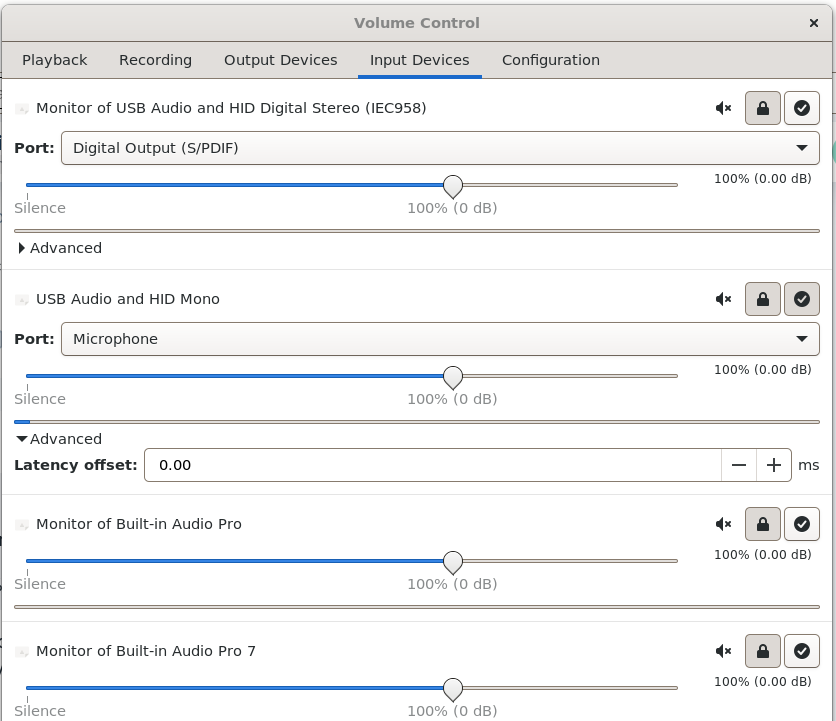
My attempts to get an analog mic to get recognized on my new GMKtec NucBox M3 (with splitter cable) have all failed; the only thing in the list with PulseAudio app Input Devices is "USB Audio and HID Mono".
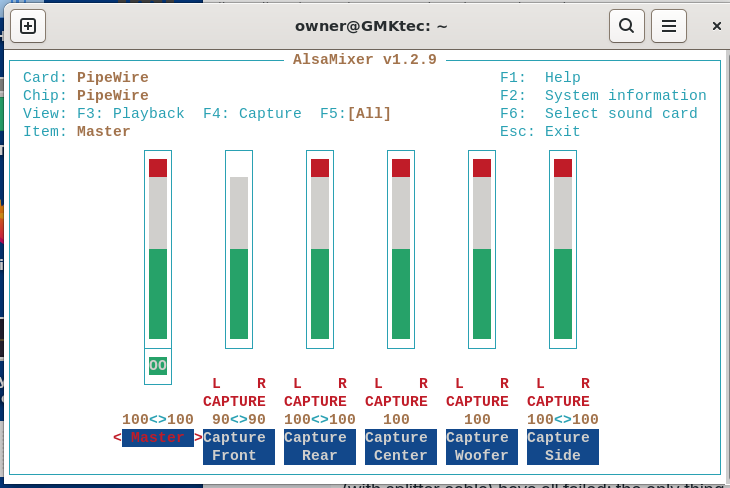
The weird thing is, when I run AlsaMixer and use F6, it shows HDA Intel PCH:
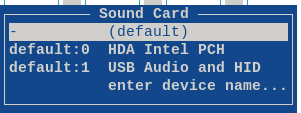
Not sure what to make of this:
Card: PipeWire
Chip: PipeWire
When I use F4 to "Capture" it's at 100% and no indication of being muted.
When I run arecord -l it shows only one device (doesn't show the HDA).
owner@GMKtec:~$ arecord -l
**** List of CAPTURE Hardware Devices ****
card 1: HID [USB Audio and HID], device 0: USB Audio [USB Audio]
  Subdevices: 1/1
  Subdevice #0: subdevice #0
I have tried all of the following in alsa-base.conf, without joy:
# Added alc256-asus-mic based on a Google search. Requires reboot. Did not work.
# options snd-hda-intel model=alc256-asus-mic
# Added dell-headset-multi based on a Google search. Requires reboot. Did not work.
# options snd-hda-intel model=dell-headset-multi
# Added alc256-asus-aio based on a Google search. Requires reboot. Did not work.
# options snd-hda-intel model=alc256-asus-aio
Obviously tried each one separately with a reboot in between. This reminds me of the "bad old days" when Windows drivers were a huge waste of time trying to discover the proper incantation.
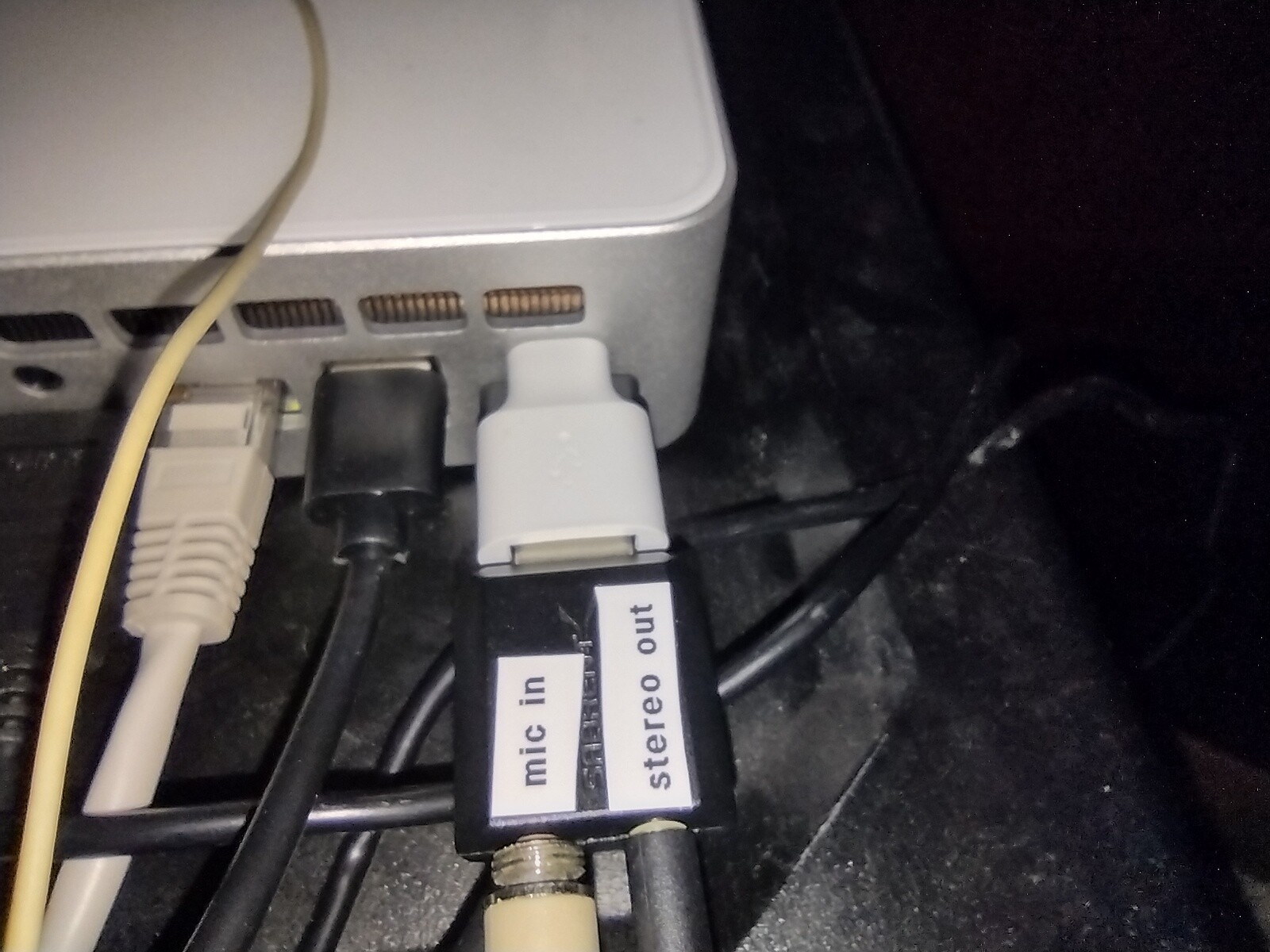
So I have this splitter cable hanging off the back of my computer, and the speakers plugged into it work fine. And the cable itself worked on a laptop (both speaker and mic worked).
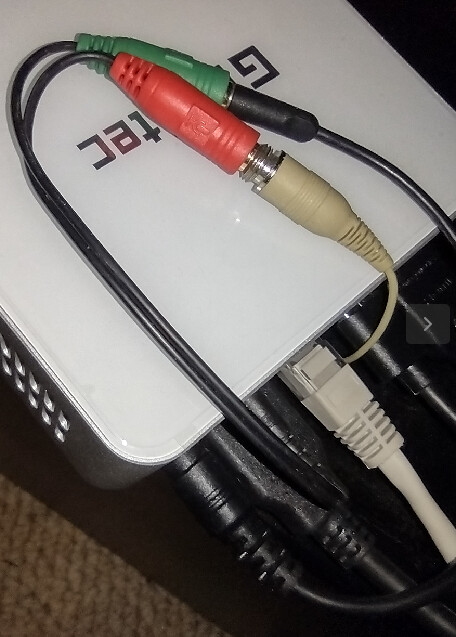
I'm pretty sure I could get a USB-based mic and it would work, but I'd rather get this analog one working.
I've only been at this Zorin thing for a few weeks, so feel like I'm getting kicked around by the AI chatbots, doing any random thing that people have tried, irrespective of whether the mic was detected or not. Maybe a real person will have an "ah-ha!" moment? I can only hope 
owner@GMKtec:~$ uname -a
Linux GMKtec 6.17.0-14-generic #14~24.04.1-Ubuntu SMP PREEMPT_DYNAMIC Thu Jan 15 15:52:10 UTC 2 x86_64 x86_64 x86_64 GNU/Linux
owner@GMKtec:~$ sudo lshw -C multimedia
  *-usb:1
       description: Audio device
       product: USB Audio and HID
       vendor: CSCTEK
       physical id: 8
       bus info: usb@1:8
       logical name: card1
       logical name: /dev/snd/controlC1
       logical name: /dev/snd/pcmC1D0c
       logical name: /dev/snd/pcmC1D0p
       version: 80.07
       serial: A34004801402
       capabilities: usb-2.00 audio-control
       configuration: driver=snd-usb-audio maxpower=100mA speed=12Mbit/s
  *-multimedia
       description: Audio device
       product: Alder Lake PCH-P High Definition Audio Controller
       vendor: Intel Corporation
       physical id: 1f.3
       bus info: pci@0000:00:1f.3
       logical name: card0
       logical name: /dev/snd/controlC0
       logical name: /dev/snd/hwC0D2
       logical name: /dev/snd/pcmC0D3p
       logical name: /dev/snd/pcmC0D7p
       logical name: /dev/snd/pcmC0D8p
       logical name: /dev/snd/pcmC0D9p
       version: 01
       width: 64 bits
       clock: 33MHz
       capabilities: pm msi bus_master cap_list
       configuration: driver=snd_hda_intel latency=32
       resources: iomemory:600-5ff iomemory:600-5ff irq:149 memory:6001140000-6001143fff memory:6001000000-60010fffff
owner@GMKtec:~$ arecord -l
**** List of CAPTURE Hardware Devices ****
card 1: HID [USB Audio and HID], device 0: USB Audio [USB Audio]
  Subdevices: 1/1
  Subdevice #0: subdevice #0
owner@GMKtec:~$